Bruno: The Open-Source Postman Replacement on Ubuntu
This guide is the written companion to the video Bruno: The Open-Source Postman Replacement on Ubuntu, and it treats the video as the starting point. Claims shown in the recording are labeled In the video, and everything I confirmed against the official project sources is labeled Added from the sources. Anything I could not independently verify is marked untested.
In the video: Bruno 4.3.0 is installed on Ubuntu 24.04 in under three minutes, Bruno stores collections as plain-text files so requests live in git beside code, and this week's Postman spyware story is the news hook for looking at an open-source alternative. That spyware framing is the video's context, not an independently verified claim in this guide.
Added from the sources: the APT repository steps, key identity, 4.3.0 release tag, and first-request flow below were corroborated against the official Bruno downloads, download and install docs, v4.3.0 release, and create-a-request docs.
On-screen terminals in the video are clearly labeled simulations with output recreated verbatim from a real sandboxed test run, and the sandbox for this guide has no sudo and is headless, which the video discloses, so the install and in-app request steps here are documented viewer steps marked untested in this sandbox.
What you need
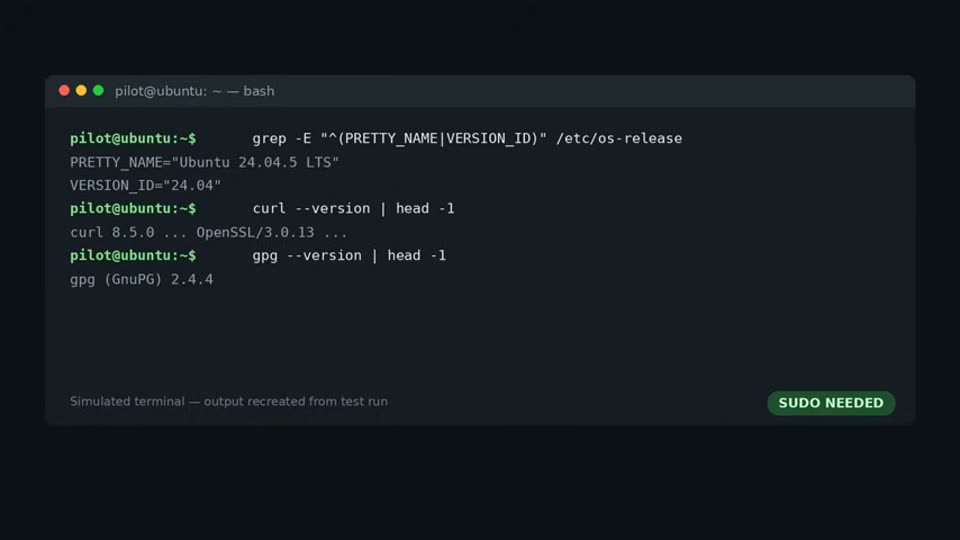
In the video: you need Ubuntu 24.04 x86_64 with sudo access, curl, and gpg, with no accounts, no subscriptions, and no Docker, and the download is about 105 MB. The on-screen check shows Ubuntu 24.04.5 LTS with curl 8.5.0 and gpg 2.4.4 present.
Added from the sources: the official docs list the same prerequisites as sudo apt update && sudo apt install gpg curl before adding the key.
- Ubuntu 24.04 x86_64 with sudo access
curlto fetch the signing keygpgto dearmor the key- About 105 MB of download, per the video
- No Bruno account or subscription required
Trust the repository
In the video: trust comes first by downloading Bruno's signing key from the Ubuntu key server, converting it into the system keyring folder, checking that the fingerprint ends in ECABE0266, then registering Bruno's Debian repository with apt, with both commands needing sudo.
Added from the sources: the official docs give this key URL https://keyserver.ubuntu.com/pks/lookup?op=get&search=0x9FA6017ECABE0266, this keyring path /etc/apt/keyrings/bruno.gpg, and this source line deb [arch=amd64 signed-by=/etc/apt/keyrings/bruno.gpg] http://debian.usebruno.com/ bruno stable.
- Create the keyring folder with
sudo mkdir -p /etc/apt/keyrings - Fetch and dearmor the key with
curl -fsSL https://keyserver.ubuntu.com/pks/lookup?op=get&search=0x9FA6017ECABE0266 - Save the dearmored key to
/etc/apt/keyrings/bruno.gpgand setsudo chmod 644 /etc/apt/keyrings/bruno.gpg - The video's sandboxed test run reports key download HTTP 200, a 6256-byte keyring, and a fingerprint ending
ECABE0266 - Register the repository with apt using the
bruno stablesource entry above
Install and prove it worked
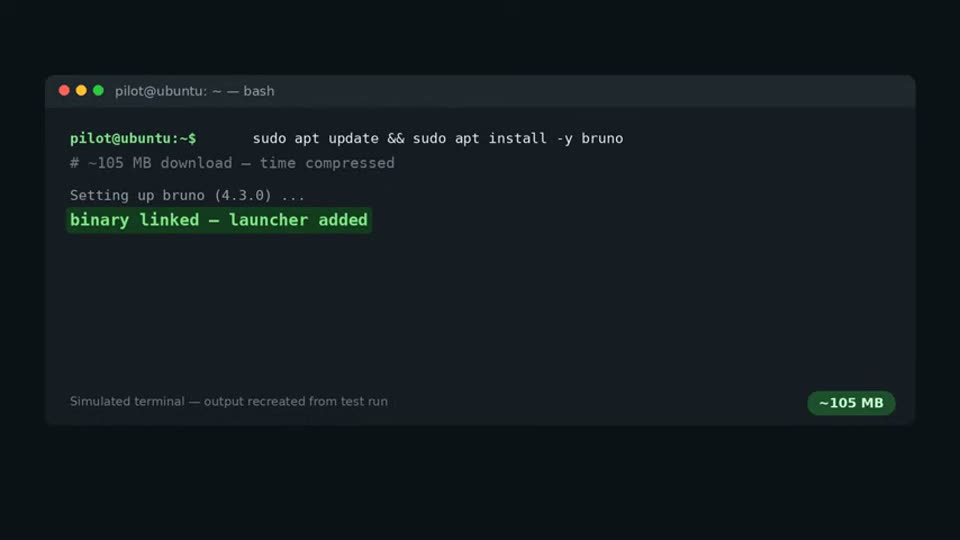
In the video: refresh the package lists, install the bruno package, then run two checks that prove the install, the apt policy and the installed package version, where the candidate must read 4.3.0 served from Bruno's Debian address and the installed package must list bruno at version 4.3.0. The on-screen frame shows Setting up bruno (4.3.0) with the binary linked and the launcher added.
Added from the sources: the official docs install with sudo apt update && sudo apt install bruno, and the v4.3.0 release tag confirms 4.3.0 as the version line to expect.
- Update lists and install with
sudo apt update && sudo apt install bruno - Check the repository candidate with
apt-cache policy brunoand look for 4.3.0 from Bruno's Debian address - Check the installed package entry for
brunoversion 4.3.0 - The actual apt install and policy output are untested in this headless no-sudo sandbox
- The video chapters for this section are
00:58install the package and01:12verify the install
First launch and first request
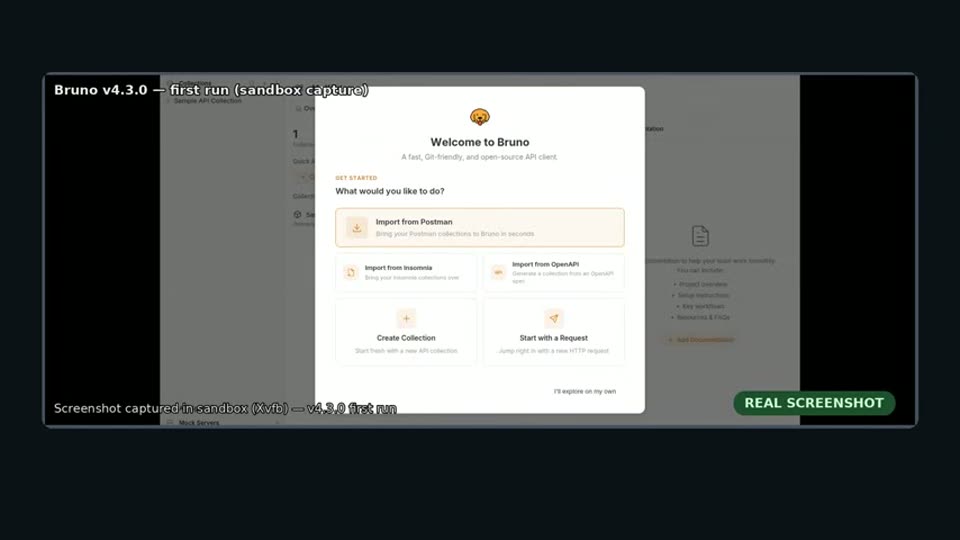
In the video: launch Bruno from the app menu or by typing bruno, first run opens a welcome screen with import from Postman as the headline card, then start with a single GET request, enter your API address, hit send, get a 200 response with timing and size in the same window, and saving writes plain-text files you can diff and commit like code. The welcome-window shot is a real capture from the sandbox run under a virtual display, labeled in-frame as a real screenshot.
Added from the sources: the create-a-request docs describe opening Bruno, using the + button to create a request, entering a URL such as https://api.github.com/users/userbruno, and pressing Enter.
- Pick explore on your own to start empty or import old Postman collections in seconds
- Create one
GETrequest, enter the API address, send, and confirm a 200 response with timing and size - Save the request to get plain-text collection files for git
- The in-app launch and request flow are untested in this headless sandbox with no display or sudo
Sources and next steps
- The companion video is the starting point for this guide and all In the video claims above
- The Bruno downloads page owns the current desktop release lineup
- The download and install docs own the APT key, keyring, source line, and Flatpak and Snap alternatives
- The v4.3.0 release notes own what changed in this version line
- The create-a-request docs own the first-request flow with collections, folders, and tests
- Keep the
bruno stablerepository enabled so updates arrive with apt, and commit the plain-text collection folder to git after the first saved request