Install Rclone 1.76 on Ubuntu: Encrypted Backup in 2 Minutes

This guide is the written companion to the video Install Rclone 1.76 on Ubuntu: Encrypted Backup in 2 Minutes (103s, published 2026-11-06), and it treats the video as the starting point. Claims shown in the recording are labeled In the video, and everything confirmed against the official Rclone sources is labeled Added from the sources. Anything not independently confirmed is marked untested. The auto-subtitle fetch failed with HTTP 429, so the video record used here is the owner-written video description, disclosed as such, and there is no Prag research folder for this video. The video frames are simulated terminal recreations (labeled SIM on screen); the three figures below are stills of those frames. This guide contains no affiliate links.
In the video: Rclone 1.76 is presented as a same-day release while Ubuntu's apt copy is still stuck on an old build from 2022, so the walkthrough skips apt, installs the official 1.76 build, configures a remote, layers encryption over it, and runs a backup you can verify. Added from the sources: the Rclone changelog lists v1.76.0 dated 2026-11-06, and the v1.76.0 release page confirms that tag exists, so the same-day-release claim checks out.
What the video covers
In the video: the chapters run 0:00 What you are installing, 0:14 Prerequisites and why not apt, 0:30 Official install script, 0:42 Verify 1.76.0, 0:53 Configure your first remote, 1:07 Add the encrypted vault, 1:20 First backup and proof, and 1:34 Where to go next. The chapter list and pacing are video claims, repeated here as given.
In the video: cloud remotes such as Drive or S3 reuse the same config create pattern with their own keys added, while mount and systemd autostart are out of scope and left to the docs. That scoping note is repeated as given and is untested here.
- Watch the starting point first via the companion video
- Keep the Rclone docs open for anything beyond this short guide, including mount and autostart
- Browse downloads.rclone.org when you want a precompiled binary instead of the script
Before you install: Ubuntu, curl, and sudo
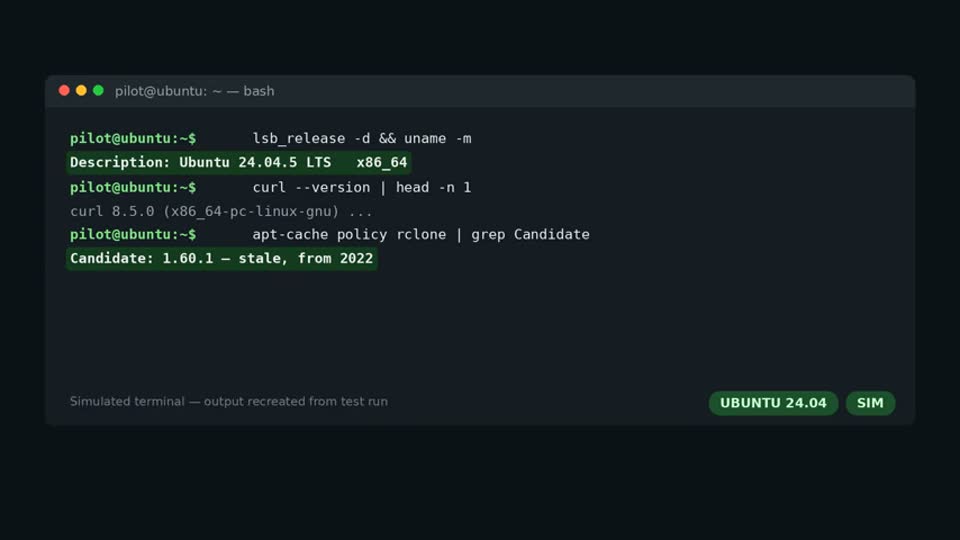
In the video: you need 64-bit Ubuntu 24.04, curl, and sudo, and nothing else. The walkthrough frame shows Ubuntu 24.04.5 LTS on x86_64 with curl 8.5.0, and the apt candidate for rclone as 1.60.1, flagged stale from 2022. Those version figures are frame claims and are untested here, since no local Ubuntu run was performed.
Added from the sources: the install page warns that Linux distribution packages of rclone are often quite out of date and recommends one of the other installation methods where possible, which corroborates the video's skip-apt reasoning without confirming the exact 1.60.1 figure.
- Use 64-bit Ubuntu 24.04 with curl installed and sudo available
- Expect the apt copy of rclone to lag the official release, per the video frame and the install page warning above
- Run
sudo -vfirst to cache your sudo credentials before piping the installer to a root shell
Install the official 1.76 build
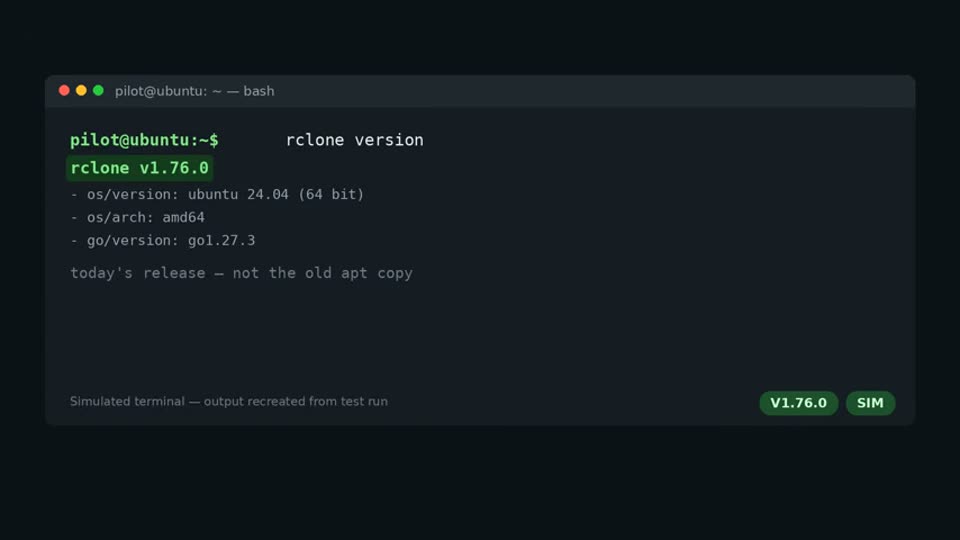
In the video: install with sudo -v ; curl https://rclone.org/install.sh | sudo bash, then prove the result with rclone version. The walkthrough frame answers with rclone v1.76.0 on Ubuntu 24.04 64-bit built with go1.27.3. The install ran inside the video only and is untested here.
Added from the sources: the install page documents exactly that script-install command for Linux, macOS, and BSD systems, so the command is docs-verbatim. Added from the sources: the changelog dates v1.76.0 to 2026-11-06 and notes the build upgrade to go1.27.3, which matches the go version shown in the frame.
- Run
sudo -v ; curl https://rclone.org/install.sh | sudo bashto install the official build - Run
rclone versionand confirm it reportsrclone v1.76.0 - Prefer the script or a precompiled binary over the distro package when you want the current release
Two remotes: a local disk and an encrypted vault
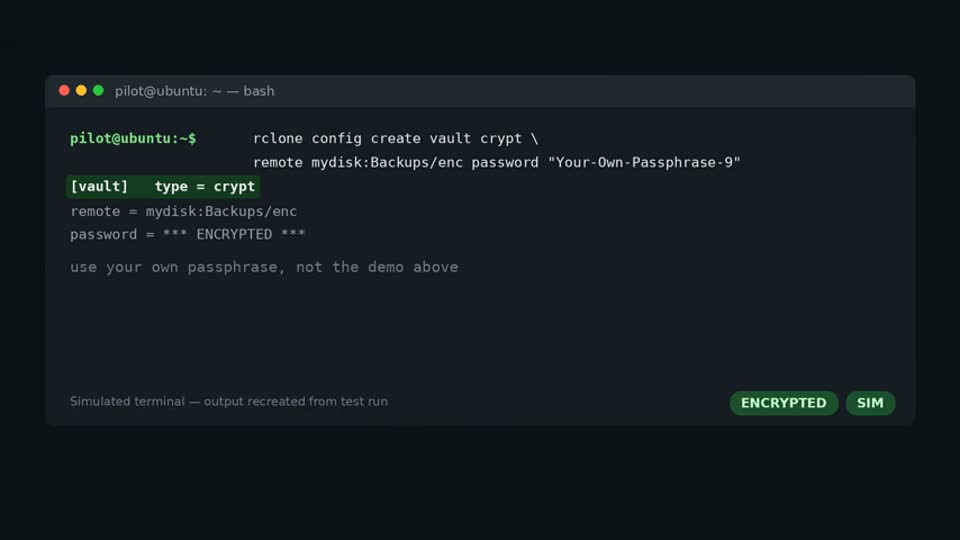
In the video: create a local remote with rclone config create mydisk local, list it with rclone listremotes, then layer encryption with rclone config create vault crypt remote mydisk:Backups/enc. The frame confirms the stored result as type crypt with the password held encrypted. Swap in your own passphrase for the vault step and never reuse the demo passphrase visible in the frame. The remote-creation flow is a video claim and is untested here.
Added from the sources: the install page quickstart points at rclone config plus the config docs for setup, which is the documented home of the remote-creation flow the video compresses into one-liners.
- Run
rclone config create mydisk localto register a local remote namedmydisk - Run
rclone listremotesto confirm the new remote is registered - Run
rclone config create vault crypt remote mydisk:Backups/encwith your own passphrase to add the encryptedvaultremote - Reuse the same
config createpattern with provider keys for Drive or S3 style cloud remotes, per the video, untested here
First backup and proof
In the video: copy with rclone copy ~/Documents vault: --progress, verify with rclone check ~/Documents vault:, and peek at the encrypted side with rclone ls mydisk:Backups/enc, where the filenames read as ciphertext. The video presents the clean check result as proof the backup matches the source. No backup was run for this guide, so the copy, check, and listing behavior is untested here.
- Run
rclone copy ~/Documents vault: --progressfor the first encrypted backup with live progress - Run
rclone check ~/Documents vault:to verify source and backup agree - Run
rclone ls mydisk:Backups/encto confirm the stored side holds ciphertext, not plaintext filenames
Sources and next steps
- The companion video is the starting point for this guide and all In the video claims above
- The install page owns the script-install command and the skip-the-distro-package advice
- The Rclone docs own remote setup, usage, and the mount and autostart topics this short video leaves out
- The changelog owns the v1.76.0 date and the go1.27.3 build note
- The v1.76.0 release page owns the tag confirmation
- The download server owns the precompiled-binary alternative to the script
- The privacy-friendly nocookie embed of the video responded 200 when checked 2026-11-07