Hy-Memory 30B: Memory for Local AI Agents

This companion guide starts from the video Hy-Memory 30B: Memory for Local AI Agents and adds grounded detail from the Hy-Memory model card, the Hy-Memory repo, the hands-on local-run guide, and release coverage. Watch the video first for the full narrated walkthrough, then use the sections below as the written reference. The video is a narrated explainer rather than a filmed live install, so every section keeps In the video claims apart from Added from the sources research, and anything not run here is marked untested.
The twist: a memory model that remembers nothing
- In the video: Hy-Memory has memory in the name and remembers nothing between calls. It is stateless, like every other model. You hand it a conversation and it decides what goes into the database, how precisely to write it, and how new facts overwrite old ones. Move from Berlin to Seattle and it should update the row, not append a second hometown. That judgment call is the whole product.
- In the video: the memory itself lives in your Mem0, MemOS, or Hy-Memory backend, a vector database on your hardware where you can inspect it, back it up, or delete a row and watch it disappear.
- Added from the sources: the model card positions the model as a drop-in writer that replaces the general LLM in the Mem0, MemOS, and Hy-Memory write path, checked October 2026.
- Added from the sources: Tencent released the model and the 2.0 stack around October 15 to 16, 2026, with code and weights under Apache-2.0, so it can live inside commercial products, checked October 2026.
Three layers you can use separately
- In the video: the release comes in three layers, each usable alone. Layer one is the model itself, 30 billion parameters total as a mixture of experts with about 3 billion active per token, 128 experts with eight firing at a time. Layer two is the Hy-Memory Python SDK on PyPI, which handles storage, updating, and retrieval. Layer three is MemHub, a local-first app with a command line and a Mac client that pulls past agent sessions into one shared memory.
- Added from the sources: the Hy-Memory repo carries the SDK, MemHub, docs, and plugins, and the model card confirms the 30B total and 3B-active mixture-of-experts shape with English and Chinese support, checked October 2026.
Three memory types
- In the video: chat memory is the familiar one. It groups scattered facts into events with a time, a place, and people, then merges duplicates and settles conflicts before anything reaches your answer model.
- In the video: working memory is new. It records a task goal, the decisions already made, intermediate results, and reusable lessons plus the conditions where they apply, so a long-running job can resume without relearning. Code memory aims the same machinery at software work.
- Added from the sources: release coverage confirms working memory and code memory arrived new in the 2.0 open-source release, checked October 2026.
Storage you can open
- In the video: vectors default to ChromaDB with Qdrant and FAISS as options. Graph memory defaults to Kuzu, and the working and coding metadata sits in local SQLite. Boring, inspectable, yours.
- Added from the sources: the Hy-Memory repo confirms ChromaDB as the default vector store with Qdrant and FAISS options, Kuzu as the default graph store with Neo4j as the alternative, and local SQLite for working and coding metadata, checked October 2026.
How it was trained
- In the video: Tencent trained it in two stages, both unusually run inside the actual memory harnesses instead of on static text. First, Memory On-Policy Distillation, where a teacher model grades the student chain of memory states as it writes. Then attributed reinforcement learning, which assigns credit chunk by chunk across long sessions and carries the winning memory bank forward.
- In the video: the stated goal is a writer that transfers, and the evidence offered is EverMemOS, a fourth framework held out of training entirely, where the model still topped the table. Training inside the deployment loop is the interesting idea here, whatever you think of the scores.
- Added from the sources: the model card names the same two stages, Memory On-Policy Distillation plus Attributed Memory reinforcement learning, and describes transfer to the held-out EverMemOS setup, with the tech report giving the full account, checked October 2026.
Benchmarks, read as an invitation to test
- In the video: Tencent swapped only the memory writer, keeping the same harness, same retrieval, same answer model and judge, and averaged six tests covering LoCoMo, long-memory eval, persona memory, travel planning, shopping, and a code memory bench.
- In the video: the vendor-run macro average is Hy-Memory 55.49 against Claude Opus 5 at 54.62 and DeepSeek V4.1 Flash at 53.64, a 0.87 point edge, narrowing to 2/100 of a point on its home harness. These are vendor numbers on a fixed 20 percent subsample with Tencent's own harness and judge, so treat them as an invitation to test, not a verdict.
- In the video: the number that matters for self-hosters is lower in the table, plus 11 points over the Qwen 30B-class model you would otherwise run locally as a cheap extractor. If you already pay a hosted model per write or run a small local one, that gap is the reason to try it.
- In the video: two honesty notes. Shopping tasks defeat every writer in the table, with nobody including Opus breaking 24 points and Hy-Memory landing around 18 to 21, so some memory problems stay unsolved no matter who writes. And a community tester ran 68 handcrafted dialogues through every published quant, with all 68 producing valid JSON but only 23 of 34 English cases passing strictly. The failures were duplicated facts, overstored trivia, and the occasional invented detail, all wrapped in perfectly valid JSON, so the failure mode is clutter, not crashes. Test it on your own conversations before it touches anything you care about.
- Added from the sources: the model card reports the same vendor-run table, Hy-Memory 55.49 against Opus 5 at 54.62, DeepSeek V4.1 Flash at 53.64, Qwen3.6-35B-A3B at 50.37, and Qwen3-30B-A3B at 44.37, with per-harness scores of 54.02 on Mem0, 60.55 on Hy-Memory, 50.51 on MemOS, and 56.89 on EverMemOS, all writer-only swaps on the fixed 20 percent subsample, checked October 2026.
- Added from the sources: vendor-reported release figures via release coverage claim 72.6 percent on LoCoMo chat with tokens per query cut from 1159 to 703, 55.31 percent on MemoryArena working-memory travel plus shopping tasks, and 64.2 percent QA, 35.6 percent task, and 28.3 percent on the code-memory benches. These are vendor-reported figures, not independent results, checked October 2026.
Hardware: compute for 3B, pay RAM for 30B
- In the video: only 3 billion parameters fire per token, so decoding is fast. But the router can reach for any of the 128 experts on the next token, so all 30 billion have to sit in memory. You pay RAM for 30B and compute for 3B.
- In the video: full BF16 weights run about 60GB, with community GGUF quants stepping down to 32GB at Q8, 24.7 at Q6, 21.4 at Q5, and 18.2 at Q4_K_M, plus a mixed 4 and 6-bit MLX build around 17 to 18GB for Apple silicon. The realistic floor for the Q4 quant is a 24GB card or a 32GB Mac plus room for the KV cache on top, while Q8 with real context headroom wants 64GB.
- In the video: the uploader validated long context at 32K, not the 262K config maximum.
- Added from the sources: the hands-on local-run guide publishes the same size ladder, Q4_K_M at 18.2GB through Q8_0 at 32GB and BF16 near 60GB, with the same 24GB GPU or 32GB Mac floor, and notes 13 GGUF quant variants appeared on day one, checked October 2026.
Four ways to run it, all untested here
- In the video: four run paths are all real. One, llama.cpp, but you need release b9993 or newer, where the hy_v3 architecture support landed, then serve the Q5 or Q4 quant with the uploader chat template and thinking disabled. Two, Ollama, a one-liner pointing at the same community GGUF repo at Q4_K_M. Three, vLLM, the officially documented path, tested at version 0.31 serving the full BF16 weights under the hy-memory name. Four, MLX on Apple silicon.
- In the video: two community gotchas. The config lists an expert width of 1536 while the actual tensors are 768, so converters had to patch it, and you should use a published quant rather than rolling your own. And always pass the no-think flag, because this model reasons about memory, it does not chat. Exact commands are linked inline above and shown on screen, and none were run here, so all four paths are untested in this guide.
- Added from the sources: the hands-on local-run guide gives the exact commands for the llama.cpp, Ollama, vLLM, and MLX paths, documents the 1536 versus 768 config quirk, and notes the one-line Ollama setup, checked October 2026. Follow that guide for commands rather than improvising them.
- Added from the sources: the model card documents the officially supported vLLM 0.31 path with no-think mode, temperature 0, and a JSON memories output, checked October 2026.
The SDK: point it at localhost
- In the video: the model alone does nothing, it needs a framework calling it. The Hy-Memory SDK installs from PyPI and accepts any OpenAI-compatible endpoint through two environment variables, so you point it at your local llama.cpp or vLLM server and keep every byte on your network. Use pro mode, because lite mode makes no model calls at all, which means your writer never runs. You will also need a separate embedding endpoint configured. Mem0 and MemOS accept the same trick, an OpenAI base URL aimed at localhost, so the model drops into stacks you may already run. The repo ships an environment template, usage docs, and plugins, and it is under active development, with commits landing the same day the video was recorded.
- Added from the sources: the hands-on local-run guide pins the install around the hy-memory 2.0.x line, describes pro mode making model calls while lite mode makes none, and notes the separate embedding endpoint requirement. Untested here, so confirm variable names against the repo docs before wiring anything, checked October 2026.
- Added from the sources: the Hy-Memory repo ships the environment template and usage docs, with roughly 700-plus stars at fetch time and fixes landing through October 18, checked October 2026.
MemHub: memory across tools
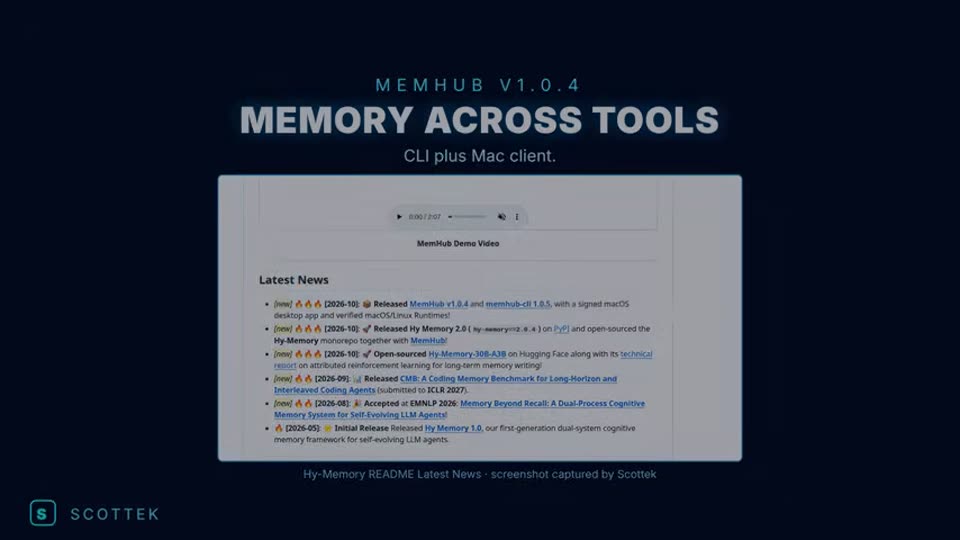
- In the video: MemHub is the layer aimed at you rather than your code, a local-first command line plus Mac client. Authorize your tools once and it imports past sessions into a single local store, then keeps syncing new ones. It lists 10 integrations, with WorkBuddy, Cursor, Codex, Qwen Code, OpenCode, and the DeepSeek harness among them. Work you did in one tool becomes recallable in another, with a Claude Code session decisions showing up as context in the next OpenCode run as the demo that sells it.
- In the video: one privacy boundary to verify yourself. Syncing means granting read access to those tools histories, so check what leaves your machine before you authorize anything.
- Added from the sources: release coverage describes the same 10-tool MemHub lineup and the local-directory model, checked October 2026.
Who should install it, and who should skip
- In the video: if you run local agents, OpenCode, Claude Code against local endpoints, or anything with tool calls, and you have felt them relearn your preferences every session, you are the audience. If you already run Mem0 or MemOS with a hosted extractor, this is a drop-in cost cut to test. If you have a 24GB card and an Ollama setup from earlier guides, the Q4 quant slots right in.
- In the video: skip it if you expect plug-and-play chat. This model does not answer questions, and pointed at a chat UI it will just extract memories about your small talk. And skip it without the VRAM. There is no small sibling yet, no 7B version, so below 24GB you are spectating.
- In the video: the two deeper reasons are auditability and money. Hidden state cannot be audited, while a specialist writer plus a store you control gives inspectable rows, backups, and per-user scoping, with deletes you can prove. And frameworks like Mem0 call a model on every write to extract facts and reconcile conflicts, a call that in many setups goes to a hosted model billed per token on every turn of every user, while a 3B-active writer on your own GPU turns that recurring API cost into electricity. That is the homelab pitch in one sentence, the most expensive per-token call in the agent stack made local.
- Added from the sources: no independent test results were available at guide time beyond the 68-dialogue community sanity check described above, so treat every install as an experiment and measure the strict pass rate on your own conversations, checked October 2026.
Honest tool, narrow job. In the video: Tencent went from closed lab to Apache-2.0 memory infrastructure in one release, model, framework, and local app, all inspectable, with scores that say test-worthy, not trustworthy. Added from the sources: the repo, the model card, the tech report, and the local-run commands are all linked above. If you wire it into your stack, the number worth reporting back is your own strict pass rate.