Install Firenook 0.2.1 on Ubuntu: Firebase Emulators, No Java

This companion guide starts from the video Install Firenook 0.2.1 on Ubuntu: Firebase Emulators, No Java and grounds each step in the official Firenook docs, the 0.2.1 changelog, and the GitHub repo. Watch the 137-second video first for the narrated run, then use the sections below as the written reference. Every section keeps In the video claims apart from Added from the sources research.
What Firenook is
- In the video: Firenook is the Firebase emulator suite rewritten in Rust, shipped as one npm package with no Java, keeping the same ports and config, with the full install, check, and live proof done in under three minutes.
- Added from the sources: the Firenook docs describe the package as a small launcher whose per-platform engine arrives through optional dependencies, with no postinstall script, no Java, no
firebase-tools, and no emulator archives downloaded at install or start. The GitHub repo is Apache-2.0 licensed and states the project is not affiliated with or endorsed by Google, so treat it as an independent drop-in that keeps yourfirebase.json, SDKs, and ports whilefirebase-toolsstays installed for deploying. - Added from the sources: the repo's vendor benchmark claims 40x faster writes and 10x less memory than the official emulator on a real app workload, and those figures are vendor-claimed with no independent verification and are untested here.
Before you start: Ubuntu and Node
- In the video: you need 64-bit Ubuntu 24.04, Node 22, 24, or 26, and a project folder, with the test run done on Ubuntu 24.04.5 and Node 26, and a companion Node guide on the channel covers installing Node with zero sudo.
- In the video: the prerequisite check is
lsb_release -d && node -v, reporting backUbuntu 24.04.5 LTSandv26.12.1, which satisfies the Node 22, 24, or 26 floor.
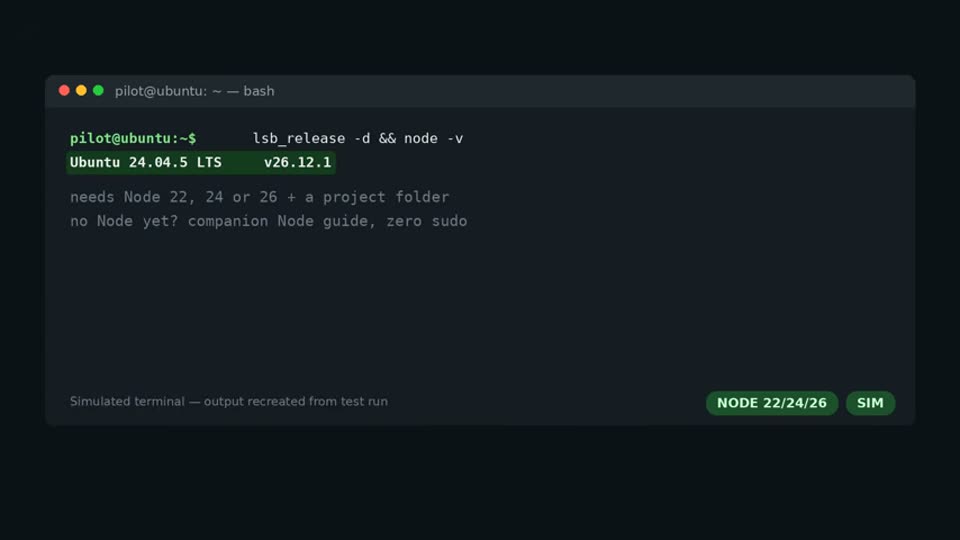
- Added from the sources: the install doc confirms the emulators run on Node 22, 24, or 26 because Functions run on that same Node, while lighter commands such as
initand--versionrun on any Node from 20 up, with an older Node refused and an odd major such as 23 or 27 starting with a warning. On Linux the engine needs glibc 2.28 or newer, which Ubuntu 24.04 satisfies, so the check above is untested here but read-only and safe to repeat on your own box.
Install the package and scaffold a project
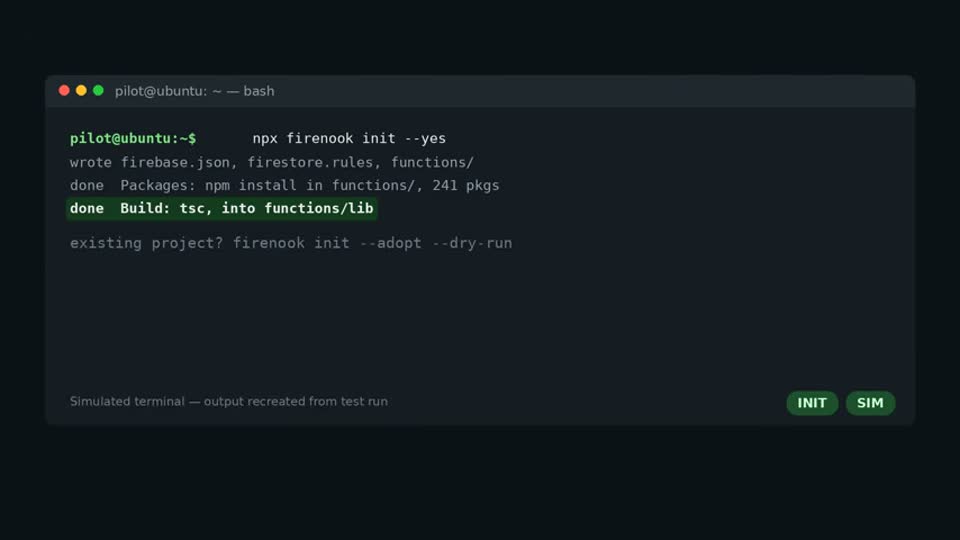
- In the video: installation is one npm command taking about 3 seconds in the test run, then
npx firenook init --yesscaffoldsfirebase.json,firestore.rules, andfunctions/, followed by annpm installof 241 packages insidefunctions/and atscbuild intofunctions/lib. - Added from the sources: the documented install is
npm install --save-dev firenook, pinned for this release asnpm install --save-dev firenook@0.2.1, and the 0.2.1 changelog confirms 0.2.1 was published straight tolateston 4 November 2026 with no emulator protocol, port, or data-format change against 0.2.0.
- Added from the sources: keep optional dependencies enabled so the right engine package installs, since skipping them breaks every engine command, and add
.firenook/to.gitignorebecause each run keeps working data there.npx firenook --versionprints the release with the engine source revision andnpx firenook binary-pathverifies the engine checksum, and both version checks are untested here.
Pre-flight check with doctor, then start the emulators
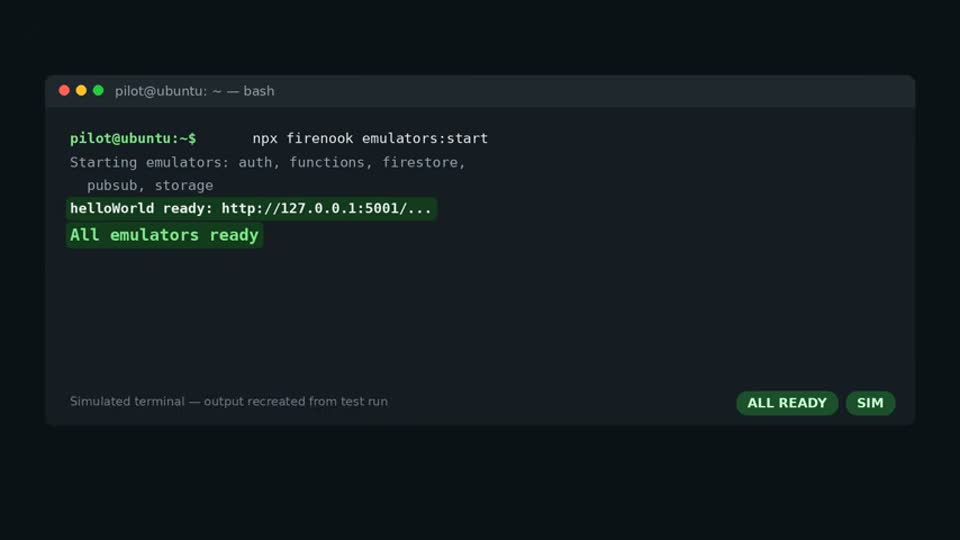
- In the video: the pre-flight check is
npx firenook doctorwith exit code 0, andnpx firenook emulators:startthen brings up auth, functions, firestore, pubsub, and storage with the samplehelloWorldfunction ready and all emulators reporting ready. - Added from the sources: the install doc says
doctorruns the same checksemulators:startruns without starting anything and prints the result as JSON covering engine, Node, project id, services, ports, and warnings, exiting 1 when anything would stop a start or when nofirebase.jsonexists.
- Added from the sources: the console lives at
http://127.0.0.1:4000/console, and in a terminal the start screen answersofor the console,rto reload functions, andqto stop with data saved first. The start and key bindings are untested here since no live emulator run was done for this companion.
Live proof: console 200 and a sample function
- In the video: the proof step shows the console answering HTTP 200 and the sample function replying Hello from Firebase, closing the loop from install to a live local endpoint.
- Added from the sources: the console address and the function URL pattern above come from the install doc, and the 200 plus Hello-from-Firebase reply are the video's own test-run results carried here as stated. Reproducing the console check and the function call yourself is untested here.
Keep your data and migrate an existing project
- In the video: emulator data is kept across restarts, and existing official-emulator projects migrate over, with
firenook init --adopt --dry-runshown as the first look before changing anything. - Added from the sources: the switch guide lays out three steps, starting with
npx firenook init --adopt --dry-runto print a plan that changes nothing, whereerrorlines block a start,skiplines mark services Firenook does not emulate such as Hosting or Realtime Database, andaddlines mark fix-ups the adopt run can apply. - Added from the sources: the second step swaps
firebase emulators:startforfirenook emulators:startwith the common flags carrying over, and the third step absorbs the differences, which are one shared host for the whole suite, working files kept under.firenook/runs/and never deleted, and a way back by exporting and starting the official CLI on that export. The 0.2.1 changelog confirms 0.2.1 opens what 0.2.0 saved and vice versa, and the whole migration path is untested here.
Honest caveats and verdict
- In the video: the headline result is a working Firebase emulator stack on Ubuntu with no Java in about three minutes, measured on Ubuntu 24.04.5 with Node 26 at 3 seconds for install,
doctorexit 0, console HTTP 200, and a live function reply. - Added from the sources: the no-Java claim means a native Rust engine binary per platform instead of a JVM, which also means glibc-based Linux only, no Alpine or musl, no 32-bit, and no Windows on Arm, per the install doc. Speed and memory figures stay vendor-claimed, the 0.2.1 fixes center on popup sign-in from non-localhost addresses plus a restyled console sign-in page per the 0.2.1 changelog, and every hands-on step in this guide is untested here, so verify versions, commands, and flags against the linked sources during a real deploy.