Pangolin 1.25: mTLS Tunnels + Redirects Homelab Guide

This guide is a companion to the video walkthrough and never replaces it. It retells what the video presents, and every setup step described here is untested in this guide and was never reproduced on a live server for this article.
Watch the video first
Watch the video on YouTube before following along. The video runs about 524 seconds, was published on 2026-10-28, and is a self-hosting install and setup walkthrough of Pangolin 1.25 with mTLS tunnels plus redirects for a homelab.
What Pangolin is and what you need
- In the video: Pangolin is a self-hosted tunneled reverse proxy with identity checks built in, and version 1.25 adds HTTP redirects, mutual TLS on public resources, load balancing, and blueprint export.
- In the video: you run the control plane on a cheap VPS with a public IP while a small site connector called Newt on your home network dials out over WireGuard through Gerbil, so your router opens nothing and Traefik on the VPS terminates TLS per hostname — untested in this guide.
- Verified for this guide: the system architecture docs confirm site connectors make outbound connections so the VPS reverse-proxies into the LAN without inbound ports there.
- In the video: license honesty up front, with the Community Edition free under AGPL-3.0 and the Enterprise Edition under the commercial Fossorial license, and roles on machine clients as Enterprise-only — Verified for this guide: the Pangolin repo README lists Community as free and open source under AGPL-3 with Enterprise open core under the Fossorial Commercial License, free for personal and hobby use and businesses under 100K USD gross revenue.
Install it on your own VPS
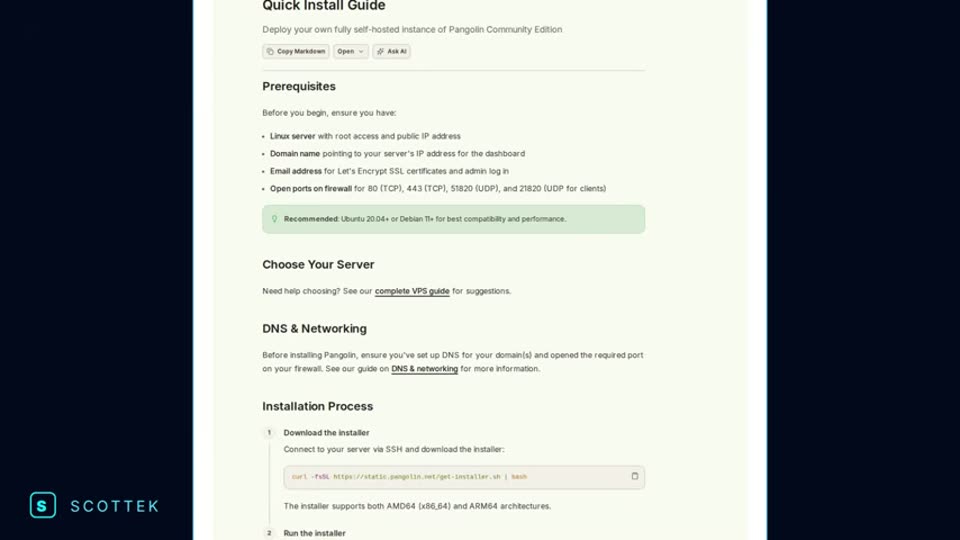
- Verified for this guide: the quick-install docs require a Linux server with root and a public IP, a domain pointed at the server, an email for Let's Encrypt and the admin login, and open ports 80 TCP, 443 TCP, 51820 UDP, plus 21820 UDP for clients.
- In the video: installation is two commands, fetching the installer from static Pangolin hosting and running it, then answering prompts for edition, base domain, dashboard domain, email, and Gerbil tunneling — untested in this guide.
- Verified for this guide: the docs show the download as
curl -fsSL https://static.pangolin.net/get-installer.sh | bashfollowed bysudo ./installer, which pulls the Pangolin, Gerbil, and Traefik images and finishes with a setup token for the first admin account — untested in this guide.
Retire old hostnames with native redirects
- In the video: redirects live under Settings then Redirects, attach to a domain hostname or a public resource, match host plus path with an optional path rewrite, and the higher priority wins when several match, always running before the resource including before authentication — untested in this guide.
- Verified for this guide: the 1.25 release announcement confirms exactly that behavior, including priority handling and running before authentication.
- In the video: trap number one is that permanent redirects need Badger v1.8.0 or newer while Badger 1.8.0 is currently broken, so set redirects up as temporary today and flip them to permanent once the fixed Badger lands — untested in this guide.
- Verified for this guide: the 1.25.3 release notes carry both warnings, that permanent redirects need Badger v1.8.0 or greater and that Badger v1.8.0 fails the Traefik plugin integrity check so users should stay on v1.7.0.
Require client certificates with mTLS
- In the video: mTLS turns on under the resource Authentication tab by uploading trusted CA certificates, after which every client must present a CA-signed certificate during the TLS handshake, before PIN, password, or SSO even run — untested in this guide.
- In the video: clients without a valid certificate see a connection error instead of the login page, which suits admin panels and internal tools where only provisioned devices should reach the edge at all — untested in this guide.
- Verified for this guide: the 1.25 release announcement confirms the Authentication-tab setup, the pre-auth handshake failure mode, and that verified certificate details ride upstream in the
X-Forwarded-Tls-Client-Cert-Infoheader, separate from site-to-control-plane mTLS. - In the video: if the mTLS toggle is missing on a fresh 1.25.0 install, update, because it stayed hidden behind an Enterprise flag until 1.25.2 fixed it for Community — untested in this guide.

Machine roles, load balancing, and blueprints
- In the video: machine clients can inherit the union of their roles' grants plus direct grants, so a CI runner shares a team role instead of per-machine grant lists, and this one is Enterprise-only — untested in this guide.
- In the video: HTTP resources with several targets get four strategies on the Proxy tab, Round Robin by default plus Power of Two Choices, Client IP Hash, and Least Response Time, all needing Traefik 3.6 or newer updated by hand — untested in this guide.
- Verified for this guide: the 1.25 release announcement lists the same four strategies with the same Traefik 3.6 requirement, plus blueprint export of any resource as YAML from the row menu and caller identity forwarded upstream as
Remote-User,Remote-Email,Remote-Name, andRemote-Roleheaders. - In the video: suspect credentials regenerate from the Credentials tab, where regenerate keeps the session up until restart and regenerate-and-disconnect kills it immediately — untested in this guide.
Patch to 1.25.3 and run the day-one flow
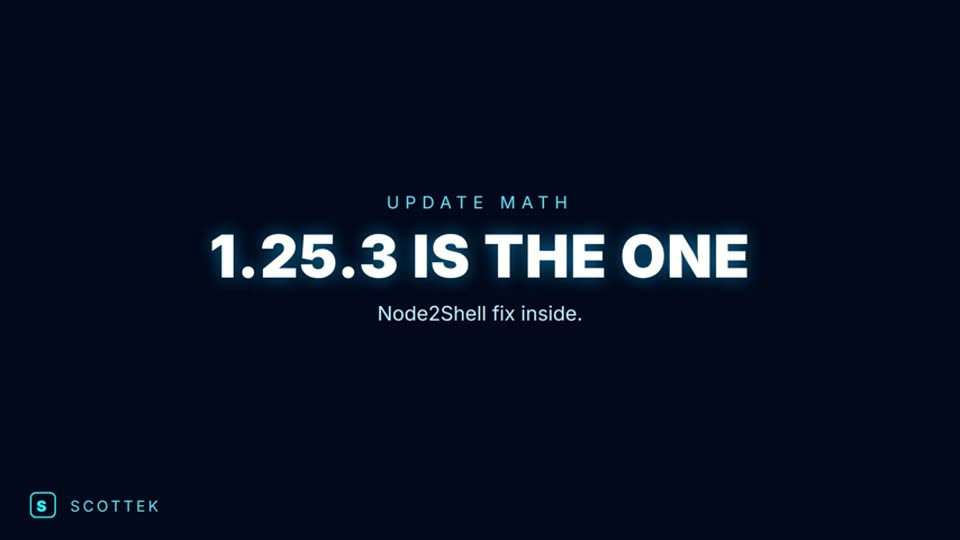
- In the video: the update math is 1.25.0 landing October 20 with relay and credential fixes in 1.25.1 and 1.25.2, then 1.25.3 on October 23 with a Node update for Node2Shell CVE-2026-111497, so run 1.25.3 and back up the app-data config volume before updating.
- Verified for this guide: the GitHub releases page shows tags 1.25.0 through 1.25.3 with 1.25.3 published 2026-10-23, and the announcement itself is dated October 20, 2026 — independent coverage at Linuxiac confirms the same feature set.
- In the video: the day-one flow is creating an organization, creating a site, pasting the handed-over Newt compose snippet on the app box until the tunnel shows green, adding a public resource with hostname plus LAN target, picking auth, putting a redirect on the old hostname, and exporting the blueprint to git — untested in this guide.
- In the video: keep Tailscale or Headscale for device mesh and let Pangolin be the public front door, and go in knowing a VPS with a public IP and a real domain is required — untested in this guide.
This article contains no affiliate links, and the video closing sponsor plug is intentionally excluded.