Frigate 0.18: Self-Host AI Security Cameras

Companion video
This guide is the companion to the Scottek walkthrough Frigate 0.18: Self-Host AI Security Cameras (2026 Guide) — watch it for the full on-screen tour, then use this page as your copy-paste reference and docs index.
The video frames Frigate as the fix for cloud-camera subscriptions: your cameras, your box, your detections. This page adds the sourced details behind that tour — what changed in 0.18, which detector hardware the docs support, the Docker deploy values that are documented, how camera streams are split, and how review plus storage work — with untested steps marked as untested.
What Frigate is
Frigate is a self-hosted network video recorder with local object detection, shipped as a Docker container. It takes your cameras video streams, runs detection on your own hardware, records around the clock, saves event snapshots, and serves a web UI with timelines plus review feeds, per the Frigate installation guide and the v0.18.0 release notes.
- Detections run locally for things like person, car, dog, package, face, and license-plate workflows — no cloud account required
- The project is MIT licensed and Home Assistant friendly through MQTT plus a dedicated integration
- The video positions it next to a homelab stack with Immich, Jellyfin, and Home Assistant, which matches the documented integration path
- Start with one camera on plain CPU, prove the pipeline, then add an accelerator when measured load justifies it
What is new in 0.18
Version 0.18.0 was released September 12, 2026, per the v0.18.0 release notes. The headline is usability: the YAML-first workflow gains a full UI layer, plus named profiles and a grown-up GenAI story.
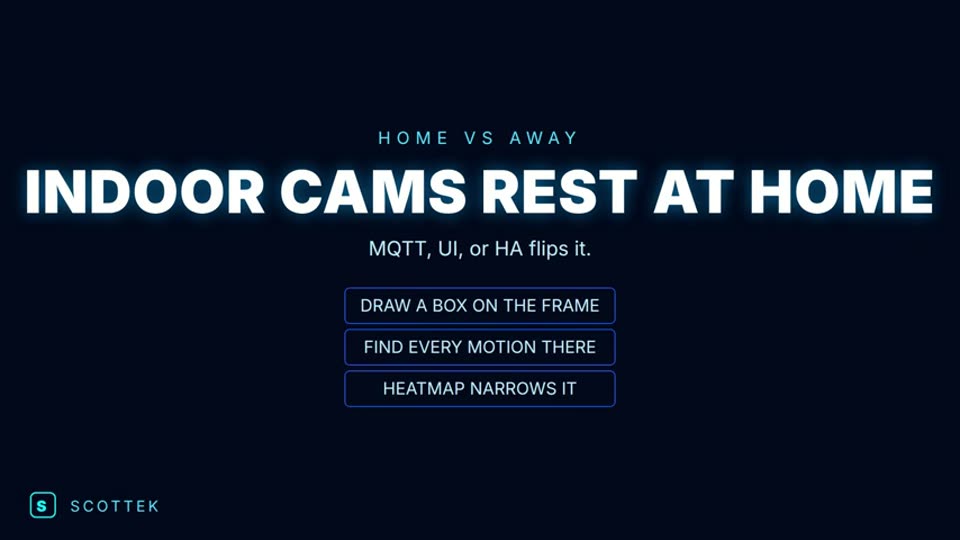
- Full Settings UI. Every config area — cameras, detectors, motion, recording, review, GenAI, semantic search, face recognition, LPR, classification, networking, auth — now lives in a categorized sidebar with per-field validation, inline descriptions, and docs links, per the release notes
- Live vs restart behavior. Unsaved changes highlight with a Save All summary, restart-required fields carry a badge with one-click restart, and most enrichment, motion, ONVIF, GenAI, and go2rtc settings apply live with no restart
- YAML still works. Manual file configuration remains fully supported, and docs pages now carry UI tabs next to YAML examples
- Profiles. Named overrides over the base camera config switch live with no restart, covering detection, motion, recording, snapshots, review, zones, notifications, objects plus masks and filters, face recognition, LPR, audio, birdseye, and camera enabled state, per the Profiles docs
- GenAI expansion. The global
genaikey is now a map of providers with arolesfield for object descriptions, review summaries, embeddings, and chat, plus a new llama.cpp provider with automatic model probing for a fully local path, per the release notes - Chat in the UI. A tool-calling agent with streaming markdown answers, inline tool calls, tracked-object cards, paperclip event attach, and quick replies, able to search tracked objects and summarize activity
- Motion Search plus Debug Replay. Draw a region to find motion there even with no tracked object, browse motion previews with a heatmap-grid filter, and replay recorded video through the detection pipeline as a fake live camera to tune thresholds against real footage, per the Review docs
- Exports into cases. Fast multi-camera export from History, bulk export from Review, named case bundles with filtering and bulk reassignment, custom ffmpeg export args gated to admins, and a Media Sync pane replacing
sync_recordings, per the Exports docs - Frontend and platform. React 19, rewritten WebSocket layer, camera connection-quality indicator, GPU and NPU temperatures where available, UI camera delete with media cleanup, instant snapshot download from History, and HTTP/2 on port
8971
Detector hardware
Detection is computationally heavy, so Frigate is designed to run it on a dedicated accelerator or GPU rather than CPU, per the Object Detectors docs. The default is a single CPU detector, which the docs flag as not recommended for real use — OpenVINO in CPU mode usually does better.
- Start on CPU, accelerate later. CPU works for proving one camera at modest detect resolution, then measure inference lag on the System Metrics page before buying hardware
- Coral EdgeTPU (
edgetputype) in USB, Mini PCIe, and M.2 formats is the classic upgrade, and on a Raspberry Pi the USB Coral wants a powered hub because it draws heavily, per the installation guide - Hailo-8 and 8L come as M.2 cards or Pi HAT modules including the Pi AI Kit path, and the docs call out Bookworm versus Trixie driver steps on Pi OS
- Intel via OpenVINO covers Arc GPUs, integrated GPUs, and CPUs, and 0.18 simplifies Intel stats to kernel DRM counters with no privileged container — host kernel 6.5 or newer required, with Battlemage support added
- Nvidia GPUs up to the 50 series are supported through the
-tensorrtimage family with ONNX models, with CUDA plus ONNX bumps in 0.18 - AMD via ROCm on discrete GPUs through the
-rocmimage, now at ROCm 7.2 with RDNA4 support - New in 0.18: AXERA accelerator support, plus Rockchip RKNN, Synaptics, MemryX, and Apple Silicon via a host-side detector depending on platform
- Retired: DeGirum removed after the vendor ceased operations August 1, 2026, and DeepStack deprecated with removal slated for 0.19 — check detectors before upgrading
- Images are per-platform:
0.18.0,0.18.0-standard-arm64,0.18.0-tensorrt,0.18.0-rk,0.18.0-rocm,0.18.0-tensorrt-jp6, and0.18.0-synaptics, per the release notes - Untested here: throughput claims for any specific accelerator and camera count — size from the docs plus your own metrics, not from this page
Deploy with Docker
The blessed path is Docker on bare-metal Debian, per the installation guide. VMs such as Proxmox can work but passthrough adds pain, and Windows is unsupported outside WSL or VirtualBox experiments where accelerators may not pass through.
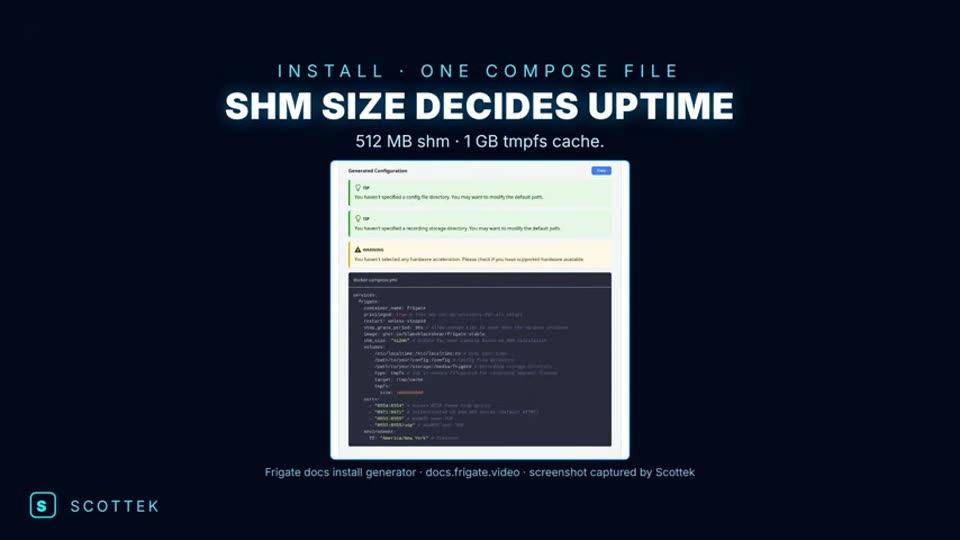
- Pin the image. Use
ghcr.io/blakeblackshear/frigate:0.18.0rather than a floating tag so upgrades are deliberate — untested here, quoted from release images - MQTT broker is optional but required for the Home Assistant integration, and Frigate plus Home Assistant must share the same broker when that integration is used
- Volumes from the docs:
configholds the config file plus sqlite database,media/frigate/clipsholds snapshots,media/frigate/recordingsholds recording segments,media/frigate/exportsholds UI and API exports, andtmp/cacheshould be a 1GBtmpfsfor recording segments - Shared memory decides survival. Docker defaults
shm-sizeto 64MB, while the docs cite about 210MB for two 720p detect cameras, with a sizing formula of detect width times height plus headroom plus 50MB logs — under-size it and Frigate exits with bus error, so setshm_sizeto512mbas a starting point and compute from your detect resolution - Ports from the docs:
8971is the authenticated UI and API target for reverse proxies,5000is internal unauthenticated access to keep private,8554is RTSP restreaming, and8555is WebRTC two-way talk - Coral USB passthrough needs a
devicesmapping for/dev/bus/usbin Compose — untested here, quoted from the documented flow - Untested here: no Compose up was run for this guide, so treat the values above as documented starting points and confirm against the installation guide before deploying
Cameras through go2rtc
Cameras plug in through go2rtc, Frigate built-in restreamer, pointed at each camera RTSP URL, with Frigate consuming the restreamed feed under detect and record roles. The 0.18 images ship FFmpeg 8.1.1 and go2rtc v1.9.14, per the release notes.
- Prefer H.264 plus AAC in camera firmware for broadest Frigate and Home Assistant compatibility, per the Camera setup guide
- Split the streams. Use a 720p sub-stream such as
1280x720for detection and the full-resolution main stream for recording — detect resolution drives CPU plus shared-memory cost, so this split matters more than the accelerator choice - Keep aspect ratios matched between detect and record streams where possible for clean live display plus preview and recording playback
- Leave
detect.fpsat5unless a scene proves otherwise — detection load scales with frame rate with no tracking benefit past smooth following, and 10 is the documented practical ceiling for edge cases like fast cross-traffic or zoomed LPR views - ONVIF in 0.18 gains profile selection, cleaner autotracking separation, and no-restart config updates for pan-tilt cameras
- FFmpeg 8 caveat. Hardware-transcoded go2rtc streams need a small config change documented on the go2rtc troubleshooting page — read it before upgrading a working system
- Untested here: specific camera RTSP paths and firmware menus vary by vendor, so confirm URLs in VLC or the vendor tool first
Review motion search and exports
Review is the triage surface, grouping activity into review items sorted as Alerts, Detections, and Motion, per the Review docs. Alerts default to person plus car, detections cover the rest of tracked objects, and motion covers significant motion with or without a tracked object.
- Work the queue. Thumbnail cards play inline previews, clicking a card opens History and marks it reviewed, reviewed state is per-user, and bulk select supports export plus mark-reviewed plus admin delete
- Motion Previews surface motion-only ranges that produced no tracked object, with a heatmap overlay plus dim control and a cell-grid filter to keep a driveway while ignoring a busy street
- Motion Search re-analyzes saved recordings inside a drawn polygon with sensitivity and change-area style parameters, skipping segments with no recorded motion in the region — narrow the time range and draw a tight region for faster results
- Debug Replay (dummy-camera flow) replays recordings through detection as fake live video with full overlays, so motion plus object filters tune in real time instead of waiting days for a re-offense
- History exports handle fast multi-camera jobs, Review handles single-click batch export, and cases bundle exports per incident with filtering, editing, and bulk reassignment across cases
- AI review summaries can add title plus description plus threat level to review items when a GenAI review provider is configured, flagging suspicious items before they are opened
- Untested here: export speed, AI summary quality, and motion-search recall on specific footage — validate on your own recordings
Storage planning
Frigate records 24/7 segments plus event snapshots plus review clips, so plan disk before adding cameras, following the installation guide paths plus the recording docs.
- Map media to real disk. Keep
configon reliable local storage for the database and pointmedia/frigateat bulk storage — a NAS share such as TrueNAS works when the mount is stable and fast enough for sustained writes - Keep
tmp/cachein memory. The documented 1GBtmpfsabsorbs recording segments before conversion to mp4, separate from shared-memory frame cache - Snapshots changed in 0.18. Annotated JPEGs are gone from disk and only clean WebP files remain under
media/frigate/clips, withclean_copyremoved andsnapshots.qualitydefault lowered from 70 to 60 — scripts that scraped JPGs must move to the/api/events/<id>/snapshot.jpgendpoint with timestamp plus bounding-box plus crop plus height plus quality parameters - Sync from the UI. The Media Sync pane replaces
sync_recordingsand finds orphaned files for deletion from Settings, with verbose reports underconfig/media_sync - Retention is per-purpose. Recording, snapshots, review, and exports each have their own lifecycle — decide days of 24/7 video versus days of events before buying disks
- Untested here: sustained write rates and retention math for specific camera counts — compute from your bitrates plus desired days
Home Assistant alerts
If Home Assistant is in the stack, Frigate pays rent through automations, and the companion video ties this to the Home Assistant 2026.10 update.
- Same broker, then integrate. Point Frigate and Home Assistant at the same MQTT broker, add the Frigate integration, and tracked objects become automatable events such as person at the door after midnight flashing lights plus pushing a snapshot
- App is not integration. The Home Assistant App runs Frigate, while the integration talks to it — you need the distinction straight before clicking, per the installation guide
- Profiles switch remotely. The active profile persists across restarts, flips from the UI, and can flip over MQTT on
frigate/profile/setwith state published back — handy for Home and Away automations - LPR plus MQTT. License-plate box coordinates now publish in tracked-object-update messages for plate-driven gates and logs
- For the Home Assistant side, see the related Scottek guide Home Assistant 2026.10
- Untested here: no live Home Assistant pairing was run for this guide — confirm broker host, credentials, and entity names in your own setup
Upgrading without regret
Version 0.18 carries real breaking changes, so upgrade with coffee, not after midnight, following the release notes.
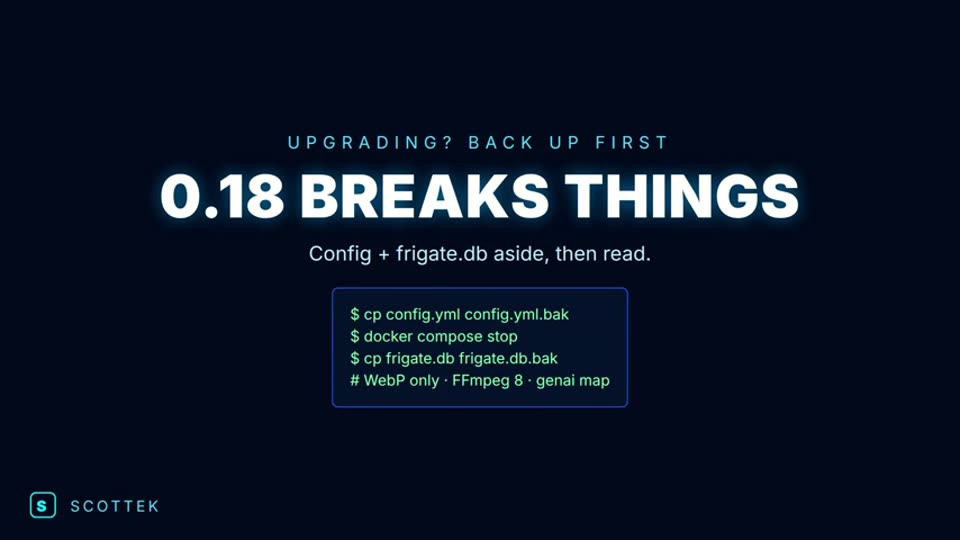
- Back up first. Copy the config file aside, stop Frigate, then copy
frigate.db— the release notes list this as the required pre-upgrade pair - GenAI migrates automatically from a single global
genaikey to a provider map withroles, but verify chat plus embeddings plus summaries after restart - Zones plus masks gain
enabledplusfriendly_namewith an automatic migrator — inspect them if migration reports trouble - Intel GPU stats need host kernel 6.5 plus, and reported values may differ because measurement moved to DRM counters
- JinaV2-on-GPU users must reindex embeddings after the CUDA graphs change
- API removals: the
/api/exportDELETE endpoint is gone in favor of bulkPOSTto/api/exports,timelapse_argsis replaced by custom export ffmpeg args, andui.date_formatplusui.time_formatare removed with i18n owning formats - Detector removals: DeGirum is gone and DeepStack is deprecated for 0.19 removal — replace those detectors before upgrading
- Untested here: no in-place 0.17 to 0.18 migration was run for this guide — snapshot the host or VM as well when possible
Honest limits and untested steps
- Frigate is a local NVR, not a cloud camera with infinite retention — disk, detector throughput, and tuning effort are yours to manage
- No Compose deployment, detector benchmark, GenAI chat run, Home Assistant pairing, or version migration was executed while preparing this guide — commands and keys above are docs-quoted starting points, not test results
- Model accuracy depends on scenes, lighting, angles, and masks — the docs recommend starting at
320x320model resolution and scaling only when metrics show headroom, and Debug Replay exists precisely because blind tuning fails - Prices move: treat any Coral or GPU street price as check-at-purchase, not as a claim on this page
- When in doubt, the release notes plus the Frigate docs outrank both the video and this companion
Related viewing
Sources
- Frigate v0.18.0 release notes
- Frigate installation guide
- Frigate object detectors
- Frigate camera setup
- Frigate profiles
- Frigate review and motion search
- Frigate exports
- Frigate Home Assistant integration