Docker Engine Ubuntu Setup: apt Repo, Group Fix, Hello-World Proof

This guide is the written companion to the video Docker Engine Ubuntu Setup: apt Repo, Group Fix, Hello-World Proof, and it treats the video as the starting point. Claims shown in the recording are labeled In the video, and everything I confirmed against the official Docker docs is labeled Added from the sources. Anything I could not independently verify is marked untested.
In the video: Docker Engine 29.9.1 is installed on Ubuntu 24.04 using the official apt repository method end to end, then the one permission fix everyone trips on, then the hello-world proof, all in 124 seconds.
Added from the sources: the repository setup, the five-package install, the service check, and the group fix below were corroborated against the official Install Docker Engine on Ubuntu docs and the Linux post-installation steps docs.
Every step below needs sudo on an admin account, and the conflicting-package removal deletes packages, so read each command before running it. The apt, service, group, and container steps here are documented viewer steps marked untested in this sandbox.
What you need
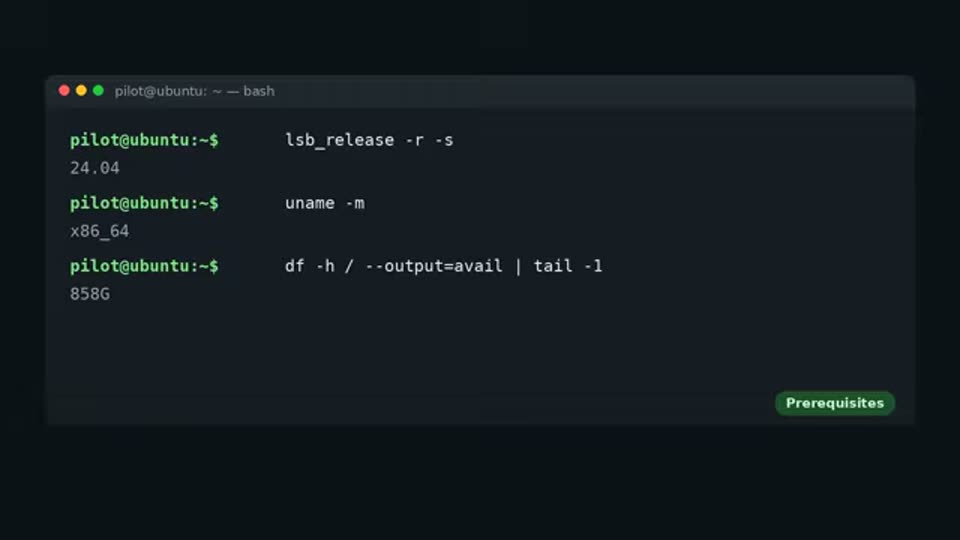
In the video: you need 64-bit Ubuntu 24.04 with sudo and room to spare, checked with three commands showing release 24.04, architecture x86_64, and 858G of free disk.
Added from the sources: the official docs require the 64-bit version of Ubuntu Noble 24.04, Jammy 22.04, or newer, on x86_64, arm64, and other listed architectures.
- 64-bit Ubuntu 24.04 with an admin account and sudo access
- Internet access to reach Docker's official download address
- Check release with
lsb_release -r -sand look for24.04 - Check architecture with
uname -mand look forx86_64 - The video chapters for this section are
00:15prerequisites and00:35official source and safety check
Set up the official apt repository
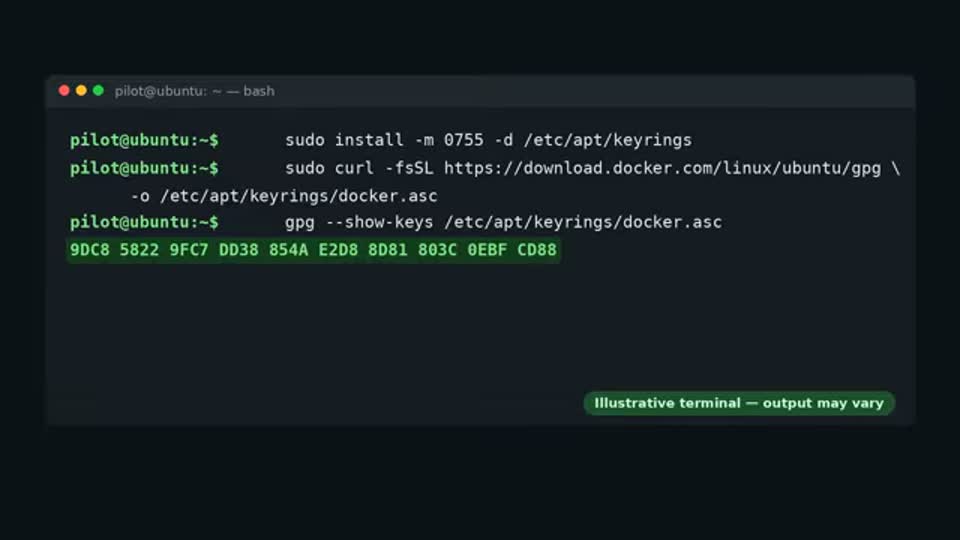
In the video: skip the one-line convenience script on real machines because it hides every step, clear out conflicting packages first, then save Docker's signing key to the keyring folder, check its fingerprint, and register the repository pinned to that key in six lines.
Added from the sources: the official docs give this key URL https://download.docker.com/linux/ubuntu/gpg, this keyring path /etc/apt/keyrings/docker.asc, and a six-line docker.sources entry with URIs: https://download.docker.com/linux/ubuntu, Components: stable, and Signed-By: /etc/apt/keyrings/docker.asc.
- Remove conflicting packages with
sudo apt remove $(dpkg --get-selections docker.io docker-compose docker-compose-v2 docker-doc docker-buildx podman-docker containerd runc | cut -f1), and fresh systems usually have none - Install the fetch tools with
sudo apt updatethensudo apt install ca-certificates curl - Create the keyring folder with
sudo install -m 0755 -d /etc/apt/keyrings - Download the key with
sudo curl -fsSL https://download.docker.com/linux/ubuntu/gpg -o /etc/apt/keyrings/docker.asc - Make it readable with
sudo chmod a+r /etc/apt/keyrings/docker.asc - Check the fingerprint with
gpg --show-keys /etc/apt/keyrings/docker.asc, where the video shows the key ending0EBF CD88 - Register the repository in
/etc/apt/sources.list.d/docker.sourcespinned to that key, then refresh withsudo apt update - The key download, fingerprint output, and repository write are untested in this sandbox
- The video chapter for this section is
00:52keys and repository setup
Install, fix the group, and prove it
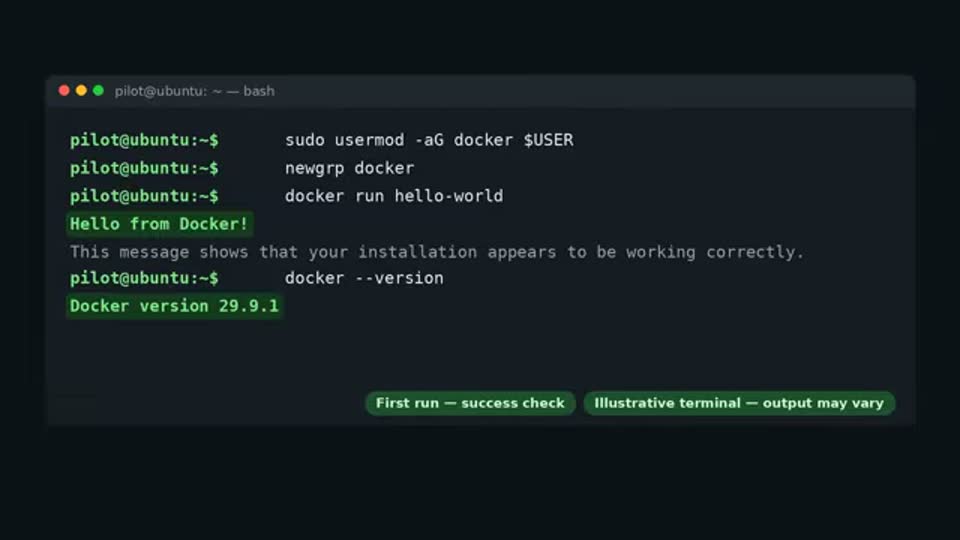
In the video: install the five packages, engine, command line, container runtime, build support, and compose, check the service is active and running, join the docker group and activate it, then run the hello-world test image where Hello from Docker! proves the install works and the version reads Docker version 29.9.1.
Added from the sources: the official docs install with sudo apt install docker-ce docker-ce-cli containerd.io docker-buildx-plugin docker-compose-plugin, check with sudo systemctl status docker, add the user with sudo usermod -aG docker $USER, activate with newgrp docker, and prove it with docker run hello-world.
- Install the five packages with
sudo apt install docker-ce docker-ce-cli containerd.io docker-buildx-plugin docker-compose-plugin - Check the service with
sudo systemctl status dockerand look for active and running - Join the group with
sudo usermod -aG docker $USER, then activate it withnewgrp docker - The docker group is root-equivalent, so only add users you trust
- Prove the install with
docker run hello-worldand look forHello from Docker! - Confirm the version with
docker --version, where the video showsDocker version 29.9.1 - The install, service, group, and container steps are untested in this sandbox
- The video chapters for this section are
01:11install the packages,01:29permission fix and hello-world proof, and01:50done and next steps
Sources and next steps
- The companion video is the starting point for this guide and all In the video claims above
- The Install Docker Engine on Ubuntu docs own the apt repository setup, the five-package install, and the hello-world verification
- The Linux post-installation steps docs own the docker group fix and the root-equivalent security warning
- Keep the Docker repository enabled so updates arrive with the system, and launch anything next with compose