Magnitude: The Inference Engine That Tunes Itself to Your GPU

This guide is the written companion to the video Magnitude: The Inference Engine That Tunes Itself to Your GPU, and it treats the video as the starting point. Claims shown in the recording are labeled In the video, and everything I confirmed against the official project sources is labeled Added from the sources. Anything I could not independently verify is marked untested.
In the video: Magnitude is an open-source Apache-2.0 inference engine that compiles and tunes its own GPU kernels on your machine for your exact chip, about a minute per model and once per model, instead of shipping precompiled kernels for broad hardware classes. Only model weights are reserved up front while session memory grows with context and frees when agents stop, which the launch claims cut per-agent memory by roughly a quarter. It is built to sit underneath the coding agent you already use.
Added from the sources: the Magnitude repository describes the same idea in its own words, an engine that tunes kernels automatically on your hardware, spending up to a minute per download trying different ways to split up the math and keeping the fastest combination. The repo is Apache-2.0 licensed and lists one-click connections for Pi, OpenCode, Hermes, Codex, and more.
The speed claim, stated honestly
In the video: the poster number is up to twice as fast as Ollama, specifically around 92 percent faster decode on Apple Silicon and 19 percent on CUDA. The video labels this a vendor claim and airs the other half too, one widely read independent review measured llama.cpp running roughly twice as fast as Magnitude on the newest Apple Silicon, and a founder acknowledged a Metal 4 matrix-multiplication gap. The honest version from the video is that on some chips it flies past the generalists and on the newest Macs it is still catching up.
Added from the sources: the vendor's own benchmarks page publishes per-model tables against Ollama with methodology, reporting average decode speedups of 2.19x on a Mac Mini with M4 Pro and 2.17x on an NVIDIA DGX Spark, with prefill averages of 1.32x and 1.34x on the same machines. Those are vendor-run numbers with the harness linked on the page, so treat them as vendor-attributed, and the independent counter-evidence above stays part of the picture. The review carrying the counter-result is the Platform Monkey teardown.
- Vendor claim, not proven fact: up to 2x versus Ollama, about 92 percent faster decode on Metal and 19 percent on CUDA
- Vendor-published averages on the benchmarks page: 2.19x decode on M4 Pro, 2.17x decode on DGX Spark, medians of two requests per result
- Independent counter-result, untested here: llama.cpp roughly 2x Magnitude on newest Apple Silicon per the teardown, with a founder-acknowledged Metal 4 gap
- Re-test any figure on your own chip before quoting it
Installing on Linux
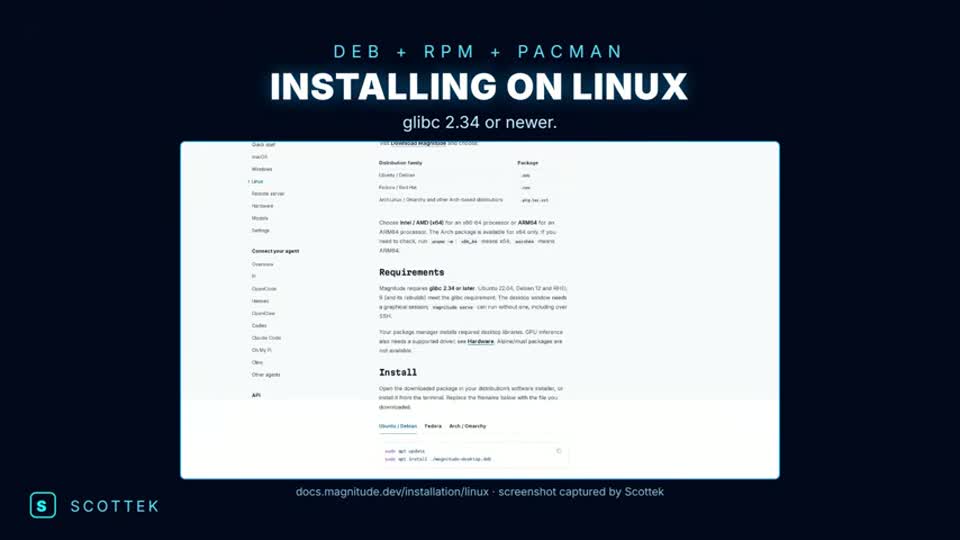
In the video: installation is a normal package install, a deb for Ubuntu and Debian, an rpm for Fedora and Red Hat, and a pacman archive for Arch. On Ubuntu or Debian it is sudo apt update then sudo apt install pointed at the deb file, Fedora is one dnf install on the rpm, and headless servers are covered because magnitude serve runs with no graphical session at all, including over SSH.
Added from the sources: the Linux installation docs confirm glibc 2.34 or later, with Ubuntu 22.04, Debian 12, and RHEL 9 meeting the requirement, and state that Alpine and musl packages are not available. The docs give these exact install paths.
- One-line installer with
curl -fsSL https://magnitude.dev/install.sh | sh, which detects the architecture and asks about server setup - Ubuntu and Debian with
sudo apt updateandsudo apt install ./magnitude-desktop.deb - Fedora and Red Hat with
sudo dnf install ./magnitude-desktop.rpm - Arch with
sudo pacman -U ./magnitude-desktop.pkg.tar.zst, where the docs note the Arch package is x64-only, so any ARM64 Arch path from the video is untested - Headless sessions with
magnitude serve, which needs no graphical session, including over SSH - Check architecture first with
uname -m, wherex86_64means x64 andaarch64means ARM64
First run and the one-minute tune
In the video: open the app and head to Discover, which assesses your hardware and offers up to five recommendations from Fastest to Smartest, starting with Balanced. After the weights land in ~/.magnitude/models, Magnitude tunes its kernels for your exact chip, about a minute and once per model. Downloading and loading are separate steps, a downloaded model sits on disk until loaded, and the app loads models on demand when an agent asks, then unloads them when idle, so the first answer after a quiet spell takes longer and that is normal.
Added from the sources: the models docs confirm Discover shows up to five recommendations starting with Balanced, that model details carry an intelligence index score plus estimated speed, memory, fidelity, context, and capabilities, and that models live in ~/.magnitude/models. The docs confirm downloading and loading differ, that models load on demand and unload when idle, and that supported models get speculative decoding and prompt caching automatically.
- Start at Discover and pick Balanced first
- Expect about a minute of tuning per model, once, so a five-model shelf costs about five minutes total
- The tune happening per model and the exact wall-clock time on any given chip are untested on this bench
- No Magnitude install was run on this bench, so this guide carries no tuned-kernel screenshots of its own, only live public-source verification
The local API your agents speak
In the video: everything hangs off port 10100 on loopback. List models with a GET on /inference/v1/models, send chat completions to /inference/v1/chat/completions with a model id and a messages array, and read text back from choices, field message, field content. There is a Responses endpoint plus an Anthropic-compatible Messages endpoint that needs max_tokens, and adding "stream": true with curl's -N flag streams tokens as server-sent events. If a tool already speaks OpenAI or Anthropic, it already speaks Magnitude.
Added from the sources: the endpoints docs confirm every route below relative to http://127.0.0.1:10100, that max_tokens is required on the Anthropic Messages route, that generated chat text sits in choices[0].message.content, and that streaming uses "stream": true with -N under curl.
- Health check with
GET http://127.0.0.1:10100/health, expecting200when ready - List models with
GET http://127.0.0.1:10100/inference/v1/models - Chat with
POST http://127.0.0.1:10100/inference/v1/chat/completionsusing a model id and a messages array - Responses with
POST http://127.0.0.1:10100/inference/v1/responses - Anthropic Messages with
POST http://127.0.0.1:10100/inference/anthropic/v1/messages, wheremax_tokensis required - Token counting with
POST http://127.0.0.1:10100/inference/anthropic/v1/messages/count_tokens - The live curl calls from the video are untested on this bench since no inference server was running here
The model catalog

In the video: the catalog holds nineteen curated models, including Qwen 3.5 in 4B and 9B sizes, the Qwen 3.6 35B mixture-of-experts, Gemma 4, Liquid's LFM 2.5 24B agent dispatcher, the MiniCPM vision model, NVIDIA's Nemotron Lightning 30B, and Meta's Muse Glimmer 30B for agentic work. Every card shows an intelligence index, estimated speed on your machine, runtime memory, quantization fidelity, context size, and capabilities like vision or tool use, with speculative decoding and prompt caching automatic where supported. Small catalog versus Ollama's universe, but every entry is pre-wired to just work.
Added from the sources: the models docs confirm how to read each card, that the intelligence percentage is an index score rather than accuracy, that the speed figure is an estimate rather than a benchmark of your task, and that model licenses are separate from Magnitude's license. The benchmarks page independently corroborates the Qwen, Gemma, Nemotron, and Glimmer families as shipped catalog entries with per-model rows.
- Catalog size of nineteen and the LFM 2.5 and MiniCPM entries are video-stated and untested against a live catalog here
- Check the catalog before committing if your workflow needs something exotic
- Speculative methods named in the docs are MTP, DFlash, and DSpark, handled automatically per model
Plugging in your agent
In the video: open Connections in the app for eight one-click integrations, install the agent its own way, click Connect, pick a downloaded model on the card, copy the shown command, and paste it into the project folder terminal so the agent starts against the local model. Anything else that speaks OpenAI or Anthropic connects through the generic path. One rule from the video is to keep Magnitude running while working, since no running app means no local models.
Added from the sources: the integrations overview names all eight connectors, Pi, OpenCode, Hermes, OpenClaw, Codex, Claude Code, Oh My Pi, and Cline, and gives the same flow of install the agent, click Connect, select a downloaded model, and copy the displayed command into the terminal from the project folder. The docs add that connecting configures the agent without launching it, and that Magnitude must stay running while its local models are in use.
- The eight connectors are Pi, OpenCode, Hermes, OpenClaw, Codex, Claude Code, Oh My Pi, and Cline
- Agents inside WSL, containers, or on other machines connect through the documented network path
- Actual agent connections from the video are untested on this bench
Serving the whole homelab
In the video: one GPU can feed the whole house, with a dedicated box becoming a remote inference server and the laptop connecting over the LAN, SSH, or a tailnet. Network mode brings an API key and a host allowlist rather than an open relay, and the docs cover agents inside WSL and containers.
Added from the sources: the remote server docs give magnitude server setup run as yourself rather than with sudo, which registers the service, turns on network access, creates a key, and prints the server address. Server status is checked with magnitude status, and on Linux the service runs as the magnitude.service systemd unit.
- Set up serving with
magnitude server setup - Check reachability with
magnitude status - Reach the server from other devices at its network address with the API key
- Save the key at setup time since status output never shows it again
Privacy and one honest caveat
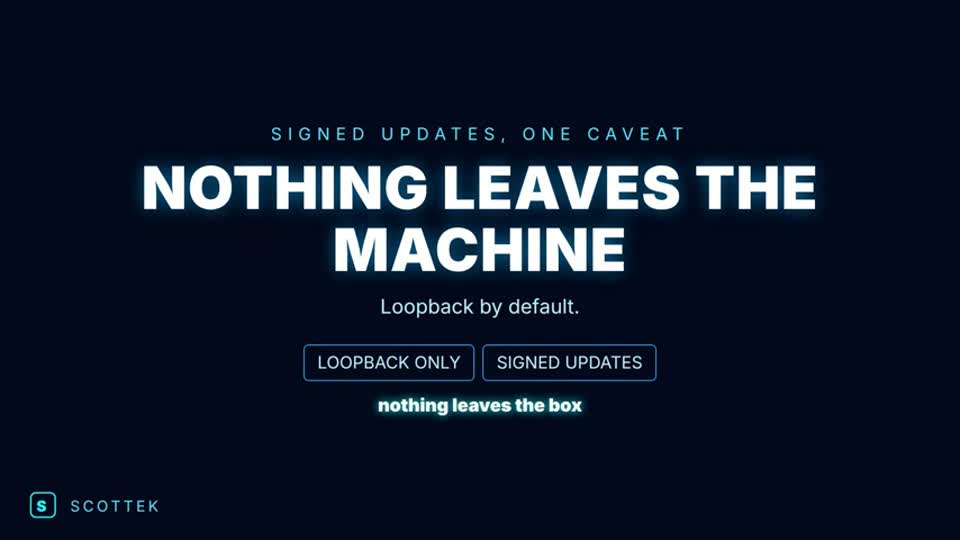
In the video: privacy is the reason the category exists, with loopback-only by default, nothing leaving the machine, no token costs, no managed tier, and signed updates. The caveat aired alongside it comes from the independent teardown, the Linux desktop package gates its install behind a root-owned admission check and leans on pkexec, which surprised engineers who treat a deb as something unpackable and inspectable anywhere. Not a dealbreaker for most homelabs, but worth knowing before install day instead of during.
Added from the sources: the Magnitude repository states prompts, files, and models stay on the machine with no internet needed once a model is downloaded. The endpoints docs confirm the loopback base of http://127.0.0.1:10100. The admission-gate detail is attributed to the independent teardown and is untested here.
Sources and next steps
- The companion video is the starting point for this guide and all In the video claims above
- The Magnitude repository owns the Apache-2.0 license, the self-tuning description, and the agent list
- The benchmarks page owns the vendor-run Ollama comparisons and the reproduce harness
- The Linux installation docs own the glibc floor, package formats, install commands, and headless
magnitude servebehavior - The models docs own Discover, card fields, storage paths, and on-demand loading
- The endpoints docs own the port-10100 routes, the
max_tokensrequirement, and streaming - The integrations overview owns the eight connectors and the connect flow
- The remote server docs own
magnitude server setup, keys, and service behavior - The independent teardown owns the counter-benchmark and the installer caveat
- Suggested order from the video is install the package, download the Balanced pick, let the one-minute tune finish, prove the API with one curl call, then connect one agent and run a real task