SkillSpector 2.13.1 Ubuntu Setup: Catch Malicious AI Skills
This companion supports the video SkillSpector 2.13.1 Ubuntu Setup: Catch Malicious AI Skills, which demonstrates the full setup on Ubuntu 24.04 with Python 3.12.3 in user space without sudo. Use this guide to repeat what the presenter showed, including the version check and the known-bad versus clean fixture scans, and treat anything marked untested as beyond what the transcript and docs verify.
Why AI skills need scanning
AI agent skills run with broad file and system access, so a malicious skill can hide prompt injection, data exfiltration, or supply-chain payloads inside plain-looking instructions and scripts. SkillSpector is NVIDIA free security scanner for AI agent skills, Apache-2.0 licensed per its repo page, that checks for 71 vulnerability patterns across 17 categories including prompt injection, exfiltration, and supply-chain risks, using static analysis by default with optional LLM semantic analysis, and reports a 0 to 100 risk score with severity and a recommendation. Version 2.13.1, published 23 Oct 2026, hardens report output and HTTP MCP transport and fixes false incomplete-analysis reports and hidden-instruction findings. The video rule is simple, scan every skill before you install it, as shown in the setup walkthrough.
Prerequisites
- Ubuntu 24.04 with Python 3.12.3, as demonstrated in the video
- Python 3.12 or newer,
git, and a virtual environment, with everything in user space and no sudo, as shown in the video - Official source only at github.com/NVIDIA, since the presenter warns never to install a skill scanner from a fork, with docs at NVIDIA docs
- No API key needed for static-only scans, which are free and private per the video
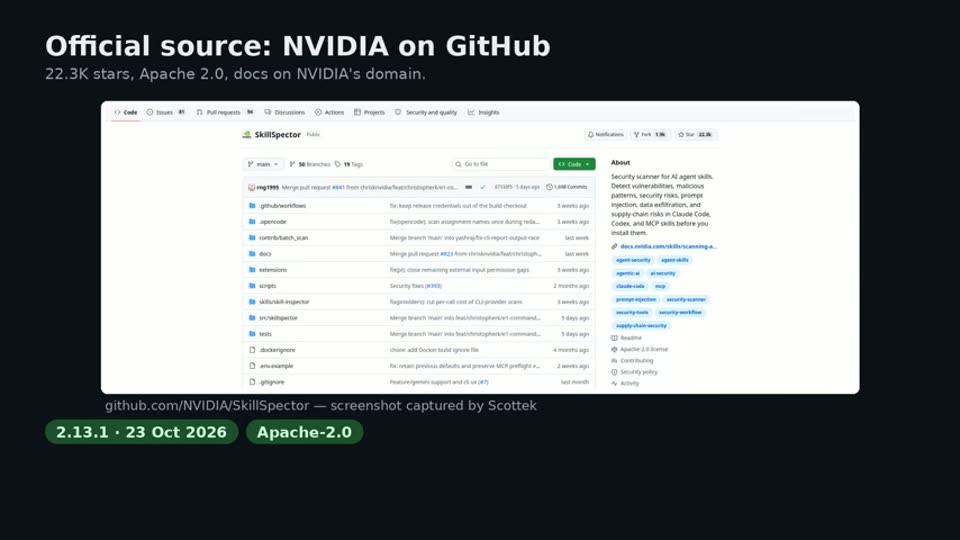
The frame above is the video establishing provenance: the official NVIDIA repo at the exact tag the guide installs.
Install SkillSpector 2.13.1
The commands below are the ones shown in the video terminal, pinned to the release tag.
git clone --branch v2.13.1 https://github.com/NVIDIA/SkillSpector.gitclones the official repo at the v2.13.1 tag published 23 Oct 2026, as shown in the videopython3 -m venv --without-pip ss-venvcreates an isolated environment without bootstrapping pip, as shown in the videocurl -sS -o get-pip.py https://bootstrap.pypa.io/get-pip.pyfollowed byss-venv/bin/python get-pip.pybootstraps pip from the official script, as shown in the videoss-venv/bin/pip install ./SkillSpectorinstalls the scanner from the local clone, taking about a minute, as shown in the video- The README also documents
uv tool install git+https://github.com/NVIDIA/skillspector.gitand the docs describe auv venvplusmake installflow, both untested in the video, per the README and the docs
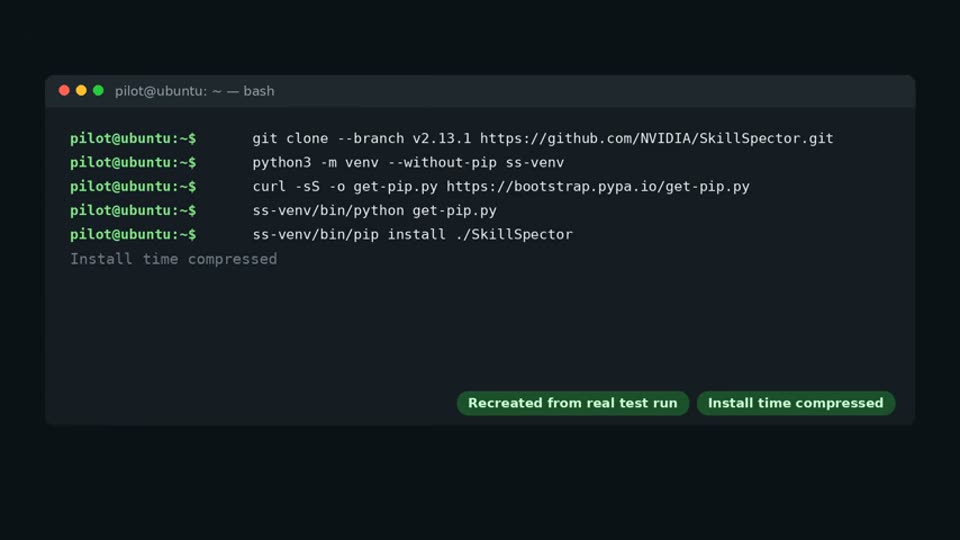
The frame shows each install command in order, run entirely in user space with no sudo.
Verify the install
Confirm the scanner is on your path with skillspector --version, which should print skillspector 2.13.1 as demonstrated in the video. If that version string prints, the install succeeded and you can run static scans without an API key.
Run the fixture scans and read the scores
Scan the repo shipped known-bad test fixture with static analysis only and no API key: skillspector scan ./tests/fixtures/malicious_skill --no-llm, where the fixture path and the --no-llm flag are shown in the video and the command form matches the docs. The known-bad result is 100 out of 100 with critical severity and a do-not-install recommendation, flagging harmful-content injection and environment-variable harvesting, which is exactly what the tool is for.
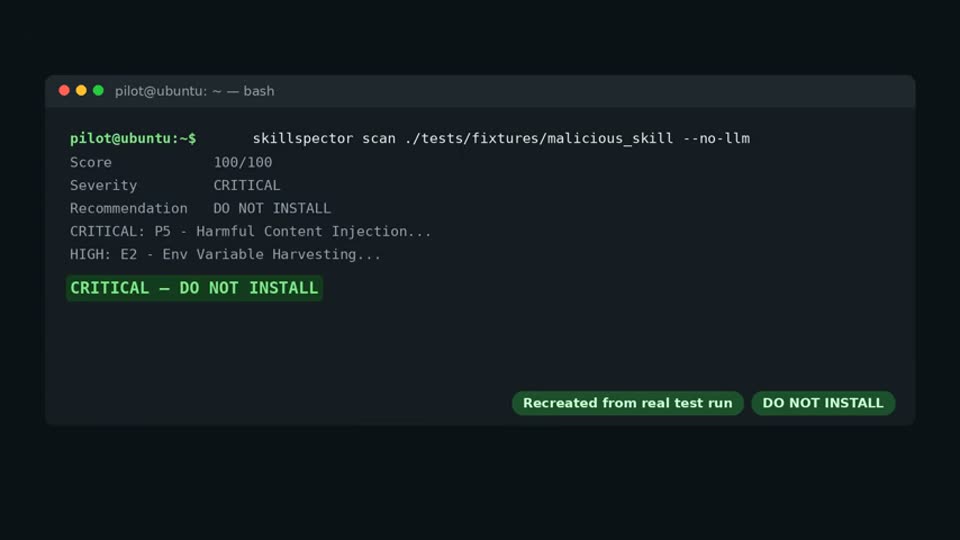
The frame shows the verdict the video demonstrates: a 100/100 critical score with named findings on the known-bad fixture.
Scan something clean and you get the opposite, 0 out of 100 with low severity and a safe recommendation, meaning green installs with confidence and red means walk away per the video.
Scan your own skills
- Scan a local directory with
skillspector scan ./my-skill/per the docs - Scan remote inputs including git repos, URLs, zips, directories, and single files per the README and the docs, using the URL and zip scan forms as untested beyond docs because the video only showed local fixtures
- Follow the video rule and scan every skill before you install it per the video
- Install only from github.com/NVIDIA and never from a fork per the video
LLM mode note
Static checks run by default and stay free and private with no API key, while deeper semantic checks need an API key for LLM analysis per the video and the docs. The presenter mentions LLM analysis but does not demonstrate an LLM run in the transcript, so any API key setup and LLM scan output here is untested and you should expect network use and key handling that static mode avoids.
Troubleshooting
- Fresh venv has no
pipby design here, so bootstrap with the officialget-pip.pyscript as shown in the video - Install takes about a minute, so wait for dependencies to finish before the version check per the video
- Permission errors mean you left user space, since this setup uses no sudo, so recreate the venv in your home directory per the video
- Wrong version printed means you did not pin
v2.13.1, so re-check the tag published 23 Oct 2026 - Copycat forks exist, so reinstall only from the official README source if your clone URL looks different