Install AnyPS5 on Ubuntu: Run PS5 Games Natively
This guide is a companion to the video Install AnyPS5 on Ubuntu: Run PS5 Games Natively, which is the starting point for the install below. Watch the video first for the walkthrough, then use this page for the exact commands, the expected outputs, and the honest limits.
What AnyPS5 is
In the video, the presenter introduces AnyPS5 as a tool that ports PS5 executables to run as native Linux programs: no emulator, no runtime, no Windows needed. Added research from the project README: it works with a relinker plus reimplemented system libraries, uses dynamic linking, and takes controller input through SDL. It ships no copyrighted software, firmware, keys, or proprietary libraries, it is licensed GPL-2.0-only, and it is an independent project not affiliated with Sony. This guide covers version v0.1.5, released 2026-11-11 at commit 62bd7dd, on Ubuntu 24.04 x86-64.
Before you start
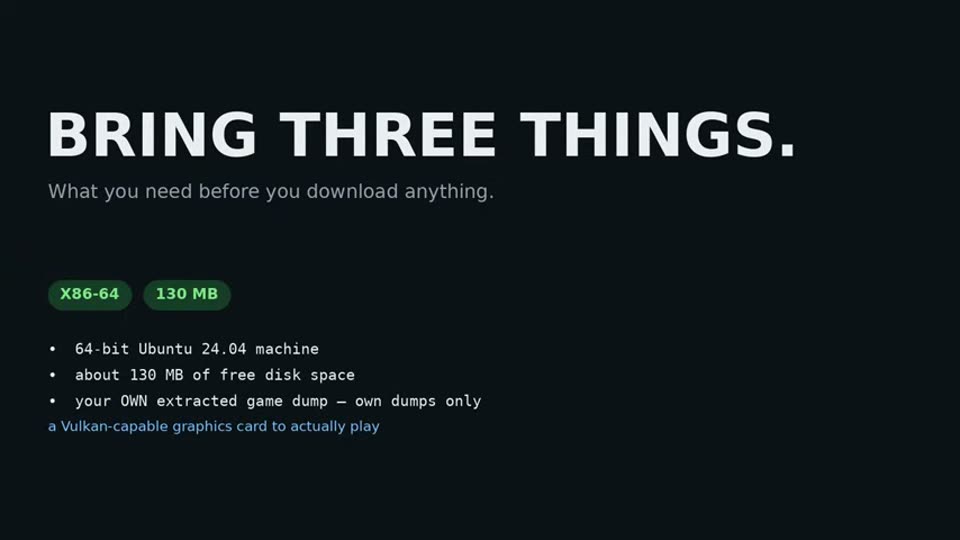
In the video, the prerequisites are a 64-bit Ubuntu 24.04 machine, about 130 MB of free disk space, and your own dumped copy of a game, already extracted. Only ever use dumps you made yourself. Added research: the install itself needs no root, no account, no keys, and no subscription, since both downloads are user-space files. To actually play a converted game you will also want a Vulkan-capable graphics card, which the video states but does not demonstrate.
Step 1 - download the official release files
In the video, both files come from the v0.1.5 release page: the relinker binary itself at about 5 MB, and the Linux system-library pack at about 115 MB. The bench-verified commands, run as a normal user, are:
wget https://github.com/boykopovar/AnyPS5/releases/download/v0.1.5/relinker-v0.1.5wget https://github.com/boykopovar/AnyPS5/releases/download/v0.1.5/prx-linux-v0.1.5.tar.gz
Step 2 - verify both downloads
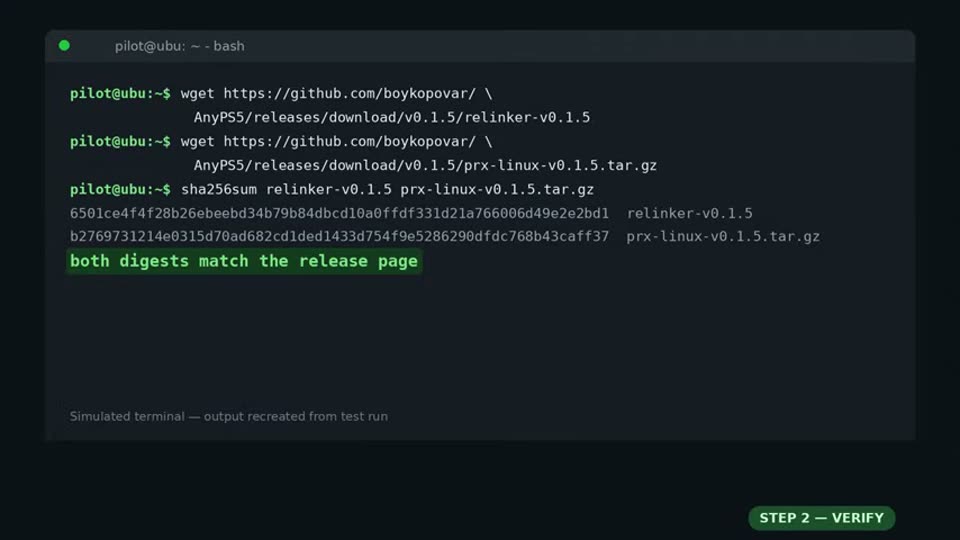
In the video, the next step checks both files against the digests published next to each file on the release page before anything is opened. Run:
sha256sum relinker-v0.1.5 prx-linux-v0.1.5.tar.gz
Added research from the test bench: the expected digests are 6501ce4f4f28b26ebeebd34b79b84dbcd10a0ffdf331d21a766006d49e2e2bd1 for the relinker and b2769731214e0315d70ad682cd1ded1433d754f9e5286290dfdc768b43caff37 for the library pack, and both matched exactly bench-side. If a single character differs, delete the file and download it again.
Step 3 - install and prove the binary runs
In the video, the install is three moves: make the relinker executable, unpack the library archive next to it, then ask for its version. The bench-verified commands are:
chmod +x relinker-v0.1.5tar -xzf prx-linux-v0.1.5.tar.gztar -tzf prx-linux-v0.1.5.tar.gz | wc -l./relinker-v0.1.5 --version
Added research from the test bench: the archive holds 420 files under libs/, the version answer is relinker 62bd7dd, which matches the release commit, and ldd reports the relinker is not a dynamic executable, so there are zero install dependencies and nothing else to install. The --help output lists the real flags if you want to browse them.
Step 4 - convert your own dump
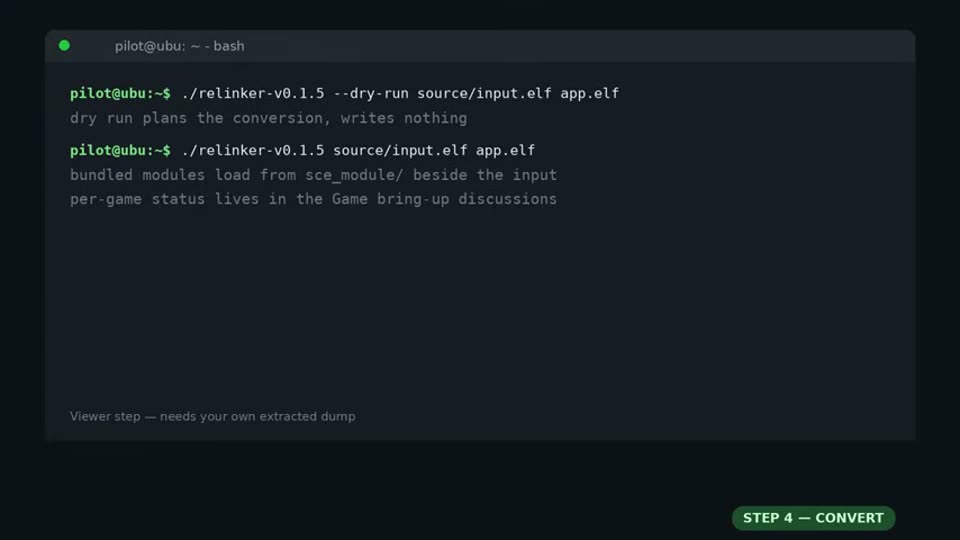
In the video, converting is one command: point the relinker at the extracted game file and name the Linux output, previewing first with the dry-run flag that plans the conversion without writing anything:
./relinker-v0.1.5 --dry-run source/input.elf app.elf./relinker-v0.1.5 source/input.elf app.elf
Honesty note: these convert commands use the documented syntax from USAGE.md but running them is a viewer step and is untested here, because the test bench held no game dump and no Vulkan GPU, and the video shows no conversion output either. Your game input must be an extracted, decrypted ELF with its bundled modules in sce_module/ beside the input, or pointed to with --sce-module-path. SELF containers must be unwrapped first with the project's tools/unwrap_self.py, on decrypted input only. A Windows executable is possible with ./relinker-v0.1.5 --windows source/input.elf app.exe, but this video covers Linux only.
Limits to know before you start
In the video, the closing caution is that compatibility is per game and not every title runs yet, tracked in the Game bring-up discussions with one thread per title. Check your title's status thread before converting. Added research on the paths this video deliberately skips: a zero-install web converter exists with a 256 MiB batch limit, the source-build path with CMake plus C++20 plus Ninja is documented for developers in BUILD.md, and releases ship Linux plus Windows system libraries only, so macOS has no prebuilt pack. Nothing in this guide modifies your system beyond your own working directory, and the read-only version check above is the safe place to confirm the install.