Run a Tool-Calling AI Agent Locally: BotPsy Ubuntu Guide

This companion guide follows the video Run a Tool-Calling AI Agent Locally: BotPsy Ubuntu Guide step by step, with the same commands and the same expected outputs. The video is the starting point and the tested path described here comes from its sandboxed install, whose disclosures are repeated wherever they matter below.
BotPsy is a 0.8-billion-parameter agent model from Tether's QVAC lab, built on Qwen3.5-0.8B and trained to turn plain requests into tool calls, including multi-step sequences. It is released under Apache 2.0 with open weights, ships as full-precision weights and as GGUF builds for llama.cpp, and is small enough to run on a CPU-only machine or a phone. Tether's own benchmark figures, quoted here as the vendor's numbers rather than independent results, put it at 44.0 on BFCL v4 against 23.4 for its base model. One honest limit up front, stated in the video itself: the install, the Q&A checks, and the local server endpoint below were all verified, but live tool-calling against a real tool harness was not shown running and needs an app you build yourself.
Prerequisites
64-bit Ubuntu 24.04with internet access and about 1 GB of free disk- A normal user account, since nothing here needs
sudo - No graphics card, no containers, and no Python environment, since the runtime is a prebuilt binary
- No Ollama setup, since BotPsy was not in the Ollama library at the time of the video
- No accounts, tokens, or API keys, since both downloads below come from public pages
Download the runtime and the model file
The video installs exactly two things: the official llama.cpp CPU binary and the official Q4_K_M GGUF quant of BotPsy. The quant choice is the teaching point here, since the 529 MB Q4_K_M file stands in for the 1.6 GB full-precision weights with nothing to gain on a CPU install.
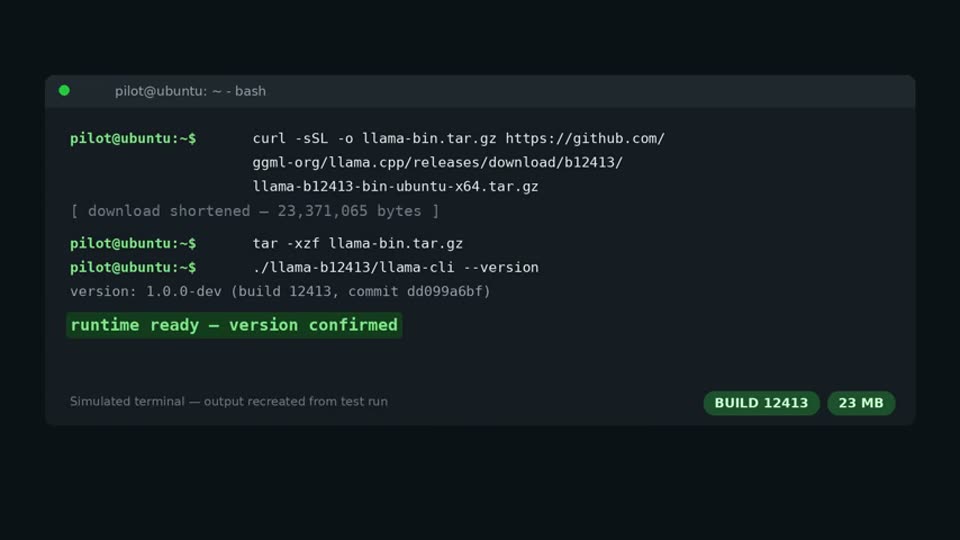
- Fetch the runtime with
curl -sSL -o llama-bin.tar.gz https://github.com/ggml-org/llama.cpp/releases/download/b12413/llama-b12413-bin-ubuntu-x64.tar.gz - Unpack it with
tar -xzf llama-bin.tar.gz - Confirm the version with
./llama-b12413/llama-cli --version
Expect the version reply to report version: 1.0.0-dev at build 12413, and expect the tarball to be 23,371,065 bytes. Then fetch the model file, which needs no login and no token:
- Fetch the model with
curl -sSL -o botpsy-0.8b-q4_k_m-imat.gguf https://huggingface.co/qvac/BotPsy-0.8B-GGUFs/resolve/main/botpsy-0.8b-q4_k_m-imat.gguf - Confirm it with
ls -la botpsy-0.8b-q4_k_m-imat.gguf
Expect one file of 529,296,960 bytes. Both downloads are time-compressed in the video, so a slow connection that takes a while on your machine is normal.
Run your first prompts with thinking on and off
The first run leaves the model's reasoning switched on so you can watch it work through the arithmetic before it answers.
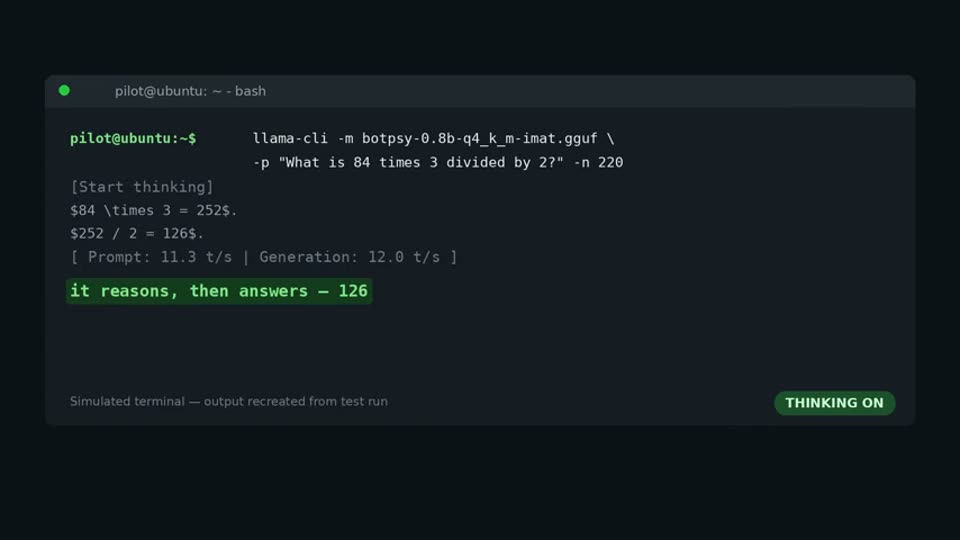
- Run
./llama-b12413/llama-cli -m botpsy-0.8b-q4_k_m-imat.gguf -p "What is 84 times 3 divided by 2? Reply in one short sentence." -n 220
Expect a visible thinking trace that works out 84 times 3 is 252 and 252 divided by 2 is 126, at on the order of ten tokens per second on CPU in the video's sandbox. Then run the same question as a clean deterministic check with reasoning off:
- Run
./llama-b12413/llama-cli -m botpsy-0.8b-q4_k_m-imat.gguf --reasoning off -p "What is 84 times 3 divided by 2? Reply in one short sentence." -n 60
Expect the crisp answer It is equal to 126. with exit code 0. That clean reply is the proof of a working install.
Serve it and verify the local endpoint
The last step loads the model once and keeps it ready behind an OpenAI-compatible local endpoint that your own apps can later hand tools to. Nothing here leaves your machine, since the server binds to localhost.
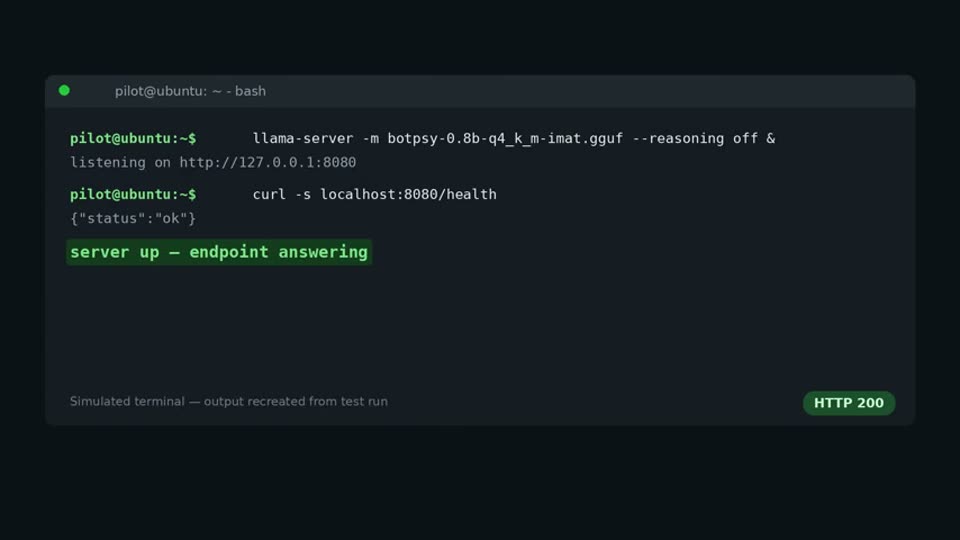
- Start the server with
./llama-b12413/llama-server -m botpsy-0.8b-q4_k_m-imat.gguf --reasoning off & - Check health with
curl -s localhost:8080/health - Check chat with
curl -s localhost:8080/v1/chat/completions -H "Content-Type: application/json" -d '{"temperature": 0, "messages": [{"role": "user", "content": "What is 84 times 3 divided by 2? Reply in one short sentence."}], "max_tokens": 60}'
Expect the server to report that it is listening on http://127.0.0.1:8080, the health check to return {"status":"ok"}, and the chat reply to come back with content 126 and stop reason stop. The temperature 0 setting is deliberate, since it makes this check deterministic, and you can drop it for everyday creative answers. Real tool-calling through this endpoint is untested in the video and needs your own harness that offers the model tools, so treat the endpoint above as the proven base rather than a finished agent.
Troubleshooting
An older llama.cpp refuses the model file, since the GGUF uses the qwen35 architecture that the video's build b12413 accepts, so stay with the build linked in this guide rather than a stale copy already on your system.Answers wander or cut off mid-thinking, since one default-temperature probe in testing returned a wrong number and one reasoning-on run stopped at a length limit, so repeat checks with --reasoning off and temperature 0 before assuming anything is broken.Port 8080 is already taken, since the server needs its port free, so stop whatever holds it or rerun the server with a different --port value and point your curl checks at that port instead.The model download stalls or fails partway, since it is a 529 MB file over the public internet, so rerun the same curl command and confirm the final byte count before continuing.
Cleanup and next steps
Nothing in this guide touches system directories or needs admin rights, so cleanup stays inside your working folder. Bring the background server to the foreground or find its job, stop it, confirm port 8080 is quiet again, and then delete the two downloads if you want the disk space back.
- List jobs with
jobs - Stop the server with
kill %1 - Remove downloads with
rm llama-bin.tar.gz botpsy-0.8b-q4_k_m-imat.gguf
From here the natural next step is the part the video leaves to you: writing a small app that offers the local endpoint real tools, such as search or a calendar, and letting BotPsy turn requests into calls. The BotPsy model page, the release article, the base weights, the GGUF builds, and the llama.cpp releases are the five pages to keep bookmarked for that work.