Install Handy 0.10.0 on Ubuntu: Free Offline Dictation
Companion guide and video starting point
This article is a companion to the video, not a replacement for it, and the video is the starting point for everything below.
In the video: the presenter installs Handy 0.10.0 on Ubuntu 24.04 in a walkthrough of about two minutes, showing a free offline speech-to-text app where you hold a shortcut key, speak, and your words appear where the cursor is, with no cloud and no subscriptions.
Added from the sources: the version number, release date, package name, package size, install command, model options, and Wayland fixes below were checked against the official Handy repository, the v0.10.0 release notes, and the official Ubuntu Wayland troubleshooting doc, all accessed November 2026. Nothing here was run hands-on for this guide, so every install and dictation step is untested here.
What the video says you need
In the video: 64-bit Ubuntu 24.04, a terminal with sudo privileges, about 200 MB of free space plus room for the speech model, and a working microphone. The video runs two commands to confirm the processor type and the Ubuntu version before downloading anything.
Added from the sources: the release page confirms the Ubuntu package is a 64-bit build named Handy_0.10.0_amd64.deb, which matches the 64-bit requirement. The exact free-space figure and the two check commands come from the video alone and are untested here.
- Confirm you are on 64-bit Ubuntu 24.04 with sudo access and a working microphone before continuing.
- Budget disk space for the package plus the speech model, which the video describes as several hundred megabytes.
Get the package from the official releases page
In the video: download only from the official Handy releases page on GitHub, where version 0.10.0 was released November 2nd, and grab the file ending in amd64.deb at about 33 MB.
Added from the sources: the v0.10.0 release is published and dated 2026-11-02, and its asset list includes Handy_0.10.0_amd64.deb at 32.5 MB, so the video's size figure is approximately right. The full asset list lives on the Handy releases page.
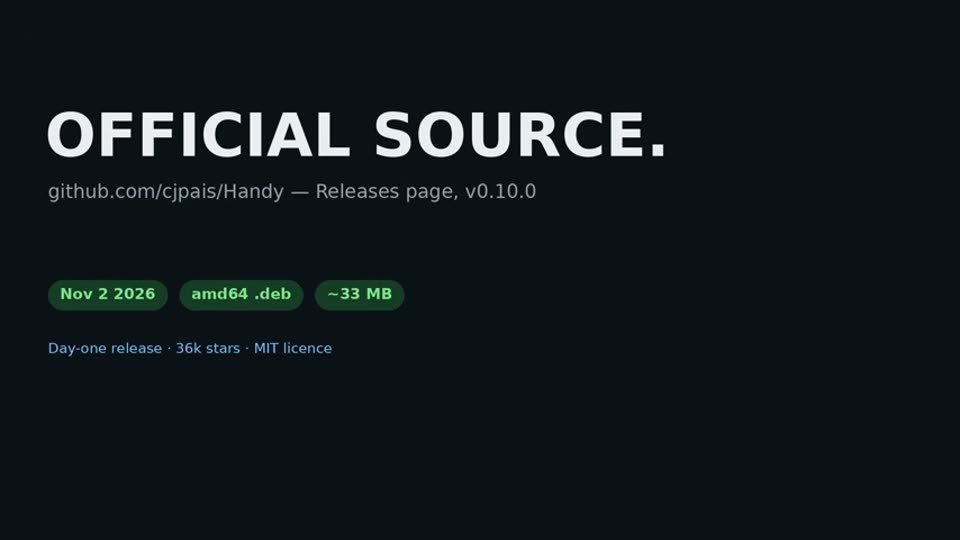
- Download Handy_0.10.0_amd64.deb from the Handy releases page and nothing from anywhere else.
- The video's terminal card fetches the file with
curlbefore installing, which is shown in the frame below and is untested here.
Install with apt so dependencies resolve
In the video: install by pointing apt at the downloaded file so Ubuntu pulls in the missing libraries itself, never use dpkg -i alone, then enter your password and wait for the install to finish.
Added from the sources: the Handy README documents exactly this pattern with sudo apt install ./Handy_.deb, warns against dpkg -i unless dependencies are already installed, and gives sudo apt --fix-broken install as the recovery if dpkg was already used. The concrete install command below combines the documented pattern with the verified 0.10.0 filename and is untested here*.
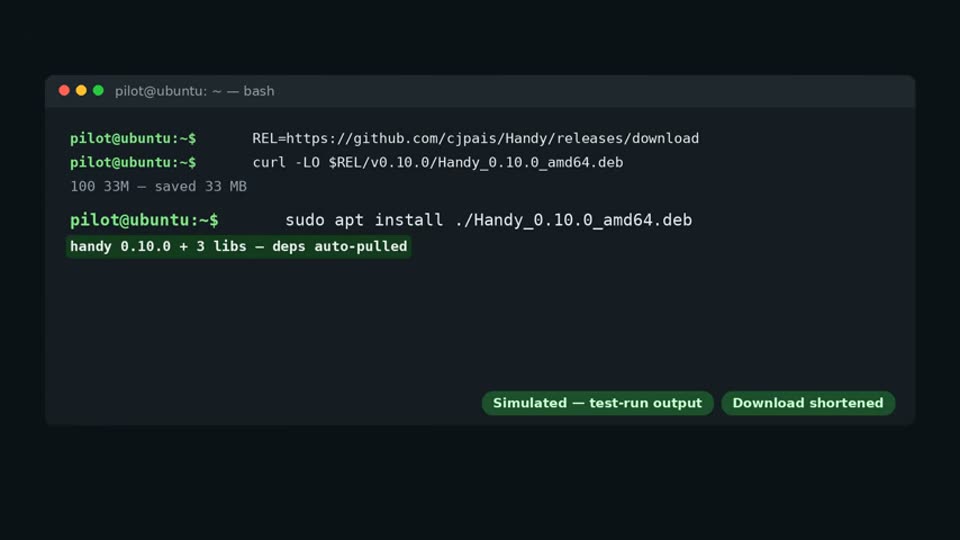
sudo apt install ./Handy_0.10.0_amd64.deb- If a previous
dpkg -iattempt left broken dependencies, the documented recovery issudo apt --fix-broken install.
Launch Handy, load a model, and set the shortcut
In the video: launch Handy from the applications menu, load the language model inside the app at the bottom left, choose Whisper from small to large or the lighter Parakeet V3 with new users starting on Parakeet, allow time for the several-hundred-megabyte download, and configure the push-to-talk shortcut in Settings.
Added from the sources: the Handy README confirms transcription runs on Whisper models with GPU acceleration where available or on the CPU-optimized Parakeet V3, and that the keyboard shortcut is configurable in Settings. The v0.10.0 release notes add auto language detection across the supported transcription models. Model choice, download sizes, and shortcut behavior are untested here.
- Start with Parakeet if you are new, following the video's advice, and switch to a larger Whisper model later if you want more accuracy.
- Learn more about the project itself on handy.computer, which describes Handy as free, open source, private, and simple.
If pasted text does not appear on Wayland
In the video: the official fix has three parts, which are to add yourself to the input group, set the two assistive tools shown on screen, and turn the overlay off.
Added from the sources: the Handy README documents sudo usermod -aG input $USER followed by logging out and back in, per-display-server typing tools installed with sudo apt install wtype on Wayland or sudo apt install xdotool on X11, and notes the recording overlay stays off by default on Linux because it can steal focus. The official Ubuntu 26.04 GNOME Wayland troubleshooting doc covers the same ground with ydotool, wl-clipboard, and Overlay set to None. That doc was tested on Ubuntu 26.04 with Handy 0.9.8 rather than Ubuntu 24.04 with 0.10.0, so every Wayland step here is untested here.
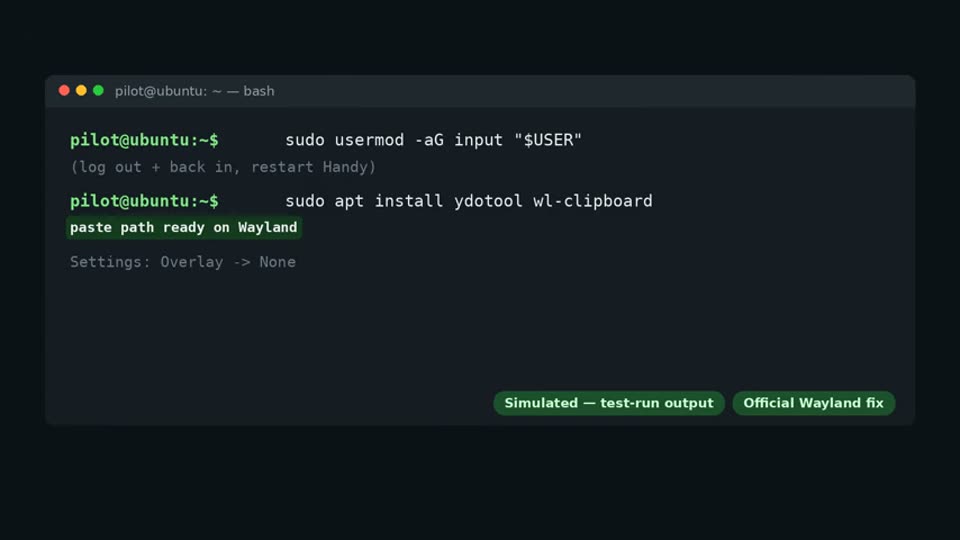
sudo usermod -aG input $USER, then log out and back in and restart Handy.sudo apt install ydotool wl-clipboardfor the Wayland paste path, and set Overlay to None in Settings.
Try it and confirm the version
In the video: the version screen shows 0.10.0, then the real test is holding the shortcut key, saying one sentence, and releasing so the words appear where the cursor is. If nothing is inserted on Wayland, the video points back to the previous section.
Added from the sources: nothing further was verified for this section, so the version check and the dictation test are video-attributed and untested here. Offline dictation with one key and no cloud is the whole point of the app, and the links and commands above are the complete written record of the install.