Install Ladybird Alpha on Ubuntu (Brand-New Browser, No Chromium)
The video this companion follows
This guide is the written companion to the video, published 2026-11-24 at about 104 seconds. The video is the starting point and shows the full install on 64-bit Ubuntu 24.04, from adding the official repository through verifying the exact alpha build.
What the video demonstrates, taken from its narration and description, is the official APT install path and the version checks that confirm build 2026.47.7. What I add below is the re-verified source trail, the exact expected outputs from the end-to-end test run, the rejected paths, and clear marks where steps are untested. I keep those two layers separate throughout so nothing reads as demonstrated when it was only researched.
Ladybird itself is an independent open-source browser with its own engine built from scratch, meaning no Chromium, WebKit, or Gecko code. The first alpha was released 2026-11-23, details in the alpha announcement. Because it is an alpha, some sites will not work yet and the browser may occasionally crash, with broken sites reportable from inside the browser, and there are no security promises on the alpha channel.
Before you start
You need 64-bit Ubuntu 24.04 with internet access, an admin password for sudo, and about 2 GB of free space for the browser plus its system libraries. The fetch tool wget ships preinstalled on stock 24.04, and the test run confirmed curl and gpg are not needed since the official steps use wget only. Nothing needs compiling and no account is required.
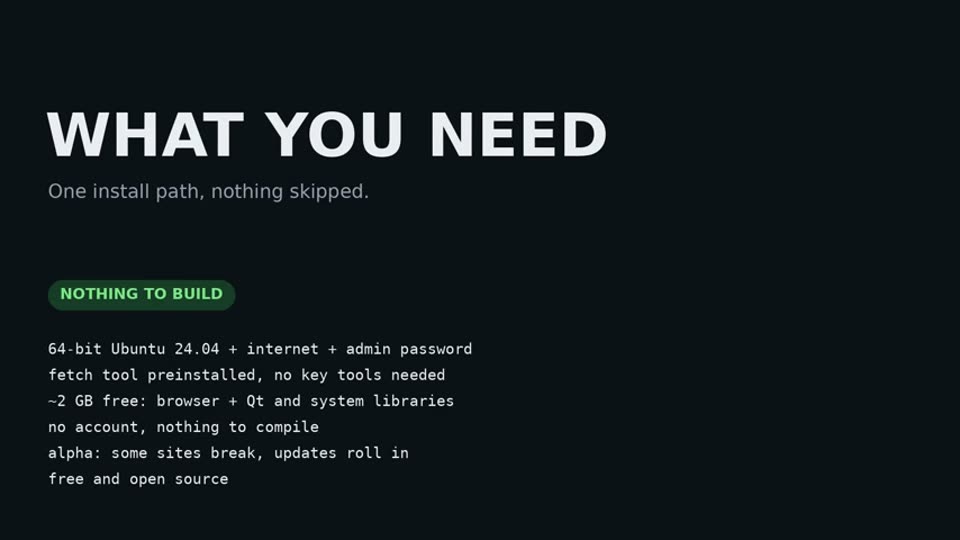
- 64-bit Ubuntu 24.04 LTS with internet and
sudoaccess wgetpresent, confirmed withwget --version- About 2 GB free, since about 366 MB lands in
/opt/ladybirdplus Qt, ffmpeg, and mesa system libraries - No account, no paid plan, no build toolchain
Add the official repository
These two lines come verbatim from the Ubuntu 24.04 tab of the official download page. They pull the repository signing key and the Noble package list, and the list pins the noble suite to that key so every future update stays signed. Run them in order.
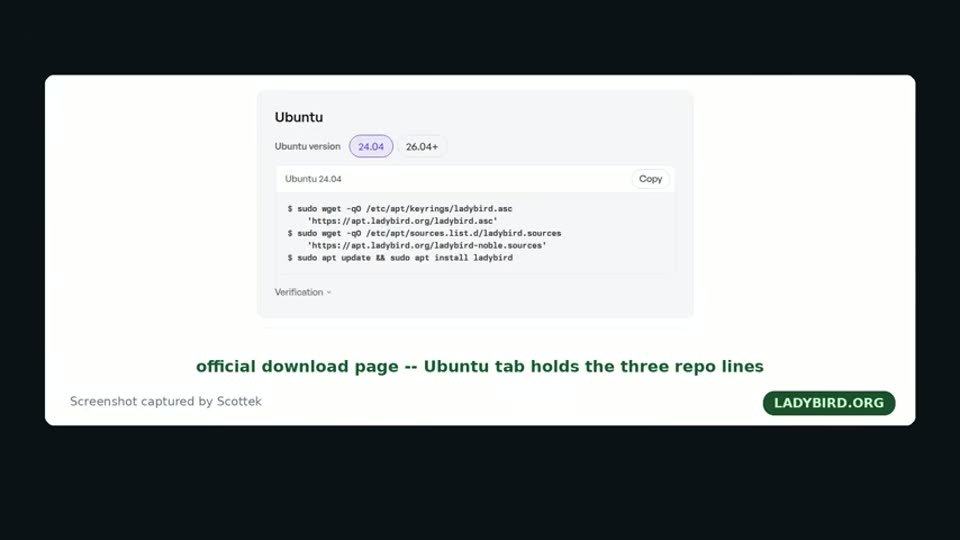
sudo wget -qO /etc/apt/keyrings/ladybird.asc 'https://apt.ladybird.org/ladybird.asc'sudo wget -qO /etc/apt/sources.list.d/ladybird.sources 'https://apt.ladybird.org/ladybird-noble.sources'- Optionally confirm the list with
cat /etc/apt/sources.list.d/ladybird.sources - Expect
Types: deb,URIs: https://apt.ladybird.org/,Suites: noble,Components: main, andSigned-By: /etc/apt/keyrings/ladybird.asc - The key file is a 425-byte ASCII-armored block, written with no extra setup step needed
Install it and prove the build
One update plus install pulls Ladybird and its libraries, then two checks confirm the exact alpha build. The package version proven in testing is 2026.47.7-1~ubuntu24.04, and the binary reports Version 2026.47.7. The terminal frame below is labeled simulated in the video, with output recreated from the test run.
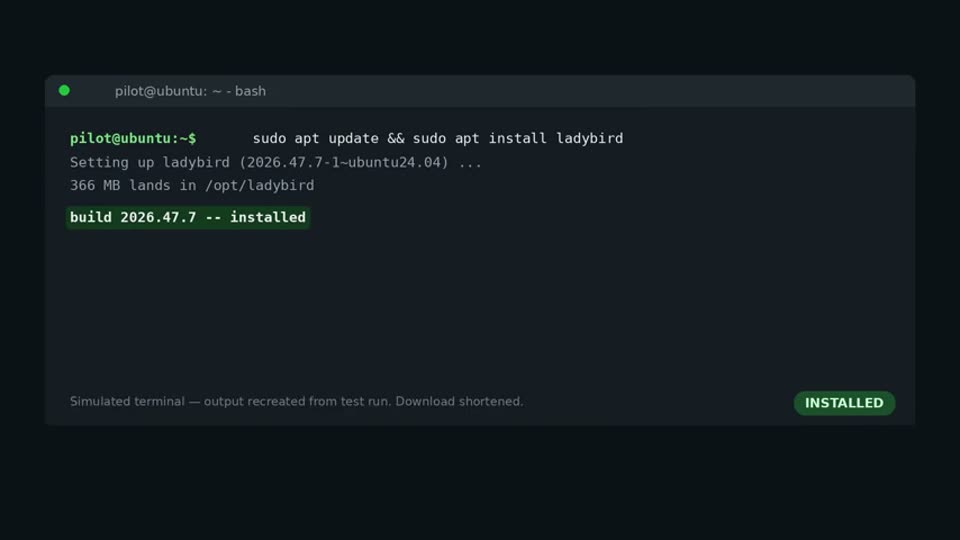
sudo apt update && sudo apt install ladybird- Expect
Setting up ladybird (2026.47.7-1~ubuntu24.04) ... apt policy ladybird- Expect
Installed: 2026.47.7-1~ubuntu24.04 ladybird --version- Expect
Version 2026.47.7 ls /usr/share/applications/ | grep -i ladybird- Expect
org.ladybird.Ladybird.desktop, which is the app-grid entry
One test-bench note on the version check: the sandbox used for verification had no display, so the binary needed an offscreen platform setting plus a UTF-8 locale to print its version there. On a normal desktop ladybird --version prints directly, and that plain form is what you should run.
Trust the source, not just this page
The install lines above live on the official download page under the Linux Ubuntu tab, and the same page names the key, the Noble list, and the install command. If that page ever changes, follow the page over this guide. The machine-readable release manifest lists version 2026.47.7 with the APT key, package name ladybird, and the Ubuntu 24.04 noble suite for amd64 and arm64, alongside newer Ubuntu suites and other platforms this guide does not cover. The background story, including the rolling-channel plan and the request to report broken sites, is in the alpha announcement.
Launch it, with one honest flag
Launch Ladybird from your app grid or by running ladybird from a terminal, and use the in-browser broken-site reporter when something does not render. This launch step is untested in the verification behind this guide because the test sandbox had no display, so first run plus real browsing is a viewer step, not a lab-proven one. The video states this same display limit on camera, and I repeat it here rather than claiming a completed first run.
Paths this guide skips on purpose
Upstream documents more options, and each was deliberately rejected for this Ubuntu 24.04 video format. The Flatpak needs a Flatpak runtime installed first and is distro-generic rather than the Ubuntu path. The source tarball means a multi-hour toolchain build, which contradicts a short install guide. The macOS disk image and Fedora RPMs target the wrong platform for this guide. The manifest also lists Ubuntu 26.04 and 26.10 suites and arm64 builds, and none of those were demonstrated or tested here.
Keep the rolling alpha fresh
The alpha is a rolling channel with automatic updates pushed regularly, so keep it current with your normal system upgrades using sudo apt upgrade ladybird. That freshness path is documented from the rolling-channel notes but was not executed during testing, since nothing newer than 2026.47.7 existed at test time.
 Webster