ArchiveBox: Self-Host Your Own Web Archive

This companion guide starts from the video ArchiveBox: Self-Host Your Own Web Archive and adds grounded detail from the ArchiveBox repo, the v0.9.77 release tag, and the official Install and Docker wiki pages so you can deploy once and keep every snapshot on your own disk. The video is a fast 120 second walkthrough with stylized terminal frames, so every section below keeps In the video claims apart from Added from the sources research, and hands-on steps the video shows but this guide did not execute are marked untested.
What the video covers and what this guide adds
- In the video: ArchiveBox is a self-hosted web archive where you point it at any page and it saves the HTML, a reader-text copy, a screenshot, and a permanent replayable snapshot to your own disk, with no accounts and no subscriptions.
- In the video: the walkthrough covers the official Docker Compose install with the image pinned to 0.9.77, the first-run admin setup, and archiving plus verifying your first page, on Ubuntu 24.04 x86_64 with Docker Engine plus Compose v2, 2 GB or more of memory, and port 5797 free.
- Added from the sources: the video identity is title ArchiveBox plus Self-Host Your Own Web Archive at Watch link with upload date 2026-11-03 and duration about 120 seconds confirmed with ffprobe, and auto-subs returned HTTP 429 on two attempts so the description above is used as the transcript-equivalent with that disclosed.
- Added from the sources: version grounding is the v0.9.77 release tag pushed 2026-10-27 with fixes for reliable setup, extension updates, faster browsing of large collections, and updated capture tools, plus the Install wiki and the Docker wiki for every command quoted below, and no live run was performed for this guide so Docker steps stay marked untested here.
Check the prerequisites first
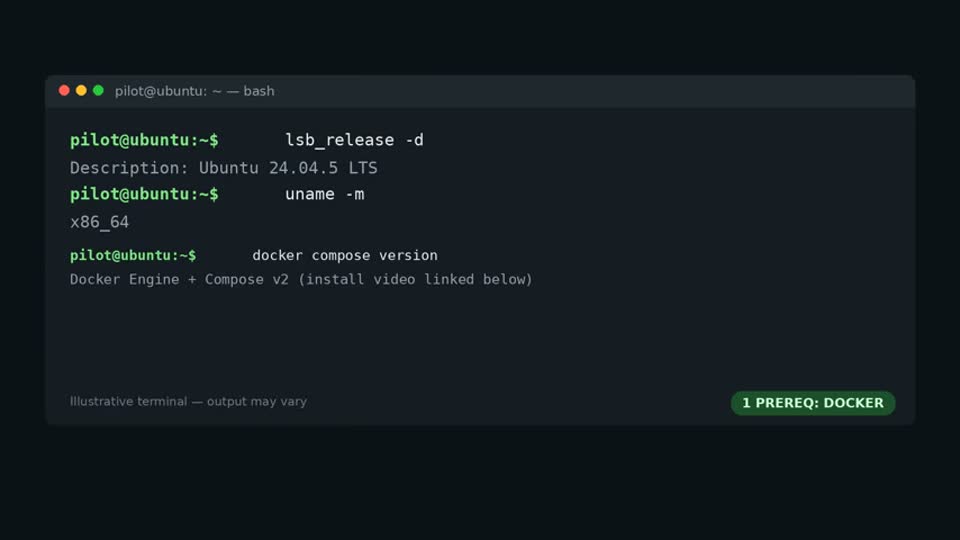
- In the video: the checklist is Ubuntu 24.04 on x86_64, Docker Engine with Compose v2 installed, at least 2 GB of memory, and port 5797 free before you fetch anything.
- In the video: the opening terminal frame runs distribution, architecture, and Compose checks, and it carries an on-screen illustrative-output disclaimer so read its output shapes as guidance rather than byte-exact text.
- Added from the sources: the Install wiki supports amd64 and arm64 with 1 GB minimum and 2 GB or more recommended, lists Ubuntu on both architectures, and calls Docker Compose the recommended path, while the Docker wiki requires Compose v2 and says to confirm with
docker --versionanddocker compose versionbefore continuing. - Added from the sources: the Docker wiki names port 5797 for new deployments with the old 8000 mapping kept only for compatibility, so a free 5797 matches both the video and the docs, and these checks were read from the wikis rather than executed here.
Fetch the Compose file and pin the 0.9.77 image
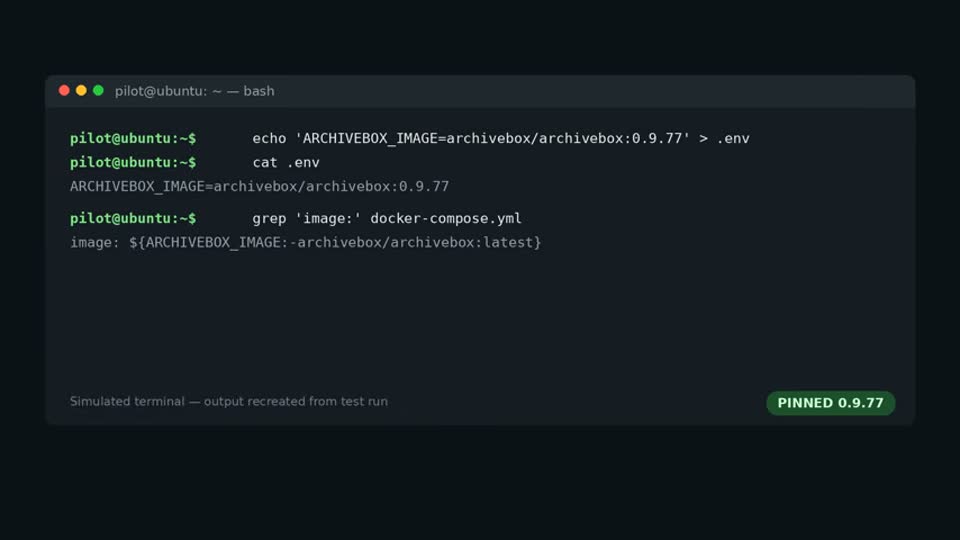
- In the video: the install fetches the official Compose file, pins the image to 0.9.77 instead of floating on latest, then pulls and starts the server.
- In the video: the pin frame writes
ARCHIVEBOX_IMAGE=archivebox/archivebox:0.9.77into a.envfile, verifies it, and shows the Compose file referencing that variable with a latest fallback, with a simulated-terminal disclaimer on screen. - Added from the sources: the Docker wiki flow is
mkdir -p ~/archivebox/datawithcd ~/archivebox, thencurl -fsSL 'https://docker-compose.archivebox.io'saved todocker-compose.yml, thendocker compose pullanddocker compose up -d --wait, quoted from the wiki and untested here. - Added from the sources: the
0.9.77tag was verified to exist on Docker Hub for amd64 and arm64 with a 2026-10-27 push date, the repo describes ArchiveBox as open source self-hosted archiving of URLs, history, and bookmarks into HTML, JS, PDFs, and media, and the.envpin method is shown in the video only so treat it as untested here and confirm the image reference in your own Compose file before pulling.
Create the admin and archive your first page
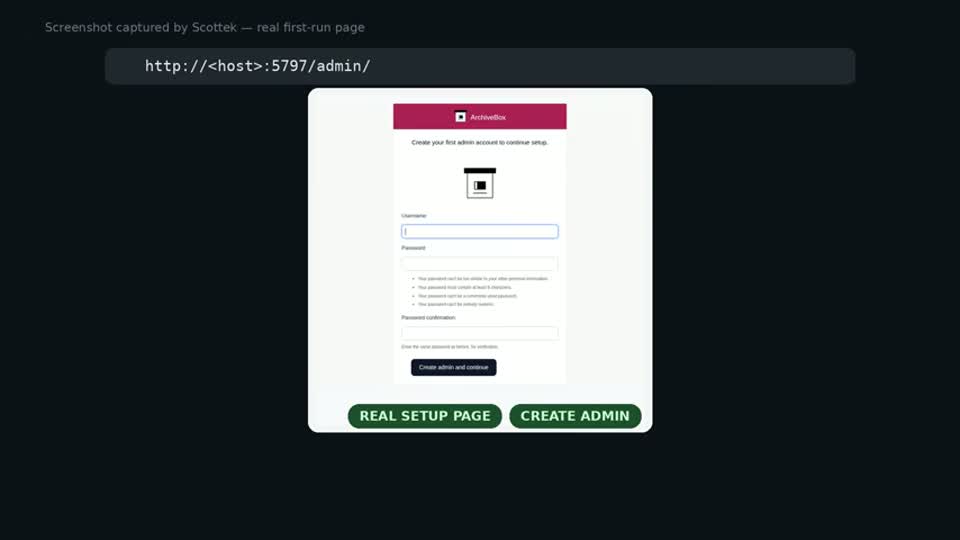
- In the video: after the containers are up, the browser-based setup wizard creates the first admin account on the real setup page shown in the video, then a first page is archived and verified until the archive is live.
- In the video: creating the admin in the browser is a viewer step on that real page, and the closing frame presents port 5797 as the door to a working personal archive.
- Added from the sources: the Docker wiki points first-run setup at
http://admin.archivebox.localhost:5797with the public UI at port 5797 as well, and archiving one URL looks likedocker compose exec archivebox archivebox add 'https://example.com'with collection health viaarchivebox status, quoted from the wiki and untested here. - Added from the sources: archive data lands in
datarelative to the project root or wherever the Composevolumessection points, the entrypoint matches container permissions to that directory owner, and snapshots are browsable under thedata/archivetree as well as the web UI, so keep that directory on reliable backed-up storage.
Keep the collection healthy and upgrade safely
- In the video: the takeaway is a live personal archive on your own disk holding replayable snapshots of pages you chose, independent of any hosted service.
- Added from the sources: the Install wiki advises upgrading with the same package manager used originally, backing up the full collection first with an archive of the data directory, then re-running init plus install plus status checks, and Docker users should follow the wiki upgrading notes for Compose rather than improvising a tag bump.
- Added from the sources: persistent tuning goes through
docker compose exec archivebox archivebox config --set TIMEOUT=120or the collectionArchiveBox.confper the Docker wiki, with per-plugin options in the same pattern, and every tuning and upgrade step here is quoted from the docs and untested here. - Added from the sources: if captures misbehave, the Install wiki points at the Troubleshooting and Chromium Install wiki pages plus the per-plugin config reference, which is the right next stop before changing versions or extractors.