The Best Thing in Open-Source AI Right Now (Unsloth Studio Guide)

Companion guide and video starting point
This article is a companion to the video, not a replacement for it, and the video is the starting point for everything below.
In the video: the presenter installs Unsloth Studio, runs a local model, tours chat and tool features, demonstrates a short fine-tuning workflow, covers data recipes, and exports the result for local inference stacks.
Added from the docs: installation commands, current feature names, and version-sensitive details were checked against the official Unsloth Studio docs, the get-started guide, the changelog, and the Unsloth repo. Where the docs have moved on since the video date of 2026-10-09, that is called out explicitly.
What Unsloth Studio is, in the video's terms
In the video: three names are separated deliberately, with Unsloth Core as the code-level Python framework, Unsloth Studio as the locally hosted browser interface, and Unsloth Desktop as the native packaged app for Windows, macOS, and Linux.
Added from the docs: the Studio page describes the same split, calling Studio an open-source, no-code web UI for training, running, and exporting open models in one local interface, with Desktop as the native download path for macOS, Windows, and Linux. The docs also state that Studio runs locally and does not collect usage telemetry beyond minimal hardware compatibility information, per the Studio FAQ.
The video frames efficiency as the original reason Unsloth mattered, with optimized kernels, memory-saving techniques, quantization, gradient checkpointing, and packing making adaptation practical on weaker hardware. The docs still lead with faster training and lower VRAM use, but exact speedup and memory figures vary by model, GPU, sequence length, and method, so treat any single number from October 2026 as a snapshot rather than a guarantee.
Install and first launch
In the video: the easiest path is the Desktop installer, with a manual Studio shell installer for macOS, Linux, or WSL, a PowerShell installer for Windows, plus Docker and Colab paths, followed by opening Studio on port 888 and creating a local password.
Added from the docs: the get-started guide confirms the same paths. For macOS, Linux, or WSL the documented install and update command is curl -fsSL https://unsloth.ai/install.sh | sh, and for Windows it is irm https://unsloth.ai/install.ps1 | iex. Desktop can also be installed with brew install --cask unsloth or winget install --id UnslothAI.Unsloth -e, and Studio itself is launched with unsloth studio, then opened at http://127.0.0.1:8888. A secure Cloudflare tunnel variant is unsloth studio --secure.
- Download Desktop only from the official Unsloth download pages linked above.
- Inspect any remote install script before piping it to a shell, as the video also advises.
- Expect a first-launch local password prompt, then a chat-first interface bound to the local machine by default.
- Docker and Colab installs exist, but GPU pass-through and container setup are untested here.
Because Studio was in beta around the video date and the changelog shows rapid post-October-9 releases, menu names and onboarding order may differ from what the video shows.
Run models and chat locally
In the video: models are loaded through a model selector or hub that can search online repositories, reuse cached models, point at custom directories, and surface Studio-trained models, with GGUF quants as the familiar local format. After loading, Studio acts as a local chat app with temperature, top-p, top-k, minimum probability, repeat penalty, maximum output, and system prompt controls, plus automatic recommended settings on supported models.
Added from the docs: the chat guide path and get-started guide confirm GGUF and safetensors loading from Hugging Face or local files, a fine-tuned-models tab, document and image uploads, inference tuning controls, and a side-by-side model comparison view. The docs note inference is powered by llama.cpp with multi-GPU support, offloading, and Hugging Face integration.
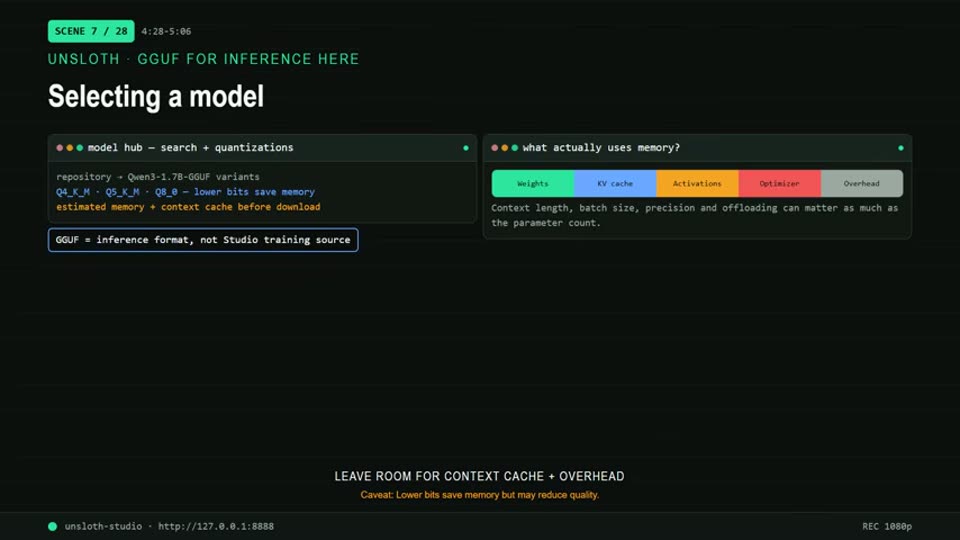
- Lower-bit GGUF quants save storage and memory but may reduce quality, so leave room for context cache and runtime overhead, not just weights.
- Change one sampling control at a time for repeatable tests, and preserve the seed where supported.
- A text-only model can read extracted document text without truly seeing images, and audio needs a capable model or transcription stage.
- If a model fails to load, check weights plus cache and overhead against available memory before blaming the app.
Tools, web search, and agent connections
In the video: Studio can give models web search, Python execution, terminal commands, file access, and external MCP tools, with real tool calling explained as structured name-plus-arguments requests validated and executed by the host. The video warns that local execution does not remove the security boundary, and covers retrieval, hosted provider connections, the OpenAI-compatible local API with API keys, the monitor panel, and agent targets including Claude, Codex, Hermes, OpenClaw, OpenCode, and Pi.
Added from the docs: Studio documents sandboxed Bash and Python execution, self-healing tool calling, private web search, provider connections, and the API endpoint flow used by tools such as Claude Code and Codex. The docs confirm local models can be served through an authenticated OpenAI-compatible endpoint and monitored for status, tokens, latency, time to first token, and throughput.
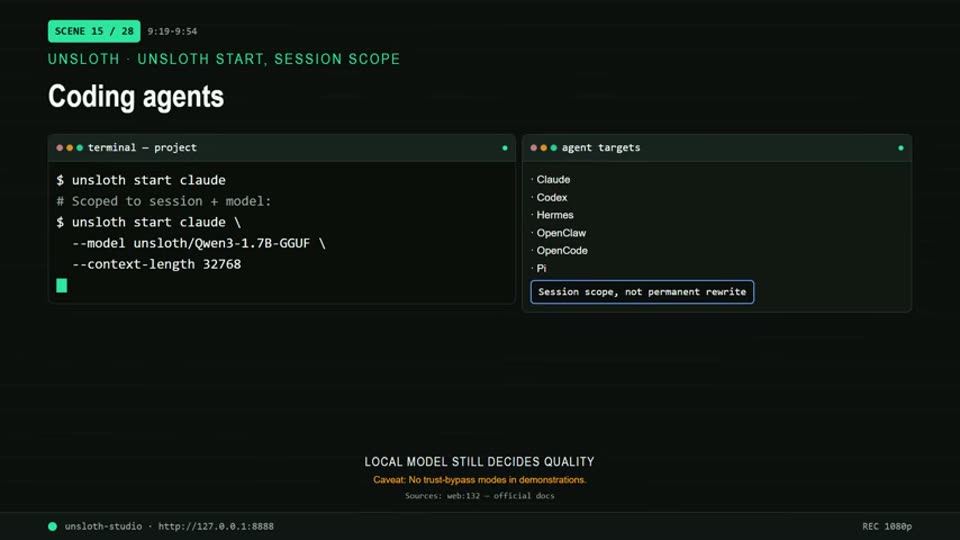
- Treat tool access as a security boundary and do not grant broad filesystem or terminal permissions casually.
- Web pages and documents can carry prompt-injection content, so review what a tool-enabled model fetches and runs.
- External provider features such as hosted reasoning, search, execution, media, and caching depend on the chosen provider and model.
- Wiring a local model into a specific coding agent is untested here, and the local model still determines planning and tool reliability.
No-code fine-tuning and data recipes
In the video: Studio presents QLoRA as the low-memory adapter path on a quantized base, LoRA as adapters over a higher-precision base, and full fine-tuning as updating every weight at much higher cost. The workflow shown is to open training, pick a modality, choose a base model, load data from Hugging Face or local JSON, CSV, Parquet, PDF, or DOCX files, map columns to prompt layouts, set train and eval splits, adjust context, learning rate, rank, alpha, dropout, epochs, batch size, accumulation, optimizer, scheduler, warmup, seed, packing, and logging, then monitor loss, learning rate, gradient norm, GPU stats, and timing, and save the config as YAML.
Added from the docs: the Studio overview confirms no-code training over PDF, CSV, JSON, DOCX, TXT, and YAML configs across text, vision, audio, and embedding models, with multi-GPU handling and export afterwards. The docs also describe data recipes as a visual pipeline for turning raw documents into training rows with preview and validation before a full build.
- Start with a small model and a small inspected dataset to prove the workflow, as the video does.
- Favor clean data over row count by removing duplicates, contradictions, encoding errors, hidden instructions, personal data, and weak synthetic rows.
- Use a held-out eval split plus fixed prompts and human review, since falling loss alone does not prove better behavior.
- Longer context, larger batches, and higher rank raise memory use, while gradient accumulation can grow effective batch size more cheaply.
- The exact defaults shown in October 2026 may not match current presets, so copy values from the live UI rather than from memory, and a full training run is untested here.
Export and what to do next
In the video: export means selecting a run and checkpoint, choosing between a merged model and a smaller LoRA-only adapter, producing GGUF for llama.cpp-compatible inference, saving locally or pushing to Hugging Face, keeping a high-quality copy before aggressive quantization, and then serving through the API, llama.cpp, Ollama, vLLM, or a coding agent. Media, Library, Skills, document viewing, ModelScope, Apple Silicon, and decision-model features are flagged as newer or beta and possibly renamed since the video.
Added from the docs: the Studio page confirms export to GGUF and 16-bit safetensors, and the changelog documents the fast-moving beta surface after the video date, including browser use, image-model updates, embedding models, sandboxing, Library, Skills, and decision models. Licensing is dual Apache 2.0 and AGPL-3.0 depending on component, per the Studio FAQ.
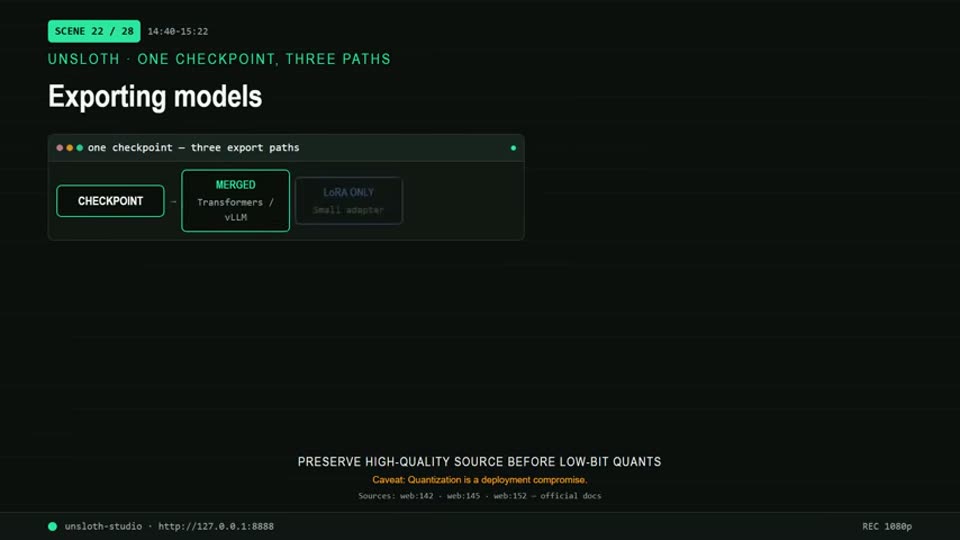
- Preserve the merged model or adapter before making low-bit deployment copies.
- Compare base and tuned models on fixed prompts and held-out data before shipping.
- Keep Studio bound to the local machine unless remote access is genuinely needed, and never casually expose a tool-enabled endpoint.
- Re-check current docs before relying on beta feature names from the October 2026 video.