Your Own Pastebin: Spacebin Install in 3 Minutes
What the video covers
The video installs Spacebin v1.2.1 on Ubuntu 24.04: a self-hosted pastebin server built from source with SQLite inside, so there is no database server, no Docker, and no account to create. This companion guide gives you the same path in copyable form with expected results after each step. Watch it alongside the video at Your Own Pastebin: Spacebin Install in 3 Minutes.
The full path is short: system build tools, the official Go 1.26.2 tarball (Ubuntu's archive Go is too old for this code), a shallow clone of the v1.2.1 security tag, make, a systemd unit pointed at a local SQLite file, and a real curl roundtrip to prove it works. The steps below follow the video and its description; they are marked untested because this guide's sandbox could not exercise them with root access.
What you need
- 64-bit Ubuntu 24.04 with internet access
- A sudo-capable account
- About 500 MB free for the Go toolchain
- Port 9000 free on the machine
Install the build tools
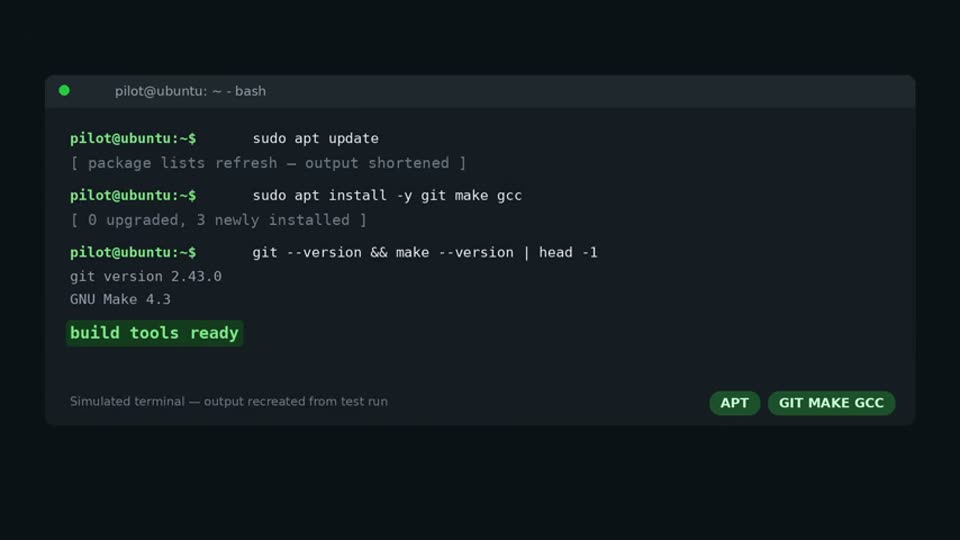
Spacebin is written in Go, so you compile it from source. Refresh the package lists, then install git, make, and gcc:
sudo apt updatesudo apt install -y git make gcc- Confirm with
git --version && make --version | head -1— the video's bench reads git 2.43.0 and GNU Make 4.3
Install the official Go toolchain
The code needs Go 1.26 or newer, which Ubuntu's archive package does not satisfy, so the video takes the official build instead. Untested: download the Linux tarball from the official Go downloads, extract it under /usr/local, add it to your PATH, and confirm with go version, which should report 1.26.2. The Spacebin releases page carries the v1.2.1 security tag this build pins to.
Clone the v1.2.1 tag and build
Clone only the release tag, shallow, so the fetch stays small, then run the Makefile:
git clone --depth 1 --branch v1.2.1 https://github.com/lukewhrit/spacebin.gitcd spacebin && make- Confirm with
ls -la bin/— you should see one static executable,bin/spacebin
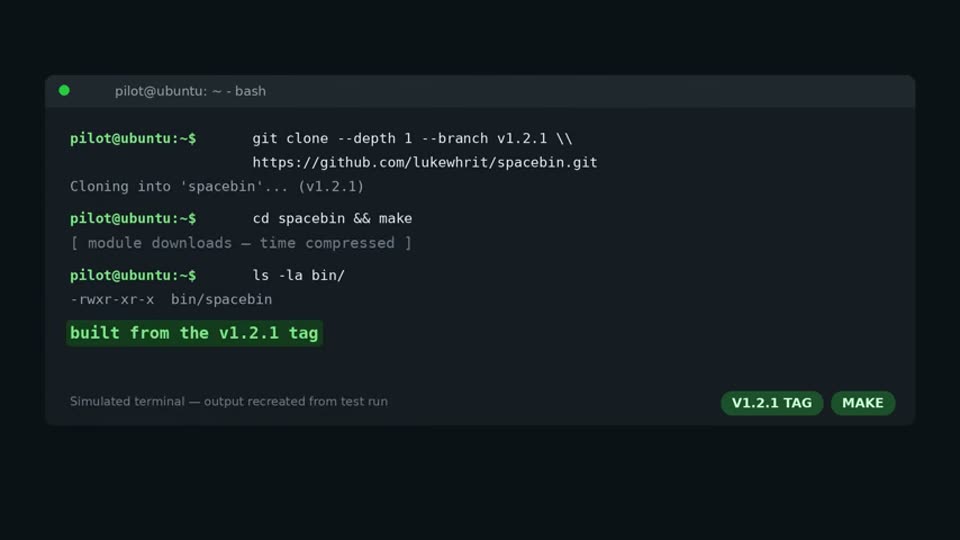
Pinning the tag matters: building main later can pull unreleased changes, while the tag reproduces exactly the security release the video walks through.
Run it under systemd with SQLite
For a first install a local SQLite file is enough, set through a single connection setting on the service. Untested: install a systemd unit for Spacebin that starts it on boot with that SQLite connection string, then systemctl daemon-reload and start the service now. Check it is listening on port 9000 before moving on.
Prove it works with a real paste
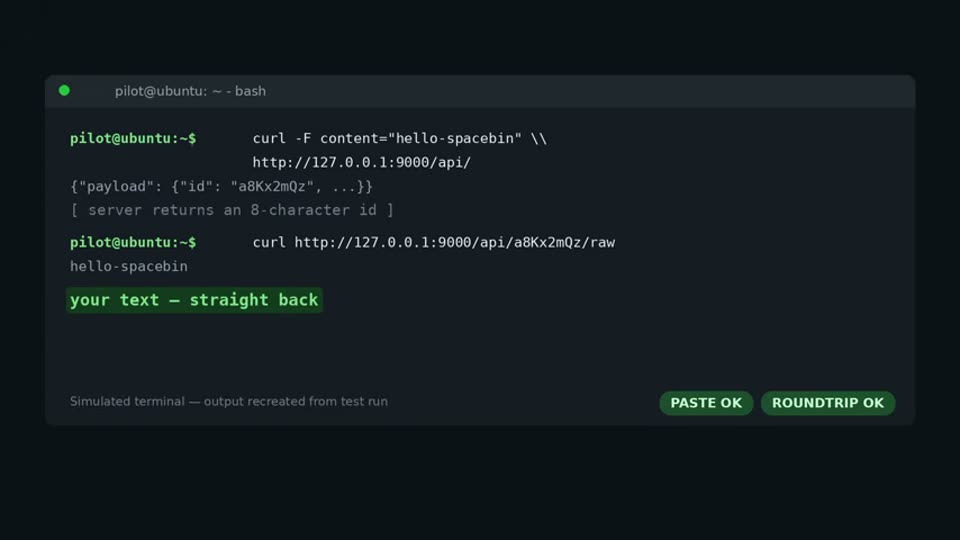
Post a test paste and fetch it straight back:
curl -F content="hello-spacebin" http://127.0.0.1:9000/api/— the server answers with JSON carrying an 8-character paste IDcurl http://127.0.0.1:9000/api/<id>/raw— your text comes straight back- Open port 9000 in a browser and there is your own pastebin
Next steps
From a working install the video points at password-locked encrypted pastes and collections, which share several pastes as one link. The Spacebin repository and the project site carry the docs and the security notes linked below the video. If port 9000 is already taken on your box, stop the conflicting service or remap the port before the systemd step rather than forcing two listeners onto one port.