Install Kitty 0.50 on Ubuntu: GPU Terminal + Session Restore

Companion guide and video starting point
This article is a companion to the video, not a replacement for it, and the video is the starting point for everything below.
In the video: a full Kitty 0.50 install on Ubuntu 24.04 using the official binary, with PATH wiring, app grid entries, config, and a real version check, all with no sudo. The GUI first-run is shown as a viewer step because the test bench is headless, so launching from the app grid is untested here.
Added from the sources: each step below is cross-checked against the official Kitty docs, the binary install page, and the 0.50 changelog, all checked November 5, 2026. Anything the docs do not independently confirm is marked untested. The figures in this guide are simulated terminal frames recreating the test-bench output, as labeled on each still.
What 0.50 adds and what you need
In the video: Kitty 0.50 ships docked windows and restore-after-logout session restore, and the Ubuntu archive package lags behind releases, so skip it in favor of the official binary.
Added from the sources: the changelog confirms both features for 0.50, with docked windows created via launch --type=window-dock or launch --type=tab-dock and session restore enabled through restore_session_after_logout, including scrollback. Release tarballs are published on the GitHub releases page.
In the video: you need 64-bit Ubuntu 24.04, curl, your local bin folder on the system PATH, and about 200 MB free.
- Confirm
curlis present before starting, since the installer is fetched with it. - Confirm your local bin folder is on the system-wide PATH, not just in shell rc files, or desktop launches will not find the binaries. This PATH detail is untested here.
- Free roughly 200 MB for the app folder and download.
Install with the official binary
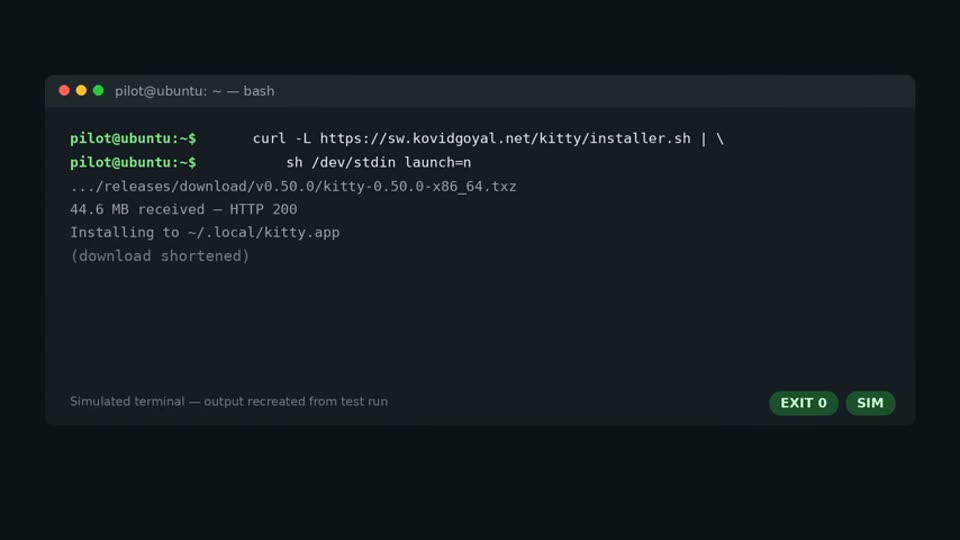
In the video: run the official installer with launch disabled, which pulls the 0.50.0 release tarball and installs without sudo.
- Run
curl -L https://sw.kovidgoyal.net/kitty/installer.sh | sh /dev/stdin launch=n. - Added from the sources: the binary install page documents this exact command and the
launch=nflag, and states files land in~/.local/kitty.appon Linux with updates done by re-running the command. - Added from the sources: the installer only touches that directory, and uninstalling is deleting it. Never copy the binary out of the install folder.
PATH wiring and app grid entries
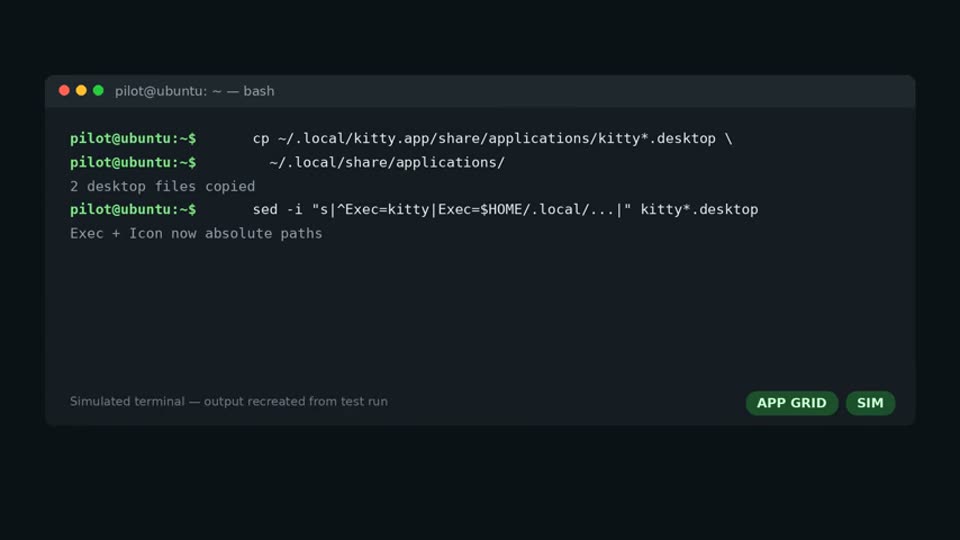
In the video: symlink kitty and kitten into the local bin folder, then copy both desktop files into the local applications folder and point Icon and Exec at absolute paths.
- Wire the binaries with
ln -sf ~/.local/kitty.app/bin/kitty ~/.local/kitty.app/bin/kitten ~/.local/bin/. - Added from the sources: the binary install page gives this exact symlink pattern and warns the target folder must be on the system-wide PATH.
- Copy the launchers with
cp ~/.local/kitty.app/share/applications/kitty.desktop ~/.local/share/applications/and the same forkitty-open.desktop. - Added from the sources: the binary install page documents rewriting
Icon=kittyto the absolute icon path andExec=kittyto the absolute binary path withsed -i, so the entries resolve from the app grid.
Config and version check
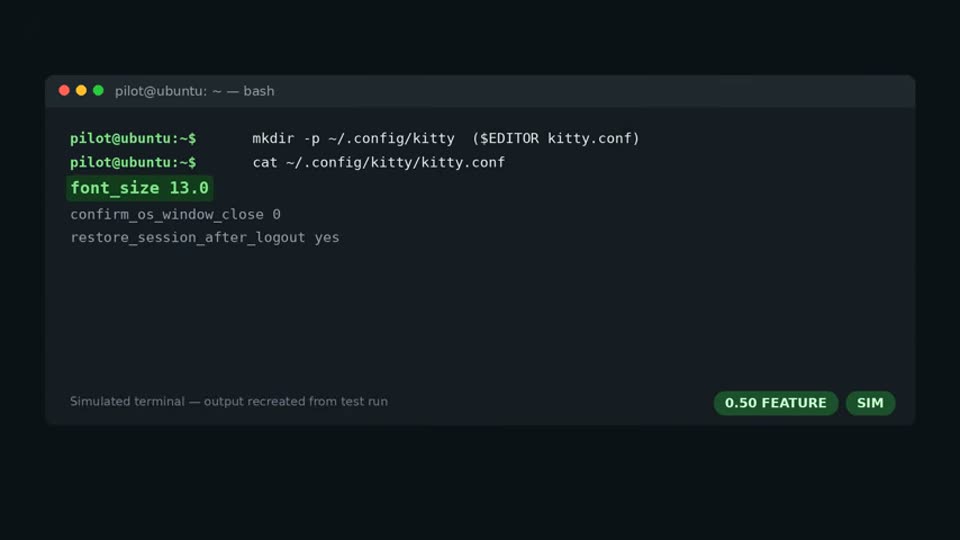
In the video: write the kitty dot conf with font size and restore session after logout, then verify with kitty --version and expect kitty 0.50.0 created by Kovid Goyal with kitten matching.
- Create the config dir with
mkdir -p ~/.config/kitty, then edit~/.config/kitty/kitty.conf. - In the video: the shown config sets
font_size 13.0,confirm_os_window_close 0, andrestore_session_after_logout yes. - Added from the sources:
restore_session_after_logoutis the documented 0.50 option per the changelog, restoring OS windows, tabs, windows, and scrollback after logout or restart. Whether the shown config values behave as described on your machine is untested here. - Verify with
kitty --versionand expectkitty 0.50.0created by Kovid Goyal, withkittenmatching and both binaries under the app folder. - Launch from the app grid or run
kitty. The app-grid launch path is untested here since the test bench is headless.
Sources and verification
- Watch the video for the starting walkthrough this guide companions.
- Kitty docs, binary install page, changelog, and GitHub releases all returned HTTP 200 when checked November 5, 2026.
- The embed at
https://www.youtube-nocookie.com/embed/N-sphVds9Ykreturned HTTP 200. - Session restore behavior and the GUI first-run were not independently verified and are marked untested above.