Self-Host Morrowind in a Browser Tab
Companion guide and video starting point
In the video: a 106-second walkthrough of OpenMW-Web 1.7.24 on Ubuntu 24.04, installed the standalone way: download the release, verify the checksum, unzip, and run one Python server, with no Docker and no build step. The chapters run from what you need, through download and verify, unpack and start the server, a browser check, pointing the engine at your own Morrowind Data Files, and what the Docker dashboard path adds. The narration is synthetic, per the video description.
Added from the sources: the auto-subtitle fetch failed twice with HTTP 429, so the video description above is used as the transcript-equivalent, corroborated by the v1.7.24 SELF_HOSTING guide, the openmw-web releases page, and the Virtastic site, each returning 200 when checked on 2026-11-06. There is no Prag research folder for this video, so this guide is grounded in the video plus those official docs, and that is stated here. Anything not independently confirmed below is marked untested.
What you need
In the video: 64-bit Ubuntu, python3, unzip, curl, and desktop Chrome, Edge, or Brave.
Added from the sources: the docs narrow the browser requirement to desktop Chrome or Chromium with MEMORY64 support, naming Chrome and Edge 133-plus, and Firefox, Safari, and mobile are not supported. The demo world is freely licensed, so nothing you download here needs a game purchase until you want the full game.
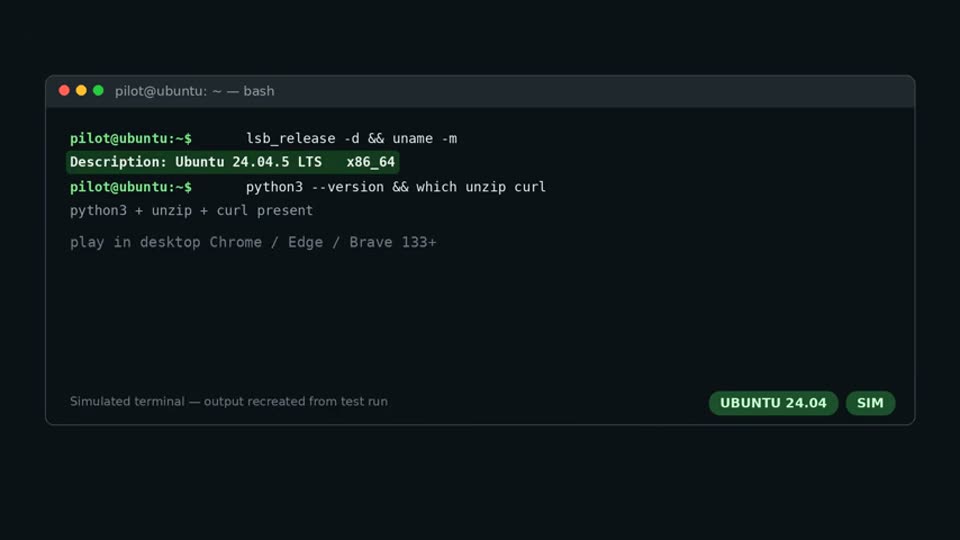
- Confirm 64-bit Ubuntu first, since the engine build is 64-bit, and confirm
python3,unzip, andcurlare installed before downloading anything. This environment check was not run hands-on here, so treat it as untested here. - Use desktop Chrome, Edge, or Brave on the machine that plays, because the engine needs MEMORY64 browser support. Other browsers are documented as unsupported, not merely untested.
Download and verify the release
In the video: download v1.7.24 plus SHA256SUMS from GitHub Releases and verify the zip.
Added from the sources: the releases page lists v1.7.24, and the SELF_HOSTING guide describes the release zip as a self-contained static bundle. The Docker setup script downloads the same release zip and checks it against the release SHA256SUMS, which corroborates the video's verify-before-you-unzip order.
- Step 1 — On the releases page, fetch the v1.7.24 release zip and its SHA256SUMS file, and verify the zip against the checksums before unpacking. Expected result: the checksum check passes with no mismatch. This download path was not run hands-on here, so it is untested here.
- Step 2 — Keep the verified zip intact until the check passes, and re-download if any hash disagrees rather than unpacking a corrupt bundle.
Unpack and start the server
In the video: unpack the bundle and run server.py, serving on local port 8910.
Added from the sources: the SELF_HOSTING guide gives the standalone path exactly: unzip the release anywhere and run python3 server.py, with no accounts, no dashboard, and no mod manager, but playable in a minute. Game files stream on demand over HTTP range requests and nothing is repacked.
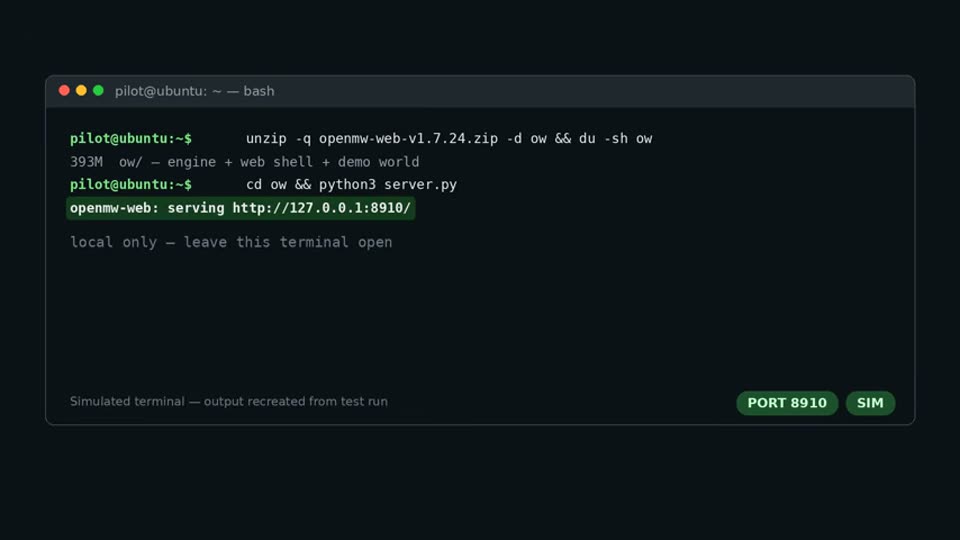
- Step 1 — Unzip the verified release into its own folder. Expected result: a folder holding the engine, the web shell, and the demo world. This step was not run hands-on here, so it is untested here.
- Step 2 — From that folder, start the server with
python3 server.pyand leave the terminal open. Expected result: the server reports it is serving onhttp://127.0.0.1:8910/, local only. This step was not run hands-on here, so it is untested here.
Check it in the browser
In the video: verify the launcher loads and the engine streams over HTTP range requests.
Added from the sources: the free demo world is included precisely so you can play without owning the game, per the video description and the docs licensing notes. If you serve the bundle with your own web server instead of server.py, every response needs cross-origin isolation over HTTPS or localhost, plus application/wasm for .wasm files and range-request support.
- Step 1 — Open the local address the server prints and confirm the launcher page loads. Expected result: the launcher appears with the demo world selectable. This check was not run hands-on here, so it is untested here.
- Step 2 — Launch the demo and confirm the engine streams game data over HTTP range requests. Expected result: the demo world plays in the tab with no repacking step. This check was not run hands-on here, so it is untested here.
- If the page loads but the game refuses to start from another machine's address, remember the documented rule: browsers start the game only on
https://orhttp://localhost, so plain HTTP to a LAN address fails by design.
Point it at your own Morrowind files
In the video: point the engine at your own Morrowind Data Files for the full game.
Added from the sources: the SELF_HOSTING guide gives the mechanism: copy your Data Files contents into mwdata/ next to server.py and run with OPENMW_LAUNCHER=0, so players can point the browser at their own files. The docs licensing notes add the legal boundary: Morrowind game data is not included and must never be bundled by hosts, and everyone playing still needs to own the game.
- Copy the contents of a Morrowind copy you own into
mwdata/next toserver.py, then start the server withOPENMW_LAUNCHER=0. Expected result: the full game data loads instead of the demo world. This step was not run hands-on here, so it is untested here. - Legal note: the demo world is freely licensed content, while the full game needs a Morrowind copy you own. Never redistribute game files or bundle them for others.
When the Docker dashboard path fits
In the video: a closing note on what the Docker dashboard path adds and when you need it.
Added from the sources: the SELF_HOSTING guide documents the Docker route: clone the repo and run the setup script, answer the wizard at the local admin address, and drag in Data Files when asked. That route buys accounts, the page-by-page dashboard, the mod manager, updates, backups, and the multiplayer server, none of which the one-command server.py provides.
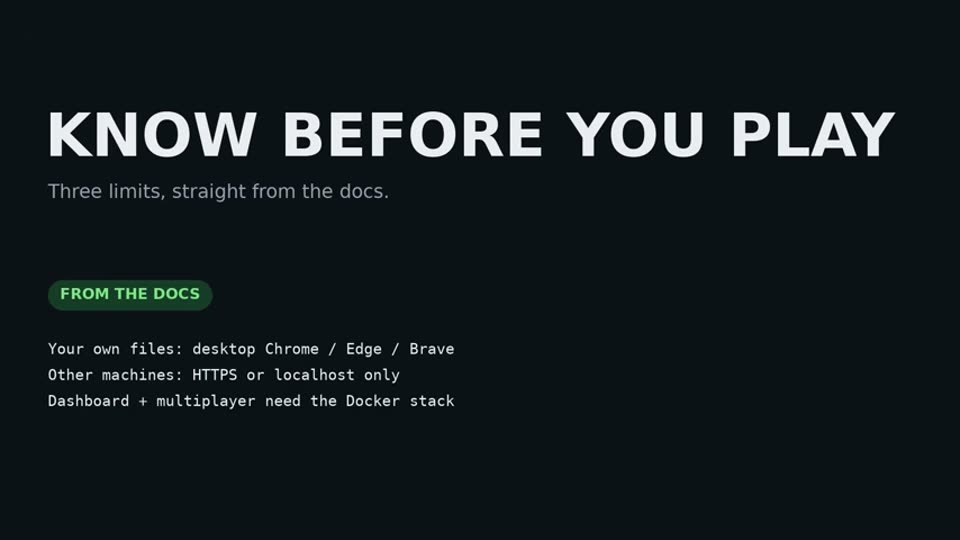
- Stay on standalone
server.pyfor local single-player in a tab, including the free demo world. - Move to the Docker stack when you want hosted accounts, the dashboard, mods management, updates and backups, or multiplayer. The Docker install was not run hands-on here, so it is untested here.
- A fresh Docker install showing unhealthy until game data is uploaded is expected behavior per the docs, not a failed install.
Troubleshooting
- Server prints an address but the tab stays blank: confirm you kept the server terminal open and used the exact local address it printed, and confirm the browser is desktop Chrome, Edge, or Brave with MEMORY64 support. Browser behavior here is documented-only and untested here.
- Checksum mismatch on the release zip: delete the download, fetch the zip and SHA256SUMS again from the releases page, and verify before unpacking. Do not play on with a mismatched bundle.
- Game starts locally but not from a second machine: serve over HTTPS or keep play on localhost, because the engine requires cross-origin isolation on every response and browsers gate it to secure contexts. Reverse-proxy wiring is documented-only and untested here.
- Full-game data will not load: confirm you copied the contents of owned
Data Filesintomwdata/and started withOPENMW_LAUNCHER=0, and confirm the copy is complete rather than a partial drag. This path was not run hands-on here, so it is untested here. - Stuck beyond these fixes: the docs point at the project Discord linked from the SELF_HOSTING guide, and the Virtastic site is the maintainer's home page.