Install Playmat 0.2.0 on Ubuntu: Self-Hosted MTG Server

Watch the starting-point video on YouTube
This companion guide builds on that video. Everything the presenter demonstrated is kept in the video's own sections below, and everything I added from the project docs is labeled as added research so the two never blur together. Direct auto-subs were rate-limited at draft time, so the transcript was recovered through a mirror and every consequential claim was cross-checked against the release tag and docs linked inline. I did not execute this install, so every command below is untested.
What the video walks through
The video installs Playmat 0.2.0, a self-hosted Magic: The Gathering server with a browser client, on Ubuntu 24.04. The presenter's path is one download with no Docker and no separate Java install: grab the Linux tarball plus the checksums file from the Playmat 0.2.0 release, verify the checksum, extract it, and start the bundled playmat script headless the way you would on a server with no desktop. The release notes confirm this shape exactly: one download with everything inside including Java, a first start that prepares the card database once, and the game opening at http://localhost:17170.
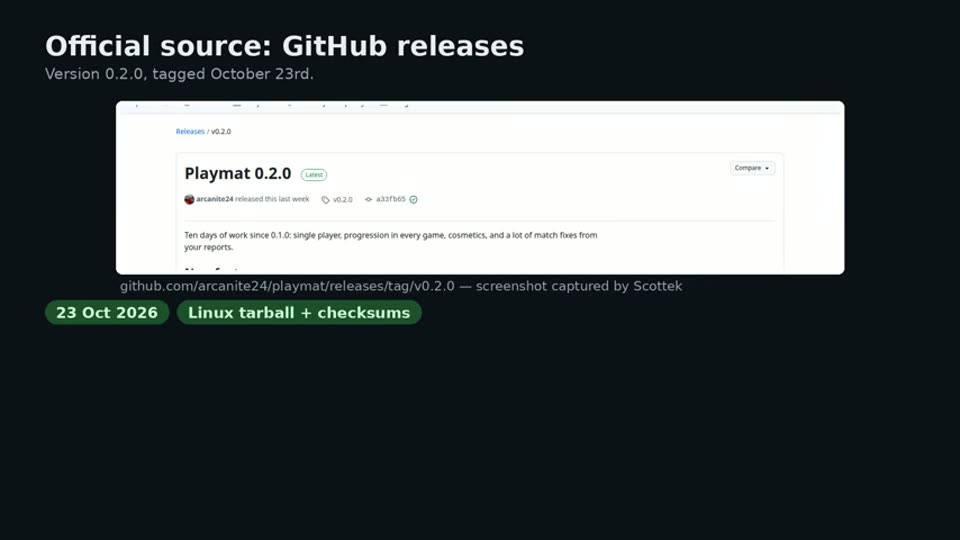
The video reports its own numbers for the download: about 165 MB, a first start that builds 589 sets and almost 94000 cards over a few minutes, on a 64-bit machine with about a gigabyte of RAM. Those figures come from the video alone, so treat them as the presenter's measurements rather than documented requirements. The release card in the video itself pins the source: version 0.2.0, tagged October 23, ten days of work since 0.1.0.
Before you start
- A 64-bit Ubuntu machine with internet access, since card pictures stream in from Scryfall and the release notes say a connection helps.
- Nothing else to install for the desktop path: the release notes state the download carries its own Java runtime, and the desktop app docs name it as an Eclipse Temurin 17 JRE.
- The official source only: the Playmat releases page with the v0.2.0 tag, released October 23 2026. The docs confirm
releases/latest/downloadlinks always fetch the newest release, so pin thev0.2.0assets if you want this exact version. - I did not execute this install myself, so every command below is untested beyond matching the video against the primary sources.
Download, verify, and start
- Take the Linux tarball (
Playmat-Linux-x64.tar.gzor-arm64) plusSHA256SUMS.txtfrom the v0.2.0 release. The one-line alternative from the release notes iscurl -fsSL https://github.com/arcanite24/playmat/releases/latest/download/install.sh | sh, untested here. - Check the tarball against the official
SHA256SUMS.txtwithsha256sumand look for an OK result, exactly as the video insists. This step is untested here. - Extract with
tar -xzf Playmat-Linux-x64.tar.gzand start it headless withPlaymat/playmat --headless(the video's start line adds--no-browserfor a server with no desktop). The tarball layout comes from the desktop app docs, which document--headlessas console status with Ctrl+C to stop. This step is untested here.
Prove the server works
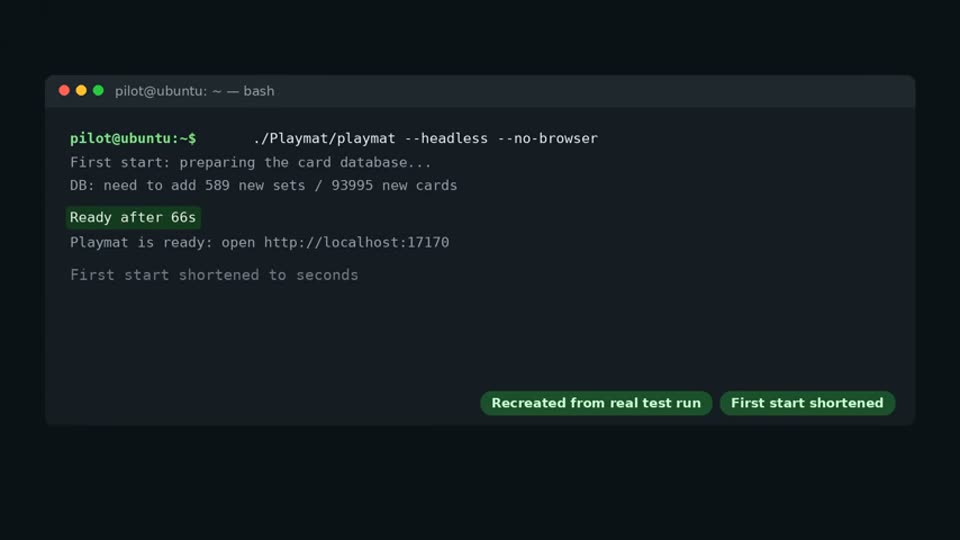
- Give the first start a few minutes: it builds the card database once, and the video shows a ready line plus your addresses when it finishes. The release notes say the same thing, that the first start takes a few minutes and happens once. The video's own terminal frame shows the real numbers: 589 new sets and 93995 new cards, ready after 66 seconds.
- Open
http://localhost:17170and look for the sign-in screen showing the server online in green, which is the video's own check. Added research: the desktop app docs list the ports as17170for the web client and17173as a loopback-only health port, matching the video's health-check moment. - Create an account the first time you sign in. Per the release notes it stays on your computer and unlocks Career mode, and the docs add that unticking player accounts allows name-only sign-in without Career.
- To play, the video picks a deck and starts a game against the AI, and friends on the same Wi-Fi join at the network address shown at startup. The release notes confirm both the AI and Career play and the same-network join address.
Stopping, keeping, and replaying
- Stop the server with Ctrl+C, as the video does and the
--headlessdocs confirm. - Your accounts, decks, and progress survive updates, per the v0.2.0 release notes. Added research worth knowing before game night: they live outside the install in
~/.local/share/playmaton Linux, and a new version rebuilds only the card database while everything else in the data folder stays. - Added research: the Java heap defaults to 2 GB on machines with 8 GB of RAM or more and less on smaller ones, with a
memory=3goverride insettings.properties. The video's roughly-a-gigabyte figure is the presenter's own number, so larger collections may want the override. - Playmat is unofficial Fan Content under the Fan Content Policy, not approved or endorsed by Wizards of the Coast, as stated on the release page.