OpenSSL 4.1.0 on Ubuntu: Build It, Keep System Safe

This is a companion guide to the video OpenSSL 4.1.0 on Ubuntu: Build It, Keep System Safe. The video is the starting point, and the sections below keep video claims separate from added research: steps the presenter walks through are marked In the video, and background corroborated from the official docs is marked Added from the sources.
In the video: what you are building and why
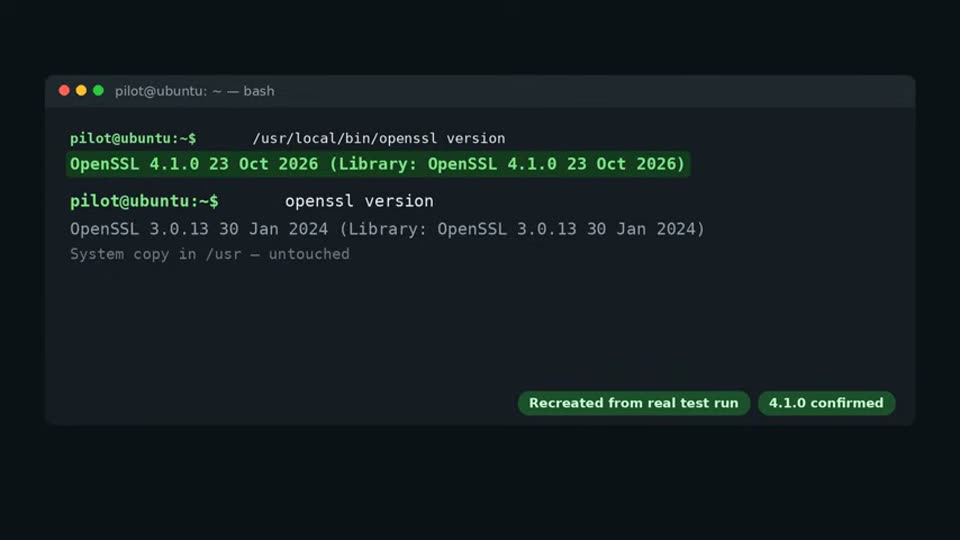
In the video: OpenSSL 4.1.0, released 23 October 2026, built from the official source on 64-bit Ubuntu 24.04 and installed into the default prefix /usr/local so the system OpenSSL stays untouched. In the video: the payoff is DTLS 1.3 support plus faster post-quantum algorithms, with the new binary verified at /usr/local/bin/openssl version while the old system binary remains in place for Ubuntu packages.
In the video: fetch the tarball and check the hash
In the video: get the source from the official download page at openssl-library.org/source, never from a random mirror, because every tarball ships with published SHA256 and PGP checksums. In the video: download the 4.1.0 tarball with curl, then run sha256sum on it and compare the output against the published value on the download page, where matching hashes mean the file arrived intact.
Added from the sources: the download page lists openssl-4.1.0.tar.gz at 53.2MiB with PGP, SHA1, and SHA256 checksum files, and publishes the signing keys in pubkeys.asc, so you can check the PGP signature too if you want stronger provenance than a hash match alone.
- Official tarball: openssl-4.1.0.tar.gz
- Published checksums sit next to it on the download page
In the video: toolchain, Configure, build, install
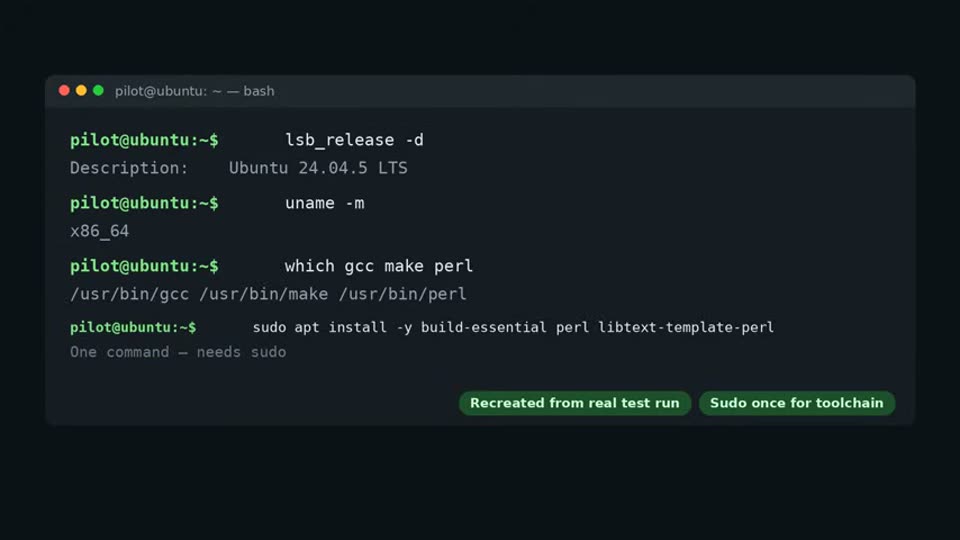
In the video: you need a compiler toolchain installed with one apt install command covering build-essential, perl, and the frequently forgotten Text::Template Perl module, packaged on Ubuntu as libtext-template-perl as the on-screen terminal confirms.
In the video: extract the tarball, enter the source directory, and run ./Configure to detect the platform and write the Makefiles, with the default prefix of /usr/local keeping the system OpenSSL untouched. In the video: build with make using all cores, which takes a few minutes, then run sudo make install, refresh the loader cache with sudo ldconfig, and confirm with /usr/local/bin/openssl version showing 4.1.0.
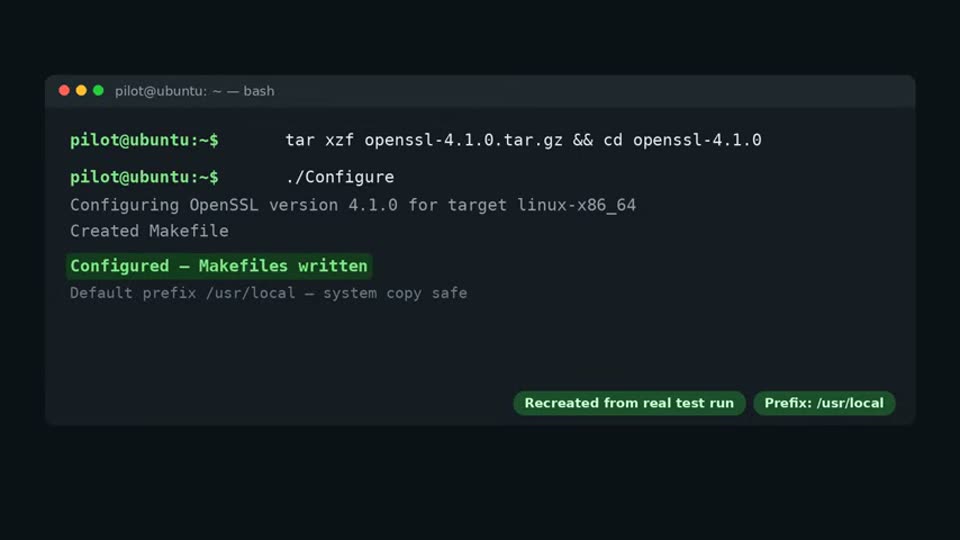
Added from the sources: the official INSTALL.md gives the same sequence as ./Configure, make, make test, and make install, recommends compiling and testing as a normal user and using privileges only for the install step, and warns against overwriting a pre-installed system copy. Added from the sources: the Ubuntu OpenSSL guide page states you should never replace the pre-built version with a different one, and instead install your build to a different location, which is exactly what the default /usr/local prefix does here.
Added from the sources: what is actually new in 4.1.0
Added from the sources: per the 4.1.0 release notes, this is a feature release adding DTLS 1.3 (RFC 9147), GREASE support (RFC 8701), DTLS support in the SSL listener API, IKEv2 KDF support, and optimized ML-DSA and ML-KEM operations. Added from the sources: the same notes list four known DTLS 1.3 issues, including dropped retransmission-buffer records on KeyUpdate and listener edge cases, with fixes planned for a future release, so treat the new DTLS code as fresh rather than battle-hardened.
Added from the sources: using the new build safely
Added from the sources: point your own builds at /usr/local for headers and libraries, and leave the system copy alone for Ubuntu packages, which matches the video's rule of new crypto with zero risk to system packages. Added from the sources: consider running the optional make test step from INSTALL.md before installing, since the video compresses the build segment and the test suite is the official way to confirm the build is sound. None of the commands in this guide were executed for this draft, so treat every step as untested until you run it yourself.