Try GNOME's Own Linux Distro (Installation Guide)

This companion guide starts from the video Try GNOME's Own Linux Distro (Installation Guide) and adds grounded detail from the official announcement, download page, install guide, and release notes. Watch the video first for the narrated walkthrough, then use this page as the checklisted reference. The video is a narrated explainer built around title cards rather than a filmed install run, so every section below keeps In the video: claims apart from Added from the sources: research, and no install was performed for this guide.
Preview is not Nightly
- In the video: GNOME OS used to come in a single flavor, Nightly, rebuilt constantly from the latest development code of every GNOME component plus pieces like systemd and Flatpak, daily-driven by GNOME developers and designers as a test bed and not recommended for the rest of us.
- In the video: Preview is that same GNOME OS minus the nightly aspect, assembled from the latest stable GNOME release, 51.1 at launch, living in the same source branches as the stable GNOME Flatpak runtimes that ship apps on Flathub, which makes it calmer ingredients on the same foundation.
- Added from the sources: the announcement by Adrian Vovk on 2026-10-16 defines Preview as the current Nightly without the nightly aspect, built from stable GNOME 51.1 and living in the same GitLab branches as the stable
org.gnome.PlatformFlatpak runtimes, per Introducing GNOME OS Preview, checked October 2026. - Added from the sources: that momentum backstory in the video, the Summer of GNOME OS challenge plus zswap work, the Test Center app, and the Toolpak project for command-line tools, is corroborated as Nightly ecosystem progress in the same announcement post, checked October 2026, and is summarized here rather than re-verified line by line.
What is inside: GNOME 51 A Coruna
- In the video: what you get on screen is GNOME 51, codenamed A Coruna after the city that hosted this year's GUADEC conference, released on September 16th.
- In the video: under the hood the graphics stack got smoother with reworked frame scheduling in Mutter that keeps animations fluid under load, faster screen recording with less wasted work, monitor brightness remembered across reboots, and legacy NVIDIA driver interfaces removed now that modern standard interfaces do the job.
- In the video: Settings picked up automatic screen rotation on devices with an accelerometer, an option disabling the touchpad when a mouse is plugged in, DNS domain search fields, and removal of the outdated WEP Wi-Fi standard, while remote desktop can forward a smart card and log in with Kerberos, Maps gained offline regions plus live transit data with delays and platform info, and a brand new default wallpaper closes the tour.
- Added from the sources: those highlights check out against the official GNOME 51 release notes, checked October 2026, which document the Mutter frame scheduling work, screen capture improvements, saved brightness, NVIDIA legacy removal, auto-rotate, touchpad-disable-with-mouse, DNS search, WEP removal, smartcard plus Kerberos remote desktop, Maps offline regions and live transit, and the new wallpaper.
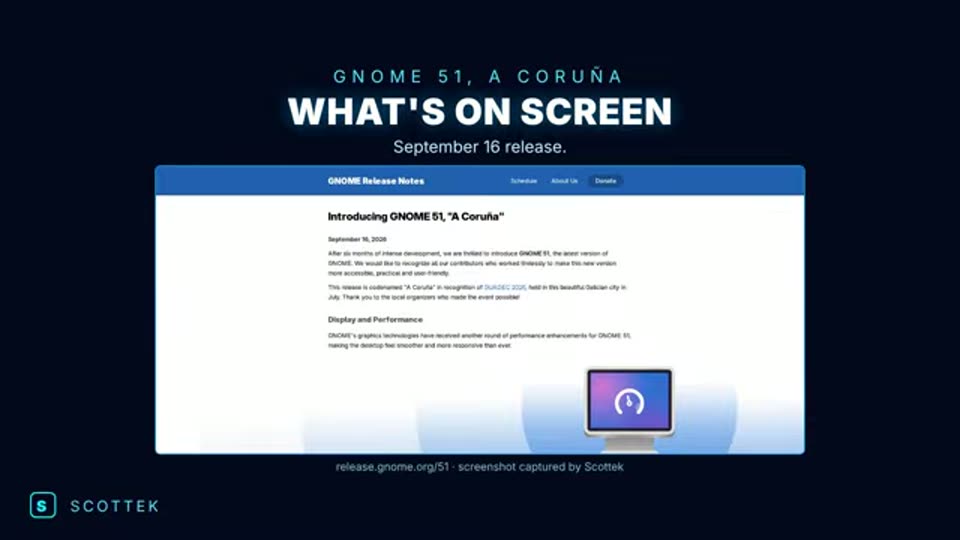
Image-based and immutable, with one honest footnote
- In the video: GNOME OS is an image-based immutable system where the whole operating system ships as a versioned image managed by
systemd-sysupdate, so updates replace the image atomically and there is no half-upgraded system. - In the video: the honest footnote straight from the announcement is that today every update pulls down the full image of around 2 GB, delta updates that would download just the changes are on the to-do list and not in your hands yet, and on metered bandwidth that is worth knowing before committing.
- Added from the sources: the atomic-image model and the full-image-per-update cost are stated in the announcement post, checked October 2026, which lists delta updates as future work, so budget the 2 GB figure as the project's own number rather than a measured result, untested here.
Getting the ISO from the relaunched site
- In the video: getting the ISO is refreshingly simple because the GNOME project relaunched its OS website alongside the announcement and the download page offers two editions side by side.
- In the video: Preview is labeled the latest GNOME 51 release and recommended for most people while Nightly sits next to it recommended for GNOME developers, and both come as live ISOs for standard 64-bit PCs and for ARM machines.
- In the video: one line on that page deserves full attention before clicking anything, that forward compatibility is not guaranteed and a reinstall may be needed in the future, a point the developers repeat in the announcement itself.
- Added from the sources: the download tiles and the forward-compatibility warning are on the official GNOME OS download page, checked October 2026, which pairs Preview for most people with Nightly for developers and states plainly that a reinstall may be required later.
The safe try: a Boxes virtual machine
- In the video: the safest way to try Preview is virtualized and there is exactly one supported route, GNOME Boxes installed as a Flatpak from Flathub, not the distro-packaged Boxes and not any other hypervisor, because virtual machines only work in the Flathub build which lists GNOME OS right in its creation dialog.
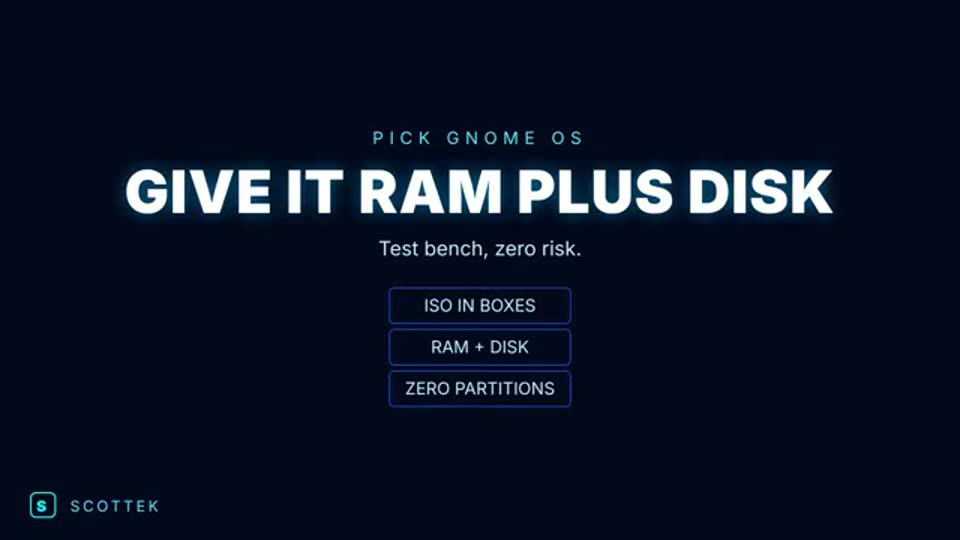
- In the video: the drill is installing the Flatpak, opening Boxes, picking GNOME OS, pointing it at the downloaded ISO, and giving it generous RAM and disk, all without touching a partition, which makes a Preview VM on an existing box the recommended move for home lab folks who want to poke at GNOME 51 and test how daily apps behave as Flatpaks.
- Added from the sources: the Boxes-from-Flathub-only virtual machine rule is stated on the official GNOME OS download page, checked October 2026, so treat other hypervisors and distro-packaged Boxes builds as unsupported for this image, untested here.
Bare metal, walked through from the official guide
- In the video: the official install guide walks through bare metal in fewer steps than expected with two warnings that bite, and what follows is a walkthrough of that guide rather than a completed install, untested here.
- In the video: flash the ISO to a USB stick using GNOME Disks with Restore Disk Image, which erases the stick, then handle the firmware dance of UEFI enabled and Secure Boot disabled by rebooting into BIOS settings and switching Secure Boot off.
- In the video: boot the stick, run through initial setup to create a user, then wipe the destination disk in GNOME Disks with Format Disk and no partitioning, which erases that disk completely, then log in to find a window offering to install GNOME OS, pick the disk, press install, and if a recovery key is handed over, data is encrypted so write that key down on a different device.
- Added from the sources: each of those steps, the Disks restore-image flash, UEFI on plus Secure Boot off, the full-disk erase with no partitioning, and the recovery key meaning encryption is enabled, is documented in the official GNOME OS install guide, checked October 2026, which also states dual-booting is not recommended or officially supported.
Caveats that decide for you
- In the video: Preview is a few weeks old with only limited real-world testing, the developers say outright that early users will uncover issues, one prominent Linux outlet called it promising but neither complete nor stable enough for the general public yet, and an early Phoronix test run went smoothly for balance, all framed as early press rather than results reproduced here.
- In the video: dual-booting is not recommended or officially supported so do not park this next to a daily driver and hope, hardware support varies with Linux support generally, the project keeps a public hardware list and asks for bug reports, and the installer is still a placeholder while a full-featured one is being built.
- In the video: the big one, repeated twice by the developers, is no guaranteed upgrade path, so anyone not okay with reinstalling in a few years to move to a future stable edition should wait for stable, a clause that exists because the team defined what stable means before claiming it at a hackfest earlier this year, holding the stable label until a long-term upgrade path for existing installs is guaranteed.
- Added from the sources: the reinstall clause and the road-to-stable work list, including per-user encryption with
systemd-homed, a complete new installer, delta updates, better TPM integration with a graphical recovery screen, improved ARM support, apps shipped as Flatpaks, and deeper Flatpak integration, are laid out in the announcement post, checked October 2026, so read Preview as a bridge for enthusiasts rather than a promise of perpetual updates.
The internet noticed
- In the video: reception has been loud, with a Linux news channel's announcement video pulling tens of thousands of views in its first day, the GNOME subreddit thread filling with installation reports and hardware questions, the story hitting the top of the usual hacker-news style aggregators, and developers answering in the project's Matrix room and forum.
- In the video: the mood is easy to summarize as excitement that the desktop famous for saying distros ship us now ships itself, tempered by veterans asking the support questions that matter about how long Preview will be updated, which machines boot it, and whether the Boxes-only virtual machine limitation loosens, with developer candor about rough edges credited as a big reason the excitement is holding.
- Added from the sources: label the numbers as early community pulse rather than measured results: a Linux news channel's announcement video reported at 78K views in one day plus r slash GNOME, HN, and Lobsters threads and an LWN writeup framing it as tryable today but not complete or stable for the broad public, untested here.

Should your homelab bother
- In the video: Preview is for enthusiasts who love GNOME, have a spare machine or a VM with resources to spare, and accept reinstalling down the road, while it is not for production machines, anyone needing dual-boot, Secure Boot, or guaranteed multi-year updates, or hardware that cannot afford to be wiped twice.
- In the video: students of Linux who want to see where the immutable desktop future is heading get a lab specimen here, while everyone else should enjoy GNOME 51 when it lands in their own distro, which is already happening.
- In the video: a home lab bench argument closes the case, spinning Preview up in Boxes next to Ubuntu and Fedora VMs gives a reference GNOME 51 bench for testing remote desktop flows with the new smart card and Kerberos support, seeing how a Flatpak app set behaves on an immutable host, comparing notes against Plasma and Cosmic machines, and previewing atomic image updates, encrypted-by-default installs with recovery keys, and app distribution through Flatpak, where even an evening with Preview teaches the immutable desktop model hands-on and leaves you speaking the language when the stable edition with its guaranteed upgrade path lands.
- Added from the sources: that verdict follows directly from the primary sources linked above, the announcement, the download page, the install guide, and the GNOME 51 notes, all checked October 2026, and the practical advice stands as try it in a VM first, back up anything irreplaceable, and file bugs rather than daily-driving it on hardware you depend on.