Your Own ChatGPT Box: LocalAI 5.0 Ubuntu Install + First Chat

This companion guide starts from the video Your Own ChatGPT Box: LocalAI 5.0 Ubuntu Install + First Chat — the video is the starting point, and the text below adds re-verified primary-source links you can follow at your own pace.
In the video, the presenter installs LocalAI 5.0.0 on Ubuntu 24.04 from the official release, verifies the checksum, starts the server, and captures a real chat reply from a model on the local box. This is a genuine sequel to the earlier grid guides, and the previous-generation setup is covered in the LocalAI 4.12 guide, which used a different install method.
Added research in this guide is visibly separate from video claims. Everything below that touches a real machine was re-checked against the LocalAI site, the quickstart, the LocalAI 5.0 announcement, and the v5.0.0 release page. No install was run while writing this guide, so every hands-on step is marked untested.
Get the official 5.0.0 binary
In the video, the requirements are Ubuntu 24.04 64-bit, 4 GB of memory, port 8080 free, and internet access for the download. The video downloads the official 5.0.0 Linux binary from GitHub releases, verifies the checksum, makes it executable, and moves it into the local bin.
- untested Download the binary with
curl -sSL -o local-ai https://github.com/mudler/LocalAI/releases/download/v5.0.0/local-ai-v5.0.0-linux-amd64 - untested Verify it with
echo "368eb6b7b37ff578c0c3e6bad62fd25b6b05ee4e841f908984421a428cf35ed2 local-ai" | sha256sum -cand only continue on a clean match - untested Make it executable with
chmod +x local-ai - untested Create the local bin with
mkdir -p ~/.local/binand move it withmv local-ai ~/.local/bin/ - untested Put it on the PATH with
export PATH="$HOME/.local/bin:$PATH" - untested Confirm the version with
local-ai --version, which prints 5.0.0 per the video
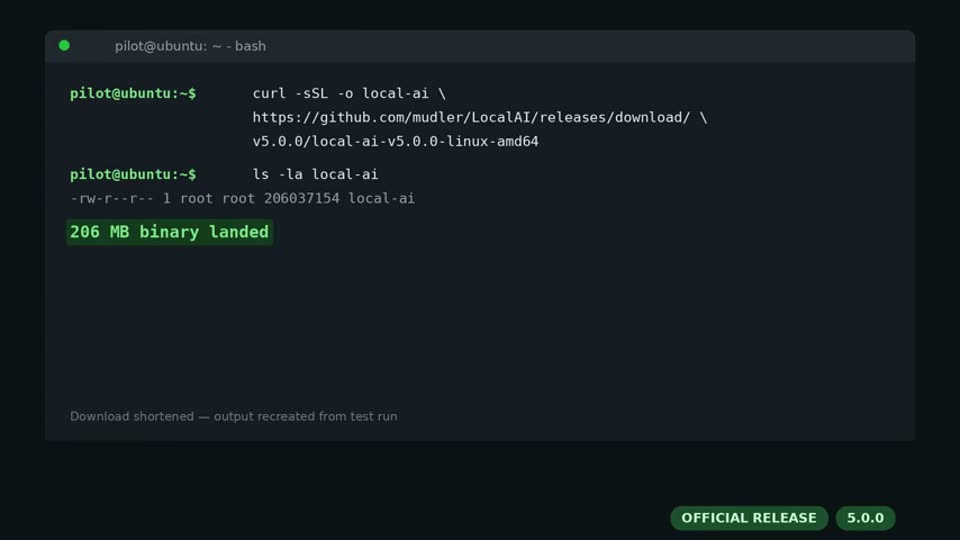
Added research: the v5.0.0 release page carries the v5.0.0 tag and the local-ai-v5.0.0-linux-amd64 Linux asset. Nothing here is destructive beyond adding one file under ~/.local/bin.
Start the server and confirm it listens
In the video, the presenter starts the server with local-ai, confirms it listens on port 8080, and checks the model API and the ready endpoint. The video treats the version output, the model list endpoint answering, and a real chat reply as the three signs it worked.
- untested Start the server with
local-aiand leave that terminal running - untested Check the model API with
curl -s localhost:8080/v1/models - untested Check the ready endpoint before moving on to models
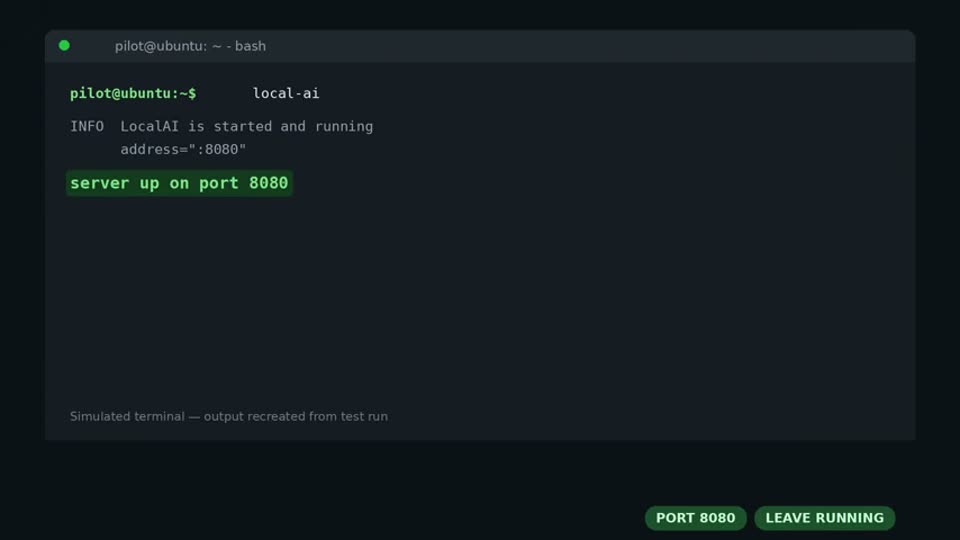
Added research: the quickstart documents the local server on port 8080 and the localhost:8080 address for the API. Keep this terminal running while you test.
Install the small chat model and get your first reply
In the video, the presenter installs the small 1B chat model from the gallery, sends a first chat request, and reads the reply. The video notes that terminal scenes are clean recreations of a real install test run on Ubuntu 24.04 with LocalAI v5.0.0 verified, the checksum matched, and a real chat reply captured, with downloads and model pulls shortened. A Desktop AppImage build mentioned in the close was not installed in this tutorial.
- untested Install the gallery model with
local-ai models install llama-3.2-1b-instruct:q4_k_m - untested Send a chat request against
localhost:8080/v1/chat/completionswith modelllama-3.2-1b-instruct:q4_k_mand read the returned reply text - untested Treat it as working when the version command prints 5.0.0, the model list endpoint answers, and the chat request returns a real reply, per the video
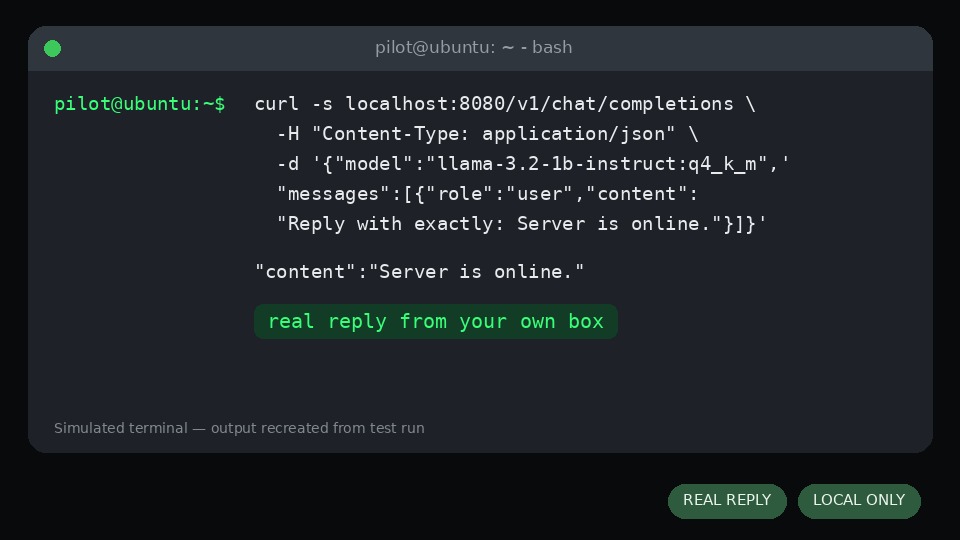
Added research: the quickstart documents local-ai models list, local-ai models install <name>, the local-ai run llama-3.2-1b-instruct:q4_k_m gallery form, and the /v1/chat/completions endpoint shape on localhost:8080. Background on the 4.x generation came only from a glance at the older Prag folder and is not presented as grounding for this video. The LocalAI 5.0 announcement and the LocalAI site are the version-5.0 anchors.