Ditch Portainer? Dockhand 1.0.53 Setup

This companion guide starts from the video Ditch Portainer? Dockhand 1.0.53 Setup and adds grounded detail from the Dockhand site, the Dockhand release notes, and the install directory entry. Watch the video first for the full narrated walkthrough, then use the sections below as the written reference. The episode runs as a narrated walkthrough rather than a filmed live deployment, so every section keeps In the video claims apart from Added from the sources research.
What Dockhand is
- In the video: Dockhand is a self-hosted web UI that manages containers, Compose stacks, images, volumes, and networks across local and remote hosts, with SQLite by default so there is no database to babysit, running on a Raspberry Pi 4 per the vendor, with a free-forever homelab tier and zero telemetry claimed.
- In the video: one honest label up front, Dockhand is source-available under the Business Source License, not open source, with each version converting to Apache 2.0 four years after release, and every line readable on GitHub.
- Added from the sources: the Dockhand site states the same homelab pitch almost verbatim, SQLite by default, Pi 4, zero telemetry, free forever, and the transparency section confirms BSL 1.1 with Apache 2.0 conversion four years after release, checked October 2026.
- Added from the sources: pricing on the Dockhand site is 499 dollars per host per year for SMB and 1,499 dollars per host per year for Enterprise, where RBAC, LDAP and Active Directory, and compliance audit logging live, while authentication itself is free, so treat vendor claims like zero telemetry and never-written-to-disk secrets as vendor claims, checked October 2026.
What the October releases changed
- In the video: v1.0.52 landed 10 October 2026 with passkey sign-in, SFTP backups with a dedicated SSH key and verified host keys, smarter updates with a configurable minimum image age plus per-container update-candidate filters, stack health on the stacks page, per-stack resource totals, and adopting external stacks from compose files detected in container labels.
- In the video: v1.0.53 landed the same day to revert a PUID ownership change from 1.0.52 that could alter stack file ownership on upgrade, described as a fast fix honestly disclosed and a healthy release cadence.
- Added from the sources: the v1.0.52 release notes confirm the SFTP backup, passkey, minimum-image-age, label-detected compose adoption, redeploy-without-recreate, and per-stack resource features, and the v1.0.53 release notes confirm the single-item revert of the 1.0.52 PUID change citing issues 1700 and 1701, image
fnsys/dockhand:v1.0.53, both checked October 2026. - Added from the sources: the regression thread on issue 1700 shows environments disconnecting after the 1.0.52 upgrade with a
chownworkaround posted by a maintainer before 1.0.53 reverted the regression, so readers upgrading from 1.0.52 should read the notes and check file ownership after, checked October 2026.
Install in about thirty seconds
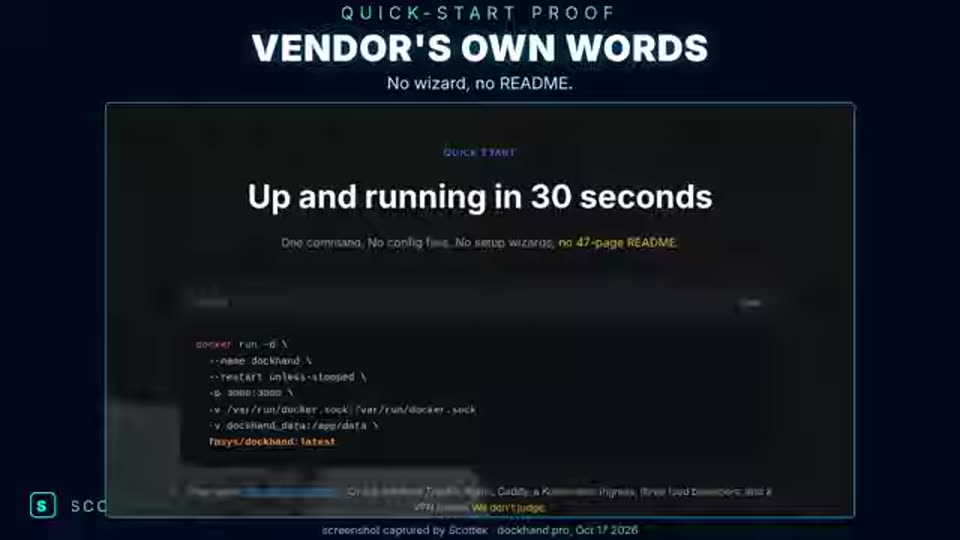
- In the video: installation is the one-command kind with no config files,
docker run -d --name dockhand --restart unless-stopped -p 3000:3000with the Docker socket and adockhand_datavolume mounted from imagefnsys/dockhand:latest, then openhttp://localhost:3000. - In the video: the Compose shape is the same, a dockhand service with the socket and data volume, plus a Postgres variant pairing
postgres:16-alpinewith aDATABASE_URL, two gigs of RAM is plenty, and the socket-permission tip is that the default user is non-root so match the Docker group ID or set PUID and PGID, with a socket proxy worth considering in production. - Added from the sources: the Dockhand site quick-start prints the same
docker runline, the same Compose file, and the samepostgres:16-alpineplusDATABASE_URLvariant quoted in the video, checked October 2026. - Added from the sources: the selfhost.directory Dockhand entry adds the install-security framing quoted in the Prag notes, terminal access needs EXEC permission on the socket or proxy, socket-permission options include group-add GID and PUID/PGID with root not recommended, and a socket proxy is recommended for production, checked October 2026.
- Every install step in this section is untested here since no live deployment was run for this episode, and PUID/PGID handling changed across 1.0.52 and 1.0.53, so follow the release notes at install time.
First tour once you are in
- In the video: the dashboard shows containers with live CPU and memory, with start, stop, restart, and remove actions plus in-place CPU, memory, and restart-policy updates without recreating, and the Compose side offers a visual editor, a template library, a read-only compose view with a dependency graph, and validation with one-click fixes.
- In the video: images, volumes, and networks each get their own screens with prune controls, and containers can be tagged with colors and icons to keep the grid sane.
- Added from the sources: the Dockhand site features sections confirm the same tour beat for beat, in-place resource updates, network attach on running containers, web terminal, file browser, visual Compose editor, template library, dependency graph, one-click validation fixes, and prune controls, checked October 2026.
Stacks plus Git
- In the video: stacks deploy from Git repos over SSH or HTTPS with webhook triggers for auto-deploy and scheduled sync intervals, stacks adopt from other managers instead of being rebuilt, and per-stack controls cover image re-pull, forced redeploy, and redeploy without recreating every service, with update and deploy schedules for overnight automation.
- In the video: readers of the channel Coolify guide should think of Dockhand as the layer below, Coolify ships apps while Dockhand runs the containers day to day, complementary rather than overlapping.
- Added from the sources: the Dockhand site GitOps section confirms SSH and HTTPS auth, webhook triggers, per-stack re-pull and force redeploy, and scheduled sync intervals, checked October 2026.
- Adopting an existing stack is described in the video as non-destructive, but that step is untested here and should be tried on a non-critical stack first.
Observability built in
- In the video: real-time log streaming with color and tail filters, a container activity log, disk usage monitoring, live per-container metrics, a Prometheus metrics endpoint for Grafana, scheduled environment-state reports as PDF or CSV, plus an interactive web terminal and a file browser for moving files in and out.
- Added from the sources: the Dockhand site observability section confirms log streaming with ANSI colors and tail filters, the activity log, disk usage, the Prometheus
/metricsendpoint, and the scheduled PDF/CSV environment report, checked October 2026.
Security, free versus paywalled
- In the video: authentication is free, OIDC and single sign-on with any provider, TOTP multi-factor, and passkeys, with Grype and Trivy vulnerability scanning plus a CVE dashboard and SARIF export, and deploy-time secrets pulled from vaults like 1Password, HashiCorp Vault, Infisical, Bitwarden, Proton Pass, Azure Key Vault, and KeePassXC, resolved on deploy and per the vendor never written to disk or the compose file.
- In the video: the paywalled side is role-based access control, LDAP and Active Directory, and compliance-grade audit logging, with free covering homelabs and teams paying per host per year.
- Added from the sources: the Dockhand site comparison grid confirms exactly that split, SSO, MFA, scanning, secrets, and backups free, environment-state reports SMB and up, LDAP, RBAC, and compliance audit logging Enterprise-only, checked October 2026.
Multi-host and notifications
- In the video: local socket for the box Dockhand runs on, remote TCP with TLS for the rest, the Hawser agent when NAT or a firewall is in the way, one-click environment switching with dashboard tiles per environment, and notifications over email, webhooks, Discord, Slack, Telegram, ntfy, Gotify, Pushover, Signal, and Bark firing on updates, crashes, scans, and backups.
- Added from the sources: the Dockhand site multi-host and notifications sections confirm the socket, TCP-plus-TLS, and Hawser trio with one-click switching, and the Apprise-backed notifier list including Signal and Bark, checked October 2026.
- Added from the sources: Hawser is a separate open-source Go agent at Finsys/hawser using outbound-only connections with token auth, which matches the video framing of managing hosts behind NAT without inbound firewall rules, checked October 2026.
The Portainer question, answered fairly
- In the video: Portainer has the years, the template library, and the biggest community, nobody disputes that, while Dockhand answers with a faster release train, passkeys plus free single sign-on, stack health with minimum-image-age updates, and SFTP backups in the box, and Arcane scores a touch higher in the directory if license purity matters.
- In the video: the verdict is to stay put if Portainer hums, and to trial Dockhand beside it if weekly features and a modern UI appeal, since adopting a stack is non-destructive.
- Added from the sources: the selfhost.directory Dockhand entry scores Dockhand 70 of 100 at number 11 of 36 DevOps tools with Arcane at 74, and the Dockhand repo shows about 6,774 stars with roughly 606 new in 30 days on a weekly release cadence, matching the momentum framing and checked October 2026, though star counts move daily so treat them as October snapshots.
- Portainer and Arcane are presented here as distinct tools with real strengths, and nothing in this guide should read as disparagement of either.
Backups with a beta label
- In the video: backups are vendor-labeled beta, encrypted and deduplicated via restic, covering volumes, bind mounts, and stack files to S3, Backblaze, Azure, Google Cloud, a REST server, and since 1.0.52 SFTP with a private key, with schedules, retention policies, and restore in place, elsewhere, or to a different host.
- Added from the sources: the Dockhand site backup section confirms the restic foundation, the volume plus bind plus stack-file coverage, the destination list, and the beta label, checked October 2026.
- Test a restore before trusting any backup system, beta or not, a step untested here.
Updates and automation
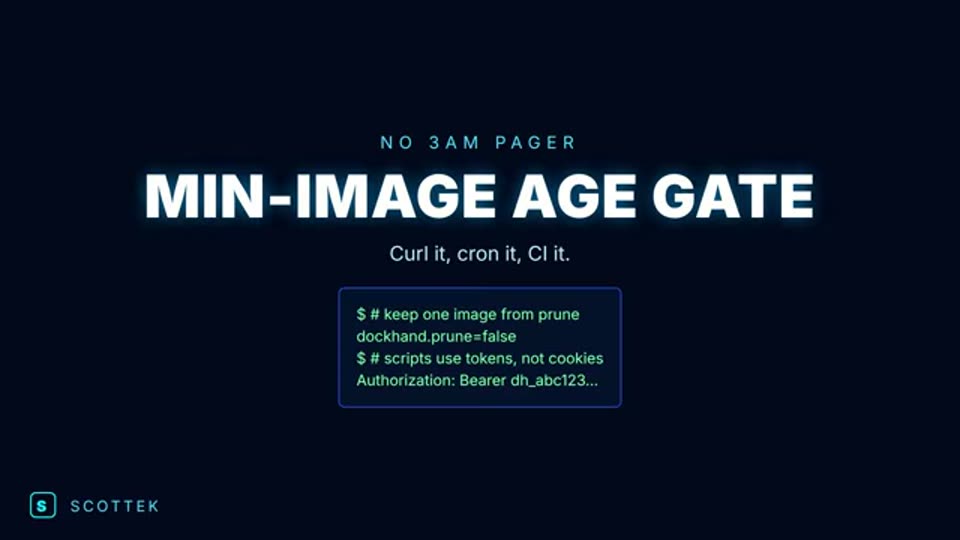
- In the video: the minimum-image-age gate means a tag bakes before Dockhand offers it, tags whose image is older than the running one get skipped, candidates filter per container, updates run straight from the stack view, specific images dodge pruning with a label, and automation people get a REST API where every UI action is a call with
dh_...bearer tokens plus interactive OpenAPI docs with scoped expiring tokens. - Added from the sources: the v1.0.52 release notes confirm the minimum-image-age hold, the skip-older-tags fix, and the per-container candidate filters, and the Dockhand site API section confirms the REST API with
dh_...tokens and OpenAPI docs, checked October 2026.
Where it lives and who should skip it
- In the video: Dockhand lives on the Docker box itself first, tiny and SQLite-backed next to the socket it manages, on a Proxmox VM or LXC with Docker, a Pi, or a NAS with container support, behind the reverse proxy with OIDC in front, keeping Postgres for bigger high-availability dreams.
- In the video: three caveats with no gloss, backups are beta so test a restore, BSL 1.1 is not open source so license-purity readers should compare Arcane or the Apache-converted older Dockhand versions, and the enterprise line of RBAC, LDAP, and compliance logs costs money so multi-user teams price it before standardizing.
- In the video: the homework is to spin it up with the one-liner, adopt one existing stack, and turn on one scheduled backup, and the decision rule is to install if you run more than a handful of containers and want one screen for ops, or stay where you are if compose files and Portainer already hum.
- Placement and reverse-proxy advice in this section is untested here and should be verified against the reader own proxy setup during a real deploy.