Sniffnet: See Every Connection on Ubuntu (v1.6.0 Install)

This guide is the written companion to the video Sniffnet: See Every Connection on Ubuntu (v1.6.0 Install) (96s, uploaded 2026-11-16), and it treats the video as the starting point. Claims shown in the recording are labeled In the video, and everything confirmed against the official project sources is labeled Added from the sources. Anything not independently confirmed is marked untested. The subtitle fetch for this video failed with HTTP 429, so the video record used here is the owner-written video description, disclosed as such, and there is no Prag research folder for this video — this guide was built from the video plus the official docs. Two of the figures below are stills of simulated terminal frames labeled SIM-style recreation notes on screen.
In the video: Sniffnet 1.6.0 installs on Ubuntu 24.04 from the official amd64 .deb — download the package, install with apt, launch from the app menu, pick an adapter, read the live overview, and run CLI checks that prove the install. Added from the sources: the official repository GyulyVGC/sniffnet describes Sniffnet as a free, open-source network traffic monitor, and the v1.6.0 release page confirms that tag exists with new IPFIX collector capabilities for routers and firewalls.
What the video covers
In the video: the chapters run 0:00 Install Sniffnet on Ubuntu 24.04, 0:12 What you need, 0:22 Download the official package, 0:33 Install with apt, 0:47 Launch and pick an adapter, 0:56 Read the live overview, 1:11 Verify the install, 1:25 Done and next steps. The chapter list and the 96-second pacing are video claims, repeated here as given, and the downloaded copy measured 95.6 seconds, consistent with the listed duration.
Added from the sources: the v1.6.0 release page lists IPFIX collector capabilities — receiving and analyzing network traffic from remote devices — as the headline addition, which matches the video's day-one framing for the 1.6.0 release.
What you need before downloading
In the video: you need 64-bit Ubuntu 24.04 desktop with internet, a sudo account, about 100 MB free, and a network adapter to watch. These prerequisites are video claims and are untested here, since no local Ubuntu run was performed.
Added from the sources: the Linux install wiki only assumes a Linux distribution matching the downloaded package, and the download page offers DEB, RPM, and AppImage builds for several architectures, so the amd64 .deb is the right pick for 64-bit Ubuntu.
- Use 64-bit Ubuntu 24.04 desktop with a working internet connection
- Have a sudo-capable account ready for the install step
- Keep about 100 MB of free disk for the package and its dependencies
- Know which network adapter you want to watch
Download the official amd64 package
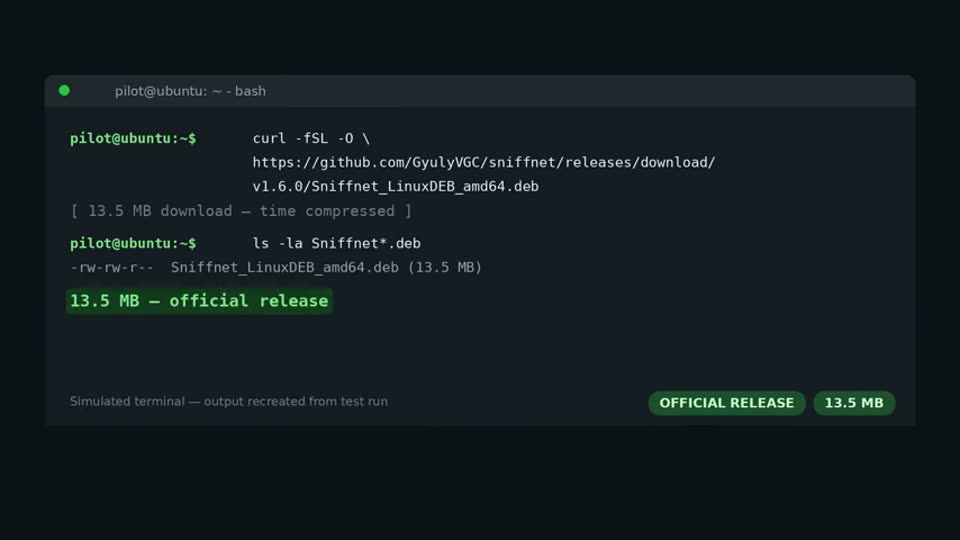
In the video: the walkthrough frame downloads the release with curl -fSL -O pointed at the v1.6.0 Sniffnet_LinuxDEB_amd64.deb asset under github.com/GyulyVGC/sniffnet/releases/download, then proves the file landed with ls -la Sniffnet.deb showing 13.5 MB. The exact byte size and the on-screen output are shown in the frame and are untested* here.
Added from the sources: the download page confirms the DEB line ships amd64, arm64, i386, and armhf builds pulled from GitHub releases, and the v1.6.0 release page is the tag that owns the v1.6.0 asset path used above.
- Download
Sniffnet_LinuxDEB_amd64.debfor release v1.6.0 from the official GitHub releases - Confirm the
.debfile is on disk before installing - Prefer the release asset over third-party rehosts so the version is exactly 1.6.0
Install with apt and launch from the app menu
In the video: install the downloaded package with apt, which handles dependencies and capture rights, then launch Sniffnet from the app menu. The exact apt invocation was not legible as a confirmed command in the frames inspected and is untested here — the standard one-path form for a local .deb is sudo apt install ./Sniffnet_LinuxDEB_amd64.deb, given as orientation, not as a tested transcript.
Added from the sources: the Linux install wiki says installing via the provided DEB or RPM packages should automatically add all needed dependencies, and to check the required dependencies page only if that fails. Added from the sources: the same wiki page notes that alternative install routes may need manual capture rights via sudo setcap cap_net_raw,cap_net_admin=eip on the executable or launching with sudo -E sniffnet, which corroborates the video's claim that the packaged install takes care of capture rights for you.
- Install the local .deb with apt so dependencies resolve automatically
- Open Sniffnet from the Ubuntu app menu after the install finishes
- Fall back to the required dependencies page only if the packaged install misses something
Pick an adapter and read the live overview
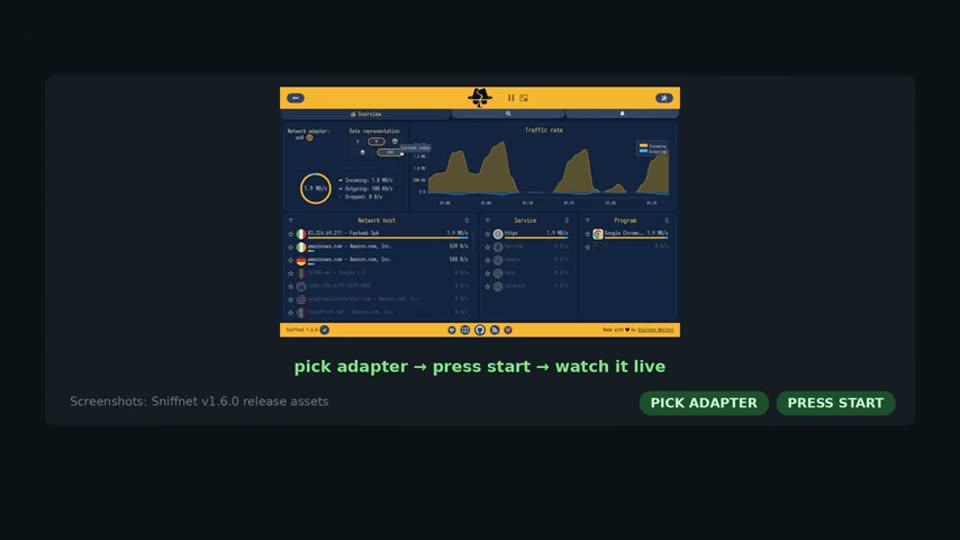
In the video: pick a network adapter, press start, and watch it live — your own browsing shows up in the overview within seconds. The frame shows the Sniffnet window with a network adapter picker, a traffic-rate area chart, and host, service, and program tables, captioned pick adapter -> press start -> watch it live. The seconds-to-first-traffic detail is a video claim and is untested here.
Added from the sources: the project README describes the same loop — choose a network adapter to inspect, apply filters, and read overall statistics with real-time traffic charts, local-network hosts, remote geolocation, domain and ASN lookup, 6000-plus service fingerprints, and per-program bandwidth. The traffic overview wiki owns the overview-screen details.
- Pick your network adapter in the Sniffnet window and press start
- Read the traffic-rate chart for live intensity over time
- Scan the host, service, and program tables to see which connections use the link
- Browse the web yourself and watch your own traffic appear in the overview
Verify the install from the terminal
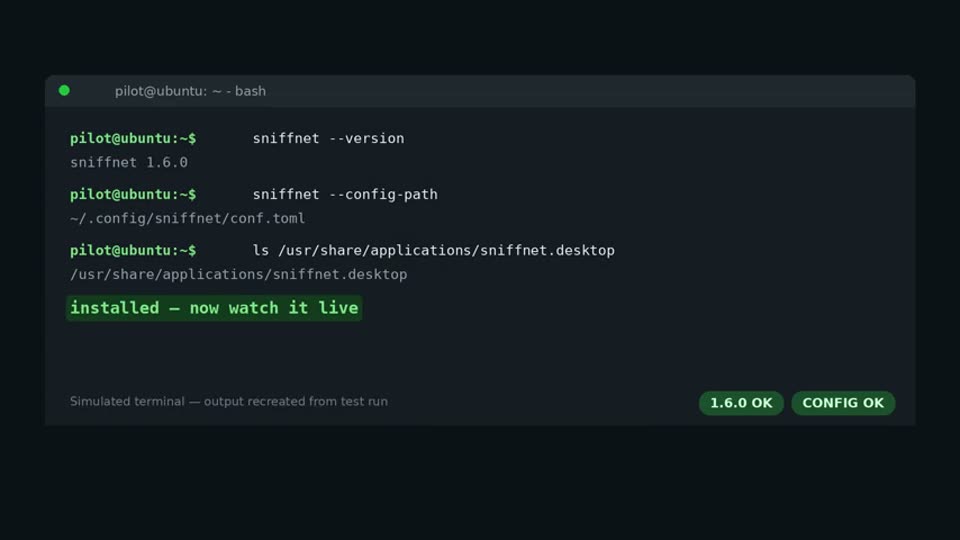
In the video: the walkthrough frame proves the install with sniffnet --version answering sniffnet 1.6.0, sniffnet --config-path resolving to ~/.config/sniffnet/conf.toml, and ls /usr/share/applications/sniffnet.desktop confirming the app-menu launcher. These exact outputs are shown in the frame and are untested here, since no local install was performed.
Added from the sources: the command line arguments wiki confirms --config-path prints the absolute path of the app configuration file, so the config check is a real supported flag rather than a demo invention.
- Run
sniffnet --versionand expect1.6.0 - Run
sniffnet --config-pathto resolve the active configuration file location - Check
/usr/share/applications/sniffnet.desktopexists to confirm the app-menu entry
Sources and next steps
- The companion video is the starting point for this guide and all In the video claims above
- The project repository owns the feature description, the supported package formats, and the filter, PCAP, and statistics behavior
- The v1.6.0 release page owns the pinned-version confirmation and the IPFIX collector addition
- The download page owns the DEB, RPM, and AppImage architecture matrix
- The Linux install wiki owns the dependency and capture-rights behavior for packaged installs
- The required dependencies page owns the fallback dependency instructions
- The command line arguments wiki owns the
--config-pathflag confirmation - The project wiki is the entry point for deeper topics such as filters, notifications, and themes