GitLab RCE: Patch CVE-2026-110264 Now

Companion guide and video starting point
This article is a companion to the video, not a replacement for it, and the video is the starting point for everything below.
In the video: a nine-minute triage covers what broke, a blast radius reaching back twelve years, why instances patched on October 12th are vulnerable again, internet exposure figures, the version check, the pre-upgrade backup, the Omnibus upgrade path with its migration downtime, Docker notes, post-patch verification and log hunting, and the no-workaround verdict. The demo terminal carries a dramatized-illustration banner, so its commands are genuine while its output is illustrative. A Prag research folder with per-claim source tracing exists for this video and grounds the detail.
Added from the sources: every CVE number, version, date, and procedure below was checked against the official critical patch release page, the NVD entry for CVE-2026-110264, CERT-EU advisory 2026-019, BleepingComputer's report, and the computingforgeeks fixed-build table. Nothing here was tested against a live GitLab instance, so treat the upgrade as sourced procedure, untested here, and verify the fixed build yourself after upgrading.
Related reading: LiteLLM 1.107.0 Backdoored: Check Your Homelab Now for the same check-rebuild-rotate discipline applied to a supply-chain incident.
What broke and how far it reaches
In the video: CVE-2026-110264 is an integer overflow in GitLab's regular expression compiler that lets an unauthenticated attacker run arbitrary code on the server with one crafted request, reported by researcher joaxcar through the HackerOne bounty, and every self-managed release from version 7.0 onward is affected.
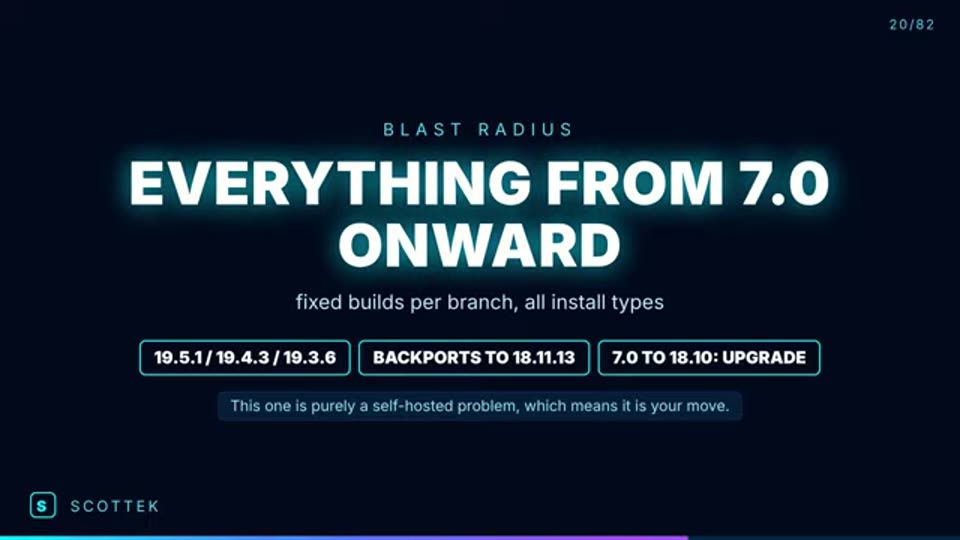
Added from the sources: the official patch page confirms the flaw as a critical integer overflow in the regular expression compiler affecting Community and Enterprise editions, and the NVD entry scores it 10.0 critical under CWE-190. The fixed builds released October 21st are 19.5.1, 19.4.3, and 19.3.6, plus backports 19.2.9, 19.1.9, 19.0.10, and 18.11.13. Anything older than those on any install type, Omnibus packages, Docker images, Helm chart, or source installs, is in scope where no deployment type is named. Branches from 7.0 through 18.10 have no fix and must move branch. GitLab.com is already patched and recent Dedicated tenants need no action, so this is purely a self-hosted problem.
- The reported trigger path is the Org-mode file renderer, and GitLab published two threat detections for self-managed customers, an Onigmo native worker crash and an org-mode render error burst. Treat either in your logs as a possible probe.
- The same release fixes ten more issues, two rated high, so read the full table while you are there. The critical overflow is what drives the upgrade urgency.
- There is no official workaround, no config toggle, and no vendor WAF rule. Upgrading is the only fix.
Patched on October 12th means vulnerable again
In the video: the October 12th round fixed CVE-2026-97229, also a 10.0 and also an integer overflow in regex handling from the same reporter, but that one lived in the CI/CD regex compiler and covered only 19.2 and newer, while the new floor sits exactly one patch above those builds, so 19.4.2, 19.3.5, and 19.2.8 are all exposed again.
Added from the sources: the previous patch release and CERT-EU 2026-016 corroborate the October 12th round and its narrower scope. Two maximum-severity overflows in the same bug family nine days apart from the same reporter is the pattern, and it breaks any once-a-month upgrade habit.
- If your upgrade muscle memory says monthly, this is the month that habit breaks. Patch releases this severe deserve same-day handling.
- Exposure chatter attributed to researcher Daniel Miessler puts roughly 60,000 self-managed instances on Shodan, while Shadowserver tracks more than 2,700 exposed Community Edition instances per BleepingComputer. Treat the big number as researcher-reported, not as anyone's own measurement, but the direction is clear and scanners do not sleep.
Step one: find out what you run
In the video: check the version in the web UI under the admin area and Help, or on the server itself, and write the number down to verify against after the upgrade. The on-screen terminal is a dramatized illustration of the genuine documented commands.
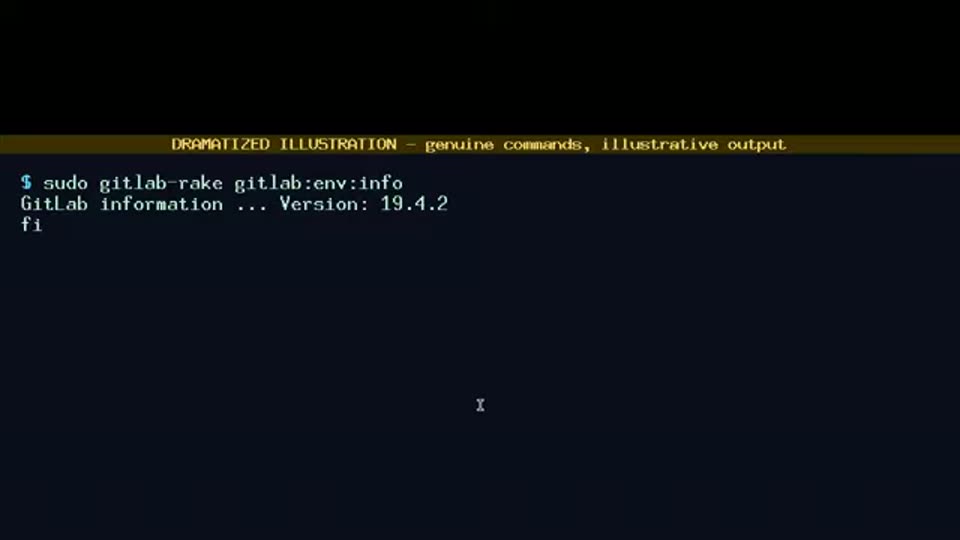
Added from the sources: use one of the documented paths and compare against the fixed builds for your branch:
- In the web UI, open the admin area, then Help, and read the version.
- On Omnibus nodes, run
sudo gitlab-rake gitlab:env:infoand look for the GitLab version line, or readcat /opt/gitlab/version-manifest.txt. - If your build is older than your branch's fixed release, you are in scope. Write the number down and re-run the same check after upgrading.
Step two: back up before you touch anything
In the video: back up first with the classic rake task because this patch carries database migrations on Omnibus, pick a maintenance window, warn your users, and never upgrade a forge you cannot restore.
Added from the sources: the official patch page confirms regular migrations run during the upgrade for 19.4.3 and 19.3.6, with post-deploy migrations on top for 19.4.3, and points single-node instances at the standard upgrade procedure with downtime while multi-node deployments with proper zero-downtime procedures can patch without downtime.
sudo gitlab-rake gitlab:backup:createtakes the backup on Omnibus. Wait for it to finish and confirm the archive exists.- Single-node instances go down while migrations complete, so schedule the window and warn users first.
- Patch-to-patch inside a branch is direct, but never skip across the major upgrade path. Follow the update docs for your topology.
Step three: upgrade on your install type, then verify and hunt
In the video: refresh the package index on the Omnibus path, install the pinned fixed build, reconfigure, verify the version, review logs for the two detection signals, and consider secrets potentially exposed before the patch.

Added from the sources: pin the exact fixed build for your branch rather than floating:
- Omnibus apt:
sudo apt update, thensudo apt install gitlab-ce=19.5.1-ce.0for Community Edition orgitlab-ee=19.5.1-ee.0for Enterprise, substituting the fixed build for your own branch, thensudo gitlab-ctl reconfigure. - Docker:
docker pull gitlab/gitlab-ce:19.5.1-ce.0, stop, remove, and recreate the container against the same volumes and config, then verify the version. - Re-run your version check from step one and confirm the fixed build is actually running, in the UI or with the rake task.
- Hunt the logs for Onigmo native worker crashes and org-mode render error bursts. Either signal means someone may already have probed you, and CERT-EU recommends assessing whether assets were already compromised.
- Assume secrets on an exposed pre-patch instance may have been read. Rotate tokens, review runners, and subscribe to the patch release RSS feed so the next one does not catch you flat-footed.