Traefik 3.7.16 Ubuntu Setup: Route Your Homelab

What this guide covers
This companion guide starts from the short video Traefik setup video and expands it into written steps you can follow at your own pace.
There is no Prag research folder for this video, so this draft is grounded in the video transcript and stills plus the official Traefik releases page and official Traefik docs.
The video presents a rootless install on Ubuntu 24.04 using high ports and file based routing, and anything beyond what the video shows is marked as untested in this guide below.
Prerequisites
You need Ubuntu 24.04 64-bit, curl, and a folder for the binary, with everything running without sudo using high ports.
lsb_release -dconfirms the releaseuname -mconfirms 64-bit machine typemkdir -p ~/.local/bin ~/traefik/dynamicmakes the folderscurlfetches the release assets
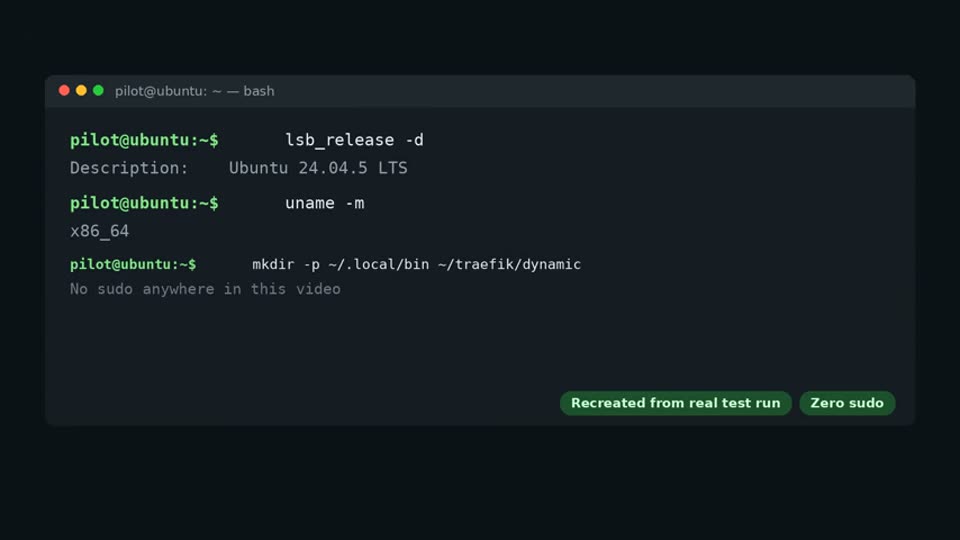
The still confirms Ubuntu 24.04.5 LTS and x86_64, plus the local folders and the note that there is no sudo anywhere in this video.
Install Traefik 3.7.16 from the official release
Get it from the official source, the Traefik releases page, where v3.7.16 is listed as the latest release from 20 Oct 2026 with a security fix.
- Grab the Linux archive and the checksums file from the release assets
- Confirm the hash matches the published value so the file is genuine
tar xzf traefik.tar.gzextracts the archivecp traefik ~/.local/bin/traefikcopies the binary into your local bin folderchmod +x ~/.local/bin/traefikmakes it executabletraefik versionconfirmsVersion 3.7.16with codenamelangresonlinux/amd64
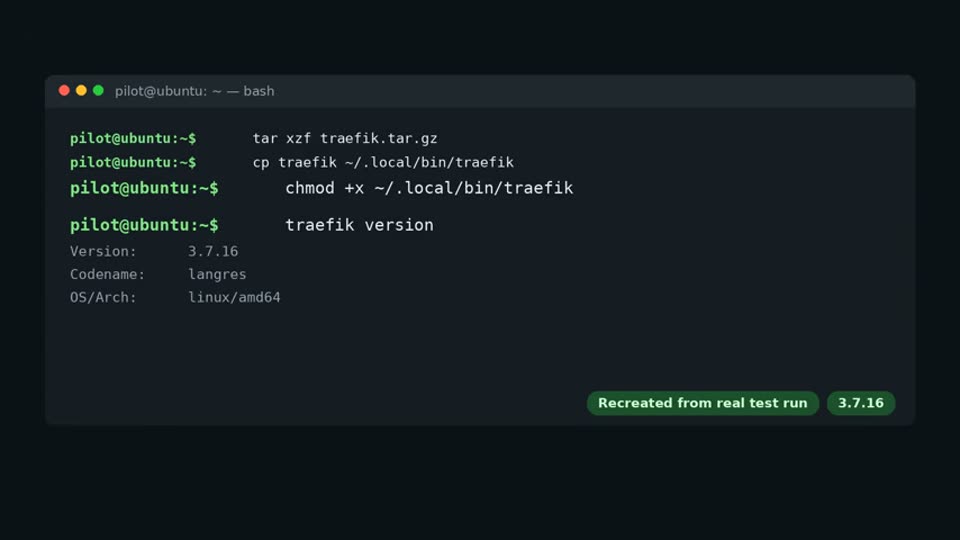
No checksum hashes are pasted here, so compare against the published checksums file on the release page before extracting.
Static and dynamic configuration concept
Traefik needs two configs, and the official docs describe the same split between install configuration and routing configuration in the configuration overview.
- A static file sets the entry points and turns on the file provider and dashboard
- A dynamic file routes traffic to your app
- The file provider docs show how to point Traefik at a file or directory for routing configuration
- Starting Traefik with a config file is documented install configuration behavior and is untested in this guide for your exact paths
Exact file contents are not pasted here because the video states the concept without showing complete verified file text, so follow the linked docs for option names.
Verify dashboard and routing
The video verifies success when the dashboard loads with zero errors and the app answers through Traefik with three routers and traffic flowing.
- Dashboard shows entrypoints on
127.0.0.1:18080and127.0.0.1:18083 - Dashboard shows
Routerssuccess3withServices 4andMiddlewares 2, all green with zero errors curl -s http://127.0.0.1:18080/answers with status200
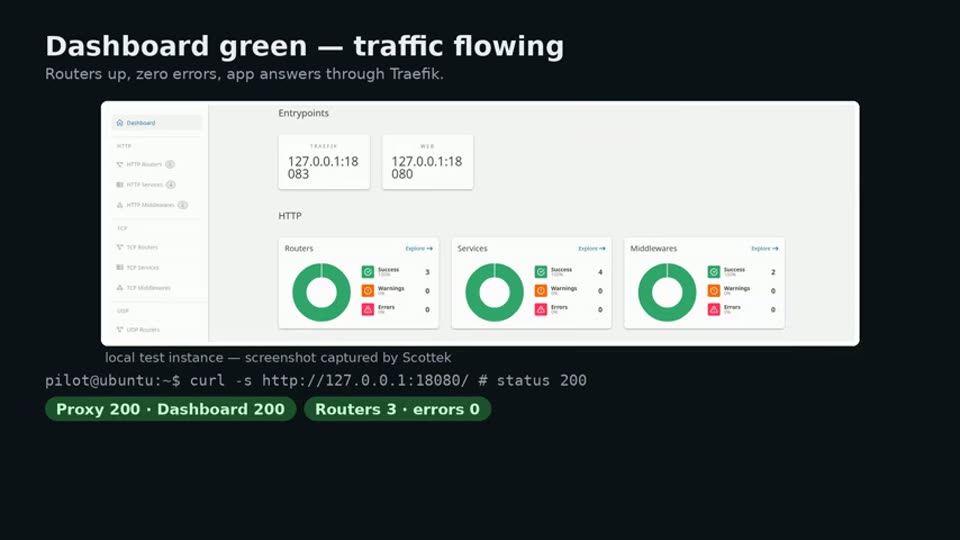
Those counts and addresses are the only test results claimed here, taken from the verification still.
Production next steps
For production, the video notes moving to ports 80 and 443 with root or set capabilities, adding TLS, and pointing real host names at Traefik.
- Move to ports
80and443with root or capabilities is untested in this guide - Add
TLSand real host names is untested in this guide - Secure or restrict the dashboard before exposing it, following the dashboard and API docs, which is untested in this guide
- See more homelab guides for related setup notes