PostgreSQL 14 EOL: In-Place Upgrade to 18 in Minutes

Watch the walkthrough in PostgreSQL 14 EOL: In-Place Upgrade to 18 in Minutes, published 2026-11-13. This companion guide collects the commands and links in one place, grounded in the video description plus the PostgreSQL 18.7 release announcement, the 14.25 release notes, the PGDG apt repository, and the PGDG apt wiki. All four links were re-verified reachable for this guide. Every command below is untested here; the video's simulated terminal frames recreate output from a real sandbox test run of 14.25 to 18.7 with data verified intact.
Why upgrade now
PostgreSQL 14 reached end of life on November 12, 2026, so it gets no more security fixes. The final 14 minor is 14.25, released alongside 18.7, and the video upgrades a running PostgreSQL 14 cluster to 18.7 on Ubuntu 24.04 in place. Downtime is minutes, and the old 14 cluster stays on port 5433 as a fallback until you drop it.
Check the prerequisites
You need Ubuntu 24.04 with sudo, a running PostgreSQL 14 cluster, free disk around twice your database size, and a backup, which is made in the next section.

- List your clusters with
sudo pg_lsclusters - Confirm the running version with
sudo -u postgres psql -c "SELECT version();" - Move on only when cluster
mainshows version 14
Back up everything first
Take a full logical backup before touching the clusters. This is a destructive-operation guardrail: if the upgrade goes wrong, this file is your way back.
- Back up all databases with
sudo -u postgres pg_dumpall -f ~/pg-backup.sql - Confirm the backup file exists and is non-trivial in size before continuing
Add the PGDG repo and install 18 side by side
Ubuntu 24.04 does not ship PostgreSQL 18, so the video adds the official PostgreSQL Global Development Group apt repository and installs 18 alongside 14 rather than replacing it. The key ID below is the official PGDG signing key.
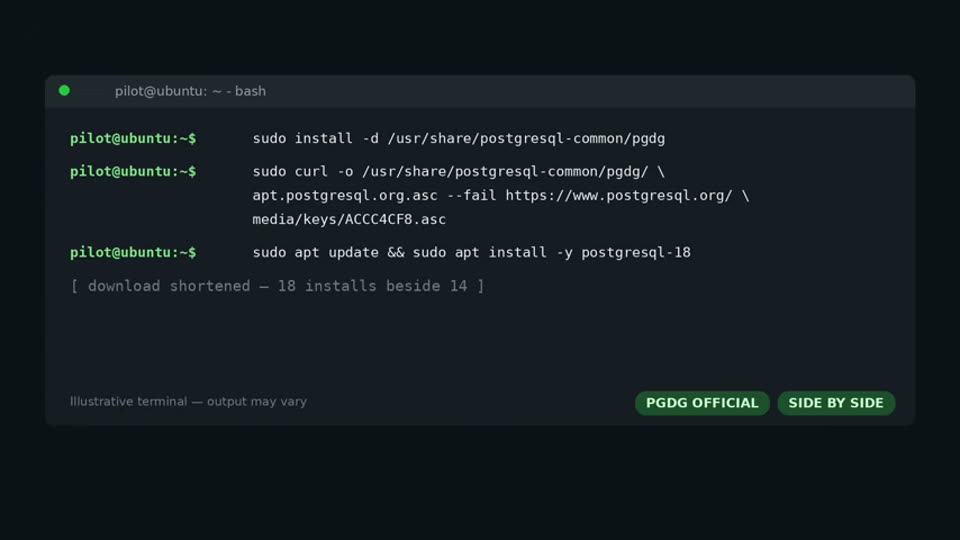
- Create the keyring directory with
sudo install -d /usr/share/postgresql-common/pgdg - Fetch the signing key with
sudo curl -o /usr/share/postgresql-common/pgdg/apt.postgresql.org.asc --fail https://www.postgresql.org/media/keys/ACCC4CF8.asc - Add the repo with
echo "deb [signed-by=/usr/share/postgresql-common/pgdg/apt.postgresql.org.asc] https://apt.postgresql.org/pub/repos/apt noble-pgdg main" | sudo tee /etc/apt/sources.list.d/pgdg.list - Install 18 with
sudo apt update && sudo apt install -y postgresql-18 - Clear the auto-created empty 18 cluster with
sudo pg_dropcluster 18 main --stopso the upgrade has a clean target
Run the upgrade and verify
The Debian pg_upgradecluster wrapper copies the data into the new cluster using the pg_upgrade engine, then parks the old 14 cluster on port 5433 while 18 takes the default 5432.
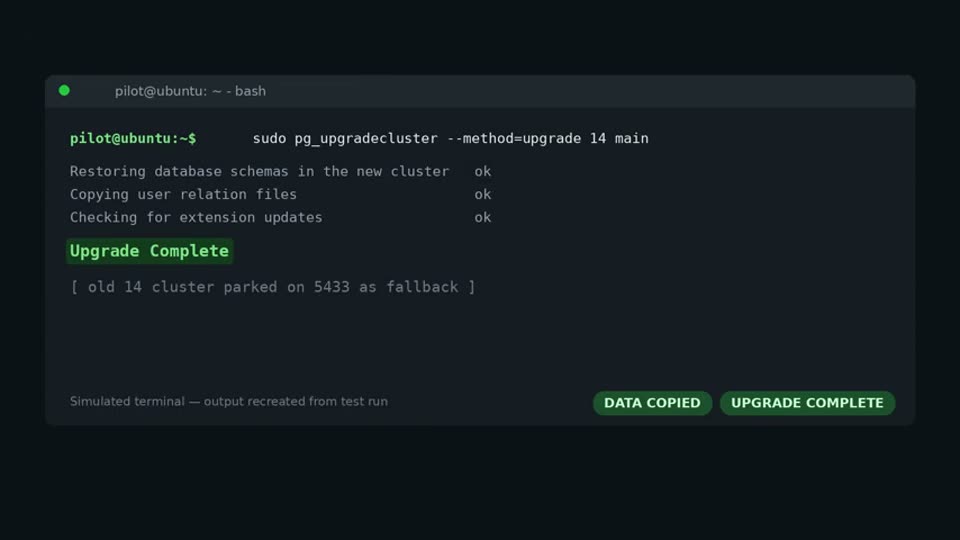
- Dry-run the checks first with
sudo pg_upgradecluster --check 14 main - Run the upgrade with
sudo pg_upgradecluster --method=upgrade 14 main - Confirm 18.7 with
sudo -u postgres psql -c "SELECT version();" - Compare row counts against your application expectations, then refresh planner statistics with
sudo -u postgres vacuumdb --all --analyze-in-stages --missing-stats-only - Burn in your apps on 18 before removing the fallback with
sudo pg_dropcluster 14 main, which permanently deletes the old cluster