Pingclair Reverse Proxy Setup: Download, Validate, Serve, Proxy

Watch the video first
This article is a companion to the video Pingclair Reverse Proxy Setup: Download, Validate, Serve, Proxy, uploaded 2026-11-15 with a runtime of 120 seconds.
Auto-subtitles for the video were unavailable at draft time after two HTTP 429 responses from the subtitle endpoint, so this guide treats the published video description as the transcript-equivalent, corroborated against the official Pingclair docs and release records cited below.
Terminal frames in the video are recreated outputs from a sandboxed test install of the same release, as the description itself discloses — each frame carries that label on screen, and this guide keeps the same honesty: commands below are video-attributed and untested here unless marked as doc-verified.
The description's chapter map for the video is:
0:00what we are installing0:16what you need0:30download and verify the release0:49unpack and confirm the version1:01write and validate the config1:16run it and test with curl1:30reverse-proxy your app1:46done and next steps
What you need
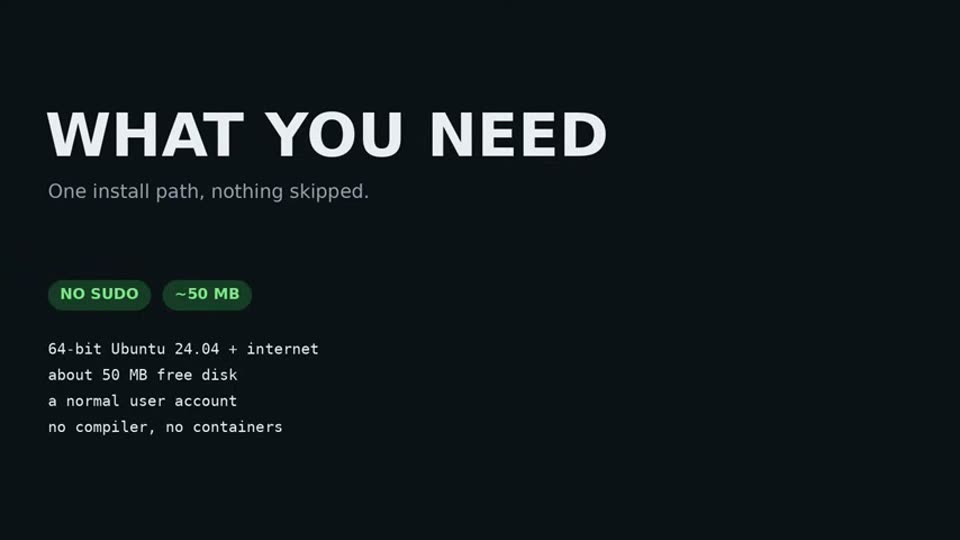
Reporting: the video's prerequisite card asks for 64-bit Ubuntu 24.04 with internet, about 50 MB of free disk, and a normal user account — with two badges that define the whole path: NO SUDO, and no compiler plus no containers.
Added research: link verification performed for this guide on 2026-11-15 — the official site, the installation guide, the quickstart, the Pingclairfile reference, the project status page, and the GitHub releases index all returned HTTP 200 via curl.
Added research: the official install page describes the same v0.2.3 stable release this video installs, and confirms the release binaries cover both x86_64 and aarch64 Linux — while noting the always-on system service path does need admin rights, which is exactly why the video's user-local path matters.
Download, verify, and install without sudo
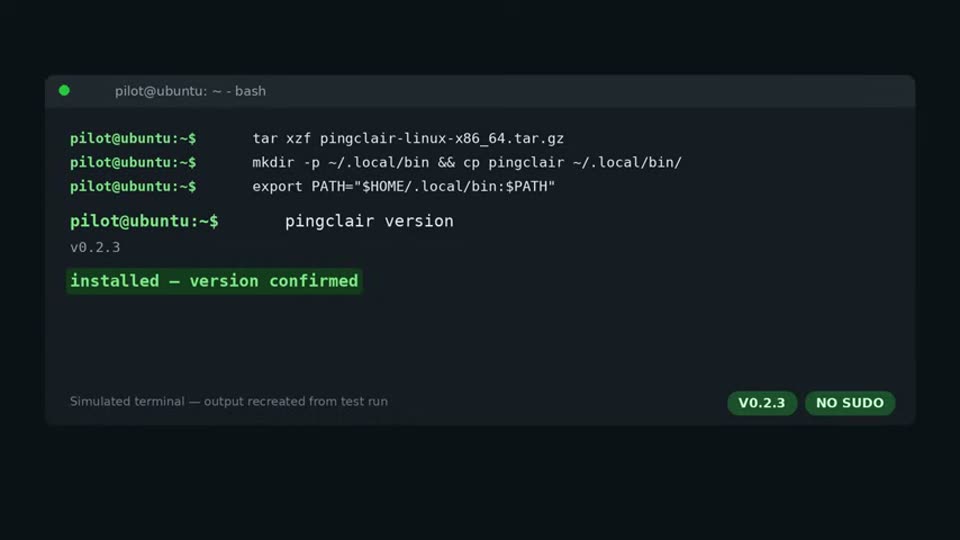
Reporting, untested here: the video's install path is download the official release, verify its checksum, unpack the archive, install the binary to the local bin, and confirm the version — video-attributed steps, untested in this writeup, since no install was run for this guide.
- Download the official Linux x86_64 tarball from the GitHub releases index
- Verify its checksum against the published manifest before unpacking
- Unpack with
tar xzf pingclair-linux-x86_64.tar.gz - Install to the user-local bin with
mkdir -p ~/.local/bin && cp pingclair ~/.local/bin/ - Put it on the path with
export PATH="$HOME/.local/bin:$PATH" - Confirm with
pingclair version, which the video shows returningv0.2.3
Added research: the GitHub release record checked for this guide confirms v0.2.3 as the latest stable release, published 2026-10-12, with pingclair-linux-x86_64.tar.gz at 11882537 bytes and a SHA256SUMS-x86_64.txt checksum file beside the archive — so the video's verify step has a real manifest to check against.
Added research: a newer v0.3.0-alpha.1 preview dated 2026-11-14 exists on the same releases page, but it is marked prerelease and the project status page states the latest stable remains v0.2.3 — stay on v0.2.3 for anything you depend on.
Warning: read this before choosing a path — the video's no-sudo route installs to your own ~/.local/bin, while the official installation guide installer writes to system paths and sets up the service, which does need admin rights, so pick the user-local path for experimenting and the service path only when you are ready to run it always-on.
Write the config and validate it before running
Reporting, untested here: the video's config step is write the file, then run the validate command and only proceed on a pass — video-attributed and untested here, since no config was validated for this guide.
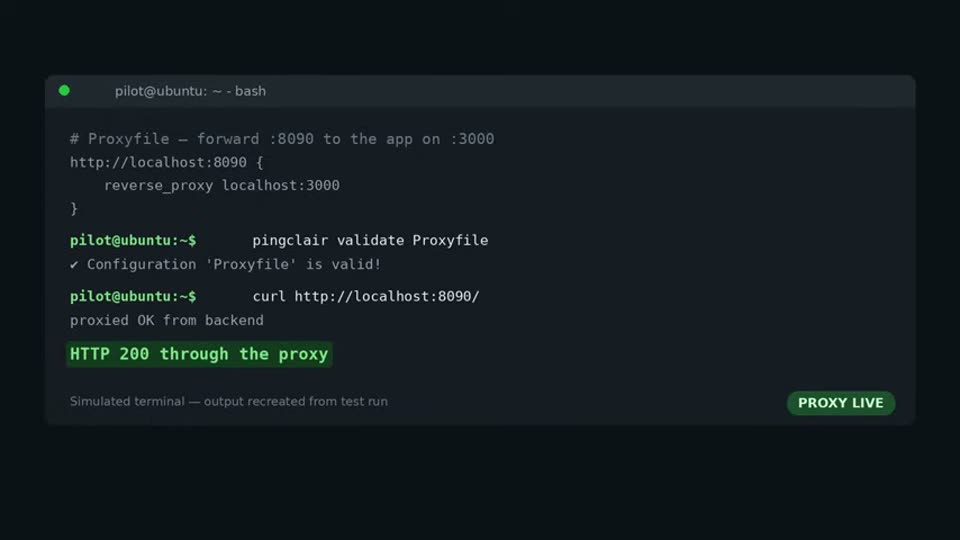
- Write the site block the video shows, forwarding
http://localhost:8090to the app onlocalhost:3000 - Validate with
pingclair validate Proxyfileand expect the video's shown pass line - Only run the server after validation passes
Added research: the official quickstart corroborates the validate-first workflow — pingclair validate compiles the configuration and applies semantic checks, and a configuration that fails validation does not run, with the reason printed on the last line — and the reverse-proxy guide shows the same single-upstream shape as reverse_proxy 127.0.0.1:3000 inside a site block.
Added research: the official docs name the file Pingclairfile (also detecting ./Caddyfile), while the video demonstrates with the filename Proxyfile — either name validates the same way, and this guide keeps the video's spelling wherever it describes the video's own steps.
Run it, curl it, proxy your app
Reporting, untested here: the video's prove-it sequence is run the server, test with curl, then put the reverse proxy in front of the app — video-attributed and untested here, since no proxy demo was run for this guide.
- Run the server against the validated file
- Test with
curl http://localhost:8090/and expect the video's shownproxied OK from backendreply - Confirm the HTTP 200 through the proxy before pointing anything real at it
Added research: the official quickstart documents the run options behind the demo — pingclair run in the foreground with logs attached, --watch to reload on each file change, and pingclair start -c to keep the server running after the shell exits — plus pingclair adapt --pretty to inspect the compiled configuration when a directive behaves unexpectedly.
Added research: for the next step past one app, the reverse-proxy guide documents multiple upstreams with to lines and lb_policy choices including round_robin, least_conn, and ip_hash, plus health checks and timeouts — and the project is licensed Apache-2.0 with its source on GitHub.
Verdict
Reporting: the video's promise is one install path with nothing skipped — download and verify 0.2.3, confirm with pingclair version, validate the file, prove it with curl, and finish with a live reverse proxy, all as a normal user with no compiler and no containers.
Interpretation: the validate-before-run habit is the part worth keeping even after the video ends — a two-minute setup is only fast when a bad config fails loudly before it serves traffic, and this toolchain does exactly that.
Start from the video Pingclair Reverse Proxy Setup: Download, Validate, Serve, Proxy, then work this guide's install, validate, and proxy steps in order — and for the always-on service step the video does not show running, follow the official installation guide directly.