Install AiSOC on Ubuntu (Offline AI Security Desk)

Companion guide and video starting point
This article is a companion to the video, not a replacement for it, and the video is the starting point for everything below.
In the video: the presenter installs AiSOC sandbox 0.1.0 on Ubuntu 24.04, a self-hostable AI security desk that walks one alert through Detect, Triage, Hunt, and Respond with a replayable ledger, with no Docker and no API key needed for the sandbox.
Added from the sources: every consequential claim below is checked against the official AiSOC repository, the aisoc-sandbox 0.1.0 package page, and the AiSOC docs, all checked November 2026. Anything not independently verified is marked untested rather than stated as fact.
What AiSOC sandbox 0.1.0 is and where it officially lives
In the video: AiSOC is presented as a self-hostable AI security desk, and the sandbox is the offline on-ramp that walks one alert fixture through a four-stage agent funnel and prints the Investigation Ledger to the terminal.
Added from the sources: the official source is beenuar/AiSOC, which describes AiSOC as an open-source self-hostable AI security operations center with alert fusion, agent-assisted triage, MITRE ATT&CK investigation, and a replayable decision ledger under an MIT license. The package page publishes aisoc-sandbox 0.1.0 with the summary Run an AiSOC agent investigation offline in under 30 seconds, and the package README confirms the sandbox is a deterministic simulator of the production agent graph that uses an offline reasoner in place of a real LLM. When you are ready for the real stack, the README points to a full demo from a fresh clone of AiSOC, and that full-stack path is untested here.
What you need before installing
In the video: you need 64-bit Ubuntu 22.04 or newer, Python 3.9 or newer, and pip, demonstrated on Ubuntu 24.04 with no Docker and no API key for the sandbox run.
Added from the sources: the package metadata requires Python 3.10 or newer with zero runtime dependencies, which is stricter than the video Python floor, so treat Python 3.10 or newer as the binding floor. The docs cover Linux alongside macOS and Docker for the wider platform, while the sandbox path below stays on Ubuntu per the video.
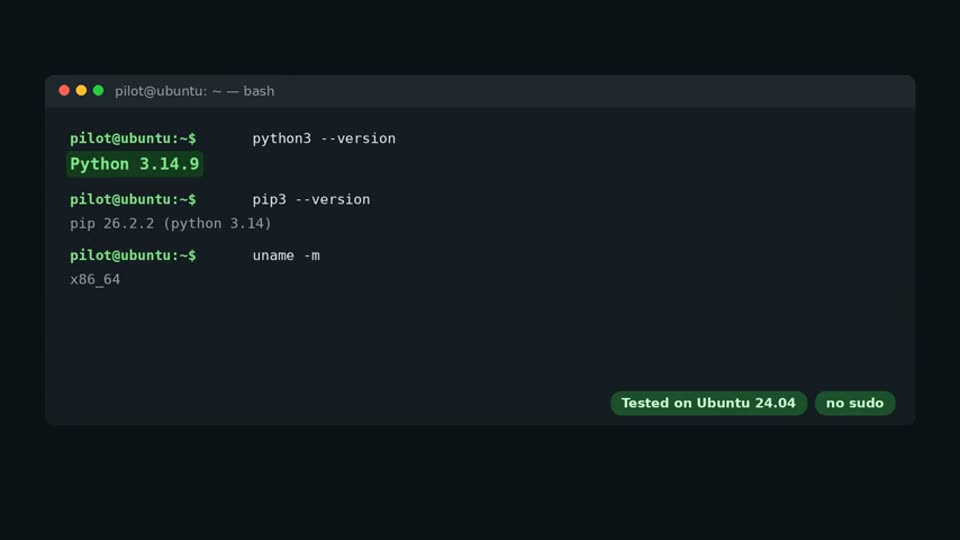
- The on-screen check shows Python 3.14.9, carried through as a video claim, and stock Ubuntu 24.04 satisfies the Python floor with room to spare.
- Use Python 3.10 or newer to satisfy both the video and the published package metadata.
- No Docker and no API key are needed for the sandbox run, per both the video and the package summary. That claim covers the sandbox only, not the full stack.
- The prereq check itself is untested here, since this guide was grounded in the video description plus official pages with no local run.
Install the sandbox and confirm version 0.1.0
In the video: install aisoc-sandbox from PyPI, then confirm version 0.1.0 and list the 5 bundled scenarios before running anything.
Added from the sources: the PyPI JSON record confirms release 0.1.0 uploaded October 2026 under an MIT license, and the package README gives the scenario list command as aisoc-sandbox scenarios. The README install snippet still shows the PyPI install commented out beside a monorepo editable install, so the PyPI path from the video is carried through as untested here.
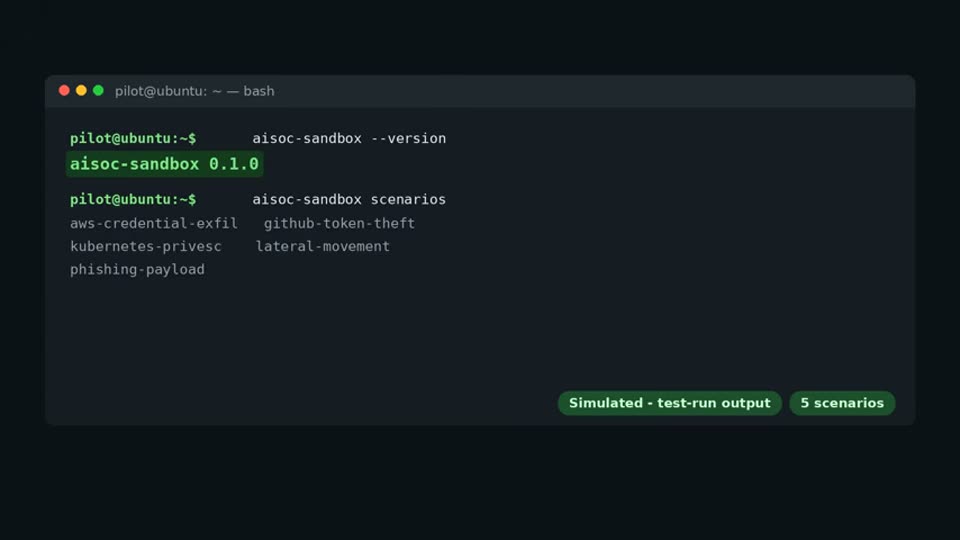
- Install with
pip install aisoc-sandboxand expect a small download since the sandbox declares zero runtime dependencies. - Verify with
aisoc-sandbox --version, the check shown on screen, and look for version 0.1.0. - List scenarios with
aisoc-sandbox scenariosand expect the 5 bundled IDs, which arelateral-movementandaws-credential-exfilandphishing-payloadandkubernetes-privescandgithub-token-theft. - Each scenario is a single JSON fixture with MITRE techniques and a high or critical severity, per the package README.
- The install, the version check, and the scenarios list are untested here, grounded in the video description plus the PyPI page only.
Walk one alert through Detect Triage Hunt Respond
In the video: run the offline demo, which walks one alert fixture through Detect, Triage, Hunt, and Respond and prints the 4-step ledger verdict to the terminal.
Added from the sources: the package README gives the default run as aisoc-sandbox demo using the lateral-movement scenario, with aisoc-sandbox demo --scenario aws-credential-exfil to pick another fixture and aisoc-sandbox demo --scenario phishing-payload --json for machine-readable output. Each run emits an Investigation Ledger with 4 steps in Detect, Triage, Hunt, and Respond order, where tool calls appear as simulated would-call entries rather than executed actions. The ledger shape mirrors the production investigation rail per the README, with only the LLM rationale and tool execution simulated.
- Start with
aisoc-sandbox demoto walk the defaultlateral-movementfixture end to end. - Rerun per scenario with
aisoc-sandbox demo --scenario aws-credential-exfil, swapping inphishing-payloadandkubernetes-privescandgithub-token-theftfor daily use. - Add
--jsonafter any demo command when you want machine-readable output to pipe elsewhere. - Use
aisoc-sandbox demo --file ./my-alert.jsonwhen you want your own alert JSON instead of a bundled fixture. - Read the ledger verdict step by step from Detect through Respond, noting the Decision line on each step. The full demo run is untested here.
Offline by design and what stayed untested
- This guide was built from the video description plus the official pages linked above, with no local install run, so every hands-on step above carries an untested mark.
- Sandbox reasoning is deterministic and offline by design, with simulated tools and in-memory state, so expect synthetic per-stage timings rather than real model latency.
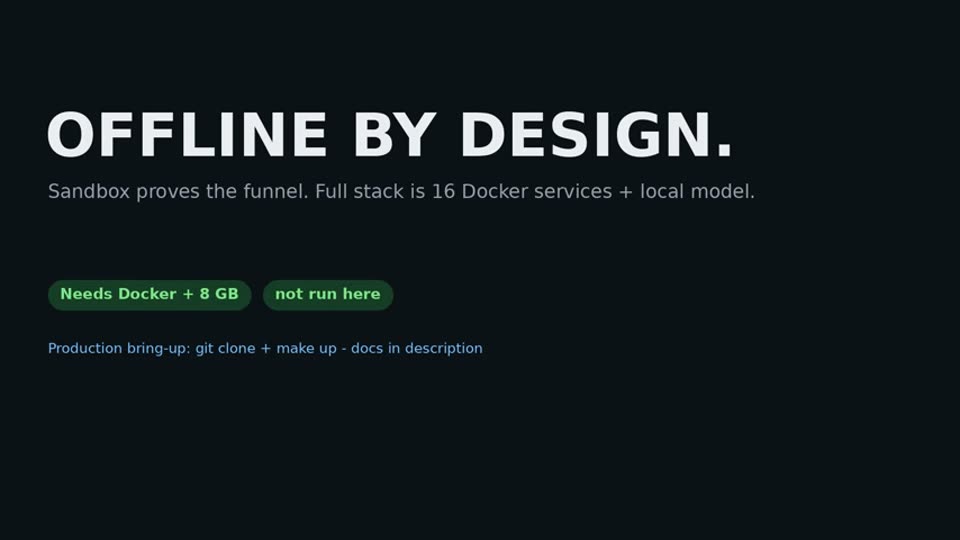
- The full production stack is a different cost, shown on screen as 16 Docker services plus a local model needing Docker and 8 GB. The quickstart proves the full pipeline with a separate smoke command, and that full Docker path was not run here.
- Terminal frames in the video are marked simulated and recreate outputs from a real sandbox test run on Ubuntu 24.04, per the video credits, so treat them as illustrations rather than screenshots of a live run here.
- If anything here disagrees with a newer release, the AiSOC repository and the package page win over this page.