AdGuard Home 1.0: Network-Wide Ad Blocking in 2 Minutes

This guide is the companion to AdGuard Home 1.0: Network-Wide Ad Blocking in 2 Minutes, a video uploaded 2026-11-20. The video is the starting point and every step below follows its order. Added context from outside the video is marked as added research. Auto-subtitles were unavailable at write time, so the video description serves as the transcript-equivalent and is disclosed as such.
What you need
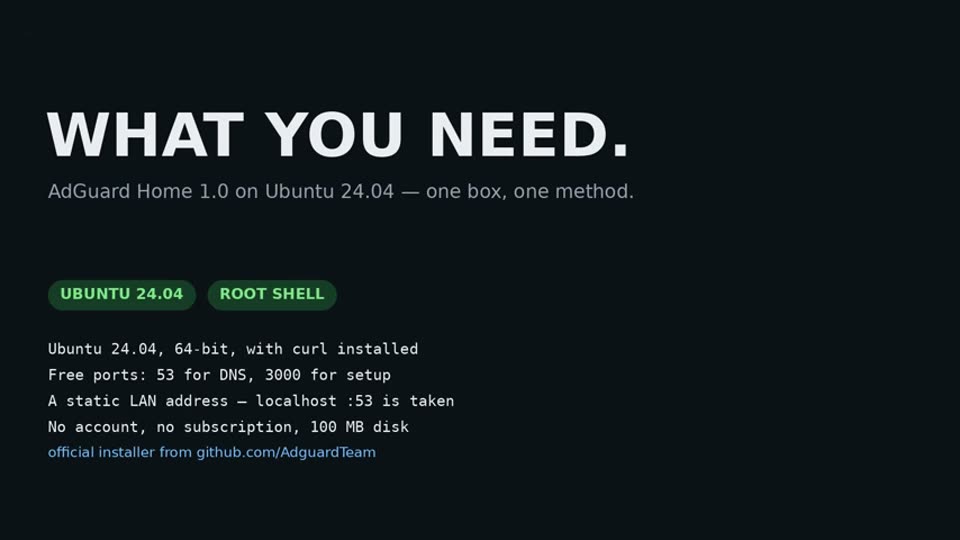
- In the video: Ubuntu 24.04 64-bit, a root shell,
curl, free ports53for DNS and3000for setup, and a static LAN address. No account and no subscription are needed. - In the video: the install uses the official installer from the AdGuardHome repository, and the whole flow targets one box and one method.
- Added from the sources: AdGuard Home is a free and open-source network-wide DNS server for blocking ads and trackers, and the v1.0.0 release page marks this as the first stable release. If you want the deeper tour covering Docker, blocklists, rewrites, DHCP, and encrypted upstream, read the earlier companion Block Every Ad on Your Network: AdGuard Home Setup as follow-up.
Check the box and run the official installer
- In the video: confirm the platform with
cat /etc/os-releaseand check port53listeners withssbefore installing anything. - In the video: install
curlwithapt install curl, then run the official install script from the AdGuardHome repository. - In the video: confirm the service state with a service status check and a version check after the installer finishes. These install steps were not run in this session, so treat them as untested here and expect your output to differ by host.
Fix the port 53 conflict: bind the LAN address
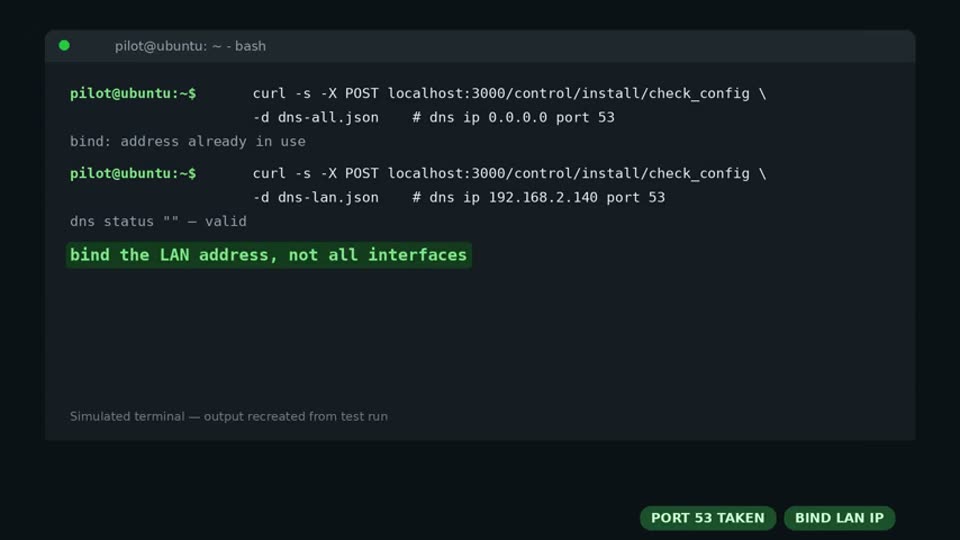
- In the video:
localhostport53is already taken on Ubuntu by the system resolver, so binding DNS to all interfaces fails withbind: address already in use. - In the video: the fix is binding the DNS server to your server LAN address instead of all interfaces, which the installer check reports as valid. Use your own static LAN IP, since the address shown on screen belongs to the video test box.
- Added from the sources: this matches the documented setup direction in the official Getting started guide, which walks the same install-then-configure-addresses flow.
Finish the setup wizard
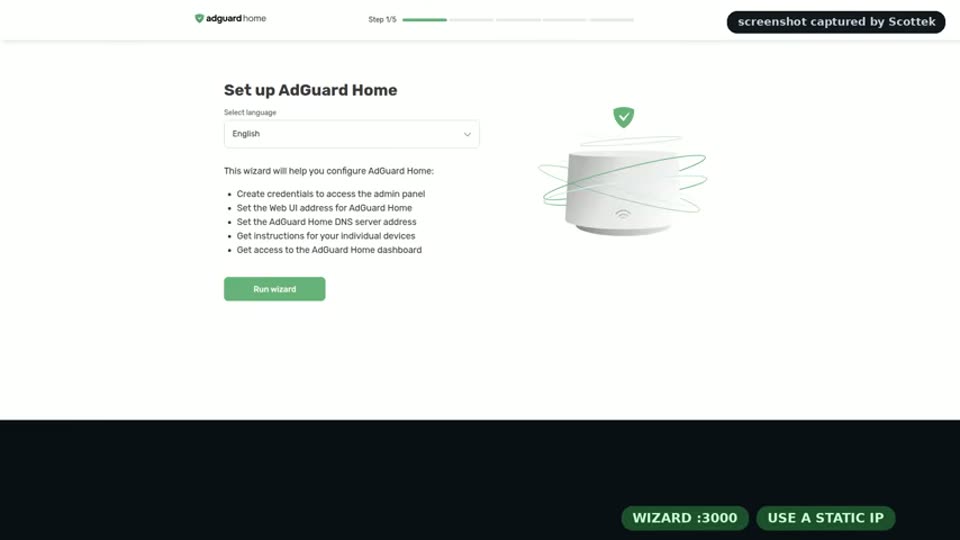
- In the video: open the wizard at port
3000on your server LAN address and step through language selection, admin credentials, the Web UI address, and the DNS server address. - In the video: set the DNS server address to the same static LAN IP from the previous step, not all interfaces, then continue to the device instructions and the dashboard. The wizard screens below come from screenshots captured by Scottek from a live test install, while the terminal card above is a simulated card recreated from the test run.
Verify blocking and point your devices at it
- In the video: prove it works with live
digtests sent against your server IP, covering both normal resolution and ad blocking. - In the video: point your devices at the server LAN address so their DNS flows through the filter, with no per-device apps needed. Per-device DNS setup details are untested here; follow the device instructions the wizard shows you.
- Added from the sources: for what comes after this quickstart, curated blocklists, DNS rewrites for homelab names, and encrypted upstream are documented in the official Getting started guide and toured in the earlier companion Block Every Ad on Your Network: AdGuard Home Setup.
Scope and limits
- In the video: one platform and one method only, Ubuntu 24.04 64-bit with the official install script. No Docker path, no binary path, and no account or subscription.
- Voiceover in the video is synthetic narration, disclosed here as stated in the video description.
- No live install was performed for this written companion, so install and configuration commands follow the video order exactly and are marked untested here wherever your system may differ.
Sources
- AdGuard Home v1.0.0 release — https://github.com/AdguardTeam/AdGuardHome/releases/tag/v1.0.0 — release page for the first stable release — accessed 2026-11-21 — supports the v1.0.0 first-stable framing.
- AdGuardHome repository — https://github.com/AdguardTeam/AdGuardHome — project page describing a network-wide ads and trackers blocking DNS server — accessed 2026-11-21 — supports the description of what AdGuard Home is and hosts the official installer.
- Getting started guide — https://adguard-dns.io/kb/adguard-home/getting-started/ — official AdGuard DNS Knowledge Base — accessed 2026-11-21 — supports the install-then-configure-addresses flow and follow-up topics.
- Video description for aYpJfKT8Xco — https://www.youtube.com/watch?v=aYpJfKT8Xco — uploaded 2026-11-20 — accessed 2026-11-21 — transcript-equivalent (auto-subs returned HTTP 429): step order, prerequisites, command set in order, port 53 conflict and LAN-bind fix, wizard, dig verification, synthetic-voiceover and screenshot disclosures.