Worktrunk 0.81: Git Worktrees for AI Agents (Ubuntu Setup)

This guide is the written companion to the video Worktrunk 0.81: Git Worktrees for AI Agents (Ubuntu Setup), and it treats the video as the starting point. Claims shown in the recording are labeled In the video, and everything I confirmed against the official project sources is labeled Added from the sources. Anything I could not independently verify is marked untested.
In the video: Worktrunk manages git worktrees from one command so each coding agent gets its own folder and branch, and version 0.81.0 is installed on Ubuntu 24.04 from the official prebuilt binary with a live create-list-remove cycle as proof. Added from the sources: Worktrunk is a CLI for git worktree management designed for parallel AI agent workflows, and 0.81.0 was released on 2026-10-20.
- The video chapters run from install overview at
0:00through prerequisites at0:18, download plus checksum at0:43, local-bin install at1:02, shell integration at1:21, first worktree at1:38, verify and clean up at1:57, and wrap-up at2:13. - The description notes the on-screen terminal frames are simulated recreations of a real sandbox test run, and the voiceover is synthetic narration, so treat exact on-screen output as a reconstruction rather than a screenshot.
What you need
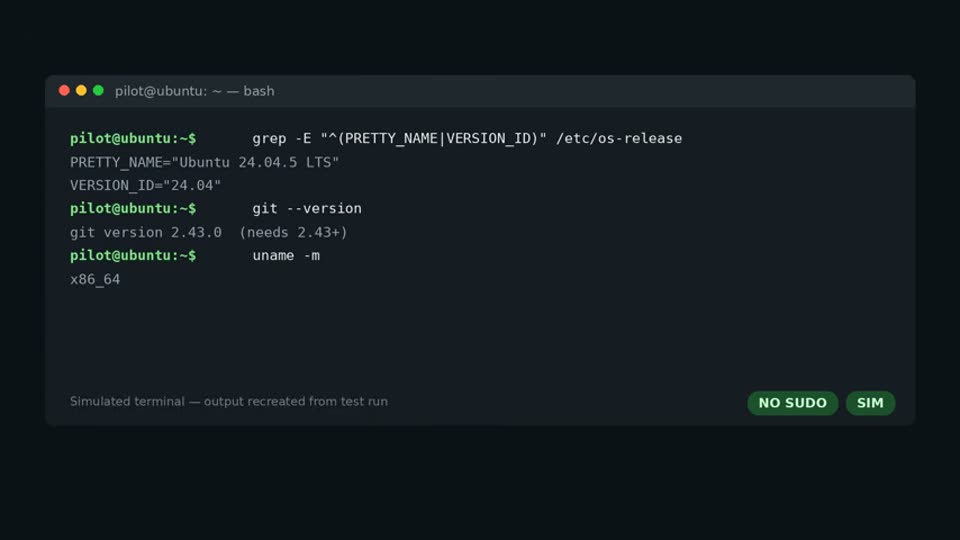
In the video: you need Ubuntu 24.04 64-bit, git 2.43 or newer, plus curl and tar to fetch the release, with no sudo, no account, and no Docker. The on-screen check shows Ubuntu 24.04.5 LTS, git version 2.43.0 against a noted 2.43 floor, and x86_64 architecture.
Added from the sources: the project README confirms Worktrunk targets git worktree workflows, and the release page ships a static Linux binary, which matches the no-Docker claim.
- Ubuntu 24.04 64-bit with git 2.43 or newer, plus
curlandtar - One git repository to practice inside, since the starter step runs within an existing repo
- About 8 MB of download for the static Linux archive
Download and verify the release
In the video: grab the static Linux archive for 0.81.0 from Worktrunk's GitHub releases page, about 8 MB in a single file with no installer, then check the published SHA-256 sum before unpacking. Added from the sources: the release asset is worktrunk-x86_64-unknown-linux-musl.tar.xz at the v0.81.0 release page, sized at 8,373,068 bytes, and its published checksum is 0c253f216985ce9cd7b202a11606b5ce6aa934b1019fd1fbb9b7ce2b47b1c74a, confirmed live against both checksum files on the release.
- Download the archive and its matching
.sha256file from the v0.81.0 release page - Confirm the computed hash matches the published value before unpacking, since a mismatch means the download is not safe to use
- The install commands in this guide follow the video's demonstrated flow and are untested in this guide's environment, so the checksum match is your real safety check on your own machine
Install to your local bin
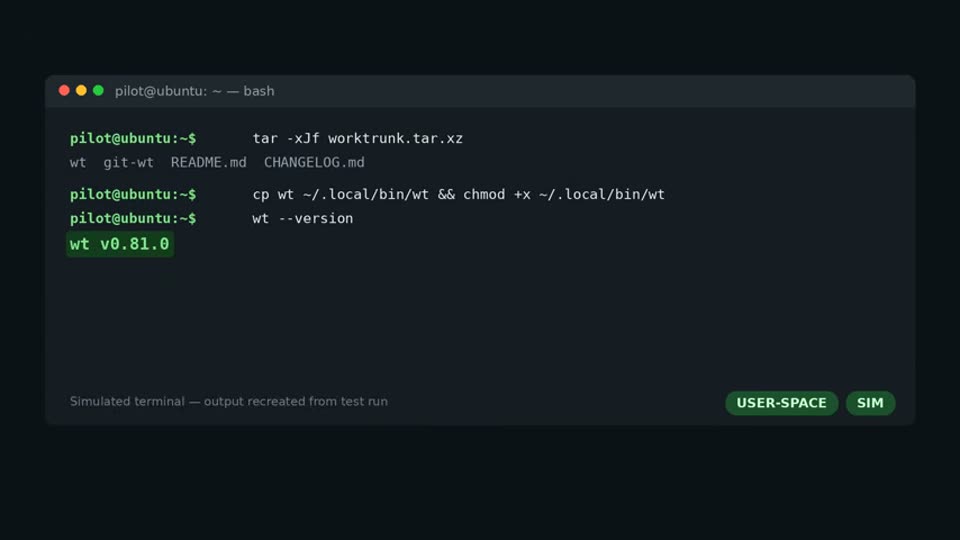
In the video: unpack the archive, which the on-screen frame shows as tar -xJf worktrunk.tar.xz yielding wt, git-wt, README.md, and CHANGELOG.md, then copy the wt binary into your local bin folder, make it executable, and ask for the version, which answers wt v0.81.0. Added from the sources: the docs quick start shows wt used directly as a binary on PATH, which is consistent with a user-space install that needs no sudo. The exact on-screen filenames and version string are video claims carried from the inspected frame.
- Unpack the archive with
tarand locate thewtbinary inside - Copy
wtinto your local bin folder such as~/.local/binand make it executable - Confirm
~/.local/binis on yourPATH, then runwt --versionand expectwt v0.81.0as untested until you run it yourself
Shell integration
In the video: install the shell integration so jumping between worktrees switches your folder automatically, then restart the shell so the wrapper loads. Added from the sources: the shell integration docs confirm a subprocess cannot change its parent shell's directory, so wt installs a shell function wrapper with Bash handled via ~/.bashrc, and the install step shows proposed changes first. The exact install command output is untested here.
- Install the shell integration from the video's demonstrated flow and let it add the wrapper to your shell rc file
- Restart the shell or start a new session so the wrapper loads, since the old session cannot follow directory changes
- Check the integration status afterward before relying on automatic folder switching
Your first worktree cycle
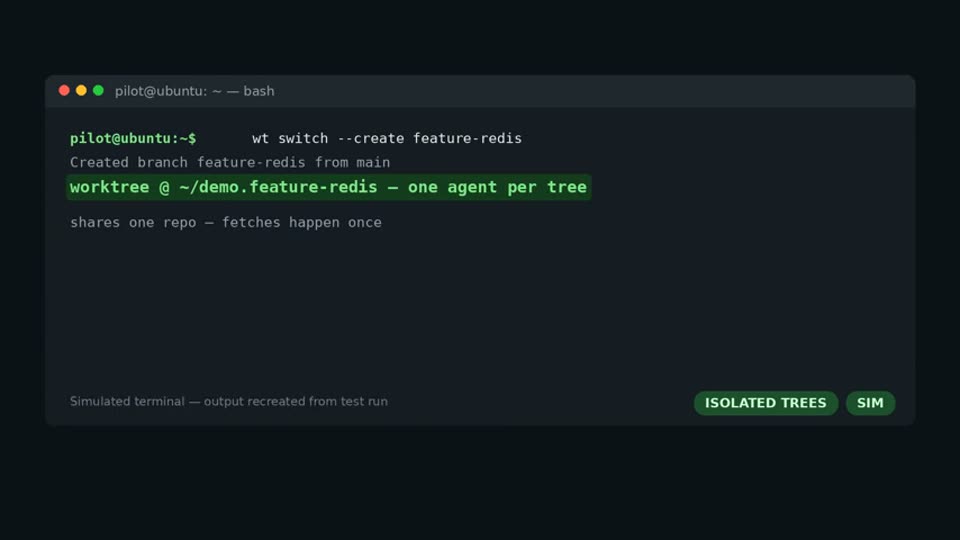
In the video: inside any git repo, create a worktree and branch in one move with wt switch --create feature-redis, which the on-screen frame shows creating branch feature-redis from main at ~/demo.feature-redis, with one agent per tree sharing one repo so fetches happen once. Then prove the state with wt list showing main plus the new branch, and remove the tree with wt remove until one row is left. Added from the sources: the switch docs confirm wt switch --create creates a branch and worktree then switches to it, the list docs confirm wt list shows branches with status and divergence, and the remove docs confirm wt remove removes the worktree and deletes the branch when merged.
- Create the worktree with
wt switch --createplus your branch name from inside any git repo - Prove the state with
wt listand look for both the main row and your new branch row with paths and commits - Clean up with
wt remove, which removes the worktree and its branch in the background when merged - Each agent now gets an isolated tree sharing one repo with fetches done only once, which is the payoff the video points at for the next step
What is new around 0.81.0
Added from the sources: these items come from the 0.81.0 release notes and were not covered in the video, so treat them as background reading rather than demonstrated steps.
- Experimental
wt switch --pathplaces one worktree outside the path template while keeping its branch name wt merge --branchmerges another worktree's branch without leaving the current worktreewt mergeandwt removesuggest restarting the shell when integration is installed but inactive
Sources and next steps
- The companion video is the starting point for this guide and all In the video claims above
- The project repository owns the worktree workflow and command set
- The v0.81.0 release page owns the version date, asset names, sizes, and checksums
- The shell integration docs own the wrapper behavior and restart requirement
- The switch, list, and remove docs own the worktree cycle semantics
- Continue with hooks, the merge workflow, and tips and patterns for per-worktree dev servers and agent handoffs