Homarr 2.7: Self-Hosted Homelab Dashboard Setup

This guide is a companion to Homarr 2.7: Self-Hosted Homelab Dashboard Setup, and the video is the starting point for everything below. Watch the video first for the narrated run-through, then use the sections below as the written reference. The draft is grounded in the Prag research notes for this video (script.md plus research/brief-facts.md), the video transcript, and the primary sources listed at the end. If you only want the fast Docker install, that is already covered separately in Ubuntu Homelab Dashboard: Install Homarr 2.7 with Docker, and this article is angled as the full-setup sequel to that entry. Video claims and added research are labeled throughout, and anything not run here is marked untested rather than stated as fact.
A sequel, not a repeat: what this covers
- In the video: every homelab ends the same way, a bookmarks folder of tabs, memorized IP addresses, and a sticky note of ports, and Homarr ends that dance as one self-hosted start page for the whole lab.
- In the video: demand is real, with one well-known Homelab guide past 114,000 views and a version-two overview past 24,000 views five days after posting.
- Added from the sources: the Prag notes corroborate both view counts as tool-measured via
yt-dlp, not search snippets, so the demand framing is video- and notes-grounded. - What this article adds: the full path the quick-install entry skips, meaning onboarding to a live board, the 2.7.0 feature tour, the Proxmox, TrueNAS, and Umbrel paths, and the honest caveats, all cross-checked against the Homarr docs and the v2.7.0 release.
How Homarr fits together
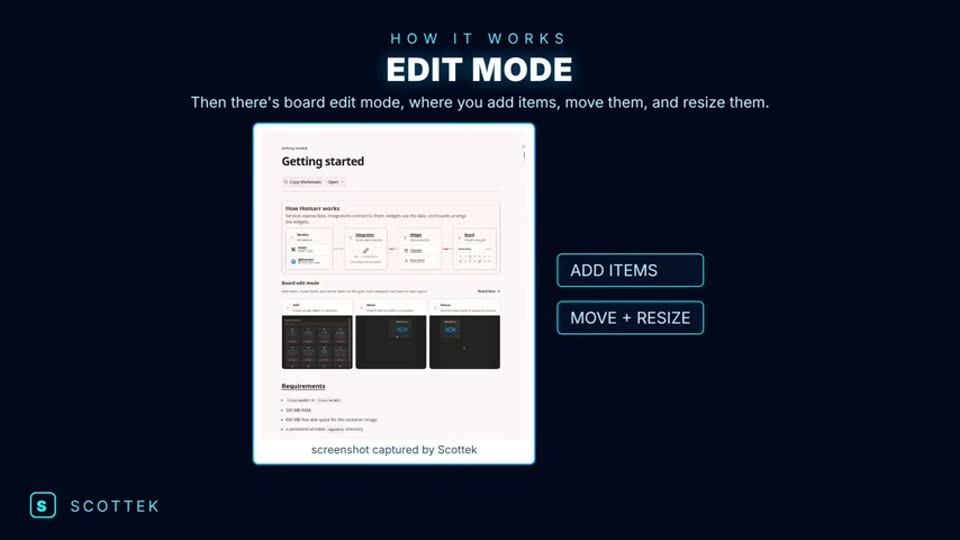
- Added from the sources: the getting-started docs lay out four layers, where services expose data, integrations connect server-side with a URL and credentials, widgets use that data, and boards arrange the widgets on a draggable grid.
- In the video: the same mental model, with Sonarr on port
8989and qBittorrent on8080as the example services, and calendars, downloads, and system stats as the example widgets. - Added from the sources: board edit mode is where you add items, move them, and resize them, and each viewport can have its own layout so a phone board is not a shrunken desktop board.
- Added from the sources: the project advertises 80-plus integrations with over 20,000 built-in icons, the homepage says 91-plus integrations, and a count of the project's own list lands around 90, with no YAML to hand-edit and sign-on via internal users, LDAP, and OIDC.
- Added from the sources: requirements are
linux/amd64orlinux/arm64, 500 MB of RAM, 600 MB of free disk for the image, and a persistent writable/appdatadirectory, withlinux/arm/v7explicitly unsupported.
Install with Docker Compose
- Added from the sources: the Homarr Docker docs confirm Compose as the recommended method, with image
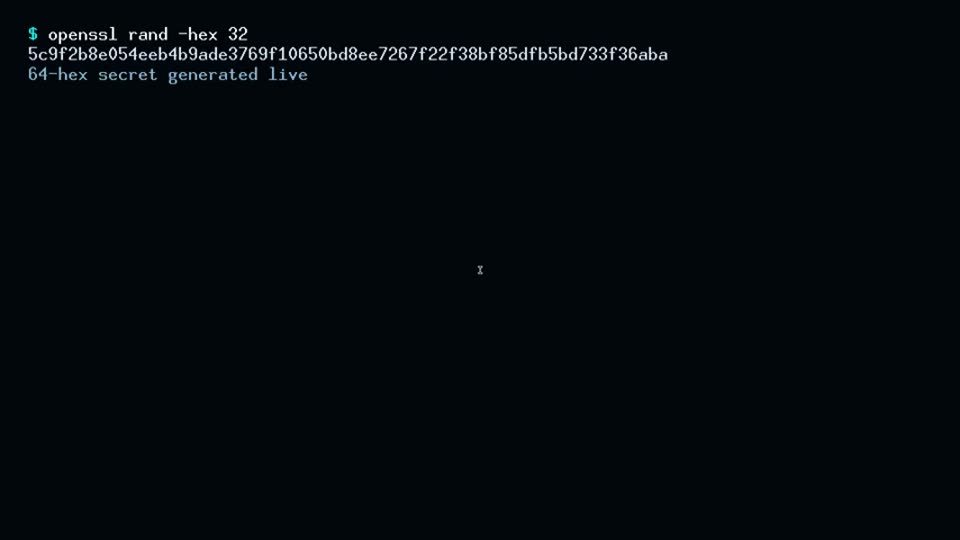
ghcr.io/homarr-labs/homarr:latest, port7575:7575, volume./homarr/appdata:/appdata, and aSECRET_ENCRYPTION_KEYyou generate yourself. - In the video: the whole install is one Compose file, where the key is a 64-character hex string generated with
openssl rand -hex 32, and the Docker socket mount stays optional for the Docker integration only. - In the video: start it with
docker compose up -d, open your server IP athttp://server-ip:7575, and complete onboarding in the browser. - In the video: back up
/appdatabefore upgrades because it holds the database and config, and pin the tag to something likev2.7.0if trackinglatestmakes you nervous. - Added from the sources: the docs agree that
/appdataholds the database and configuration, with SQLite at/appdata/db/db.sqliteby default, and updates are adocker compose pullfollowed bydocker compose up -dwith the same configuration and key. - Untested here end to end, since the research box has no Docker and the install is shown as files and commands, never claimed as executed.
From onboarding to a live board
- In the video: first boot walks you through onboarding, then drops you on an empty board, which stops feeling intimidating once you open edit mode and add your first app tile.
- In the video: paste an app URL and the new icon picker suggests the site's own icon first, which is a small touch that compounds across twenty tiles.
- Added from the sources: that picker behavior comes from PR #6562, which fetches the site's own icon and offers it as the first suggestion under Icon of the website.
- In the video: the natural first widgets are calendar with a saved view, downloads pointed at qBittorrent, releases pointed at your repos, and Uptime Kuma pointed at your status page.
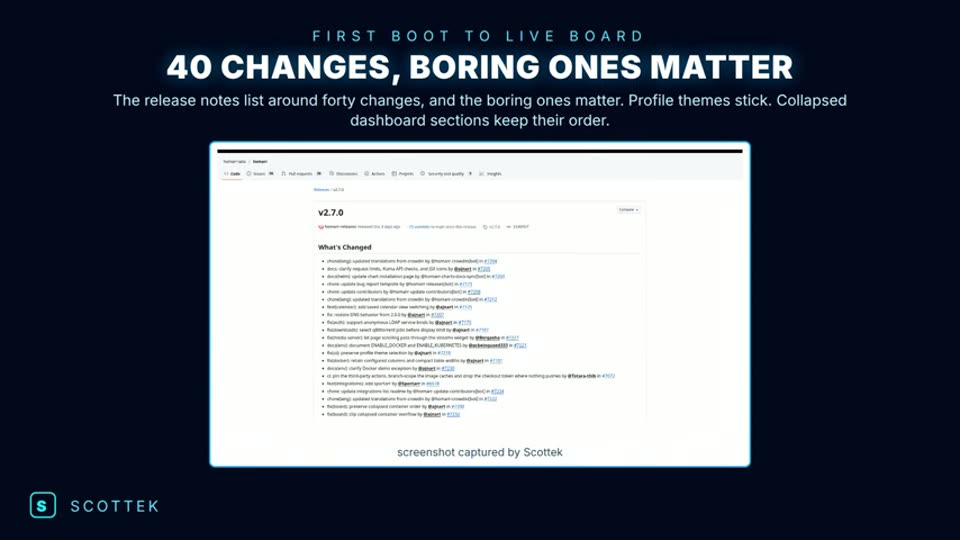
- Added from the sources: the v2.7.0 release confirms the qBittorrent job-selection fix in PR #7107, faster release loading in PR #7193, sticky profile themes in PR #7218, preserved collapsed-section order in PR #7200, retained Docker table columns in PR #7101, Synology form-body logins in PR #7229, anonymous LDAP binds in PR #7175, client-IP logging on failed logins in PR #7242, and hardened session payloads and integration grants in PR #7243.
New in 2.7.0
- Added from the sources: version 2.7.0 shipped on 2026-10-20 per the release page, with around forty changes in the notes.
- In the video: the calendar widget finally gets saved views, with compact month, full month, week, day, and agenda selectable per board over a shared default, so a media board and a maintenance board can keep different views.
- Added from the sources: that is PR #7125, merged 2026-10-17, with per-board and per-widget browser-local selection over a shared default.
- In the video: the media-server session popup is redesigned into a compact grid that separates audio from video, stays inside the viewport, and fixes the ugly null-null codec readouts.
- Added from the sources: that is PR #7228, merged 2026-10-20.
- In the video: Sportarr is a sports PVR in the Sonarr and Radarr family for Usenet and torrents, driven through its Sonarr-compatible API, while Thingport manages 3D-printing models with four widgets including library stats and a model-of-the-day tile.
- Added from the sources: Sportarr arrives via PR #6518 and Thingport via PR #7223 with bearer-token auth and a dashboard-summary check.
- In the video: the biggest change for most homelabs is the Uptime Kuma rework, built around status pages instead of raw monitors, with per-monitor uptime and response time, groups, tags, certificate-expiry warnings, pinned incidents and maintenance windows, and honest no-recent-data reporting for stale monitors.
- Added from the sources: that is PR #7213, merged 2026-10-20, which changes the widget query to status-page heartbeats with compact-to-detailed layouts.
- In the video: version honesty matters because 2.8.0 followed on 2026-10-22 with small fixes, including a calendar option fix, a summary-only mode for the Kuma widget, a Jellyfin tile tweak, and a Node security update, with nothing that changes this guide, so install latest and inherit the fixes.
No Compose terminal: Proxmox, TrueNAS, and Umbrel
- In the video: Proxmox users get a community-scripts helper that installs Homarr as a container in a few prompts, TrueNAS carries Homarr in its community catalog at version 2.7.0 updated the day after release, and the Umbrel store had already rolled forward past 2.7.0 at check time, with the same app, port, and onboarding on every path.
- Added from the sources: the Prag notes corroborate this from live page fetches on 2026-10-23, with TrueNAS showing App Version v2.7.0 last updated 2026-10-21 at the TrueNAS catalog and Umbrel already showing 2.8.0 at the Umbrel store.
- Untested here, since none of these three paths were executed for this guide, so treat them as video-described options and confirm the version on the relevant page before installing.
Honest notes before you commit
- In the video: the Docker socket mount is powerful and optional, so skip it if you only want links and widgets, and know what you are granting if you mount it.
- In the video: authentication is built in with internal users plus LDAP and OIDC single sign-on, so put the dashboard behind a reverse proxy with TLS and actually create the accounts, because a page linking to everything is the worst thing to leave open.
- Added from the sources: the single-sign-on docs confirm internal credentials, LDAP with Active Directory support including anonymous binds, and OIDC, and the environment-variable docs document the Docker and Kubernetes toggles behind this behavior.
- In the video: requirements are tiny but real at 64-bit x86 or ARM with half a gig of RAM, and 32-bit ARMv7 is explicitly out.
- The video's verdict: if your homelab still lives in a bookmarks folder, Homarr 2.7 is the weekend project of one container, one port, and one page showing every service alive or dead, with the calendar views and the Kuma status rework alone justifying the upgrade.