Install ZONOS3-Mini: Free Voice Cloning, No GPU Needed

Watch the walkthrough in Install ZONOS3-Mini: Free Voice Cloning, No GPU Needed, published 2026-11-13. This companion guide collects the commands and links in one place, grounded in the video description plus the ZONOS3-Mini repo, the Hugging Face model page, the Zyphra Zonos3-Mini announcement, and the model report. All four links were re-verified reachable for this guide. Auto-subtitles were unavailable at draft time, so the detailed video description serves as the transcript-equivalent and every frame detail below is video-attributed. Every command below is untested here; the video's simulated terminal frames recreate output from a real sandbox test run at commit b171b191, with hello.wav 3.93 s, clone.wav 3.40 s, and server.wav 2.20 s, all 44100 Hz mono.
What you need
ZONOS3-Mini is a free, open-weight voice-cloning text-to-speech system that runs fully offline on a CPU, with no graphics card, no account, and no cloud fees. You need Ubuntu 24.04 x86_64 with internet, about 4 GB of free disk, and admin rights for a single install command.

- Confirm 64-bit x86 Ubuntu with
uname -m, which should printx86_64 - Confirm free disk with
df -h ~, looking for about 4 GB available - Everything after the one
apt installruns unprivileged in your home directory
Install the tools and clone the repo
The video installs the build toolchain, clones the official repo with its submodules, and records the exact commit so the build is reproducible.
- Install the toolchain with
sudo apt update && sudo apt install -y cmake g++ git cargo - Clone with submodules via
git clone --recurse-submodules https://github.com/Zyphra/ZONOS3-Mini zonos3 - Record the commit with
cd zonos3 && git rev-parse HEAD, the video's test run used commit b171b191
Compile the CPU engine
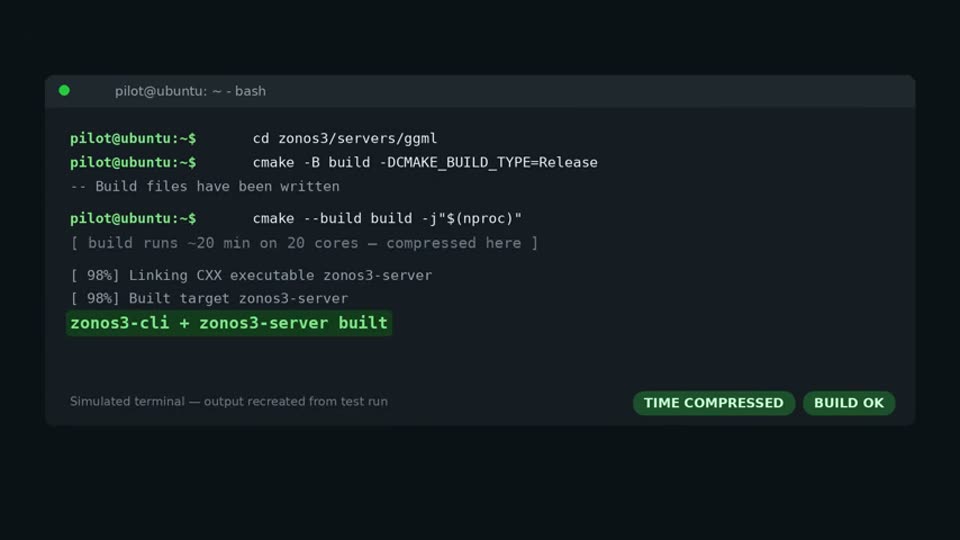
The speech engine is C++ on ggml, so it compiles to two binaries: zonos3-cli for command-line synthesis and zonos3-server for the studio server. The video notes the build takes around 20 minutes on a 20-core box and compresses the wait on screen; you only do it once.
- Enter the engine directory with
cd zonos3/servers/ggml - Configure a release build with
cmake -B build -DCMAKE_BUILD_TYPE=Release - Build on all cores with
cmake --build build -j"$(nproc)" - Confirm both binaries exist before continuing
Download the models and prove it speaks
Three model files of about 1.1 GB total come from Hugging Face via huggingface_hub. The first proof synthesizes a spoken test sentence and checks the result with ffprobe.
- Install the downloader with
python3 -m pip install huggingface_hub - Fetch the files with
hf download Zyphra/ZONOS3-Mini gguf/backbone-ptq.gguf gguf/zac-keep2.gguf gguf/spk-encoder.gguf --local-dir . - Speak the test line with
./build/zonos3-cli gguf/backbone-ptq.gguf --tts 'Hello from Zonos Mini, running on Ubuntu.' hello.wav --seed 1 - Check the audio with
ffprobe -hide_banner hello.wav, the video's file runs 3.93 s at 44100 Hz mono
Clone a voice on CPU
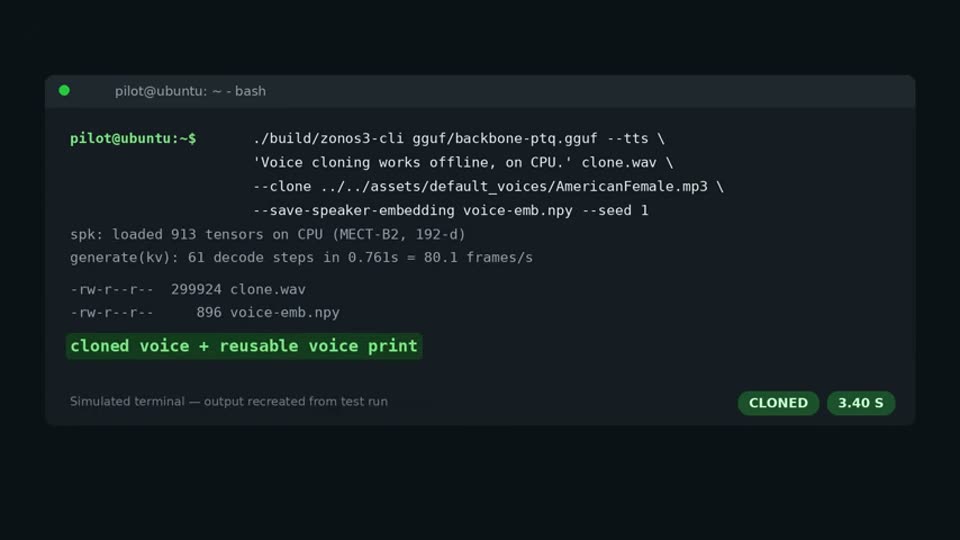
The second proof clones a voice from a sample file shipped in the repo, saving both the spoken clone and a reusable speaker embedding for later use with the same voice.
- Clone with
./build/zonos3-cli gguf/backbone-ptq.gguf --tts 'Voice cloning works offline, on CPU.' clone.wav --clone ../../assets/default_voices/AmericanFemale.mp3 --save-speaker-embedding voice-emb.npy --seed 1 - Expect the speaker encoder to load its tensors on CPU and generation to run at tens of frames per second, the video's run did 61 decode steps at 80.1 frames per second
- Confirm both outputs exist: the spoken
clone.wavand the small reusable voice printvoice-emb.npy
Start the studio server and use the API
The video ends with the local studio server from the repo's start script, which also exposes an OpenAI-compatible speech endpoint on port 1919.
- Launch it with
ZONOS3_SERVER_BIN="$PWD/build/zonos3-server" ZONOS3_MODEL_DIR="$PWD/gguf" bash ./scripts/start-zonos3.sh -y --no-browser - List the available voices with
curl -s http://127.0.0.1:1919/v2/speakers - Keep it on loopback for private use and only bind it wider once you have authentication and firewall rules in front of it
Troubleshooting
- If
cmakeis not found, re-run the singleapt installline, it is the only step that needs sudo - If the clone fails to fetch submodules, re-clone with the
--recurse-submodulesflag rather than a plain clone - If
hf downloadis not found, confirm thehuggingface_hubpip install completed for the samepython3you run it with - If the server port is busy, something else already holds 1919, stop it or adjust your launch before retrying