OpenCode Guide: Install, Setup, Use cases.

This guide is a companion to the video, which is the starting point for everything below. Watch the video first for the on-screen flow, then use this article for the docs links and safe-setup notes.
What follows keeps two layers separate. Anything described as from the video comes from the video description and auto-subtitles. Anything described as added research was verified in the official docs or repo and is linked inline.
What the video covers
From the video, the walkthrough presents OpenCode as an open-source AI coding agent and harness that runs in the terminal, a desktop app, or an IDE extension. The presenter points it at a project, picks a model, and describes the change wanted.
- From the video, install routes include the official script plus package managers and platform routes, with Windows directed toward WSL
- From the video, first setup uses
opencodeand/connect, with OpenCode Zen suggested for newcomers - From the video, cloud and local models are covered, including OpenAI-compatible local endpoints such as Ollama and LM Studio
- From the video, project setup uses
/initto create or improveAGENTS.md - From the video, daily work uses Plan mode versus Build mode, permissions, subagents, custom commands, and MCP servers
- From the video, use cases include debugging, test generation, large refactors, and human-in-the-loop pair programming
Install OpenCode
Added research confirms the fastest documented install is the official script in the official docs intro, which also lists Node, Homebrew, Arch, and Windows routes. From the video, the presenter advises downloading or paging through the script before running it, then checking the recorded release because commands and defaults change over time.
- Inspect the installer before piping it to a shell, as shown with
curl -fsSL https://opencode.ai/install | bash - Added research lists
npm install -g opencode-aialongside Bun, pnpm, Yarn, Homebrew, Arch, Chocolatey, Scoop, Mise, and Docker options in the official docs intro - From the video, Windows users are pointed at WSL for the best experience
- Confirm the binary starts with
opencodeand record which release you installed because behavior drifts between releases - Container and alternate-manager routes are untested here
Connect cloud and local models
From the video, first-run setup uses /connect to add provider keys, with OpenCode Zen presented as the tested default for newcomers. Added research confirms this flow on the providers page, where keys added through /connect are stored under ~/.local/share/opencode/auth.json.
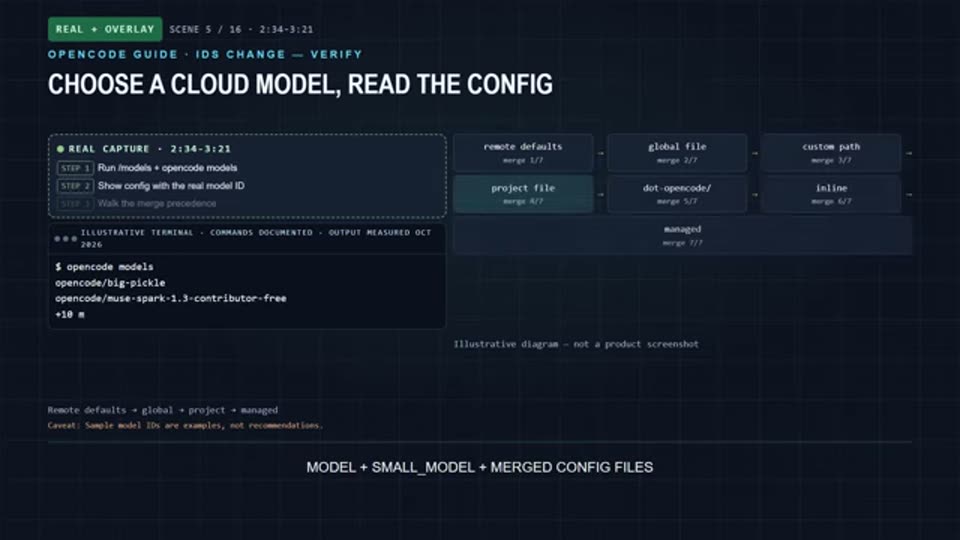
- From the video, keys entered through Connect live in a file under the home directory, so treat that file like a password and never show it on camera or commit it
- Added research notes prior bundled plugins for Claude Pro or Max subscriptions were removed and Anthropic prohibits that route, per the providers page
- Use
/modelsto pick a model andopencode modelsto list exact provider and model identifiers named in config, both from the video - From the video, a default model handles main work while a smaller model setting handles lightweight jobs such as title generation
- From the video, local models connect through an OpenAI-compatible base URL, with Ollama cited at port 11434 and LM Studio at port 1234
- From the video, local agent context is reported as needing 64000 tokens or more, with smaller ranges treated only as a tool-call debugging step, and larger contexts cost more memory
- Local endpoint wiring against your own hardware is untested here
Project rules, modes, and safe permissions
From the video, project setup runs /init inside the repo so OpenCode can scan files, ask questions, and create or improve AGENTS.md. Added research confirms /init creates AGENTS.md in the project root in the official docs intro.
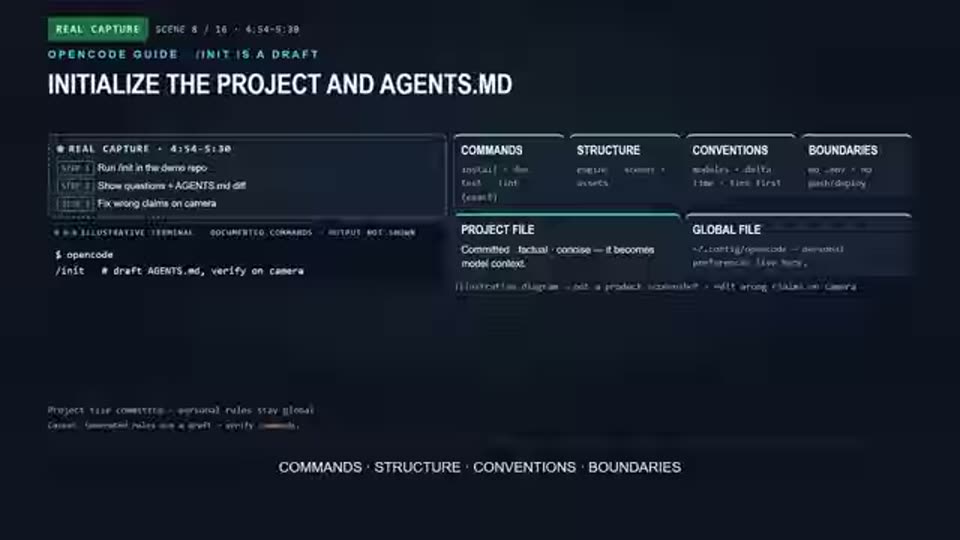
- Keep
AGENTS.mdconcise and factual with build commands, test commands, architecture notes, conventions, and gotchas, since it becomes model context from the video - Keep personal preferences in the global config and project behavior in the repo, since configs merge rather than replace each other per the config page
- From the video, press
Tabto switch between the restricted Plan agent and the full Build agent, briefing the plan like a junior developer and citing files with@ - From the video, a wrong result can be reverted with
/undobefore retrying the prompt - From the video, permissions decide whether an action runs automatically, asks first, or is blocked, with edit and shell access best set to ask plus narrow allowances for safe commands
- From the video, approval can be once, always for the session, or reject, while auto mode is only for isolated workspaces because it approves anything not denied
- Permission tuning beyond read-only exploration is untested here
Use cases and cautious next steps
From the video, the closing use cases are small debugging tasks, automated test generation, staged multi-step refactors, and supervised pair programming starting in Plan mode. Added research adds the repo as the source of truth for agents and building on top, at the OpenCode repo.
- Start with Plan mode on a small task, verify commands and boundaries in
AGENTS.md, and keep changes on a git branch so review stays easy from the video - From the video, subagents include read-only explore-style helpers for locating code, plus custom JSON or Markdown agents with their own model and permission limits
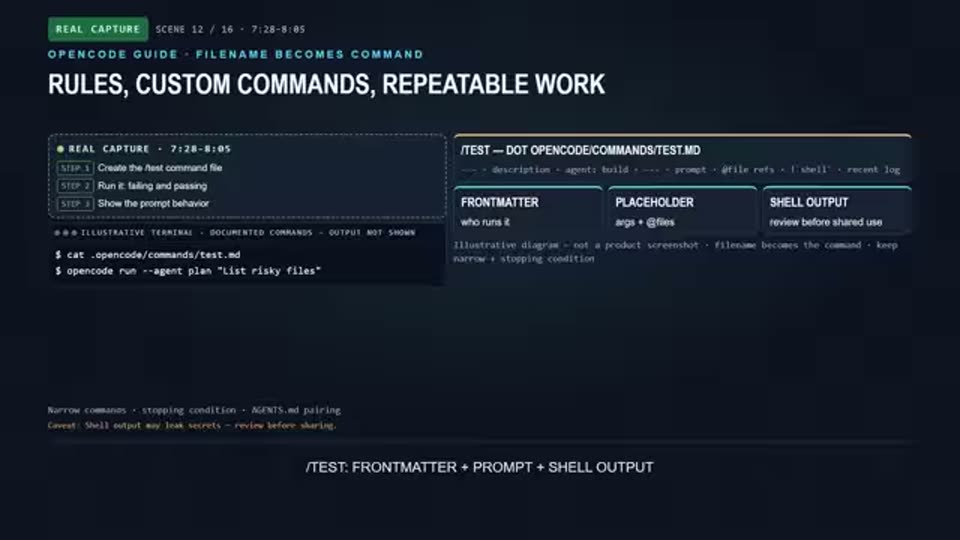
- From the video, repeated prompts become slash commands paired with
AGENTS.md, and MCP servers add tools but also consume context, so enable only what a task needs - From the video, non-interactive
opencode run, headless serve, and web access suit automation, but exposing a server beyond the local machine needs a password and deliberate host choices - Added research confirms
opencode auth listcan check stored provider credentials when setup fails, per the providers page - Automation, remote serving, and MCP credential flows are untested here