Install PocketBase 0.40.5 on Ubuntu 24.04 (Backend in One File)

Companion guide and video starting point
This article is a companion to the video, not a replacement for it, and the video is the starting point for everything below.
In the video: a 128-second walkthrough installs PocketBase 0.40.5 on Ubuntu 24.04, framed as a backend in one file, starting from the official docs at pocketbase.io.
Added from the sources: every command, path, port, and route below was checked against the official PocketBase docs, the going-to-production guide, the health API reference, and the v0.40.5 release notes. No live install was run for this companion, so hands-on steps are marked untested here. No Prag research folder exists for this video, so the transcript plus the official docs are the entire basis.
What one file actually gives you
In the video: one file gives you a database, user login, and an API, with no database server, no runtime, and no containers required, in a download of about 12 MB.
Added from the sources: the docs describe PocketBase as an open-source backend built on an embedded SQLite database with realtime subscriptions, built-in auth management, a dashboard UI, and a REST-ish API, usable as a Go framework or a standalone application. The 12 MB figure matches the documented Linux x64 zip size.
Version 0.40.5 and why it matters
In the video: version 0.40.5 shipped October 8th.
Added from the sources: the v0.40.5 release notes confirm the October 8 release and list improved JSVM migration error handling, an update to modernc.org/sqlite 1.60.1, and a minimum Go version bump that pulls in several net/http security fixes, including one for a denial-of-service issue that could affect PocketBase applications, so updating is advised. A standing tip from the same notes is that an existing install can update itself with ./pocketbase update. Note that the docs front page moves on with each release and currently advertises v0.40.6 downloads, which is why this guide pins the 0.40.5 URLs below so the steps stay reproducible.
Prerequisites and the whole install
In the video: you need 64-bit Ubuntu 22.04 or newer plus curl and unzip, installed with apt if missing. The demo machine reports Ubuntu 24.04 and x86_64, so it is supported, and everything else PocketBase brings itself. Download the Linux build from the GitHub releases page with the version pinned in the URL, unzip the single binary, verify the checksum against the published file, and confirm the version reads 0.40.5. That is the whole install.
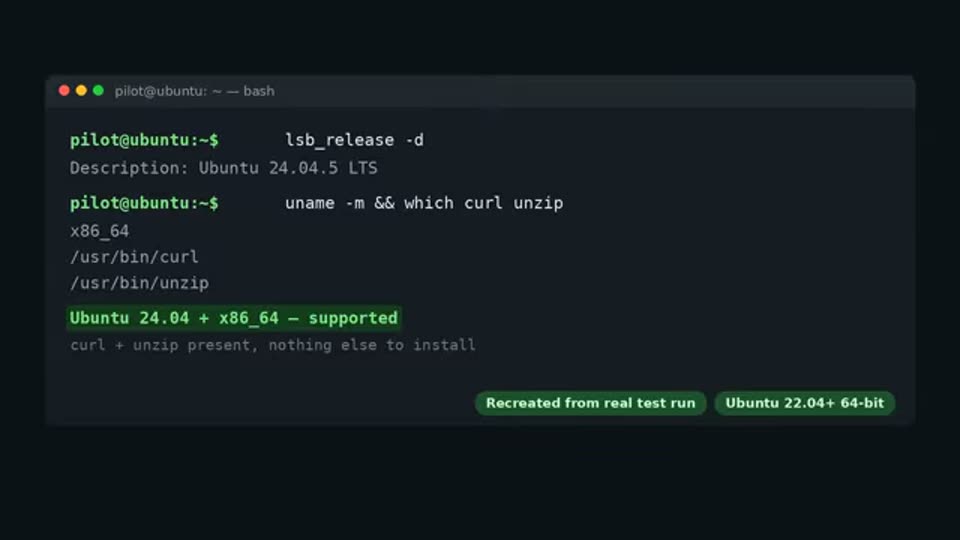
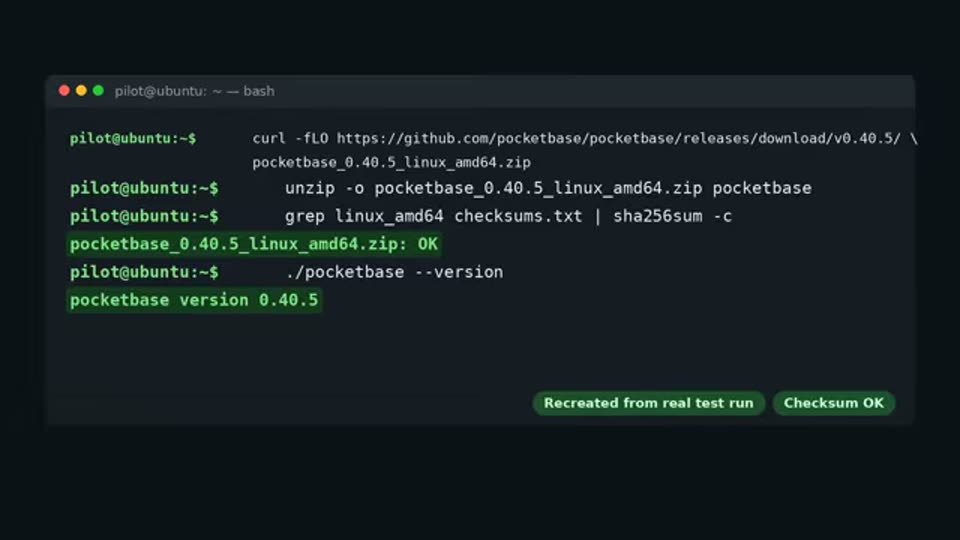
Added from the sources: the docs follow the same per-release naming pattern for every build, so the reproducible 0.40.5 Linux x64 archive is pocketbase_0.40.5_linux_amd64.zip on the releases page, with checksums published alongside the assets. The prerequisite install and the download-and-verify flow are untested here beyond the video's account.
First run and the admin login
In the video: start it with pocketbase serve, which prints its own address on port 8090 with the API and dashboard routes listed. Then create the admin login with one superuser command, with no browser wizard needed, and leave that process running because it is your server.
Added from the sources: the docs confirm ./pocketbase serve as the start command and list the default routes as http://127.0.0.1:8090 for the site and static files, http://127.0.0.1:8090/_/ for the superuser dashboard, and http://127.0.0.1:8090/api/ for the REST-ish API. The first launch also generates an installer link for creating the first superuser, and the manual alternative is ./pocketbase superuser create EMAIL PASS. A first run creates two directories next to the binary: pb_data for application data and pb_migrations for collection changes. The live first run is untested here.
Keep it alive with systemd and prove it works
In the video: for a real server, run PocketBase as a systemd service so it restarts on its own, using the full unit file from the docs with its working directory, restart policy, and serve command, enabled with systemctl, which needs sudo. Create the superuser the same way, then prove it works with three checks, all green: the health endpoint answers 200 with API-healthy content, the admin dashboard answers on /_/, and a logged-in request to the collections API also returns 200. Then open the dashboard to build the first collection, and read the going-to-production guide before exposing anything to the internet.
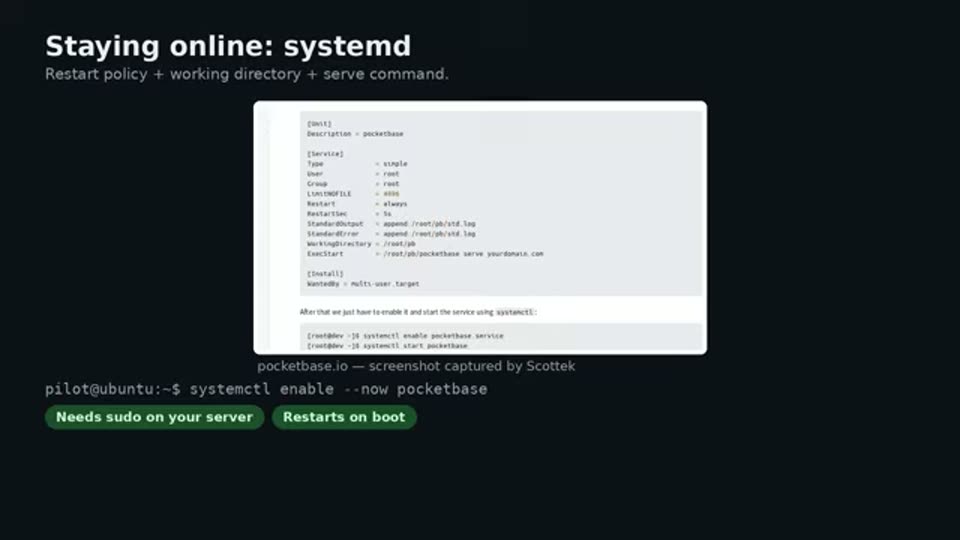
Added from the sources: the going-to-production guide provides the example unit file, usually placed at /lib/systemd/system/pocketbase.service, with Restart set to always, a WorkingDirectory pointing at the app folder, and ExecStart running the serve command, followed by systemctl enable and systemctl start. The health API reference confirms GET /api/health returns 200 with the message API is healthy. The same production guide covers reverse proxies, backups, SMTP mail, rate limiting, and superuser protections, so treat it as required reading before opening port 8090 to the world. The service setup and all three checks are untested here.