DeepSeek Harness: Run Your Own Coding Agent

Companion guide and video starting point
In the video: a 363-second guide to dsh, the open-source harness that does the work around the model: the plugin architecture, four modes, the Trajectory log, scheduled tasks, everyday versus agentic use, three ways to install, a live clone-and-probe demo with real output typed on camera, the pairing with the 1017 model, and honest preview limits.
Added from the sources: grounded in the fetched auto-subtitle transcript (154 cues) plus the Prag research notes, re-checked 2026-11-06 against the Harness preview page, the deepseek-harness repo, and the developer quickstart, all returning 200. Star, fork, and commit counts below are page figures at capture, as the video states. This is the companion to the grid guide DeepSeek V4.1-Flash-1017: Frontier Agents, MIT Weights, which covers the model this harness pairs with. Anything not independently confirmed below is marked untested.
The harness, not the model
In the video: DeepSeek open-sourced the thing that actually does the work, not another model but the loop that lets an agent understand its environment, use tools, and keep going. MIT licensed, in public preview worldwide, with the repo pulling a quarter million stars.
Added from the sources: the repo carries the MIT license, and the preview page confirms worldwide public preview status. Everything-is-a-plugin on the Cordis kernel is the architecture headline: models, tools, skills, sessions, sandboxes, storage, loops, scheduling, even the UI mount as plugins with managed dependencies and typed events, and there is a Cordis paper on the paradigm for the theory-minded. The paper link is Prag-cited and video-attributed.
- Think of the 1017 model as the brain and this harness as the body, in the video's framing. Either half alone is a lesser story; the 1017 grid guide covers the brain.
- If a default does not suit you, the design lets you mount your own tool registry or capability in configuration without touching source. That is documented-only here and untested here.
- A short disclosed aside: the video's narration is voiced with ElevenLabs, which is a channel affiliate at https://try.elevenlabs.io/1umqbghymm28 (affiliate link; the owner may earn a commission at no extra cost to you). It has no connection to DeepSeek and makes no claim about the harness.
Four modes, one binary
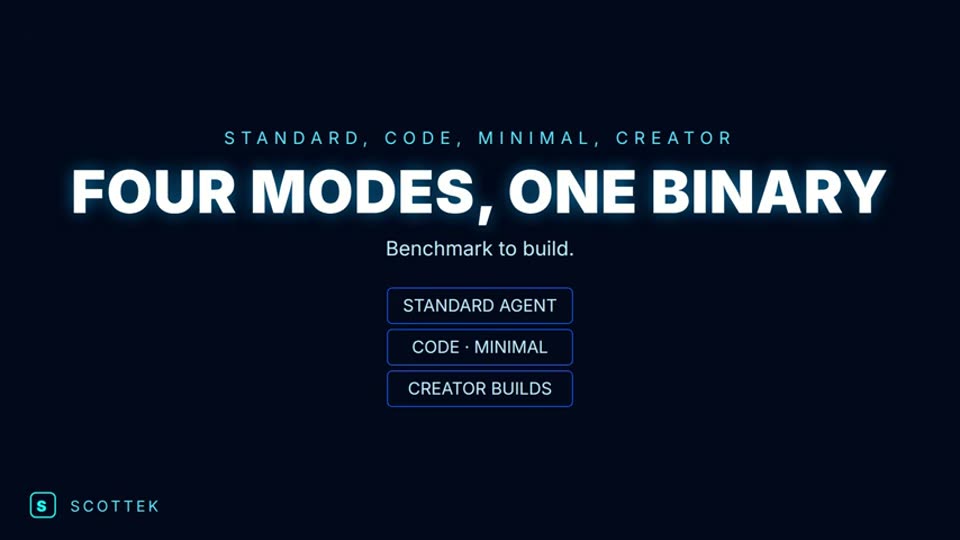
In the video: Standard is the full coding agent with file editing, shell, search, skills, planning, goals, subagents, and workflows. Code mode hands the toolset to the model through an SDK so it orchestrates multi-step operations in one TypeScript program. Minimal strips down to a shell plus a file editor for benchmarking models in a bare room. Creator mode inspects the runtime, tests plugins in memory, and authors presets, including building new plugins through chat.
Added from the sources: the preview page and quickstart describe the same four modes. The Pomodoro-timer-in-under-six-minutes creator demo is the project's own figure, video-attributed.
- Start in Standard for everyday agent work: organizing documents, analyzing spreadsheets, writing code, drafting slides, with previews you refine through conversation.
- Reach for Code mode when you want the model orchestrating multi-step operations as one program rather than step-by-step tool calls. SDK behavior is documented-only and untested here.
- Use Minimal when benchmarking: a bare shell-plus-editor room isolates the model from harness help. The Terminal-Bench 4.0 scores quoted for the 1017 model were run under a coding harness, per the video.
- Open Creator when you want to inspect the runtime or author plugins. Plugin authoring means learning Cordis concepts, not just chatting, per the video's own limits section.
Plugins all the way down, and the Trajectory log
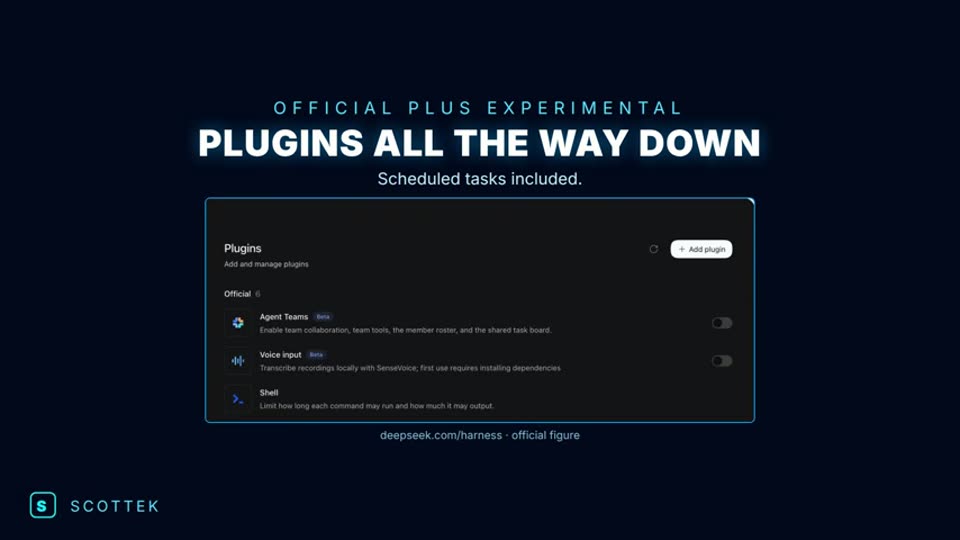
In the video: official plugins plus experimental ones: agent teams, auto-approval review, scheduled tasks, voice input, terminal, subagents, and more. The scheduled-tasks plugin runs work on a clock, with the project's demo filing a weekly report every Friday at 5. The Trajectory view records everything the model sees in an append-only session log: prompts, reasoning, tool calls and results, subagent scheduling, context injections, inspectable by source, with resume, fork, search, and replay on the same event stream.
Added from the sources: the preview page confirms the plugin catalog shape and the Trajectory view, and community plugins gather under the dsh-plugin topic per the video description. The figure below reproduces the official plugins panel from the preview page. The docs live at the developer site.
- Install a plugin or describe the one you want in Creator mode and watch it get written, installed, and verified. That flow is project-demonstrated and video-attributed, untested here.
- When an agent goes sideways, rewind the Trajectory tape instead of guessing: resume, fork, search, and replay operate on the same stream. Log semantics are documented-only and untested here.
- The pattern is always the same: it acts, shows you the diff or the draft, and you steer. Expect previews you refine through conversation, not one-shot perfection.
Getting in: three paths plus the live demo
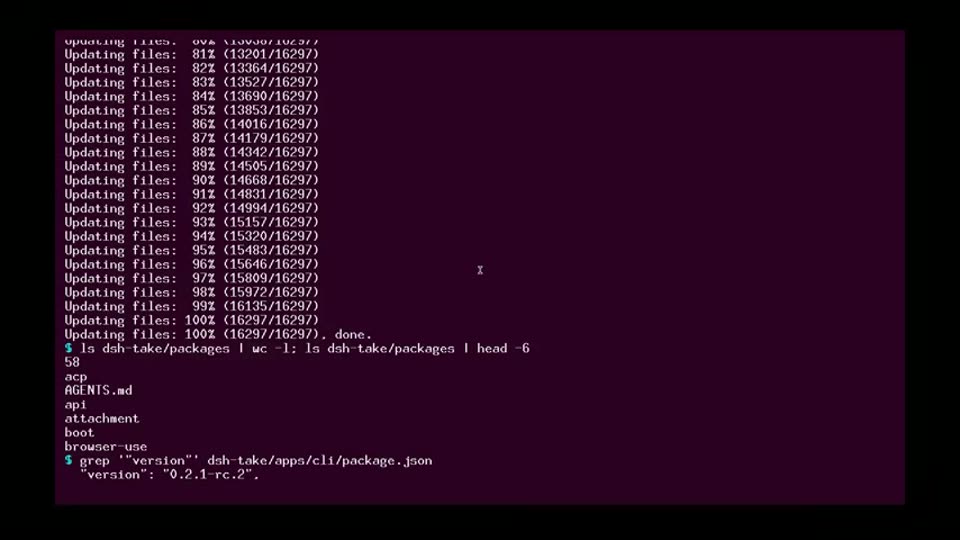
In the video: install Node.js, then launch the web UI with one npx command; macOS users get a desktop app download; or clone the full source and follow the repo setup. The on-camera demo clones the repo shallow, lists the plugin packages, and asks the binary what it can do, with everything shown as real output typed live and nothing pasted.
Added from the sources: the quickstart documents the npx web-UI path and the clone path. The walkthrough frame below shows the clone resolving over sixteen thousand files, the checkout holding 58 plugin packages, and the CLI reporting version 0.2.1-rc.2. Those figures are video-attributed at capture; the research notes record the 1017 model as tuned for harness 0.2.1-rc.1 and newer, so a -rc.2 demo build is consistent, not a contradiction.
- Pick the
npxweb-UI path for the fastest start (Node.js required), the desktop app on macOS, or the clone path if you want the full source. None of the three paths were run hands-on here; all are untested here. - After cloning, list the packages directory and probe the CLI version the way the demo does, so you confirm the checkout is complete before launching anything agentic.
- Pair it with the 1017 model from the companion grid guide: a cheap thinking model plus a free harness that records everything is the video's complete local-agent-stack argument, with no subscription.
- Honest limits, from the video: it is a preview, so core plugins and APIs are still evolving and presets you build today may need edits tomorrow. The four-mode menu hides real complexity. And a harness is only as good as the model behind it: point a weak model at it and you get fast, well-logged nonsense, though the Trajectory view will show you exactly how the nonsense happened.