Node.js 24.22.1 on Ubuntu: the October Security Fix You Need

Companion guide and video starting point
This article is a companion to the video, not a replacement for it, and the video is the starting point for everything below.
In the video: a 2-minute walkthrough installs Node.js 24 LTS on Ubuntu 24.04 through nvm, the official Linux path, pinned to v24.22.1, the October 2026 security release. Every terminal frame is recreated from a real test run in a disposable sandbox on Ubuntu 24.04, and the video says so on screen.
Added from the sources: every version number, command, and vulnerability claim below was checked against the Node.js download page, the October 2026 security release announcement, the v24.22.1 release tag, the nvm repository, and the v24.22.1 checksums file. A Prag research folder with a full sandbox test log exists for this video and grounds the command detail. The install flow below is untested here beyond that recorded test run.
Related runtime reading: Bun Setup on Ubuntu and Rust on Ubuntu 24.04.
Why this exact version and what you need
In the video: the October security release fixed ten flaws across the maintained lines, including a high-severity Brotli decoder flaw with remote code execution, and updating frameworks or npm packages cannot fix a runtime flaw, so only a patched Node does. The starting point is nodejs.org, where the Linux path is nvm, the Node version manager.
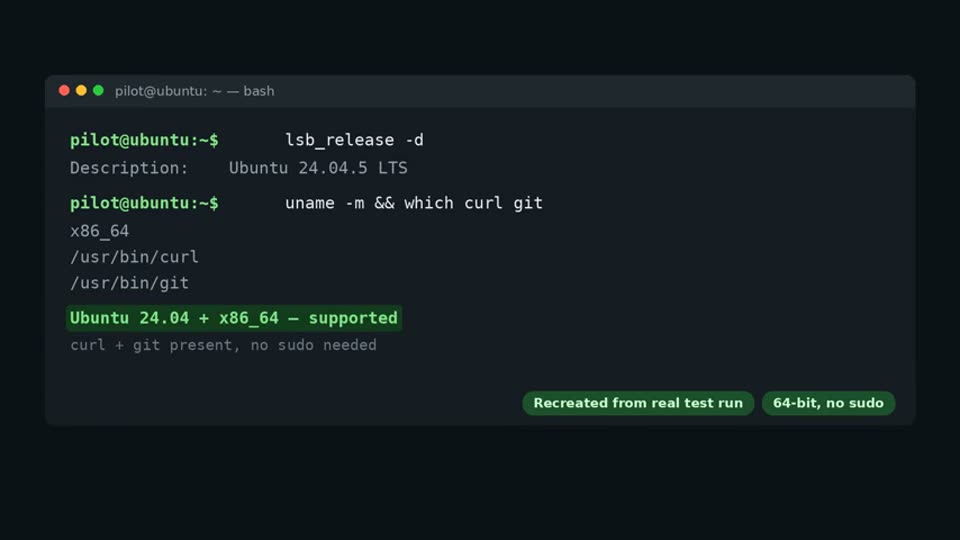
Added from the sources: the security announcement confirms the October 21st, 2026 releases patch ten vulnerabilities across the 22.x, 24.x, and 26.x lines, with patched builds 22.23.4, 24.22.1, and 26.12.1, including the high-severity Brotli decoder out-of-bounds write that permits remote code execution. The download page shows nvm as the documented Linux route and offers v24.22.1 as the LTS alongside the standalone archives and the checksum verification guide.
- You need 64-bit Ubuntu 24.04 plus curl and git, and nothing elevated, since everything lives in your home folder.
- nvm v0.40.8 is the current installer release, and Node versions land under
~/.nvm, so no sudo, no account, and no subscription enter this flow. - Node 26 becomes LTS on October 28th, so 24.x remains the stable homelab pick at the time of writing.
Install nvm, install the patched Node, pin it default
In the video: fetch the official nvm installer into your home folder, load it into the shell, and confirm version 0.40.8. Then name the exact version 24.22.1 so you land on the security release: nvm downloads the official build, verifies the checksum, and switches to it with checksums matched. Pin it as the default so every new terminal uses it.
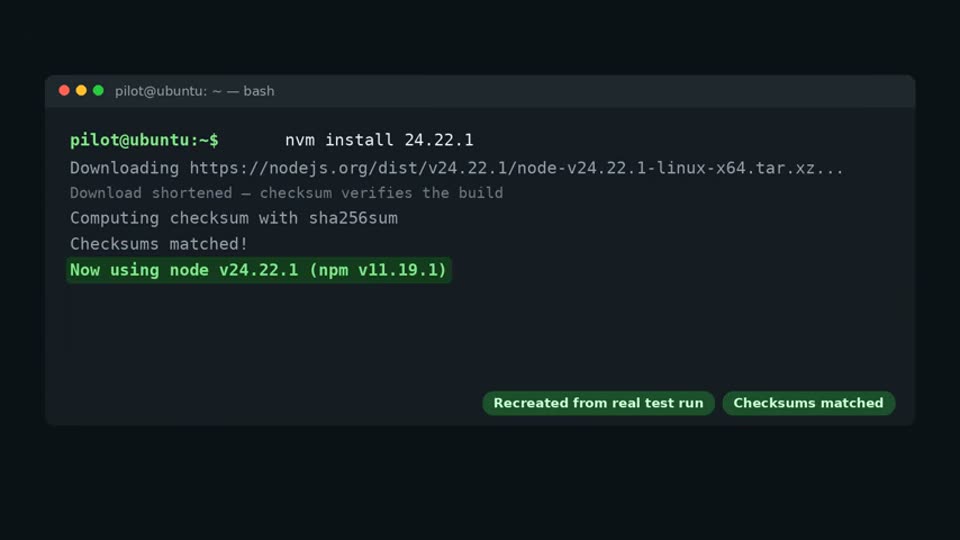
Added from the sources: the nvm repository documents the installer as curl -o- https://raw.githubusercontent.com/nvm-sh/nvm/v0.40.8/install.sh | bash, followed by exporting NVM_DIR and sourcing nvm.sh, and the release tag confirms 24.22.1 shipped October 21st with npm 11.19.1. The checksums file is the artifact nvm verifies against when it reports Checksums matched!. Concretely, that is nvm install 24.22.1 and then nvm alias default 24.22.1. The install flow is untested here beyond the video's recorded sandbox run.
- On a normal Ubuntu install the installer wires nvm into the shell automatically, so fresh terminals pick up the default without repeating the export.
- Prefer the exact
24.22.1pin over bare24while the advisory is fresh, so a future rebuild cannot drift onto an unpatched minor.
Prove it runs on the patched build
In the video: check both versions so Node reads 24.22.1 and npm reads 11.19.1 with the default pinned, then prove it runs with a one-liner printing hello from the new Node and a tiny server answering on localhost.
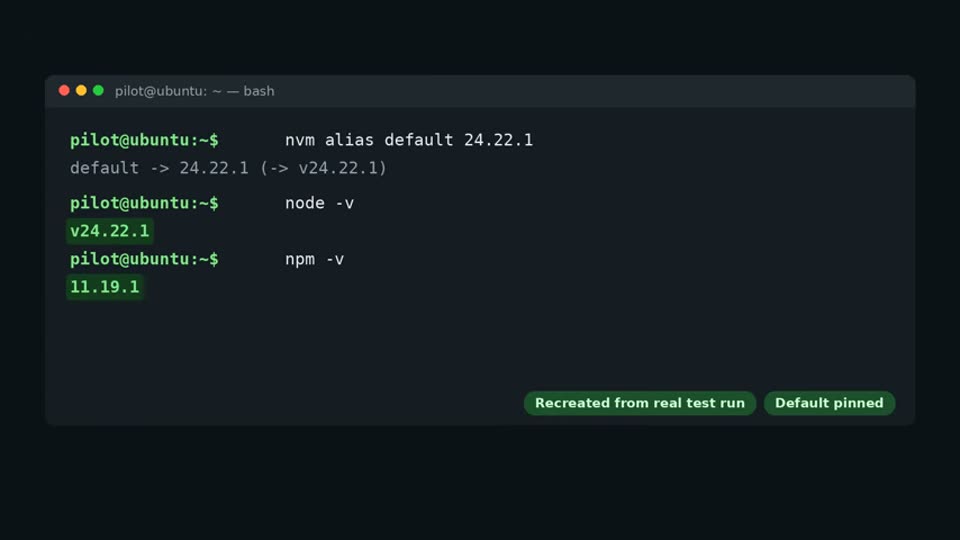
Added from the sources: the recorded outputs of node -v reading v24.22.1, npm -v reading 11.19.1, and nvm alias default 24.22.1 answering default -> 24.22.1 match the build the release tag published. The proof step is untested here beyond the video's account.
- If you host Node apps anywhere, this update is the fix, so restart the app processes onto the new runtime after installing.
- Keep the download page bookmarked: when the next advisory lands, the same
nvm installline with the new pinned number repeats the whole procedure.