Run a 30B AI With No GPU: llama-modchip on Ubuntu

This companion guide starts from the video Run a 30B AI With No GPU: llama-modchip on Ubuntu and adds grounded detail from the llama-modchip repo plus the v2.4.0 release notes plus the pinned weights page so you can run a 30-billion-parameter coder with zero graphics card. Watch the video first for the 103-second walkthrough, then use the sections below with the video description as the reference, since YouTube auto-subs returned HTTP 429 and the published description serves as the transcript-equivalent here. No Prag research folder exists for this video, so every added line below comes from the primary sources linked inline, and every install step below is untested here.
What you need
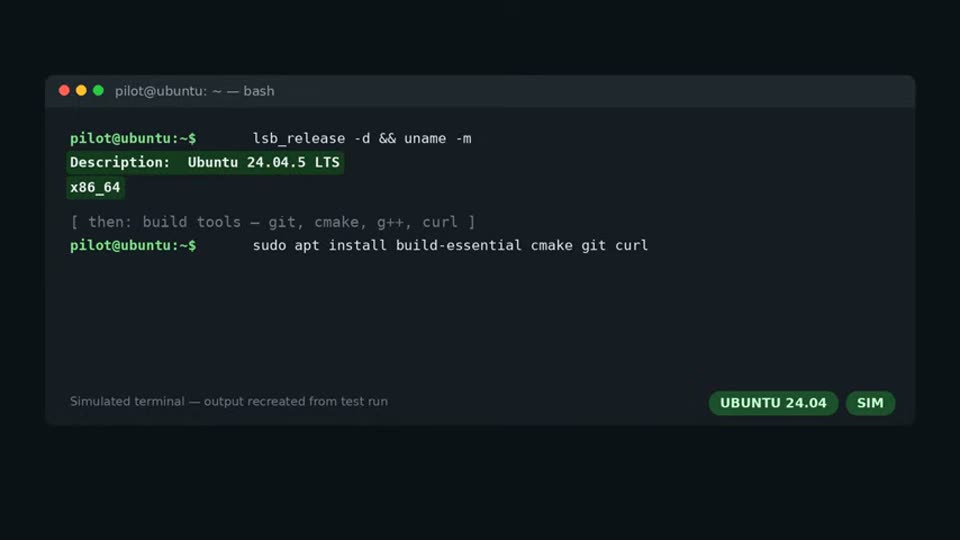
- In the video: you need a fresh 64-bit Ubuntu 24.04 machine with internet, about 20 GB of free disk, 16 GB of memory or more, and admin rights once for the compiler toolchain, per the published description, and the chapters open with what you need at 00:14, untested here.
- Added from the sources: the repo README quickstart assumes a clone with
git clone https://github.com/synchopate/llama-modchip.gitfollowed by./modchip chat, and the installer script itself fetches what it needs, so confirmgitplus a compiler toolchain are present before you start, untested here. - Added from the sources: the v2.4.0 release published 2026-11-04 is the pinned release for this install, and the repo is Apache-2.0 licensed, so you are building an open-source patched engine rather than installing a binary blob, untested here.
Run the official installer
- In the video: the install at chapter 00:29 runs the official
install.shone-liner, which audits your hardware, builds the patched engine, downloads the pinned weights with a checksum, and starts a local server plus a web console with live telemetry, per the published description, untested here. - Added from the sources: the install.sh header documents the one-liner as
curl -sL https://raw.githubusercontent.com/synchopate/llama-modchip/main/install.sh | bash, and notes it clones the repo when piped, accepts--workspaceplus--skip-modelplus--portoptions, and defaults the server to port8789, all quoted from the script and untested here. - Added from the sources: piping a remote script into
bashruns unaudited code as your user, so read install.sh in the browser first or clone the repo and run./install.shlocally instead, untested here.
Read the readiness scorecard
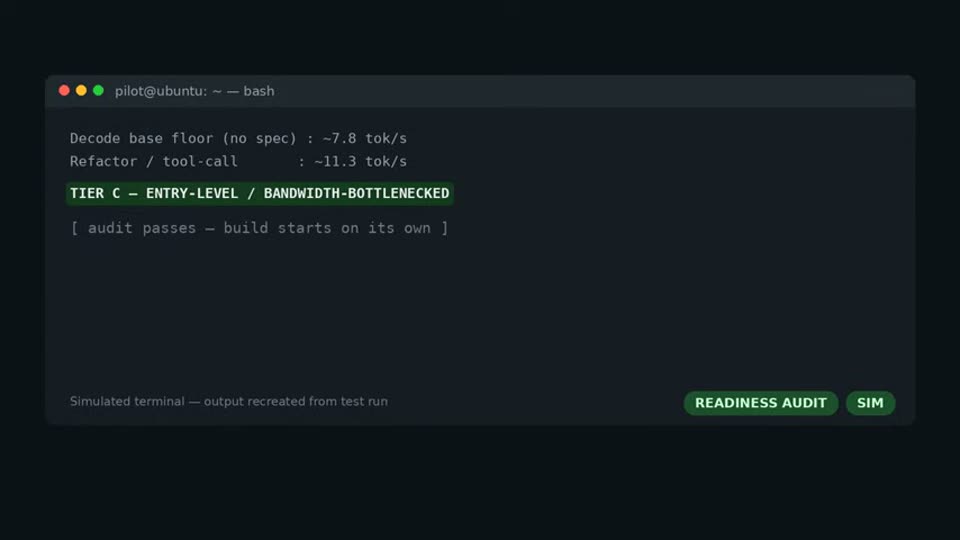
- In the video: chapter 00:41 shows the hardware readiness scorecard, and the on-screen card grades the test box TIER C entry-level and bandwidth-bottlenecked at roughly 7.8 tok/s base decode and 11.3 tok/s refactor, with the audit passing so the build starts on its own, per the inspected frame, untested here.
- Added from the sources: the repo documents a CPU readiness probe at
curl -sL https://raw.githubusercontent.com/synchopate/llama-modchip/main/scripts/check_cpu_readiness.py | python3, and the v2.4.0 notes report 25.0 to 60.4 tok/s for the same Nemotron 30B on strong desktop CPUs, so treat the video 7.8 figure as the floor on weak hardware rather than the expected speed, untested here. - Added from the sources: all tok/s figures above are vendor-reported by the repo and kept repo-attributed, and the headline 284B DeepSeek in under 59 GiB claim belongs to the larger model path rather than this 30B install, so do not read the scorecard as a benchmark of your machine, untested here.
Pinned weights plus checksum
- In the video: chapter 00:54 downloads the pinned 17 GB Nemotron weights and verifies them, per the published description, and the closing chapters tease a bench plus Claude wiring next, untested here.
- Added from the sources: install.sh pins the weights to
ggml-org/NVIDIA-Nemotron-3.5-Lightning-30B-A3B-GGUFat revision8cd08217with theQ4_0file plus a baked-in SHA-256 starting61f87e75, and the Hugging Face repo page lists theBF16,Q4_0, andQ8_0files, so confirm the checksum line passes before serving anything, untested here. - Added from the sources: the README compatibility note warns the repo custom
Fractal-64quants use tensor type 40, which stockllama.cpp, Ollama, and LM Studio reject, so serve these weights only with the patched./modchipengine or the standalonellama-server-modchipbinary from the v2.4.0 release, quoted and untested here.
Start the server and verify
- In the video: chapter 01:06 starts everything with
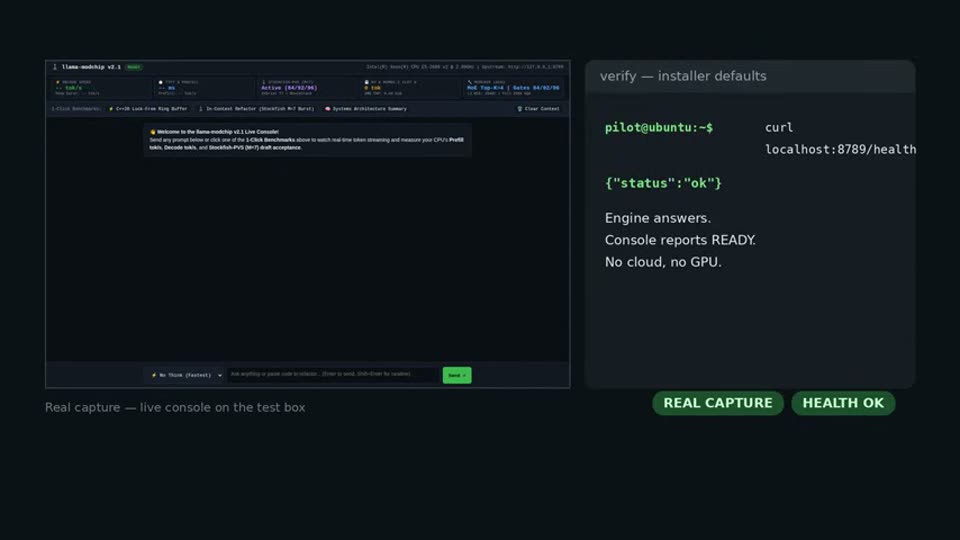
modchip start, and chapter 01:17 verifies with a health endpoint answering ok plus the console reporting READY, per the published description, untested here. - Added from the sources: the
modchiplauncher script defaults to server port8789with the gateway console on8787, probeshttp://127.0.0.1:8789/healthuntil it answers, and prints READY, and its command table documents./modchip chatfor terminal chat,./modchip webfor the telemetry HUD, plusbench,claude,eval,quantize, andstatus/stop, all quoted from the repo and untested here. - Added from the sources: your check is the same two signals the video frame shows:
curl localhost:8789/healthreturning{"status":"ok"}plus the live console in its READY state, and the console binds to loopback by default, so keep it off the open internet until you add authentication, untested here.
Bench and Claude next
- In the video: chapter 01:30 closes with a bench plus Claude wiring tease, and the description records the presenter sandbox run on Ubuntu 24.04.5 LTS x86_64 on 2026-11-09 covering the clone, the readiness audit, the full patched-engine build, the CLI, a live server on the installer-default port answering health plus a real chat completion, and the gateway console in a headless-browser shot, all kept video-attributed and untested here.
- Added from the sources:
./modchip benchruns the 30-second 2-stage speed test with a shareable CPU scorecard, and./modchip claudewires the Claude Code CLI to the local 256K engine, per the README command table, so run bench before trusting any speed claim and treat both as quoted and untested here. - Added from the sources: if you want the stock-engine path for comparison first, read the llama.cpp 0.9 Ubuntu install guide next, since it covers FP8 quants plus four new model architectures on the unpatched engine, then return here when you need the custom kernels.
Sources and next steps
- Added from the sources: primary references for every claim above are the llama-modchip repo plus the v2.4.0 release notes plus install.sh plus the pinned weights page, all fetched live for this guide on 2026-11-10.
- Added from the sources: for the bigger headline result behind this project, the v2.4.0 notes document the 284B DeepSeek path in under 59 GiB of RAM with AVX-512 kernels, which is a separate heavier install beyond this 30B guide and kept repo-reported, untested here.