llama.cpp 0.9 Ubuntu Install: FP8, 4 New Models + Voice

Companion guide and video starting point
In the video: a 106-second walkthrough that installs llama.cpp 0.9 on Ubuntu 24.04 with one official binary, then runs a local AI server in about two minutes: check the OS and tools, download and extract the b12128 Ubuntu x64 binary, verify the version, learn the -hf guardrail, start llama-server on port 8080, and prove it answers through health, models, and chat endpoints.
Added from the sources: version and feature checks from the v0.9.0 release notes and the b12128 build tag, both checked 2026-11-06. Auto-subtitles returned 429, so the video description serves as the transcript-equivalent and is kept visibly separate from the docs below. There is no Prag research folder for this 0.9 video, so this package is built from the description plus those official release pages. This is a release sequel to the grid guides Install llama.cpp 0.8 on Ubuntu and llama.cpp 0.8 Turns Your Server Into a Voice AI. Anything not independently confirmed below is marked untested.
What you need before you start
In the video: Ubuntu 24.04 64-bit, curl and tar, about 1 GB free for the binary plus a small test model, port 8080 free, with no sudo, no Docker, no compiler, and no account.
Added from the sources: the walkthrough frame confirms the check commands report Ubuntu 24.04.5 LTS on x86_64 with curl 8.5.0 and tar 1.35 present. The figures below are stills of simulated terminal frames labeled SIM on screen, recreating a real test run.
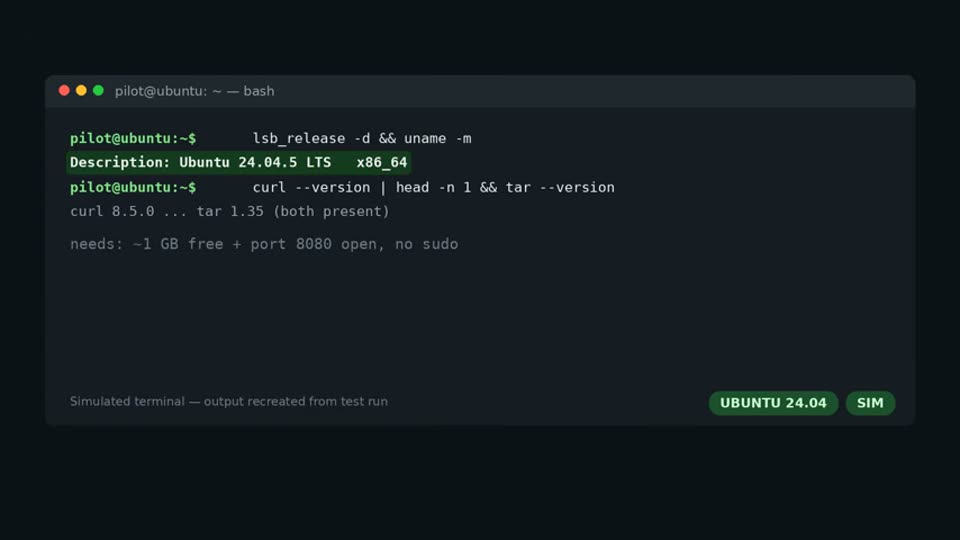
- Use a 64-bit Ubuntu 24.04 machine with
curlandtarinstalled, roughly 1 GB of free disk for the binary plus room for a small test model, and port8080free. - No elevated privileges, containers, compilers, or accounts are part of this path as the video presents it. The full sequence below was not run hands-on here and is untested here.
- If port
8080is already taken on your machine, either free it or substitute your own port consistently in every later step.
Download, verify, and learn the guardrail
In the video: download the official b12128 Ubuntu x64 binary at 23 MB, extract it, verify the version reads 0.9.0-dev build 12128, then learn the standing guardrail the hard way: running the CLI without a model answers error: --model or -hf is required.
Added from the sources: the v0.9.0 release notes were published November 4, 2026, and the b12128 tag page exists as the build the video uses. The guardrail error and the serve command below are video-attributed.
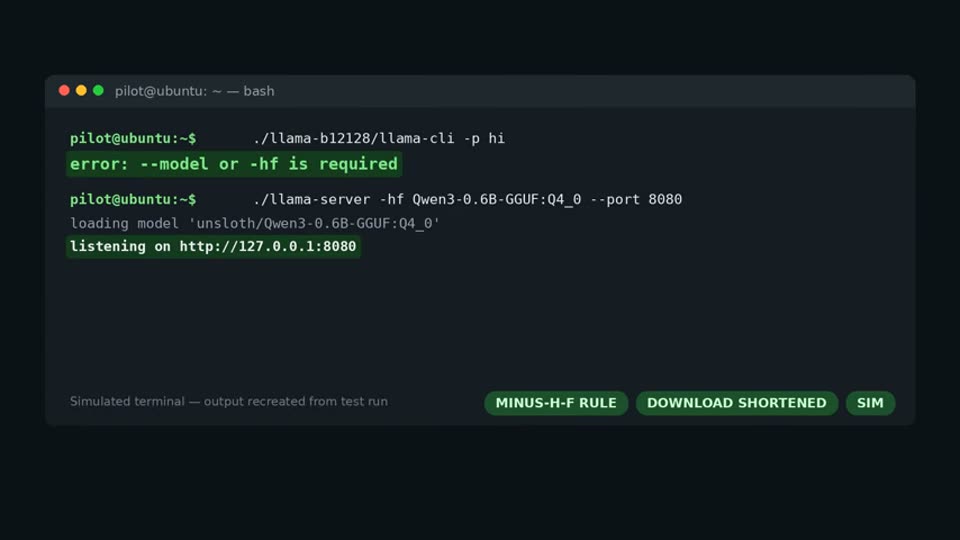
- Fetch the b12128 Ubuntu x64 binary from the release tag and extract it. The 23 MB size figure is video-attributed and untested here.
- Confirm the version prints the
0.9.0-devbuild 12128 string before continuing. A mismatch means you grabbed the wrong asset. - Start the server the video's way with the
-hfmodel flag and--port 8080, pointing at a small test model such as the Qwen3 quant shown in the walkthrough frame. The exact model tag in the frame is video-attributed, and serving was not run hands-on here, so treat it as untested here. - If you see the
--model or -hf is requirederror, you called the binary without telling it which model to load. Add the flag and retry rather than changing anything else.
Prove it answers
In the video: verify it worked four ways: the version prints 0.9.0-dev build 12128, the model-less command keeps answering the guardrail error, /health answers status ok with HTTP 200, /v1/models lists the loaded model, and the chat endpoint replies with finish_reason stop plus your text. Opening localhost port 8080 in a browser shows the chat page.
Added from the sources: the server endpoints named here are video-attributed; the release notes confirm the server and UI received fixes in this release but do not document this exact check sequence. All four checks are untested here.
- Check the version string first, then confirm
/healthanswers with a success status before testing anything heavier. - List loaded models through the models endpoint and confirm your test model appears before sending chat traffic.
- Send one short chat-completions request and look for a normal stop reason plus your echoed text. A guardrail error at this stage means the server started without a model, so restart it with the
-hfflag. - Open the
localhostport 8080 page in a browser as a final visual confirmation that the server is up.
New in 0.9, from the release notes
In the video: version 0.9 adds OCP FP8 quantization, four new model families, and a bigger voice toolkit with Chatterbox text to speech.
Added from the sources: the v0.9.0 overview confirms OCP FP8 E4M3 quantization support, a new flash_attn_ext_rows op for efficient multi-sequence KV cache, four newly supported architectures (Clover, Limite, Metis-1.6, and Mistral Large 4), expanded audio generation and transcription with Chatterbox TTS, Nemotron 3.5 Transcribe, and predefined Pocket TTS voices, major prefill optimizations for the Gemma 4 E2B/E4B models, and a ggml update to v0.29.0. The 40-language transcribe figure in the walkthrough frame is video-attributed; the release notes name the engines but not that count.
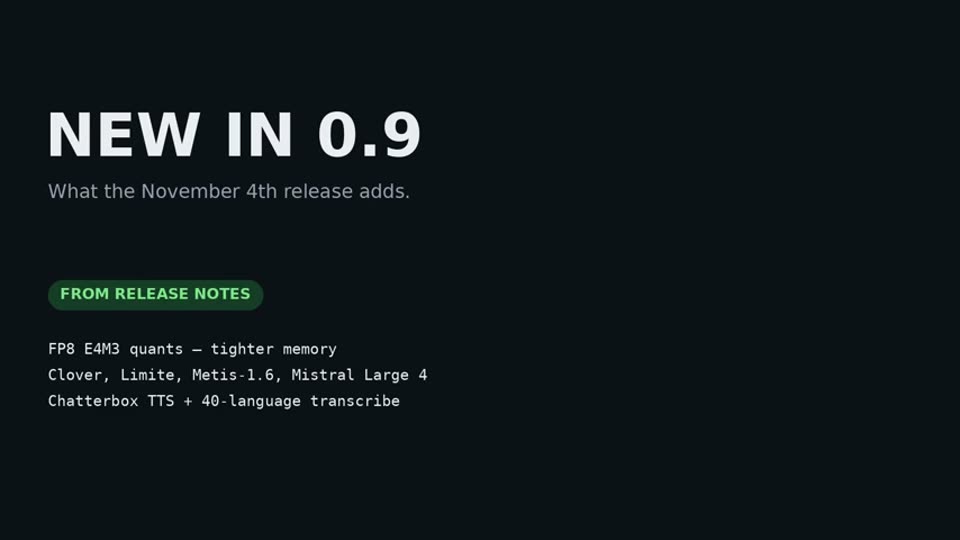
- If you quantize, the new FP8 E4M3 type with its conversion helpers is the headline feature of this release, per the release notes.
- If you run any of the four new architectures, 0.9 is the first release with support, which makes this a genuine sequel to the 0.8-era grid guides rather than a rehash.
- If you use the voice features, the server now reports predefined TTS voices and the TTS endpoint accepts predefined voice names, per the API changes section. Voice behavior is documented-only here and untested here.
- The release notes run long with backend performance work across CPU, CUDA, SYCL, Metal, Vulkan, OpenCL, and Hexagon. Read the full notes before assuming a speedup applies to your hardware.