You asked for the update & Here it is: Stream PS5 to Any PC: Chiaki-ng Setup, Step by Step Guide.

This guide is the written companion to the video You asked for the update and Here it is: Stream PS5 to Any PC: Chiaki-ng Setup, Step by Step Guide., uploaded 2026-11-22 and running about 316 seconds. It treats the video as the starting point. Claims shown in the recording are labeled In the video, and everything confirmed against the project sources is labeled Added from the sources. Anything not independently verified here is marked untested.
YouTube auto-subs were unavailable at draft time, so the full video description plus the narration script stand in as the transcript-equivalent behind every In the video claim below. Research grounding comes from the project ledger and research notes dated 2026-11-21, corroborated against the official chiaki-ng sources re-verified at draft time.
In the video: no PlayStation was on the bench, so console-side steps ship as a clearly labeled docs walkthrough and community screenshots ship as community reports, never as bench runs. Follow this guide for the setup reference, not as proof of a stream this sandbox watched. Every hands-on step below is untested in this sandbox.
Why this redo exists
In the video: this is an owner-directed redo of the 2026-10-20 grid guide PS5 on Any PC: Chiaki-ng Setup Guide, answering viewer complaints that asked for real steps instead of a voiceover montage. Treat it as a genuine update sequel to that original.
Added from the sources: the difference since the original is v1.10.1, published 2026-11-03. It fixes the exact complaints from the comments: controller buttons sticking or going dead mid-stream, frozen streams from lost keyframes, dead mics on quieter microphones, and the login PIN leaking into session logs. The project home also moved from streetpea to the chiaki-ng organization, so older streetpea links now resolve to the new home. Everything below is pinned to v1.10.1.
- The original covers the same setup against v1.10.0 thinking
- This redo pins v1.10.1 and walks every screen step by step
- No stable release sits between the original and v1.10.1 except weekly canary test builds, which do not count
Four complaints, four fixes
In the video: four viewer complaints repeat through the comments. Login fails in the app more than anything else, remote play over the internet hangs, the picture falls apart after minutes, and the PIN expires before it gets used. Every one has a fix, and each fix is a section in this guide.
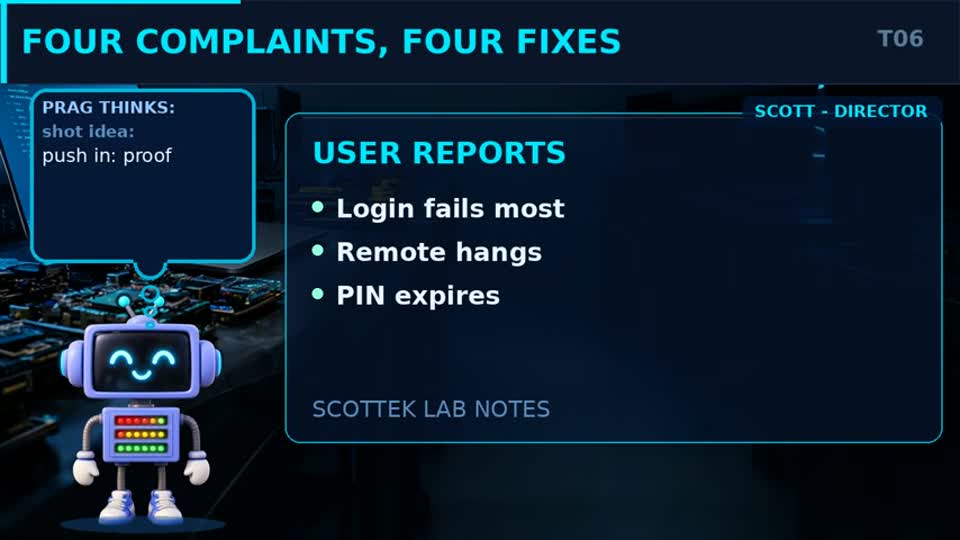
Added from the sources: the login failures match issue 664 with its timeout and too-many-requests reports, the remote hangs match issue 333 on the data-connection failure after the PIN step, and the lag and macroblocking decay matches the congestion reports fixed across v1.10.0 and v1.10.1. Deck owners discuss the same failures across three community threads on in-app login timeouts, stuck establishing-connection screens, and PSN login errors with registration fallbacks.
- Login fails most, fixed with the external-browser redirect below
- Remote hangs, fixed with local-first registration plus port forwards
- Picture decay after minutes, fixed with decoder and bitrate settings
- PIN expires, fixed by generating it fresh right before use
Install v1.10.1 from the official release
In the video: the installer is a real capture on the bench with the version label on screen. Linux takes the AppImage, the Deck takes the Flatpak, and Windows and Mac go through winget or Homebrew, all pinned to v1.10.1 from the official release page.
Added from the sources: official downloads live ONLY on GitHub Releases, Flathub, winget install --id=StreetPea.chiaki-ng -e, and brew install --cask streetpea/streetpea/chiaki-ng. The project explicitly disavows downloads from anywhere else, and chiaki-ng.com is an independent unofficial resource site, not the project home. The Deck path is the io.github.streetpea.Chiaki4deck Flatpak, with the legacy custom Flatpak repo deprecated in favor of Flathub. First launch asks about Vulkan with fallback to OpenGL plus a Steam artwork prompt, and both dialogs in the video are real captures. System floors from the installation docs are a GPU with Vulkan 1.2 or newer everywhere, PipeWire on Linux for audio and DualSense haptics, libva plus PipeWire for the AppImage, and Apple Silicon with macOS 15 Sequoia or newer on Mac, since Intel Mac builds are discontinued. The install commands above are untested in this sandbox.
- Take v1.10.1 only from GitHub Releases, Flathub, winget, or Homebrew
- The Vulkan fallback dialog on systems without Vulkan is normal, accept it and move on
- Flatpak is the documented Deck path with updates through Discover
- Every install path here is untested in this sandbox
Prep the PS5 as a docs walkthrough
In the video: this step is a docs walkthrough, done without a live PS5 console. Enable Remote Play in the PS5 settings, set rest mode to stay connected to the internet with turning on from the network allowed, and grab a fresh 8-digit PIN from the link-device screen right before registering.
Added from the sources: the configuration docs confirm the console path of Settings then System then Remote Play then Enable, with rest mode set to Stay Connected to the Internet plus Enable Turning on PS5 from Network, and the console on the latest firmware. Registration pairs against PS5 Settings then System then Remote Play then Link Device, which shows the temporary 8-digit PIN with roughly 300-second expiry, so single-use codes must be entered promptly. All console-side steps are untested here with no console on the bench.
- Enable Remote Play on the PS5 first or nothing else can see it
- Rest mode must stay networked or wake cannot work
- Generate the PIN last, then use it within about five minutes
- Console prep is untested in this sandbox
Register with a PIN, or skip it on LAN
In the video: add a host manually with the PS5 address, choose register, and enter the PIN plus the PlayStation Network Account ID. On a local network the PIN step can auto-register without any code, and if the app login fails with timeouts the workaround is an external browser with the redirect link pasted back.
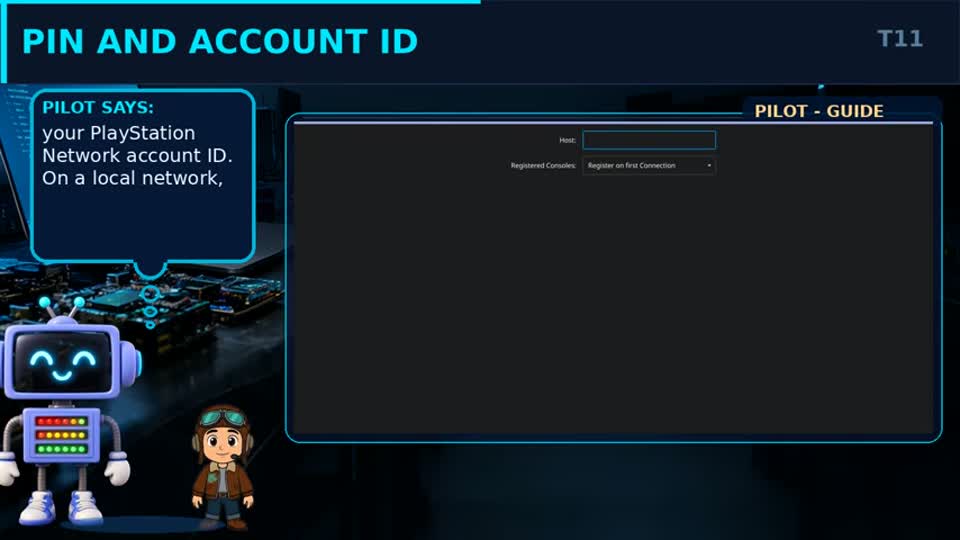
Added from the sources: the configuration docs confirm in-app PSN login fetching the Base64 Account ID token since v1.6.0, with Public Lookup by PSN nickname as the local-only fallback, plus pinless auto-registration for locally discovered consoles since v1.9.4. An optional Console PIN field auto-enters a console-level PIN where set. Discovery failures fall back to the console IP typed in manually, found on the PS5 under System then System Software then Console Information. Registration against a live console is untested here and ships as a docs walkthrough.
- PIN path works on any network, pinless shortcut covers home LAN on v1.9.4 or newer
- The Account ID is a Base64 token fetched by login, never the password
- Discovery failures fall back to the manual console IP
- Registration is untested in this sandbox
When the PSN login fails inside the app
In the video: the in-app browser timing out or throwing too-many-requests is the number one report, and the confirmed user workaround is doing it in an external desktop browser and pasting the redirect back.
Added from the sources: issue 664 carries the connection timed out and Can't connect to server reports, and the recurring community fixes are retrying every few seconds for about twenty seconds then refreshing, an external desktop browser with the redirect URL pasted back, a cleared cache or private window, logging in on a PC or phone then pasting the redirect back, and Public Lookup for local-only play. An 0x80108b02 invalid-ID error separately means the wrong Account ID string with lookalike characters, fixed by using the in-app login or a lookup page and triple-checking characters. All login workarounds are untested here and reported as community fixes.
- Match the exact error string before picking a fix
- External browser plus pasted redirect is the first workaround to try
- Cache clearing or a private window is the second
- Public Lookup covers local-only play with no PSN login at all
Tune the stream before judging it
In the video: open Settings then Video first. Start at 720p with 10000 Kbps and the hardware decoder on, since those three settings decide whether the stream lives or dies, with the settings screens on camera.
Added from the sources: the configuration docs confirm stream caps of 1080p60 in H.264, HEVC, and HEVC-HDR for PS5 only, with the bitrate slider in 1 Mbps steps defaulting to 15000 Kbps to match the Sony app and reaching toward 30000 Kbps on clean networks. The renderer pick of Vulkan or OpenGL plus VSync and spatial upscaler presets arrived in v1.10.0, and the audio buffer slider moves in 10 ms steps. Great-for-minutes then mush is the software decoder drowning or Wi-Fi contention, so the mitigations are hardware decode on, dropping 1080p toward 720p at 10000 Kbps, an Ethernet-wired PS5 with the client on the same 5 GHz network, and a Wi-Fi off and on toggle after Deck sleep for the Deck OLED quirk in the official troubleshooting. v1.10.1 directly targets this class with keyframe recovery, packet resend, and frame pacing fixes. All tuning values are untested in this sandbox with no stream to measure.
- Start at 720p and 10000 Kbps with hardware decode on
- Pick H.264 for safety, HEVC for efficiency, HEVC-HDR for the full PS5 picture
- Wire the PS5 and keep the client on 5 GHz
- Every tuning step is untested in this sandbox
First connect, local first then remote
In the video: this step is a docs walkthrough. Pick the registered console, hit connect, and wake it if it sleeps. If remote over the internet hangs at connecting, register locally first, then forward 9295 through 9297 plus 9302 in both protocols, which is the port set from the official docs.
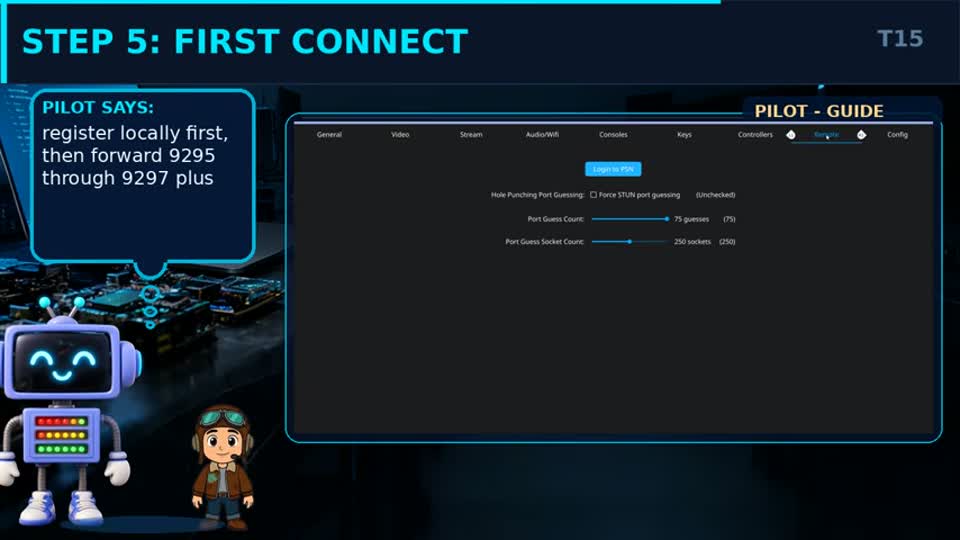
Added from the sources: the remote connection docs confirm registering locally first, then Remote Connection over PSN on IPv4 only through the PSN handshake plus UDP holepunching improved in v1.10.0. The official port table for the PS5 is 9295 UDP and TCP, 9296 UDP, 9297 UDP, and 9302 UDP for wakeup, opened against a static or DHCP-reserved console IP when holepunching fails after about five tries. First registration wants both machines on the same LAN with the VPN off on the client and router client isolation off, and CGNAT, symmetric NAT, and hotel or campus captive portals can block remote play regardless. v1.10.1 additionally holds PSN connections open through bad packets. Internet play is untested here.
- Local registration first proves the chain, internet play comes after
- Forward 9295 through 9297 plus 9302 only when holepunching fails
- Same LAN, no VPN on the client, and isolation off for discovery
- Remote play is untested in this sandbox
Controllers, wake, and the honest gaps
In the video: pair the DualSense to the client machine, not the console. v1.10.1 keeps rumble across Bluetooth and USB swaps and fixes stuck buttons, so test every button on the mapping screen before playing, and the wake packet wakes a console whose rest mode stays networked.
Added from the sources: the v1.10.1 release body owns the stuck-button fix, wider adaptive-trigger support, rumble surviving Bluetooth and USB switches, wired haptics starting with the controller audio device, and haptics staying in step after network stalls, plus the wakeup resend while the console wakes. The controlling docs carry the expanded mapping database across Xbox, Switch Pro, and other pads, and the automation docs carry wake and discovery automation plus the screensaver inhibit on controller activity. The honest split stays: real captures cover the installer, both first-launch dialogs, the settings screens, and every reported error with its fix, while the docs walkthrough covers PS5 prep screens, registration against a live console, first connect, and controller mapping against hardware, since nobody on the bench crew owns a PS5. Community screenshots are community reports. If an error is missing, the video asks for it in the comments with the exact message for the follow-up, and the Deck-specific deep cut is next. More written companions live under the guides index.
- Pair pads to the client machine and test the mapping screen first
- Rest-mode networking plus the v1.10.1 wakeup resend decide whether wake works
- Controller behavior against hardware is untested in this sandbox
- Console-side and hardware steps stay labeled, never presented as bench runs