Claude-mem 15.8.0 on Ubuntu: Persistent AI Memory Setup

Watch the starting point
This guide is a companion to the video Claude-mem 15.8.0 on Ubuntu: Persistent AI Memory Setup, a 2-minute setup that fixes Claude Code's amnesia: claude-mem captures what your agent does and loads the context back next session. The video covers the one-command install, the browser sign-in and provider pick, and the checks that prove it works. Video claims and added research are kept visibly separate throughout, and anything not actually tested is marked untested.
Two grounding notes first. Auto-subtitles could not be fetched for a transcript check (YouTube returned HTTP 429 twice), so the video side below is grounded in the video description, which mirrors the chapters in order. The terminal frames in the video are recreated from a real test run on claude-mem 15.8.0 and Ubuntu 24.04 dated 2026-11-01, per the video's own description, so command output below is presented as video-reported and simulated rather than a raw screen recording. There are no affiliate links in this package.
What claude-mem does
- In the video: Claude Code starts every session with amnesia, and claude-mem fixes that by capturing what your agent does and loading the context back next session.
- Added from the sources: the claude-mem GitHub repo describes the same loop: it captures everything the agent does during sessions, compresses it with AI, and injects relevant context back into future sessions. The 15.8.0 version in the video checks out: the repo shows a version-15.8.0 bump committed on November 1, 2026. One product note from the video frames matters for expectations: memory injection starts on your second session, since the first session has to be indexed before there is anything to inject.
What you need
- In the video: Ubuntu 24.04, Node.js 20 or newer, and Claude Code 2.1.139 or later.
- Added from the sources: the official installation guide confirms the same floor: Node.js 20.0.0 or higher, Claude Code 2.1.139 or later, with Bun and uv auto-installed by the installer when missing. The Claude Code floor is load-bearing, not decorative: exec-form hook arguments need 2.1.139 or later, and an older Claude Code silently captures no memory. Check your Claude Code version before installing anything.
Step 1: install with one command
- In the video: run
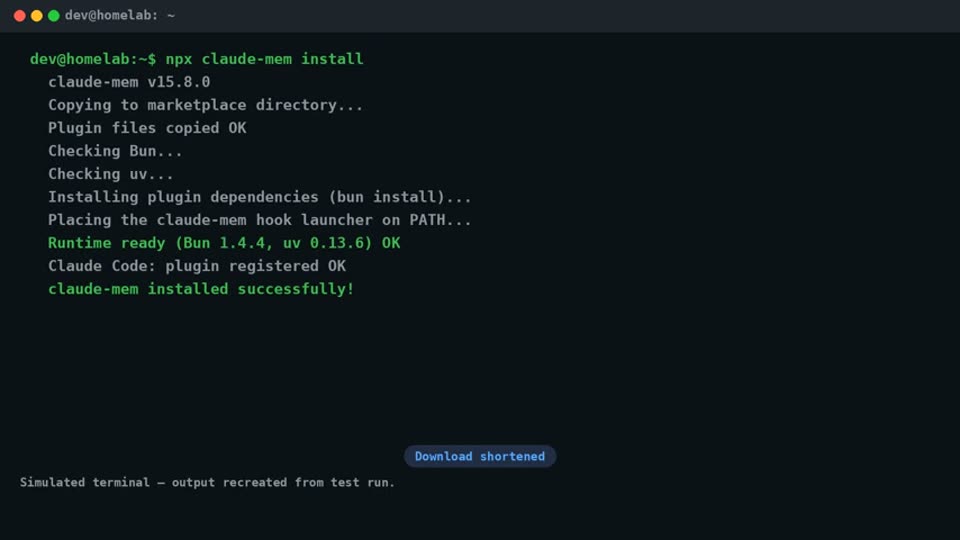
npx claude-mem install, with Bun and uv coming along automatically. - Added from the sources: the installation guide walks the same three-stage interactive installer: it pre-selects detected agents, checks Bun and uv, copies plugin files into the marketplace directory, registers the plugin, installs dependencies, and puts the
claude-memhook launcher on PATH. The video frame shows the launcher landing with runtime versions resolved and the plugin registered, ending in an install-success line. Untested here: this exact run was not reproduced in this package, so treat the frame output as video-reported.
The trap to avoid: global npm install
- In the video:
npm install -g claude-meminstalls the SDK only, with no hooks and no worker, so always usenpx claude-mem install. - Added from the sources: the installation guide carries the identical warning in bold: the npm package is the SDK and library only, it does not register plugin hooks or start the worker service, and a global copy sitting earlier on PATH can even shadow the real hook launcher. If a past session ever ran the global install, remove it before proceeding so the launcher on PATH is the genuine one.
Step 2: sign in and pick a memory provider
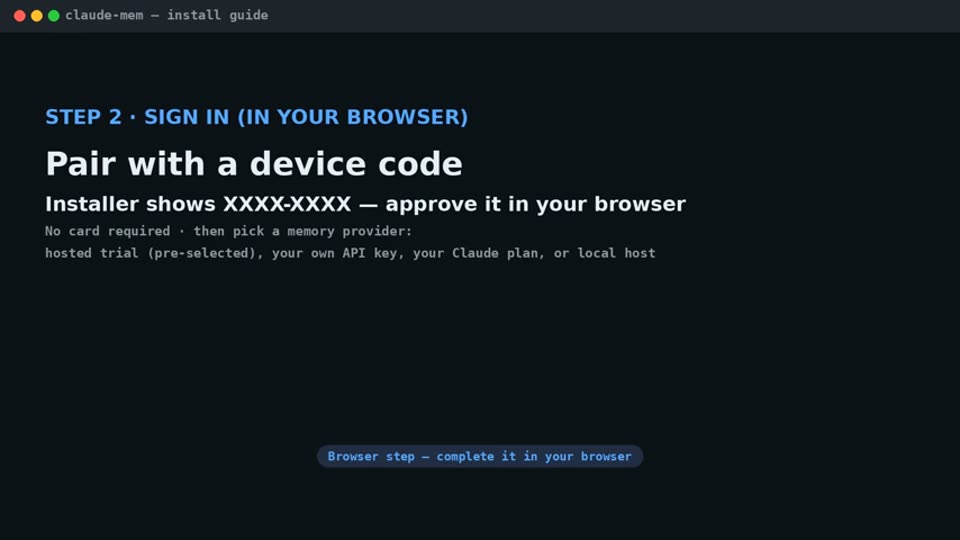
- In the video: pair the device code in your browser and pick a memory provider, with no card required.
- Added from the sources: the installation guide details the same pairing: the CLI prints a device code, opens the authorization URL in your browser, and polls until you authenticate. The hosted CMEM Pro trial is pre-selected, and the alternatives are your own OpenRouter key, a Gemini key, your Anthropic plan, or a local host observer over loopback with no API key. The video frame lists the same four-way pick. Note the privacy shape from the docs: local installs contact the vendor service once at signup with a numbers-only usage summary, and memory traffic otherwise follows whichever provider you chose.
Step 3: start the worker and prove it works
- In the video: run
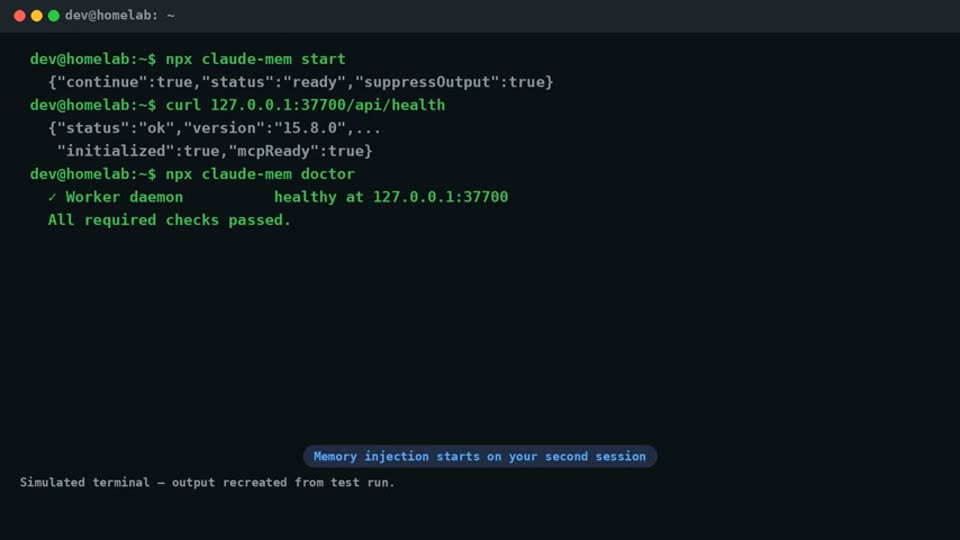
npx claude-mem start, check the worker health page, and verify withcommand -v claude-mem,claude-mem --version, andnpx claude-mem doctor. - Added from the sources: the video frame shows the three-proof sequence: the start call returning a ready status, a health check against the local worker port reporting version 15.8.0 with initialized and MCP-ready flags, and the doctor pass with the worker daemon healthy and all required checks passed. The installation guide corroborates the doctor step as the formal post-install verification. Untested here: no worker was started in this package, so confirm the port and flags on your own machine rather than assuming they match the frame exactly.
What is untested and what is next
- The install, sign-in, worker start, and doctor pass were not reproduced in this package, so every step above counts as untested here and rests on the video plus the official docs.
- Version drift is the main risk: claude-mem ships fast (15.8.0 landed the same day as the video), so recheck the installation guide if a flag or screen disagrees with what you see.
- If you want the fuller Claude Code plus local-model workflow rather than just memory, see the companion walkthrough Claude plus Ollama full walkthrough.