Install RustXNG 0.30 on Ubuntu: Private Search in 2 Minutes

This guide is the written companion to the video Install RustXNG 0.30 on Ubuntu: Private Search in 2 Minutes (136s, uploaded 2026-11-07), and it treats the video as the starting point. Claims shown in the recording are labeled In the video, and everything confirmed against the official project pages is labeled Added from the sources. Anything not independently confirmed is marked untested. Auto-subtitles returned HTTP 429 on two attempts, so the video description stands in as the transcript-equivalent here, and there is no Prag research folder for this video. The description notes the screen content was recreated from a real install test for legibility with synthetic narration, which matches the on-screen simulated-terminal labels.
In the video: RustXNG 0.30 is a self-hosted metasearch engine in a single Rust binary, based on SearXNG — download the official release build, verify its checksum, install it to your user bin folder, start it locked to your own machine, and prove it with a live five-result search plus the built-in web page. Added from the sources: the v0.30.0 release page shows the release dated 2026-11-06, which matches the video's dropped-today note, and its headline feature is the three-profile design. This covers different software than the earlier Python-based guide Ditch Google: Self-Host SearXNG Private Search — a Rust single binary versus the SearXNG Python app — so it stands as its own install guide, not a rehash.
Check the machine first
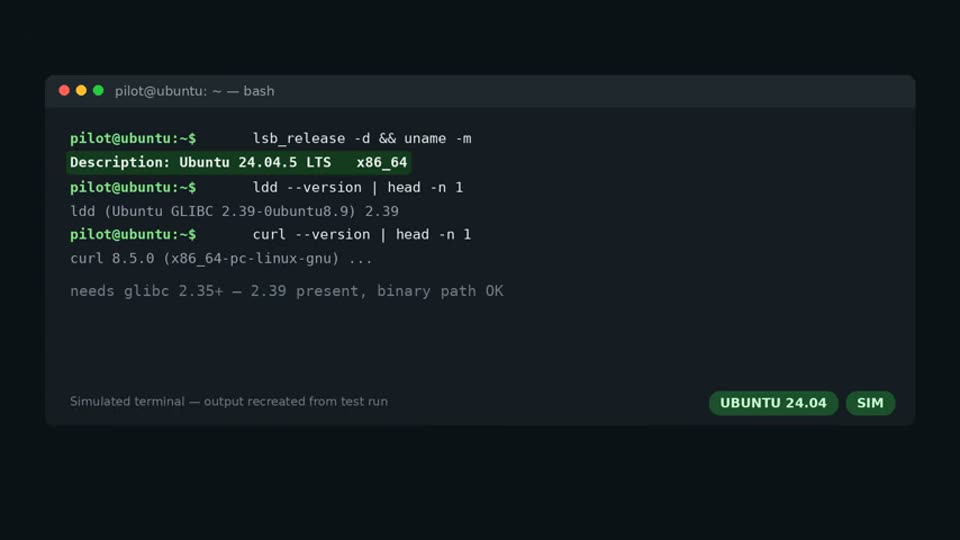
In the video: you need 64-bit Ubuntu 24.04 with glibc 2.35 or newer, and curl. No Rust toolchain, no build step. Three commands prove readiness, and the still shows exactly these answers: lsb_release -d && uname -m prints Ubuntu 24.04.5 LTS with x86_64, ldd --version prints GLIBC 2.39, and curl --version prints curl 8.5.0. The glibc floor matters because this is a prebuilt gnu-target binary, not a from-source build — all untested here, since no local install was run for this guide.
- Confirm the OS with
lsb_release -d && uname -mand expect Ubuntu 24.04 withx86_64 - Confirm the C library with
ldd --version | head -n 1and expect 2.35 or newer - Confirm the downloader with
curl --version | head -n 1and expect a version line back
Download, verify, install
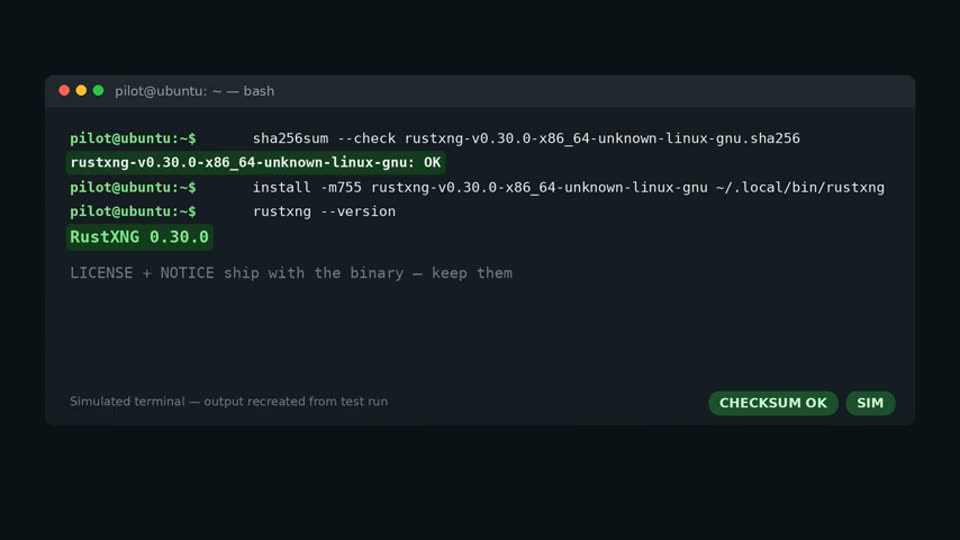
In the video: download the official release build plus its checksum file, verify, install to your user bin folder, and check the version — in order, curl -LO on the release asset URL with the {,.sha256} brace expansion, sha256sum --check on the checksum file, install -m755 into ~/.local/bin/rustxng, then rustxng --version. The still shows the OK line and the RustXNG 0.30.0 answer. Added from the sources: the v0.30.0 release page is the canonical home of these release assets, and the project repo is the only download source you should trust.
- Download with
curl -LO https://github.com/sahenjp/RustXNG/releases/download/v0.30.0/rustxng-v0.30.0-x86_64-unknown-linux-gnu{,.sha256}, as given in the video - Verify with
sha256sum --check rustxng-v0.30.0-x86_64-unknown-linux-gnu.sha256and expect theOKline — do not install if it fails - Install with
install -m755 rustxng-v0.30.0-x86_64-unknown-linux-gnu ~/.local/bin/rustxng - Confirm with
rustxng --versionand expectRustXNG 0.30.0 - The still notes LICENSE plus NOTICE ship with the binary — keep them, per the video, which is untested here
- All four commands are video claims repeated as given and are untested, since no local install was run for this guide
Start it locked to your own machine
In the video: start the server bound to loopback with rustxng --bind 127.0.0.1 --port 29483, then prove it twice — curl --fail http://127.0.0.1:29483/healthz for the health check, and a live JSON search for tokio runtime documentation capped at five results against /search with format=json. Binding to 127.0.0.1 keeps the server reachable only from the same machine, which is the video's stated posture — do not bind 0.0.0.0 unless you have thought through who can reach it. The exact flags and proof outputs are video claims and are untested here.
- Start with
rustxng --bind 127.0.0.1 --port 29483and keep the terminal open — stop the server with Control C - Health-check with
curl --fail http://127.0.0.1:29483/healthzand expect success - Prove search with the video's five-result JSON query and expect five results back
Web page, profiles, and agent tools
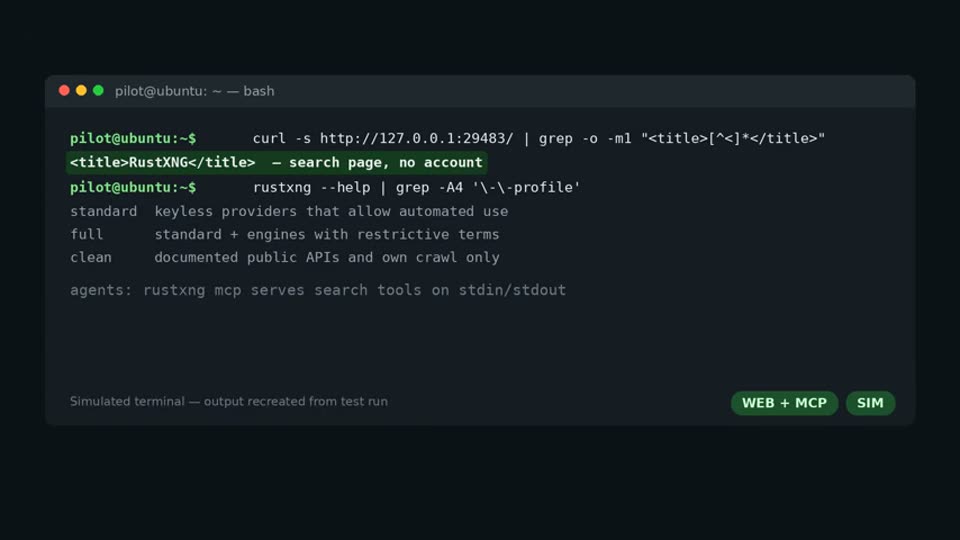
In the video: the same loopback server also serves a web UI with general, images, video, news, and map tabs — the still shows the page title check answering <title>RustXNG</title> with no account — and three profiles tune the sources: standard, clean, and full. AI agents can use the built-in MCP server (rustxng mcp) or the JSON API, with metrics at /stats and /metrics. Added from the sources: the v0.30.0 release notes confirm the three-profile design as offline clean, compliant standard, and everything full, and the description links the agent setup and provider docs for the MCP and source details. Profile behavior and the MCP flow are untested here.
- Open
http://127.0.0.1:29483in a browser on the same machine and expect the RustXNG search page - Pick a profile with
rustxng --helpand the--profileoptions: standard for keyless providers that allow automated use, full for standard plus engines with restrictive terms, clean for documented public APIs and your own crawl only - Point agents at
rustxng mcpover stdin/stdout or the JSON API, per the agent setup doc
Sources and next steps
- The companion video is the starting point for this guide and all In the video claims above
- The v0.30.0 release page owns the 2026-11-06 date and the three-profile feature
- The project repo owns the release assets and is the only download source to trust
- The agent setup doc and provider doc own the MCP and source details
- For the Python-based alternative, see Ditch Google: Self-Host SearXNG Private Search