Install HolyArrs 1.1.4 on Ubuntu: Replace 6 Arr Apps

This guide is the companion to Install HolyArrs 1.1.4 on Ubuntu: Replace 6 Arr Apps, a 127-second video uploaded 2026-11-17. The video is the starting point: installing HolyArrs 1.1.4 on Ubuntu 24.04 as one 15MB app that replaces Sonarr, Radarr, Lidarr, Bazarr, Prowlarr, and Overseerr, with no Docker needed. The full copyable commands live in the video itself and its pinned comment, so this page maps the route and points at the official pages for exact text.
Transcript note: auto-subtitles could not be fetched for this video after two 429 responses from YouTube, so the video description serves as the transcript-equivalent for this guide. There is no Prag research folder for this video either, so this companion is built from that description plus the official HolyArrs docs and repo linked inline. Anything beyond the description is marked as added research, and steps this bench could not run are marked untested here.
This video is a genuine sequel to the earlier grid guide Install HolyArrs on Ubuntu: One App Replaces 6 Arr Apps, which covered version 1.0.15 through Docker. The method here is different: version 1.1.4 arrives as the official portable binary, verified by checksum and kept alive by systemd, with no Docker engine involved at all.
What you need
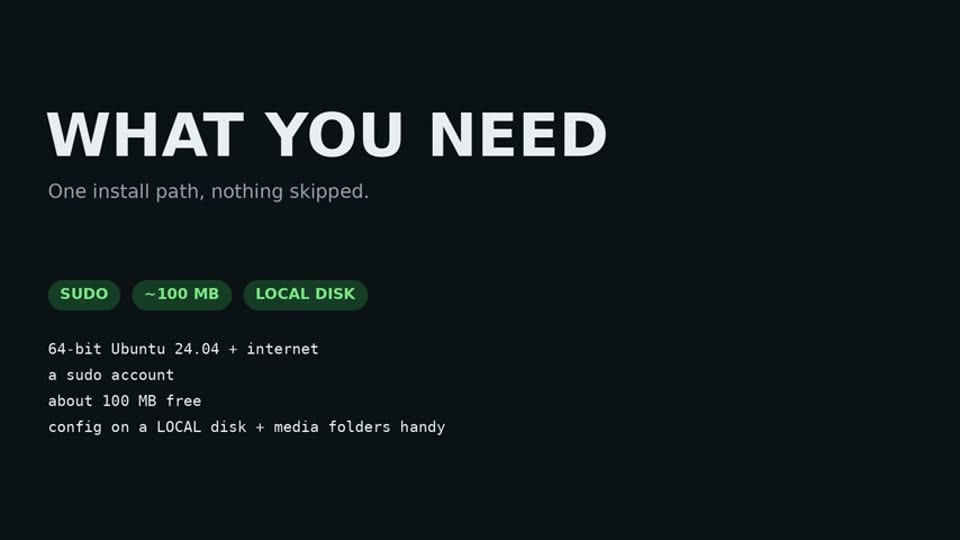
- In the video: 64-bit Ubuntu 24.04 with internet access and about 100MB free.
- In the video: a sudo-capable account, since the install and service steps need root.
- In the video: a config folder on a local disk, kept separate from the app files so upgrades never touch your data.
- Added from the sources: a browser on the same network for the first-run wizard, which listens on port 6262 per the portable run docs.
Download and verify the release
In the video: download the 1.1.4 amd64 tarball plus SHA256SUMS from the release page on the HolyArrs GitHub repo, then verify with sha256sum before unpacking anything. Exact file names are deliberately not reproduced here, so copy them from the release page itself.
- In the video: fetch both the tarball and its matching SHA256SUMS file from the 1.1.4 release.
- In the video: check the download against the checksum file with
sha256sumand only continue on a match. - A failed checksum means re-downloading, never installing anyway, since a mismatched binary is either corrupt or not the published file.
Extract and first start
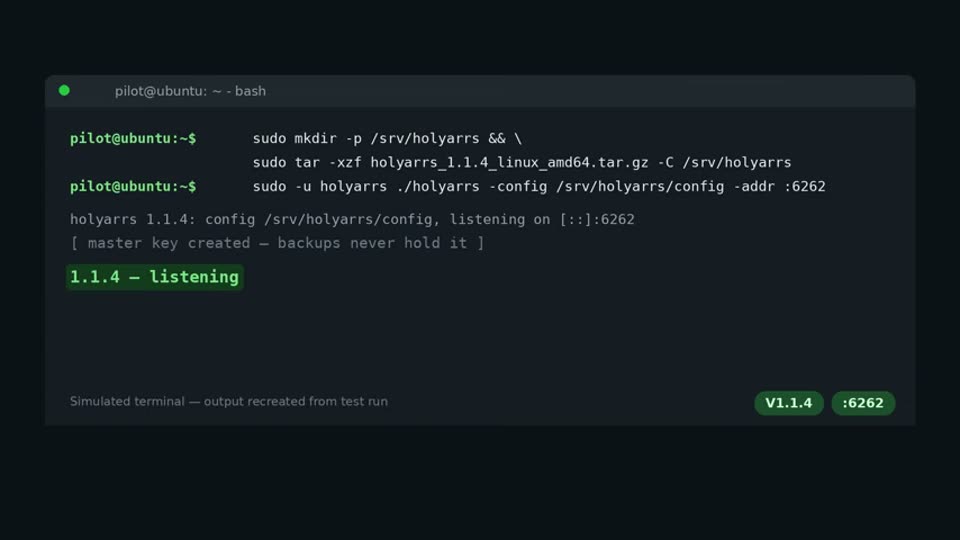
In the video: extract the verified tarball to /srv/holyarrs, keep the config directory separate, and do the first start with the -config and -addr flags. This first run was untested here, so treat the video and the portable run docs as the command authority.
- In the video: unpack the app to
/srv/holyarrsso the binary has a fixed home. This frame is labeled simulated in the video with output recreated from a test run, and the run itself was untested here. - In the video: point
-configat your separate local-disk config folder. - In the video: bind the first start with
-addr :6262so the wizard serves on port 6262. - Confirm the port answers before moving on, and re-check the flags in the docs if anything behaves differently.
Create the owner account and run the wizard
In the video: open your-server:6262 in a browser, create the owner account immediately, and follow the setup wizard from there. There is no default password, so the first account you create owns the install.
- In the video: browse to port 6262 on the server as soon as the first start is listening.
- In the video: create the owner account right away, because nothing guards the install until you do.
- In the video: work through the setup wizard to finish the base configuration.
- Added from the sources: the overview install path is also described in the official install docs.
Run it as a systemd service
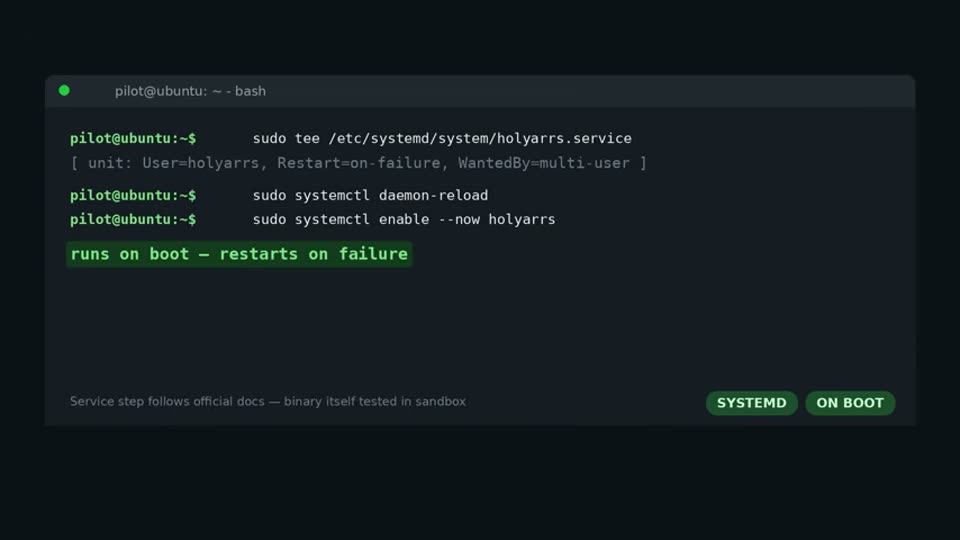
In the video: install the systemd unit so HolyArrs starts on boot, then verify with systemctl plus curl against the listening port. The exact unit contents are not reproduced here, so copy them from the video or the portable run docs. Every step in this section was untested here.
- In the video: install the provided systemd unit for the HolyArrs service.
- In the video: enable it so the app starts on boot, not just on manual launch.
- In the video: confirm the result with
systemctlstatus plus acurlhit on port 6262. - If the service fails to start, the unit file and the binary path are the first things to compare against the docs.
Back up the master key
In the video: back up the master key from Settings, Backups, the moment the install is running. Built-in backups never include that key, so losing it can lock you out of everything the backups hold.
- In the video: open Settings, Backups and export the master key to a safe copy.
- Keep that copy somewhere other than the server itself, so one dead disk cannot take both the install and its only key.
- Re-export after any key rotation, since yesterday's copy stops matching the moment a new key exists.
What the video shows versus added research
- From the video and its description: the 1.1.4 portable binary replacing six Arr apps on Ubuntu 24.04, the tarball plus SHA256SUMS check with
sha256sum, extraction to/srv/holyarrs, first start with-configand-addr :6262, immediate owner-account creation with no default password, the systemd unit withsystemctlpluscurlverification, and the Settings, Backups master-key export. - Added from the sources: the HolyArrs repo as the release authority, the official install docs as the overview path, and the portable run docs as the authority for flags and service setup.
- Exact tarball names, checksums, and unit contents are deliberately not reproduced here. The binary run and the service steps were untested here and are marked that way above rather than implied as run.
Sources
- HolyArrs GitHub repo — https://github.com/HolyArrs/HolyArrs — living repo — accessed 2026-11-19 — supports the 1.1.4 release, the portable binary, and the release page as download authority.
- HolyArrs install docs — https://docs.holyarrs.com/start/install/ — living doc — accessed 2026-11-19 — supports the overview install path on Ubuntu.
- HolyArrs portable run docs — https://docs.holyarrs.com/run/portable/ — living doc — accessed 2026-11-19 — supports the portable flags, the 6262 port, and the systemd service setup.
- Scottek home — https://s-scottek.com/ — accessed 2026-11-19 — supports the companion framing of this guide against the video.
This companion maps the video's portable-binary route, and the video plus its pinned comment remain the copyable-command authority for every step above.