Debian 13.8: 150 Security Fixes — Update Now
What Debian 13.8 actually is
Debian 13.8 landed on November 21, 2026, and the first thing to get straight is what kind of release it is. It is the eighth update to stable trixie, a point release, not a new Debian version. Debian's own announcement puts it plainly: the point release only updates some included packages, there is no need to throw away old trixie media, and anyone already installing updates from the security mirrors will have little left to pull in.
In the video, published 2026-11-24 at about 289 seconds, the bench run works through the full advisory list while the update runs on a real Debian 13 guest, step by step, on camera. This article is the written companion to that run: what changed, the exact update path, and how to confirm it landed.
The headline fix is in the GRUB bootloader. The signed GRUB packages fix a Secure Boot bypass tracked as CVE-2026-97876, alongside older use-after-free fixes, and Debian also increased the SBAT revision, which is how UEFI firmware knows your bootloader is the fixed one. I give the patch path below and deliberately do not detail the bypass itself. For the earlier APT privilege-escalation fix on Debian-based homelab systems, see the companion Debian APT Root Exploit: Patch Every Homelab Now (2026) guide.
What else rode along in the point release
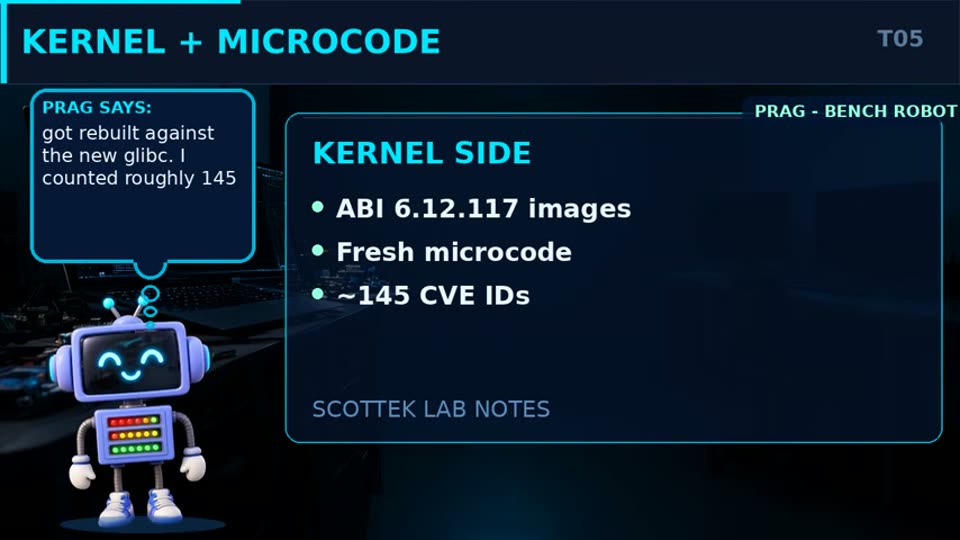
- New install images build against kernel ABI 6.12.117+deb13, so fresh installs boot the new kernel line.
- intel-microcode ships a new upstream release with its own set of security fixes, at the advisory level.
- A long tail of packages were rebuilt against the updated glibc.
- Counting unique CVE-2026 identifiers in the announcement text gives roughly 145, plus a few CVE-2025 and CVE-2024 stragglers, so the video's phrasing of about 150 security fixes is a supported approximation, not an exact tally.
One honest gap, carried over from the recording: the announcement said new 13.8 installation images would be available soon at the regular locations, and they were not yet up when the video was recorded. Until you see them at your mirror, installing 13.7 and updating lands you in the same place.
Check where you stand, then snapshot first
Warning: back up or snapshot before you upgrade. The update below restarts services and ends in a reboot, so treat it like any maintenance with downtime. A Proxmox snapshot, Timeshift restore point, or ZFS snapshot takes a minute and beats a rescue USB every time. Do not run the upgrade on a box you cannot afford to reboot.
The first step is the before picture. On any Debian 13 box, these two read-only commands show your starting point:
cat /etc/os-releaseshows your point-release level.uname -rshows your running kernel.
On the bench guest, that read 13.7 with kernel 6.12.115 before the update. Your numbers will differ, and that is completely normal. The point is to have a before state to compare against later.
Run the update
With the snapshot taken, refresh the package lists and preview what is waiting:
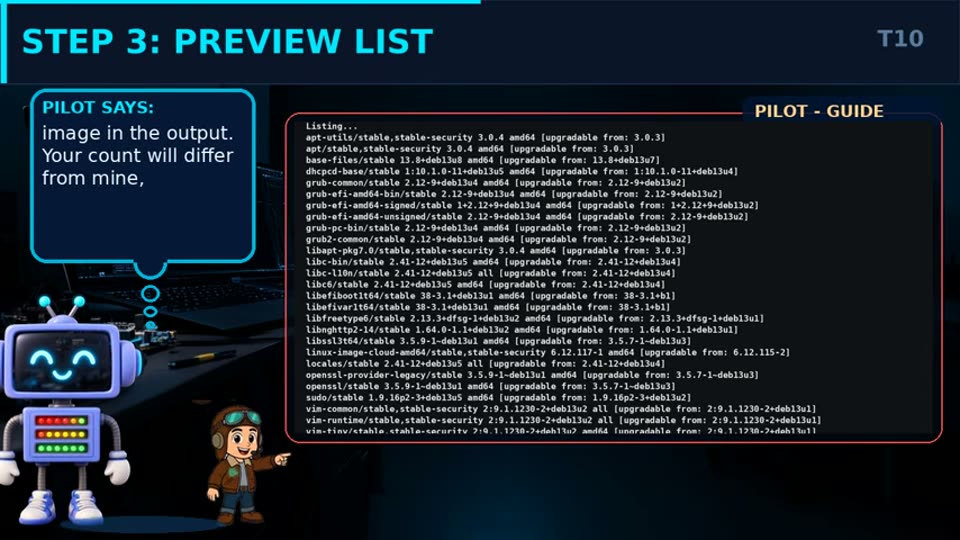
sudo apt updateshould hit the trixie, trixie-updates, and trixie-security suites with zero errors, which means your mirrors are healthy.apt list --upgradablepreviews the pending set. On the bench guest this was 29 packages, including the GRUB stack at 2.12-9+deb13u4 and a new kernel image at 6.12.117. Your count will differ from the bench. One bench-truth note: intel-microcode was not in this guest's upgradable list because the package is not installed on that cloud guest, so do not expect to see it on minimal cloud images either.
Warning: the next command changes the system. sudo apt full-upgrade installs the new kernel, bootloader packages, and everything staged, and it may hold back or rework packages with dependency changes. Read any held-package names it reports instead of forcing them. On the bench this pulled about 71.5 MB, set up the 6.12.117 kernel image, and reinstalled the GRUB stack for both PC and UEFI targets with no errors reported.
Before rebooting, confirm the bootloader packages are the fixed ones with dpkg -l | grep -E 'grub|shim'. The bench showed GRUB 2.12-9+deb13u4 installed and the shim packages already current, which is the staged Secure Boot fix. Then reboot, because the kernel and any microcode only activate at boot: sudo systemctl reboot. Expect downtime from this point until the box comes back.
Verify after the reboot
Once the box is back, re-run the before-state commands and compare:
uname -rshould now read the new kernel. The bench landed on 6.12.117.cat /etc/os-releaseshould report the new point release. The bench read 13.8 there and in the Debian version file.
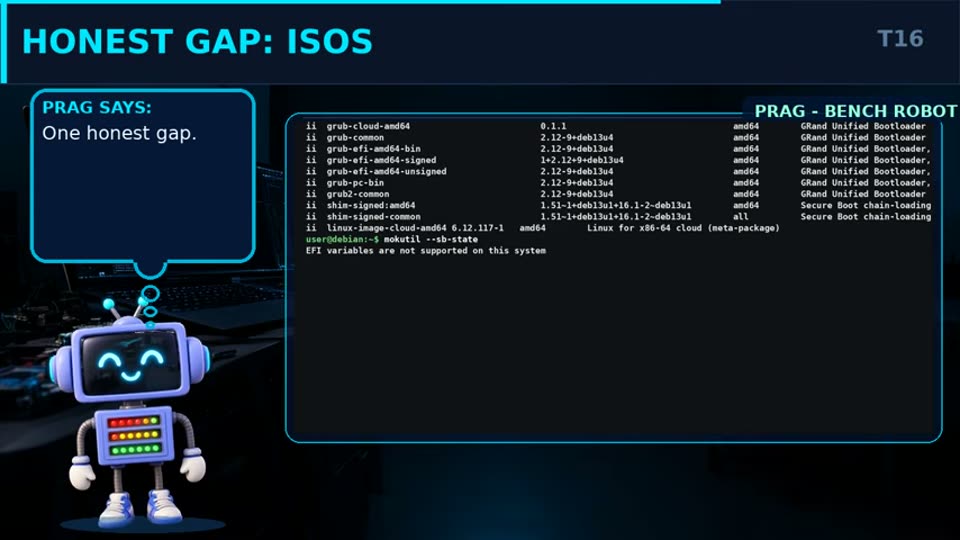
Two checks need honest framing. First, mokutil --sb-state cannot confirm Secure Boot on every machine. On the bench guest it printed that EFI variables are not supported on this system, which is expected on a VM without firmware variables, and says nothing about your hardware. Only treat its output as meaningful on bare metal or a VM with firmware variables exposed, and where it reports Secure Boot disabled, follow your firmware's enrollment path rather than assuming the update failed. The GRUB and shim versions from the step above are the portable proof the fix is staged.
Second, microcode status via sudo dmesg | grep -i microcode is hardware-dependent. The bench guest, with no microcode package installed, showed a line reporting no microcode. On Intel bare metal with the package installed, expect a loaded-revision line instead. Unprivileged use of the log reader may fail, so use sudo.
Two warnings before you call it done
- Multiboot caution. The SBAT revision bump means firmware will refuse old, vulnerable bootloaders once the fix lands. That is the point of the fix, but if you multiboot other Linux installs, update those bootloaders too or the firmware may refuse them.
- Held packages. If the package tool holds packages back, do not force it. Read the held names and finish with
apt full-upgrade. Held multimedia or kernel metapackages are the usual suspects. This path is untested on the bench and marked as such.
The verdict from the video stands: this is the easiest high-value maintenance you will do all month. Snapshot, update, reboot, verify, and note your before and after kernel strings so you know the reboot actually landed you on the new build.
 Webster