Install libghostty-vt 1.0.0 on Ubuntu: Source Build + Hello Proof

This guide is the written companion to the video Install libghostty-vt 1.0.0 on Ubuntu: Source Build + Hello Proof (119s, uploaded 2026-11-07), and it treats the video as the starting point. Claims shown in the recording are labeled In the video, and everything confirmed against the official project docs is labeled Added from the sources. Anything not independently run here is marked untested. The auto-subtitles fetched cleanly, so the transcript used here is the video's own captions, and there is no Prag research folder for this video. The description notes the voiceover is synthetic narration and the terminal frames recreate verbatim outputs from a real test run on Ubuntu 24.04.5, which matches the on-screen simulated-terminal labels — read them as illustrations, not as a live session.
In the video: libghostty-vt 1.0.0 is the stable C terminal-emulation library behind JetBrains IDE terminals, the approved Neovim libvterm replacement, and KDE's new Kwi terminal. Added from the sources: the 1.0 announcement confirms 1.0.0 ships a stable C ABI under the MIT license, and the installing guide confirms there are no prebuilt Linux packages — on Linux you build from source.
Check the machine first
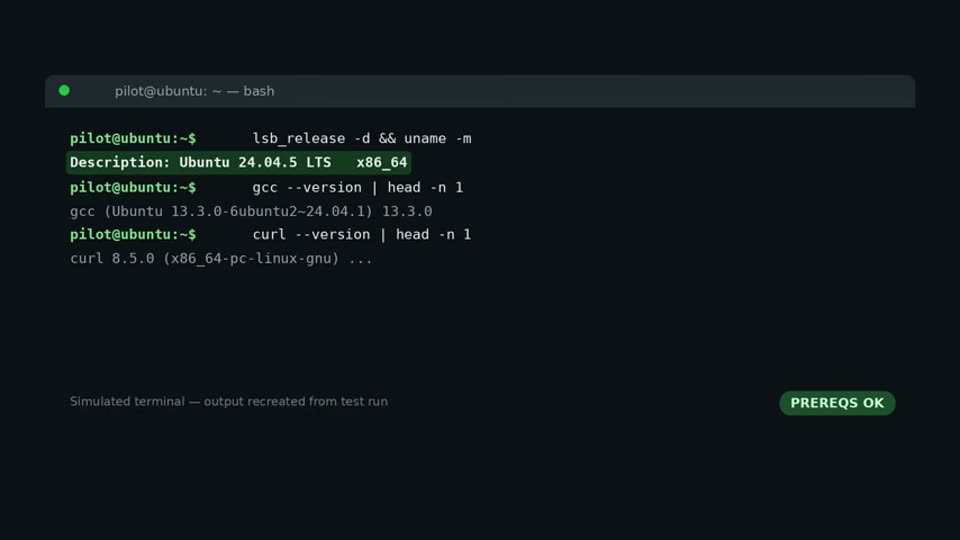
In the video: you need 64-bit Ubuntu 24.04 with gcc, curl, and internet. Zig 0.17 is also required and Ubuntu does not ship it, so the video installs the official Zig 0.17.1 build into ~/.local/zig with no sudo and puts it on PATH. The still shows exactly the readiness answers: lsb_release -d && uname -m prints Ubuntu 24.04.5 LTS with x86_64, gcc --version prints 13.3.0, and curl --version prints 8.5.0. Added from the sources: the installing guide states every build needs Zig 0.17 and stops with an error on any other minor version, so the video's exact-version insistence matches documented behavior. The Zig download page confirms 0.17.1 as a signed stable release.
- Confirm the OS with
lsb_release -d && uname -mand expect Ubuntu 24.04 withx86_64 - Confirm the toolchain with
gcc --version | head -n 1and the downloader withcurl --version | head -n 1 - Install Zig 0.17.1 from the official build into
~/.local/zigand add it toPATH— the Zig fetch itself is a video claim and is untested here
Fetch and verify the release
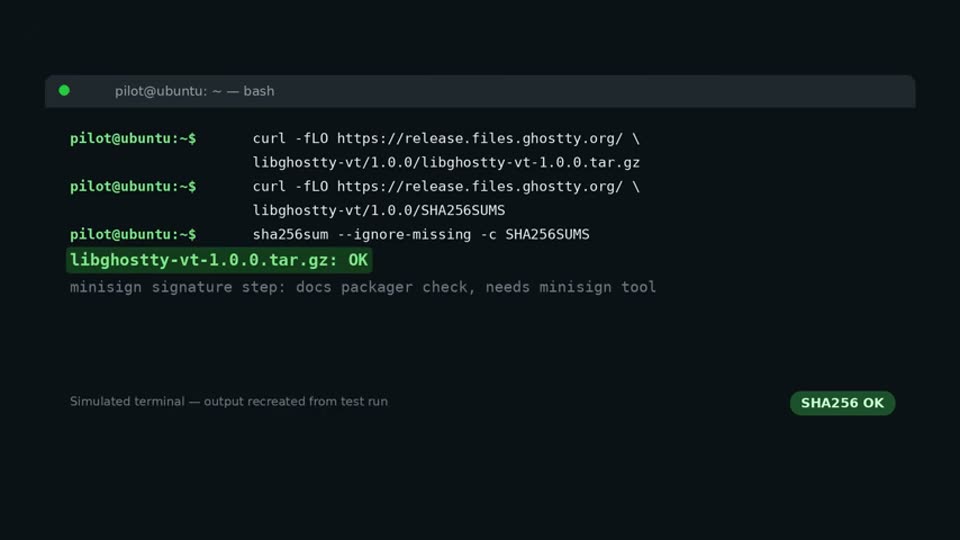
In the video: fetch the 1.0.0 source tarball plus the published SHA256SUMS file from the official release host, check the tarball against the sums, then unpack and build. The still shows the exact shape: two curl -fLO downloads from release.files.ghostty.org, then sha256sum --ignore-missing -c SHA256SUMS answering libghostty-vt-1.0.0.tar.gz: OK. Added from the sources: the installing guide defines the release directory pattern as https://release.files.ghostty.org/libghostty-vt/VERSION/ with the tarball, dependency tarball, docs zip, XCFramework, WASM modules, and SHA256SUMS inside — direct fetches of that file host returned 404 from this desk, so treat the host as docs-endorsed but re-check the link before downloading. The guide also documents the stronger check: verify SHA256SUMS against the project's minisign public key first, then verify files against the sums — the video covers the second half, and the minisign half is the documented packager step, untested here.
- Download
libghostty-vt-1.0.0.tar.gzandSHA256SUMSfrom the 1.0.0 release directory - Verify with
sha256sum --ignore-missing -c SHA256SUMSand expect theOKline - For the full check, verify the sums file with minisign per the installing guide before trusting it
Build and confirm the install
In the video: unpack the tarball, step inside, and run a ReleaseFast portable baseline build with the install prefix set to $HOME/.local. The build fetches a few small Zig packages and takes a few minutes, shortened in the recording. What lands is the shared library, the static library, headers, and config files for pkg-config and CMake — and pkg-config --modversion libghostty-vt answers 1.0.0, which is the stable ABI installed. Added from the sources: the installing guide gives the equivalent prefix build as zig build -Demit-lib-vt -Doptimize=ReleaseFast --prefix "$HOME/.local" from a checkout, and notes the no-network path uses the -deps.tar.gz dependency tarball plus the packaging guide. The exact tarball-build command line is a video claim and is untested here.
- Build with the
ReleaseFastbaseline recipe and the$HOME/.localprefix from the video - Confirm with
pkg-config --modversion libghostty-vtand expect1.0.0 - If the loader cannot find the library later, export
PKG_CONFIG_PATH="$HOME/.local/lib/pkgconfig"and use an rpath as shown below rather than guessing paths
Prove it with the hello program
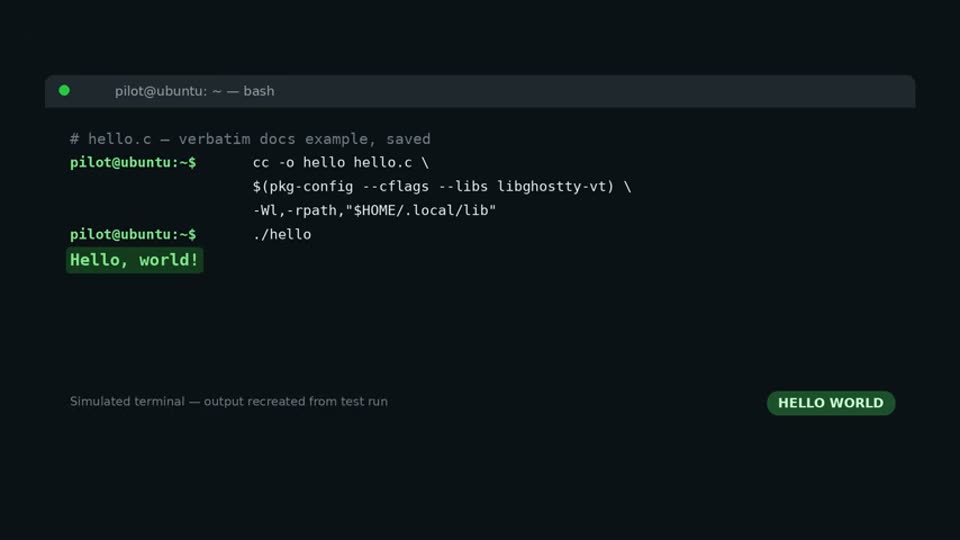
In the video: save the hello program from the docs, compile it with the pkg-config flags while telling the loader where the local lib folder is, and run it — Hello, world! in plain text means the engine works. The still shows the exact form: cc -o hello hello.c with $(pkg-config --cflags --libs libghostty-vt) and -Wl,-rpath,"$HOME/.local/lib", then ./hello printing Hello, world!. Added from the sources: the installing guide prints this same compile line and the first-terminal guide carries the example forward. The guide adds that on Linux you can drop the rpath if you install somewhere the loader already searches, such as /usr/lib — and that linking statically with pkg-config --static gives one binary with nothing beside it.
- Save the
hello.cexample from the first-terminal guide verbatim - Compile with the
pkg-configplus rpath line from the still and run./hello - Keep the rpath export or link statically for a single binary, per the video — both paths are untested here
Sources and next steps
- The companion video is the starting point for this guide and all In the video claims above
- The installing guide owns the Zig 0.17 requirement, the release-file layout, the minisign verification, and the
pkg-configflow - The first-terminal guide owns the hello example this build proves
- The 1.0 announcement owns the stable-ABI and licensing context
- The Zig download page owns the 0.17.1 build the video installs
- To see what this engine powers on the desktop, try Kwi: KDE's 35x Faster GPU Terminal