Ollama 0.40: Terminal AI Judges + MLX Speed

This is the companion guide to the video Ollama 0.40: Terminal AI Judges + MLX Speed — same steps, same commands, in text form you can copy.
What 0.40 changes
Five releases in 17 days. v0.40.0 landed September 25, 2026, and v0.40.1 through v0.40.4 followed through October 12, all per the Ollama releases page. The video was recorded against 0.40.4, so grab at least that. Note that a newer v0.40.5 dated October 14 already exists, adding Nemotron 3.5 models and cloud-hosted decision models — see the v0.40.5 notes if you are reading this late.
MLX by default on Apple Silicon. On Apple Silicon, model architectures supported by the MLX runtime now automatically run on MLX, with ollama pull qwen3.8 and ollama run qwen3.8 as the headline example, plus gemma4, qwen3.6, and qwen3.5 — per the v0.40.0 notes. No flag, no config; unsupported architectures quietly fall back to the classic runner. MLX is Apple-only and its speed was not benchmarked for this guide.
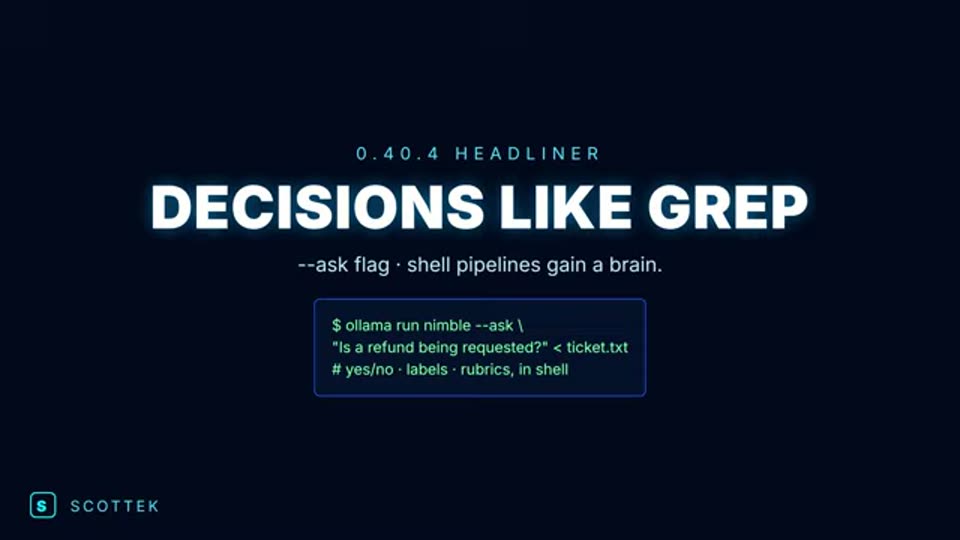
Decision models grew up. nimble, tev1, clef, and clef-flash now run on MLX too, MLX gained its first embedding model in embeddinggemma-2, and 0.40.4 put decisions directly in the terminal via ollama run nimble --ask "Is a refund being requested?" piped a ticket file — per the v0.40.0 notes and the v0.40.4 notes.

Upgrade without breaking your lab
Back up anything custom first. The video recommends saving Modelfile customizations and any scripts that hit the API, because the background upgrade rewrites manifests. No live upgrade was run for this guide, so treat the path below as sourced, not tested.
- Install or upgrade from ollama.com/download or your package manager, then confirm with
ollama --version - Pull one judge plus one chat model with
ollama pull nimbleandollama pull qwen3.8 - Mac viewers can check the logs for which runner was picked; Linux viewers should just confirm the classic runner and move on, since the agent stack is the prize there
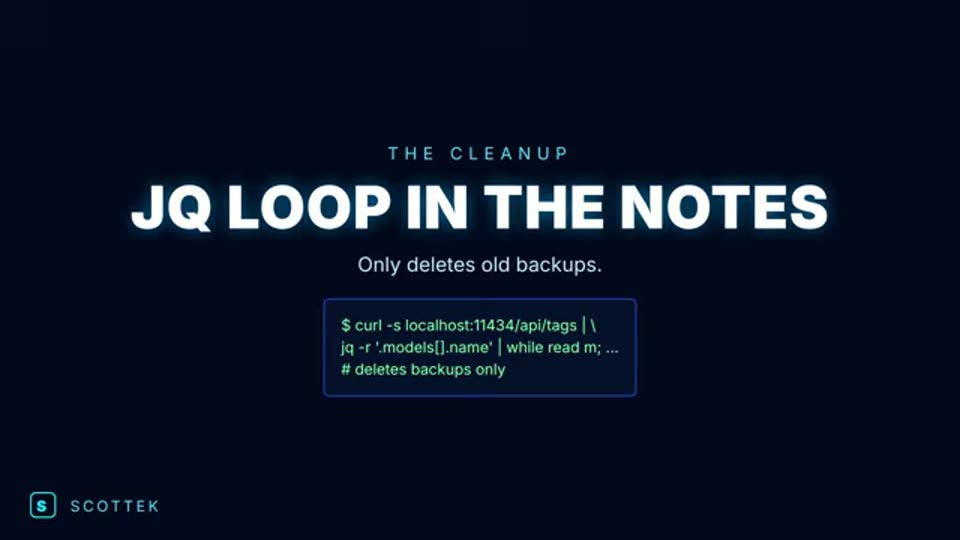
Expect one disk-space gotcha. Since 0.40.2, models downloaded under older Ollama are upgraded in the background on first run for speed and compatibility, and the original is kept as an on-disk backup until a future release removes it automatically — per the v0.40.2 notes. Those notes ship a jq-based cleanup loop over /api/tags that deletes only the old backup manifests. Then 0.40.3 paused the background upgrader entirely after it added per-request overhead on embedding workloads — per the v0.40.3 notes. So upgrade, run the cleanup from the release notes, and do not panic at the disk graph.
Smaller fixes worth knowing from v0.40.1 include the server proxying cloud usage and balance APIs, the CLI onboarding dropping the account step, and a fix for Clef head reads past 2GiB on Windows.
Try a judge model in two minutes
A normal language model generates text one token at a time, which is slow and verbose. A decision model takes your text plus a schema of typed questions declared up front and answers them all in a single forward pass: choice gives a label plus probabilities, noul gives a boolean with confidence, and score gives a position on a rubric. The endpoint is POST /v1/systemone on http://localhost:11434, available since 0.35, and the decision-models blog post shows all three question types in one request. As the video demonstrates, one call can hand back a label with probabilities plus a token count as small as four output tokens.
- Pull the workhorse with
ollama pull nimble, then ask from the terminal withollama run nimble --ask "Is a refund being requested?"piped a text file — yes-or-no questions, label classification, or rubric scoring straight in a shell pipeline - Meet the lineup: nimble from Bespoke Labs is the open-source 9B workhorse, tev1 from Together AI is the experimental one in 4B and tiny 0.8B sizes, and Cloudflare's clef (27B, accuracy) and clef-flash (9B, speed, fine-tuned from Qwen3.5-9B) round it out
- Published accuracy on Bespoke's public suite (13 datasets, 3,880 human-labeled decisions, via the blog post): hosted Jev 1.13 at 76.0%, Nimble at 75.7%, Tev1 4B at 73.3%, Tev1 0.8B at 63.5%, with Nimble at 91ms per decision on an M5 Max — vendor-published numbers, not independently verified
- Clef reads images. Clef and Clef Flash are multimodal: attach base64 images alongside the text state and they are scored jointly, with a 256K context window — per the v0.35.1 notes. The clef-flash library page adds ~11–12GB, a single non-autoregressive pass, the lowest latency in Cloudflare's Decision Index runs (27B Clef roughly 5x slower), and a 0.35.1+ requirement
Agent-use notes for your homelab
Shell-native judges turn cron jobs, log watchers, and hooks into agents: pipe text into ollama run nimble --ask with a quoted question and get structured JSON back, a zero-token judge you can call like grep. Keep questions narrow and deterministic — one question per call beats a clever compound prompt when a script has to parse the answer. Prompt-tuning advice only; no live agent loop was run for this guide.
- Local RAG goes multimodal with embeddinggemma-2 from Google DeepMind: 740M parameters total (270M text plus vision and audio encoders) mapping text, code, images, video, and audio into one shared 768-dimension space, in sizes from 270m at 378MB up to 740m at 1.3GB, all with 256K context — pull with
ollama pull embeddinggemma-2and call/api/embed, per the library page - 0.40.4 extras that matter for agents, per the release notes:
ollama launch codexlists locally installed models in the/modelpicker,ollama launchworks with usage credits without forcing a paid plan, manifests and already-loaded models are reused for faster inference, and Gemma 4 prefill got faster on NVIDIA GPUs - The same notes record multimodal embeddings via llama-server, MLX clipping of long Laya states, more reliable speculative decoding on the MLX runner, and clearer README privacy and cloud-services wording — worth a skim since local-first is the whole point
Rollback and honest limits
Rollback is safe by design but not free. Because 0.40.2 keeps the original model copy as a backup, downgrading works — but the notes warn that a downgrade to anything older than 0.40 means re-pulling those models, and the cleanup loop deletes only the backups. To roll back, reinstall the older release from the releases page, re-pull affected models, and verify with ollama --version. Rollback was not exercised for this guide.
- MLX speed is Apple-Silicon-only; Linux and NVIDIA labs gain the decision-model stack, terminal integration, embeddings, and perf fixes — not MLX
- Every benchmark, size, and latency figure above is vendor-published (Ollama, Bespoke, Cloudflare, Google) and none was re-measured here
- The video was recorded on 0.40.4 and 0.40.5 already exists; if a 0.40.6 appears, check the video pinned comment and the releases page before installing
Related guides
- Run AI Locally: Ollama plus Qwen3 on One GPU — single-GPU Ollama setup that pairs naturally with the 0.40 agent stack
- Ollama releases on GitHub — full v0.40.0 through v0.40.5 notes and downloads
- Ollama decision-models blog post — endpoint shapes, model background, and published benchmarks