Unsloth Studio Audio: Clone Voices, Transcribe Local (2026 Guide)

Companion starting point
This guide is a companion to the video, which is the starting point for everything below. Watch the video first, then use this page as the written reference with links to the official sources.
- In the video: Unsloth Studio
v0.1.903-beta, released October 7, adds seven dedicated audio pages called Speak, Clone, Music, Transcribe, Edit, Separate, and Convert, backed by more than 70 GGUF models inside the same free, open-source desktop app for Mac, Windows, and Linux. The video walks every page as documented flows rather than a live on-camera run, so treat each flow below as the official path and confirm details in the linked docs. - Added from the sources: the Unsloth changelog entry for October 7, the v0.1.903-beta release notes, the TTS fine-tuning guide, and the EmbeddingGemma 2 guide. Model counts and performance figures throughout are Unsloth's own numbers and are untested here.
- In the video: this is a sequel. If you watched the channel's Browser AI walkthrough, this is the same Studio with a new wing, and the sibling Browser AI companion guide covers that part.
Speak and Clone, type text and keep the voice
- In the video: Speak turns typed text into speech using small local text-to-speech models, while Clone takes a short voice sample and saves a reusable voice from it. Named models in the video are Orpheus 3B, which handles emotional cues like laughs and sighs, Spark at half a billion parameters for speed, and Sesame CSM for conversational tone. Under the hood they run through audio codecs named SNAC and DAC, and the ones that export through
llama.cppdrop into GGUF builds that sip VRAM. - Added from the sources: the TTS fine-tuning guide confirms the model bench, with notebooks for Sesame-CSM 1B, Orpheus-TTS 3B, Spark-TTS 0.5B, Llasa-TTS 1B, and Oute-TTS 1B, and notes that Orpheus exports via
llama.cppfor broad inference-engine compatibility.
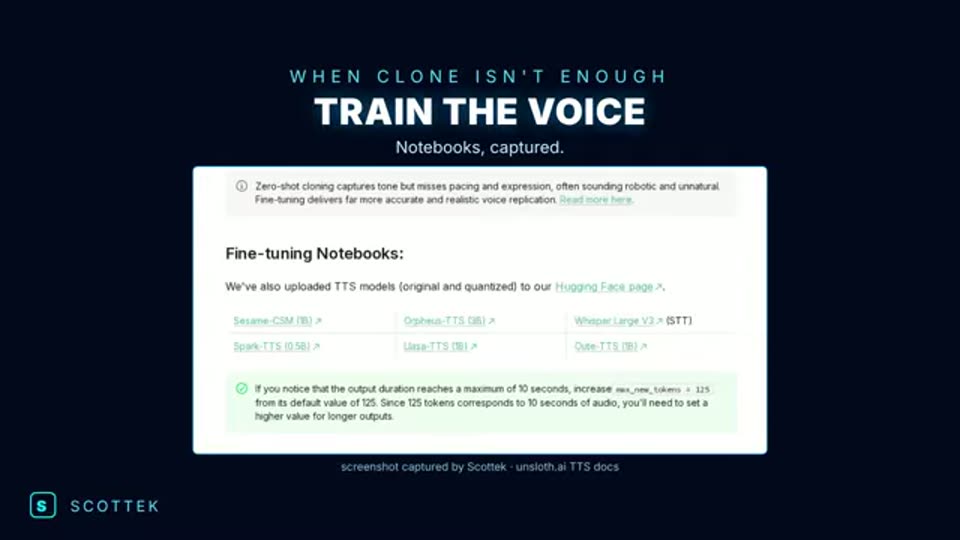
- In the video: the honest framing on cloning comes straight from Unsloth's own docs. Zero-shot cloning nails tone and timbre, so it sounds like you, but it misses pacing, phrasing, and the quirks that make speech feel alive. It talks in the model's style while wearing your voice like a costume, good enough for a different narrator but not a replica of a person.
- Added from the sources: the TTS fine-tuning guide states the same limit in its own words, zero-shot captures tone and timbre but loses speaking speed, phrasing, vocal quirks, and prosody. When you need the real thing, Unsloth's answer is training, with fine-tuning runs described as about 1.5 times faster on half the memory, LoRA adapters instead of full retrains, and a concrete recipe of around 3 hours of one speaker with transcripts, including a public Elise dataset built exactly for that. Those training figures are Unsloth's claims and are untested here.
Transcribe, timestamps plus speakers plus subtitles
- In the video: Transcribe is the page most viewers will use weekly. Drop in audio and get text back with timestamps, speaker labels, and subtitle export. The model bench is Whisper from tiny through large V3 plus the turbo variant, served through three engines, standard transformers, a
whisper.cppGGUF sidecar described as about 2.5 times faster on Apple Silicon and plain CPUs, and a newer path for multimodal speech models such as Qwen3 ASR. That engine breakdown is the video's code-survey reading of the Unsloth repo, not a benchmark the video ran. - Added from the sources: the v0.1.903-beta release notes confirm the page behavior in Unsloth's own words, Transcribe shows timestamps and speakers and exports subtitles. The curated Whisper GGUF range and the multimodal ASR models are documented in the project's speech-to-text materials, and the speed figure above is Unsloth's, untested here.
- In the video: two ready-made weekly workflows. One, the meeting box, record standup, transcribe with speakers, index the text, and ask questions about what was decided. Two, the subtitle pipeline, where every video file lands with a timed subtitle file and no cloud service or per-minute pricing.
Edit, Separate, Convert, and Music
- In the video: Edit is the quiet superpower for makers. Flub one word in a ten-minute take, change the text, and it regenerates just that span in the same voice, because the voice model already knows the speaker's timbre from the clone or the recording. No re-record and no punch-in that sounds like a different room.
- Added from the sources: the v0.1.903-beta release notes confirm each remaining page in Unsloth's own words. Edit changes words in a recording while keeping the speaker's voice, Separate splits a song into vocals, drums, and other parts, Convert turns one voice into another, and Music makes songs and sound effects while letting you edit parts of a clip instead of re-rolling the whole thing.
- In the video: Separate and Convert matter most as a privacy point. Both run locally, so nobody uploads someone's song or someone's voice to a stranger's server to do the remix. Music pairs with Separate as a loop, generate a clip, split out the stems, keep the good one, and convert the rest.
Why EmbeddingGemma 2 is in a video about voices
- In the video: the same release ships EmbeddingGemma 2, Google's multimodal embedding model, and it belongs here because its audio encoder turns transcribed meetings into searchable meaning rather than plain keywords. Transcribe on one page, retrieve with this, and you have a real retrieval loop for home-lab documents.
- Added from the sources: the EmbeddingGemma 2 guide gives the specs, 740M parameters split across 270M text, 170M vision, and 300M audio encoders, Apache 2.0 license, 100-plus languages, 8K shared context, and embedding sizes of 768, 512, 256, or 128. It reports about 14 percent better code retrieval than version one, Unsloth's figure and untested here. To use it, open
Settings, go toGeneral, findDocuments and RAG, and pick it from the embedding model dropdown.
Install or update
- In the video: getting it is one line on Mac and Linux, one command on Windows PowerShell, or a plain desktop download for every platform including ARM. The video also quotes the docs FAQ line that Studio runs fully offline and collects no usage telemetry, so voice samples, meeting recordings, and half-finished songs stay on the machine.
- Added from the sources: the official commands are
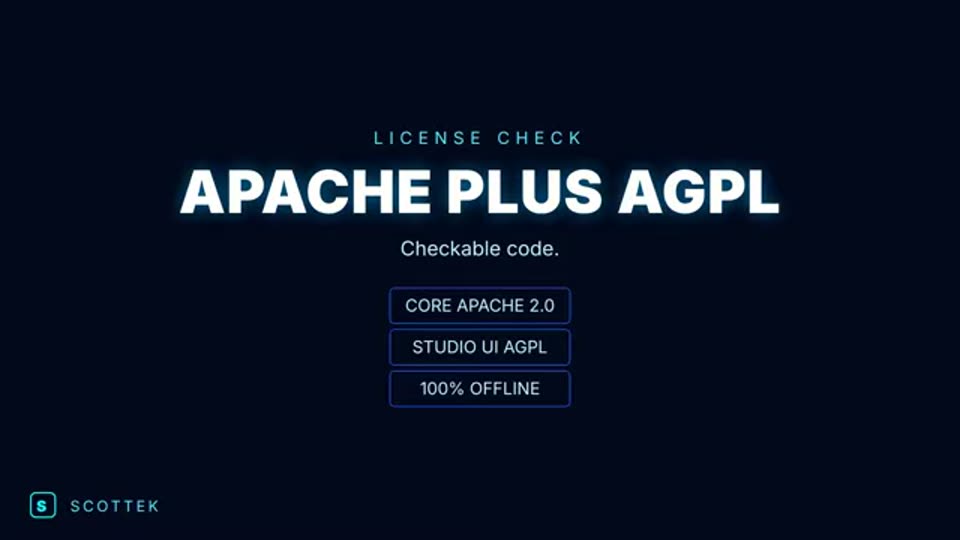
curl -fsSL https://unsloth.ai/install.sh | shon Mac, Linux, and WSL, and the Windows installer command on PowerShell, with desktop downloads for Windows, macOS, Ubuntu DEB in x64 and ARM64, a generic AppImage, and Windows ARM64 linked from the release page. These commands are Unsloth's official install path, included for reference and untested here. The docs describe the Studio interface as AGPL-licensed with the core package under Apache 2.0.
- In the video: a disclosure carried over from the episode. The channel's own narration is voiced with hosted ElevenLabs text-to-speech under an affiliate relationship, disclosed in the video and kept separate from every conclusion about Unsloth. Think of it as a spectrum, Unsloth Studio when voices must never leave the machine, hosted voice when a studio-grade cloud voice is needed in minutes. No affiliate link is included in this guide.
Verdict and honest gotchas
- In the video: Clone and Transcribe today, since they are the most mature pages and solve real weekly problems. Speak and Edit the moment you make anything with audio. Separate, Convert, and Music are the playground, with good results if you expect to iterate. Fine-tuning a custom voice is the weekend project, where 3 hours of clean audio beats a bigger GPU. If you only try one thing, make it Transcribe, because an offline meeting-minutes machine is the most useful box most home labs do not have yet.
- In the video: three gotchas before starting. First, the app is small but the models are not, so budget disk space and download time on first run and check fit warnings before loading big GGUFs. Second, never run EmbeddingGemma 2 in FP16, since Google's own docs warn it produces degraded output there, and use BF16 or FP32 instead. Third, swapping the embedding model only affects newly indexed documents, so re-upload the library or half of all searches run on old vectors. None are deal-breakers, but each has bitten somebody already.
Watch the walkthrough
This guide is a companion to Unsloth Studio Audio: Clone Voices, Transcribe Local. For the other half of this Studio era, the Browser AI walkthrough has its own companion at the Browser AI guide.