Install Prospero 0.10.0 on Ubuntu (Lean AI Coding Harness)

This guide is the written companion to the video Install Prospero 0.10.0 on Ubuntu (Lean AI Coding Harness). The video is the starting point: a short install run-through on Ubuntu 24.04. Everything below that goes further than the video is labeled so you can tell the two apart.
There is no Prag research folder for this video, so this guide is built from the video description plus the official Prospero docs and release page. Captions could not be fetched (YouTube returned HTTP 429 when transcript subtitles were requested), so the video description stands in as the transcript-equivalent and is quoted as such below.
In the video: Prospero 0.10.0 installs on Ubuntu 24.04 in minutes. It is a lean, open-source coding harness for local AI agents: one small binary, no web stack, no sudo. You bring your own model endpoint (llama.cpp, OpenRouter, or Anthropic) and verify the install with the built-in self-test. The video walks through four moves: download the official release tarball, install the binary to your PATH, write a minimal endpoint config, and prove it with version, config, and self-test checks. Terminal sequences in the video were recreated from a real sandbox install test and are labeled on-screen; the download progress is shortened in editing.
Added from the sources: the exact release asset names, the config file path and endpoint format, and the release notes for 0.10.0, all taken from the links under Sources and checked on 2026-11-01.
What you need
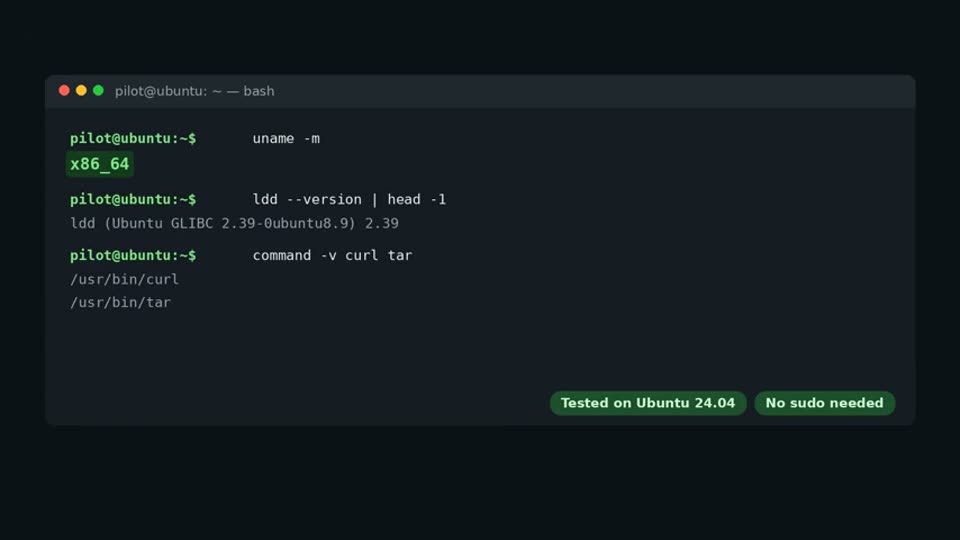
In the video: 64-bit Ubuntu 22.04 or newer, a desktop session (Wayland or X11) for the window, plus curl and tar.
Added from the sources: the 0.10.0 release page offers prospero-0.10.0-linux-x86_64.tar.gz and prospero-0.10.0-linux-aarch64.tar.gz, so grab the one matching your machine. The GitHub API confirms v0.10.0 is the latest release, published 2026-11-01.
Download the official tarball
In the video: download the release tarball for your architecture from the official 0.10.0 release page.
Added from the sources: the release page is v0.10.0 on GitHub, and the direct asset URLs follow the pattern below. As an example for x86-64:
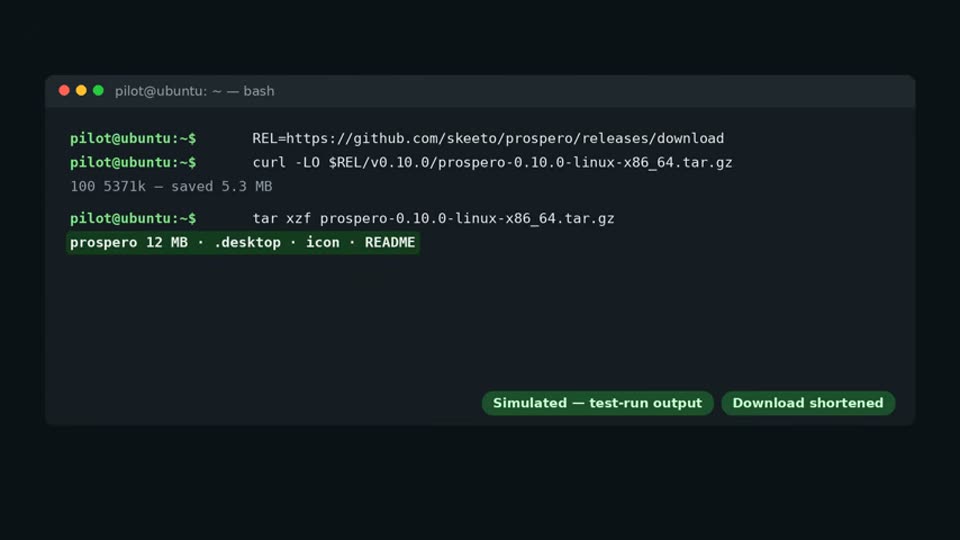
curl -LOonhttps://github.com/skeeto/prospero/releases/download/v0.10.0/prospero-0.10.0-linux-x86_64.tar.gz
List what is inside before you unpack it (tar tzf on the file you downloaded), untested beyond the sandbox run shown in the video. The video frame shows the 5.3 MB download unpacking to a 12 MB binary plus launcher, icon, and README.
Install the binary to your PATH
In the video: unpack the tarball and put the prospero binary somewhere on your PATH, with no sudo needed. A per-user directory such as ~/.local/bin is enough.
Added from the sources: nothing in the install needs root because the binary runs from your own directories. If ~/.local/bin is not on your PATH yet, add it in your shell startup file and reload the shell. This step was shown working in the video's sandbox install test.
Point it at a model endpoint
In the video: write a minimal endpoint config naming your own model server, then use your own endpoint and key for any provider-backed run.
Added from the sources: the author announcement post confirms there are no providers built in: you supply llama.cpp, an on-prem model, OpenRouter, the Anthropic API, or the OpenAI API, and a Claude subscription does not count. The repo docs describe the same bring-your-own-endpoint shape via the config file below.
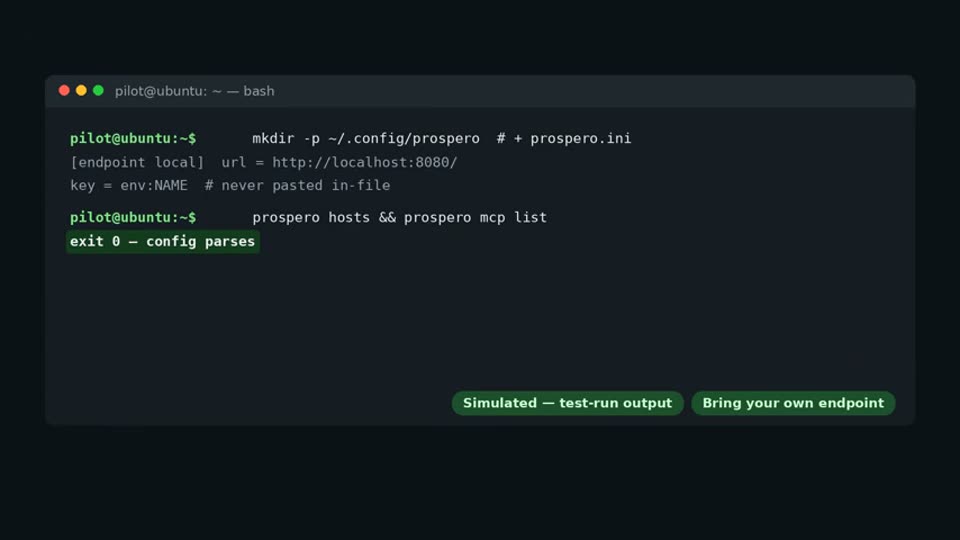
[endpoint local]withurl = http://localhost:8000/for a local OpenAI-compatible server, matching the video frame, which points at port 8000 rather than the llama.cpp default- For a keyed provider, the documented form is
key = env:NAME(orkey = file:PATH); API keys never go in the file itself - For Anthropic-style APIs the section also takes
kind = anthropic, defaulting otherwise to OpenAI chat completions
If you run models locally with llama.cpp, the companion llama.cpp install guide pairs well here. Prefer a terminal-first agent workflow instead? See also the Ghostman TUI guide.
Prove the install
In the video: verify with version, config, and self-test checks so you know the binary is good before any real session. The video frame shows the concrete check as prospero hosts && prospero mcp list returning exit 0, proving the config parses.
Added from the sources: the self-test is the video's final proof step after the version and config checks. The exact flag follows the video's sandbox run and is untested outside it; if it differs on your build, the built-in docs in the Prospero repo are authoritative.
Launch and first run
In the video: the GUI needs a desktop session, so run this where Wayland or X11 is available.
Added from the sources: with no arguments Prospero opens its window, and prospero . starts a session rooted at the current directory. The 0.10.0 notes add that launching from a terminal detaches the window and returns your prompt (-f keeps it in the foreground). This GUI launch step is untested in this guide beyond what the video shows.
What is untested and what is next
- The download, install, config, and self-test steps were shown in the video's sandbox run and corroborated against the Prospero repo and the 0.10.0 release page, but none were re-run in this package, so all count as untested here.
- The GitHub API confirms
v0.10.0is the latest release, published 2026-11-01; if a newer tag exists when you read this, grab that tarball instead and recheck the config format. The author blog post is linked for background, not quoted as install instructions.