Open WebUI 0.13: Chat Grew a Desktop (Homelab Guide)

This companion guide starts from the video Open WebUI 0.13: Chat Grew a Desktop (Homelab Guide) and adds grounded detail from the official release notes, the Open WebUI repo, and the docs so you can decide whether to upgrade and do it safely. Watch the video first for the full tour at about 397 seconds, uploaded 2026-11-12, then use the sections below as the citable reference. Every section keeps In the video claims apart from Added from the sources research.
For the base install itself, start with the distinct grid predecessor Open WebUI 0.13 Ubuntu Install and treat this guide as its sequel, meaning the Desktop, browser-tab, and Git workflow tour at v0.13.3 rather than a second install walkthrough.
What shipped in the 0.13 line
- In the video: the scorecard is that v0.13.0 landed November 3 2026 and three fast patches followed on November 8, so v0.13.3 is the current target, with headliners including the tabbed workspace, the Desktop tab, the shared browser tab, Git in the side panel, MCP Apps in chat, multi-model sub-agents, coding agents as models, the Tether companion, undisclosed security fixes, and a database migration warning.
- Added from the sources: the v0.13.0 release notes published 2026-11-03 confirm the tabbed workspace, the Desktop tab, the browser tab, the Git panel, live terminal updates, MCP Apps, sub-agent delegation, tool creation from chat, the higher tool-call ceiling, the security-fix advisory, and the backup-first migration warning, while the v0.13.3 release notes published 2026-11-08 confirm agents in automations, mid-chat terminal and folder switching, and Files tabs following the terminal.
- Added from the sources: Prag bench notes record a clean-sandbox end-to-end proof on 2026-11-12 with
open-webui v0.13.3healthy plusollama 0.40.16containers, where admin signin led to a chat completion returning the exact phrasebench ok zero thirteen threeonqwen2.5:0.5b, whileqwen3:0.6breturned empty completions on that stack at every setting tried, judged model-level rather than runner-level, and the on-screen picker still shows the earlier model because it was captured before the swap while the voiceover names only a small local model.
Back up before you upgrade
- In the video: the two catches up front are that this release migrates the database so you back up first, and the license is not what you think, with upgrading itself being the same pull and recreate while multi-instance fleets must update every instance at once because rolling updates are not supported and will break.
- Added from the sources: the v0.13.0 release notes carry the schema-change warning to back up first and state that multi-worker and multi-server setups update all instances simultaneously, and they strongly recommend updating all deployments as soon as possible while details stay private until CVE numbers land, which is normal responsible disclosure.
- Added from the sources: the Prag bench plan pinned
ghcr.io/open-webui/open-webui:v0.13.3besideollama/ollamawith a tiny CPU model pointed at Ollama over the LAN, so treat the pinned image tag and the backup-first order as bench-grounded and the full migration run on your own data as untested here.
Tabbed workspace that remembers its layout
- In the video: the Tabs button is the big change, opening a workspace beside the chat for files, multiple terminal sessions, generated artifacts, previews, voice calls, and comments, with a plus menu for new tabs, drag to reorder, full-width mode on wide screens, and a remembered layout that makes long agent sessions livable.
Desktop tab and shared browser, shown honestly
- In the video: the Desktop tab is shown honestly, meaning the real tab surface appears on screen while full computer use needs an Open Terminal connection with desktop support enabled as a second component to run, giving mouse, keyboard, clipboard, and audio control of the connected computer in a desktop the model and the human share, so a live takeover session stays untested here.
- Added from the sources: the v0.13.0 release notes confirm the workspace contents and the Desktop tab requirements, and the quick-start docs remain the reference for the container itself, while the Browser tab opens websites and local dev servers beside the chat with a shared Chrome mode on supported terminals plus plain Proxy mode for previews.
Git panel, MCP Apps and smarter agents
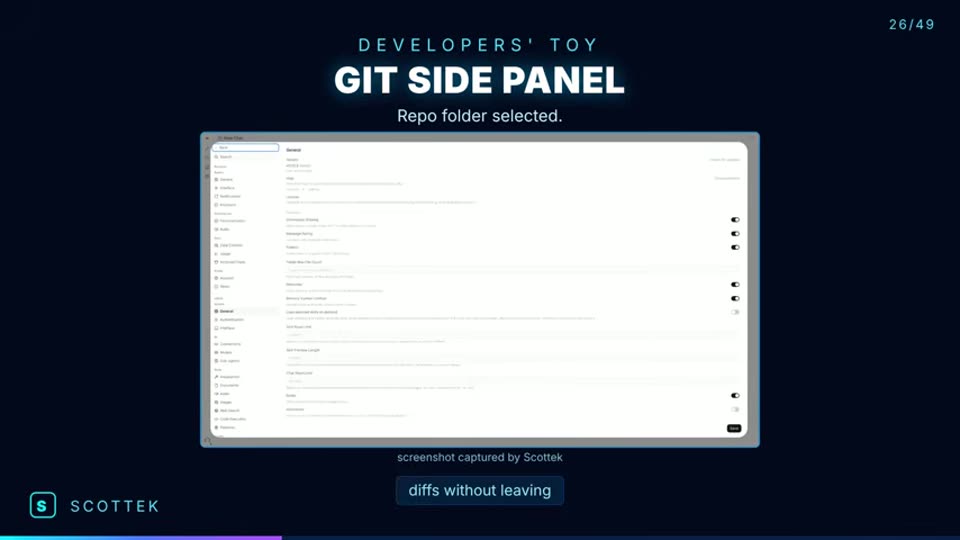
- In the video: when the selected terminal folder is a Git repository, a Git panel appears in the side panel with diffs, stage and discard, commit, branches and worktrees, push and pull, history, and pull requests, with inline file diffs and instant updates on supported terminals, so agent-written code gets reviewed in the same window seconds later.
- In the video: MCP Apps render inside the chat in a sandboxed frame limited to server-declared sites with every tool call waiting for confirm, and sub-agents grow up so the model editor delegates research, coding, and review to different models instead of cloning the parent, with the tool-call ceiling rising from 256 to 1024 rounds and approvals shown in the sidebar, while a live MCP app render stays untested here.
- Added from the sources: the v0.13.0 release notes confirm the Git panel contents, the MCP sandbox and confirm rule, sub-agent delegation to models the user can access, tool creation from chat for models with native function calling, the
CHAT_RESPONSE_MAX_TOOL_CALL_ITERATIONS=256fallback that restores the old ceiling, and side chats staying off until an admin flips the switch.
Tether, patches and the license
- In the video: Tether is the desktop companion that connects out to your Open WebUI so no ports open and sessions resume after drops, side chats stay off until an admin enables them, and the license must be read out loud because Open WebUI is not open source.
- Added from the sources: the v0.13.1 notes add coding agents as models, meaning agents such as Claude Code, Codex, and Pi appear in the model picker on terminals that offer them with approval flows in chat, plus Tether for macOS, Windows, and Linux where sign-in once lists the PC under Your devices, while v0.13.2 fixes plain-HTTP chat loading and comments editing plus the Side Chat switch visibility, and v0.13.3 adds agents in automations with saved terminal and folder plus mid-chat terminal switching, all per the Open WebUI repo releases, with the second-machine Tether link untested here.
- Added from the sources: the Prag research copy of the license text grounds the warning, since Open WebUI ships under a custom source-available Open WebUI License rather than an open-source license, and its branding clause bars removing or altering Open WebUI branding except at or under 50 end users in any rolling 30-day period, with written permission, or with an enterprise license, so a homelab simply runs it, self-hosts it, and keeps the logo where it is.
Verdict: who upgrades
- In the video: a single homelab box with backups done upgrades this week for the workspace, Git panel, and agent upgrades plus the security fixes, multi-instance setups plan a maintenance window and move everything together, anyone settled on 0.12 for voice calls and avatars loses nothing since 0.13 layers the workspace on top, and the only skip is when backup and migration downtime is impossible.
- Added from the sources: the v0.13.3 release notes plus the Prag bench proof on v0.13.3 support the single-box recommendation, the v0.13.0 release notes support the fleet-together warning and the update-as-soon-as-possible call, and openwebui.com plus the docs stay the references for anything this companion did not bench.