Open WebUI 0.13 Ubuntu Install: Tabs, Terminal, Git + Browser

This guide is the written companion to the video Open WebUI 0.13 Ubuntu Install: Tabs, Terminal, Git + Browser (about 100 seconds, uploaded 2026-11-05), and it treats the video as the starting point. The auto-subtitles were fetched successfully with yt-dlp and cross-checked against the owner-written video description, so the transcript record here is the video's own words. The narration is synthetic, and the terminal frames are illustrative recreations of a real tested install, labeled on screen. An older research folder for the 0.12 video was consulted for background only, and nothing from 0.12 is presented here as a 0.13 fact. Claims from the recording are labeled In the video:, confirmations against official project sources are labeled Added from the sources:, and anything not independently confirmed is marked untested.
What the video covers
In the video: Open WebUI 0.13.0 installs on Ubuntu 24.04 with pip for a self-hosted AI chat in about two minutes of video. Version 0.13 adds a tabbed workspace with files, terminals, Git, browser, and desktop beside the chat, plus MCP Apps and a notification inbox. The chapters run 00:00 Your own AI chat, 00:14 Prerequisites, 00:27 Secret key plus venv, 00:40 Install plus serve, 00:52 Verify plus admin account, 01:05 Connect a model plus tabs, 01:20 Prove it works, and 01:32 Done.
Added from the sources: the v0.13.0 release page (published 2026-11-03) confirms the tabbed workspace behind the Tabs button, the Git side panel, the Desktop and Browser tabs, the notification inbox, and MCP Apps rendering inside chat. Added from the sources: PyPI lists open-webui 0.13.0, so the pinned version is real.
Prerequisites
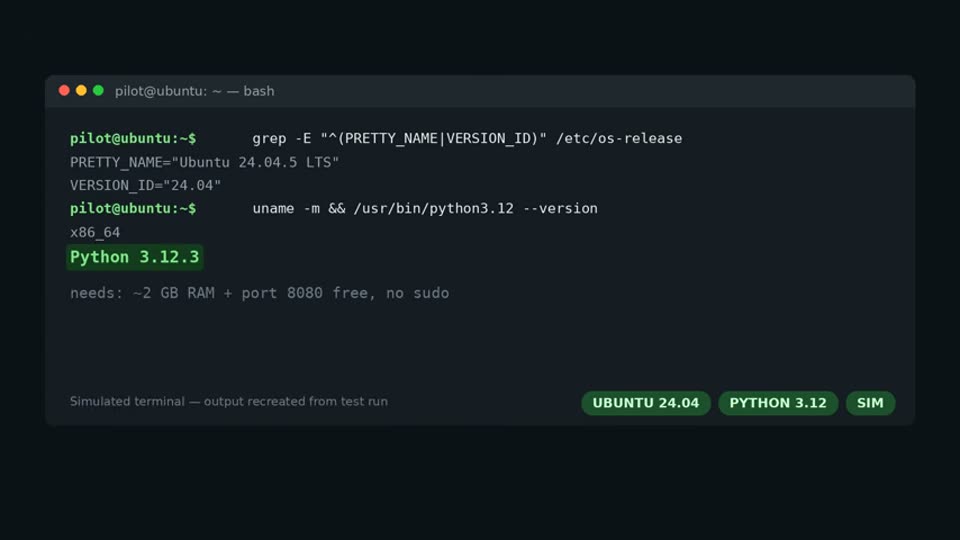
In the video: you need Ubuntu 24.04 64-bit, Python 3.12, about 2 GB of memory, and port 8080 free, with Ollama optional for local models and no Docker needed. Added from the sources: the quick-start docs and PyPI both document the pip path with open-webui serve ending on http://localhost:8080, and PyPI requires Python 3.12. Free port 8080 before you start.
Install
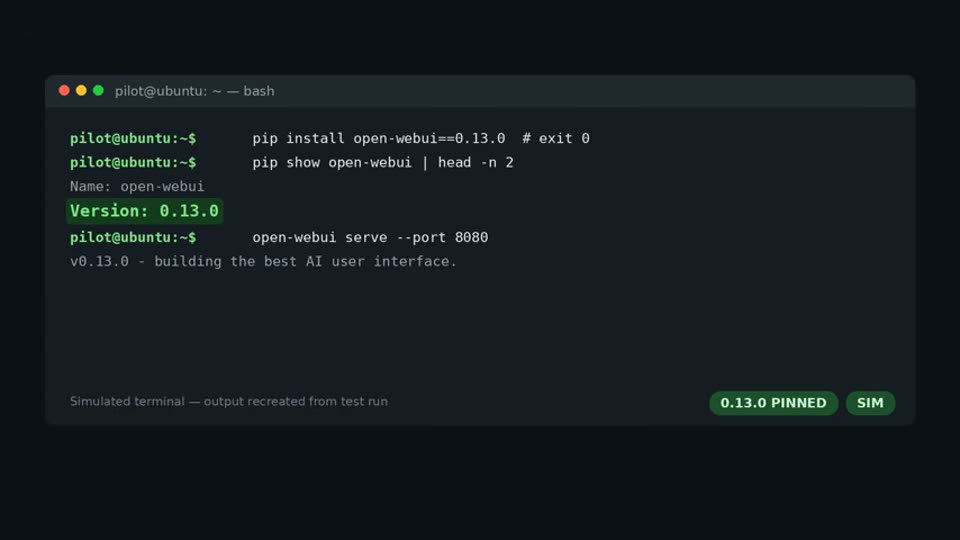
In the video: check Ubuntu 24.04 and Python 3.12.3, generate a secret key with openssl, create and activate a Python 3.12 venv, then pip install pinned to open-webui 0.13.0 and start it with open-webui serve on port 8080. The walkthrough frame shows the pinned install confirming Version: 0.13.0 before serve starts on port 8080. Added from the sources: the docs generate the key with openssl rand -hex 32 and warn to set WEBUI_SECRET_KEY once and keep it, since a new key signs everyone out. Added from the sources: the docs note sessions are signed with a key file in the directory you start from, so always start from the same directory or export the same key, and you can move data with DATA_DIR.
Verify and create admin
In the video: the health endpoint answers HTTP 200 with status true, the version endpoint answers 0.13.0, and the first screen offers Create Admin Account, with that first account owning all settings. Added from the sources: the docs reference /health returning HTTP 200, and openwebui.com is the project's home page. The exact version-endpoint path was not independently confirmed, so treat that one check as untested and confirm the version against the release tag instead.
Connect a model and try Tabs
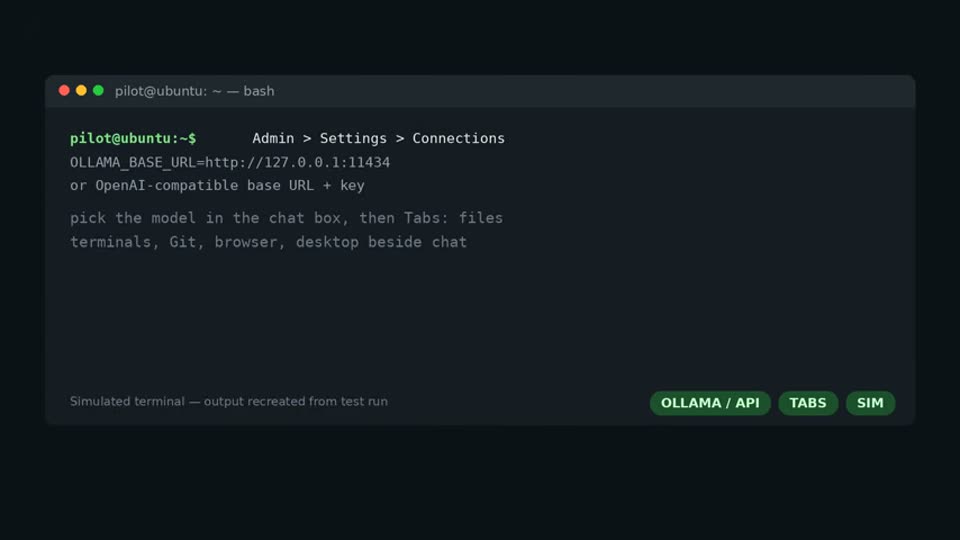
In the video: point Open WebUI at Ollama on 127.0.0.1 port 11434 or any OpenAI-compatible API, pick the model in the chat box, open Tabs for files, terminals, Git, browser, and desktop, then send a test chat and confirm the model replies. Added from the sources: the release notes confirm the Tabs-button workspace, the Git panel when the terminal folder is a repository, and the Browser tab, while noting the Desktop tab and shared-browser use need a compatible Open Terminal connection. Running a terminal tab against a live server is untested here.
Troubleshooting
- Port
8080is taken: free it, or change the bind withopen-webui serve --port 3000, a form the docs confirm. - Logged out after a restart: you started from a different directory or changed
WEBUI_SECRET_KEY, and the docs confirm a new key signs everyone out. - Lost chats after an update: back up the backend data directory first, the same warning the video description gives, and never rely on a single copy of
DATA_DIR.
Next steps
For the Docker route and the 0.12 feature set, see Open WebUI 0.12: Self-Host Your Own ChatGPT (2026 Guide). For the local-model side, see Run AI Locally: Ollama + Qwen3 on One GPU. Both guide IDs were verified in the site's guides.json.